after updating to last beta version my download station app is not working any more
service is stoped ??
after updating to last beta version my download station app is not working any more
service is stoped ??
QNAP has announced that DownloadStation has reached EndOfLife status.
You need to check for an alternatives (NAS Model was sadly not mentioned)
Hi, following up on @dolbyman’s reply: if your NAS supports QTS 6 or QuTS hero 6, I’d recommend giving Rtorrent 16 a try.
I’m the person behind the Rtorrent packages for QNAP. Some of you might remember rtorrent++, rtorrent-Pro or Rtorrent 15. Version 16 is what I’ve been building for the newer firmware, so I thought I’d share a bit about it here for anyone looking for an alternative to Download Station.
Personally, I call it torrenting 3.0:
Torrenting 1.0: You left the PC running overnight to finish a download.
Torrenting 2.0: You moved the downloads to your NAS and finally switched the PC off.
Torrenting 3.0: The NAS also helps you find what you’re looking for, organises the files, updates your media library and keeps things seeded. That’s what I’ve been working towards with Rtorrent 16.
If you just want to add a magnet link and let it download, you can do exactly that. Quick access gives you the everyday controls. The full ruTorrent interface is still one click away when you need it (but I hope control center built-in will replace it)
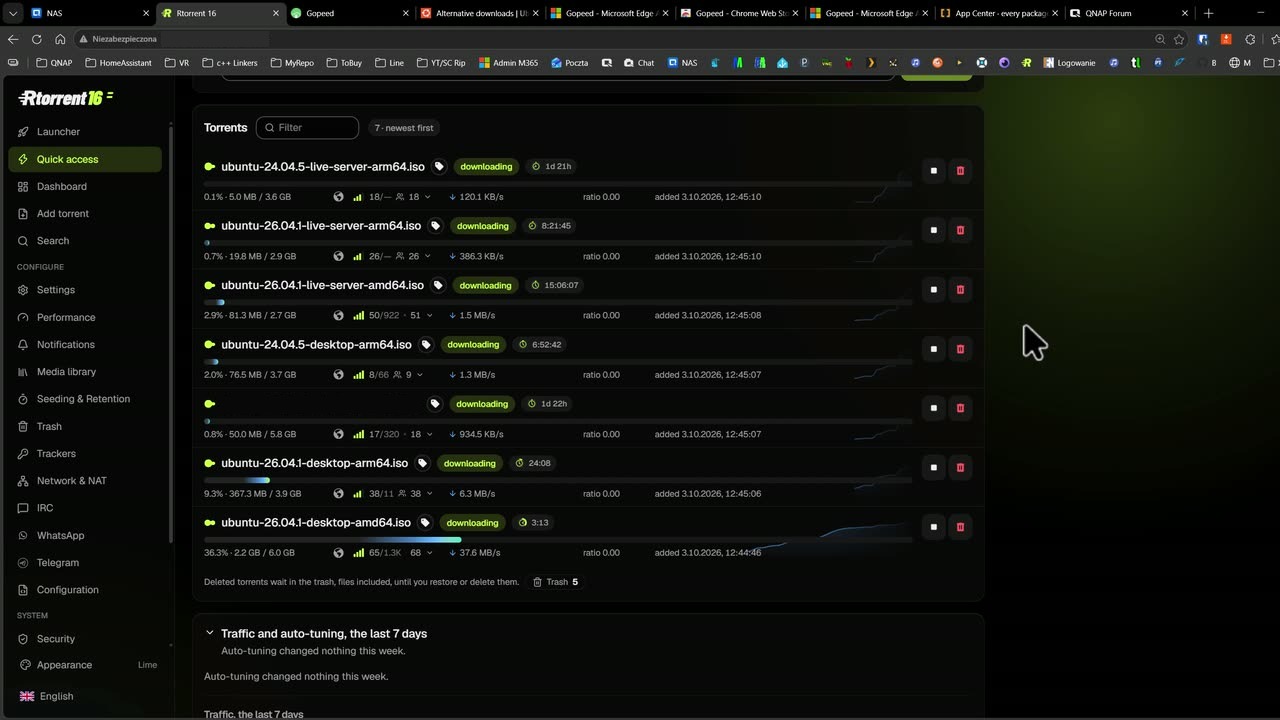
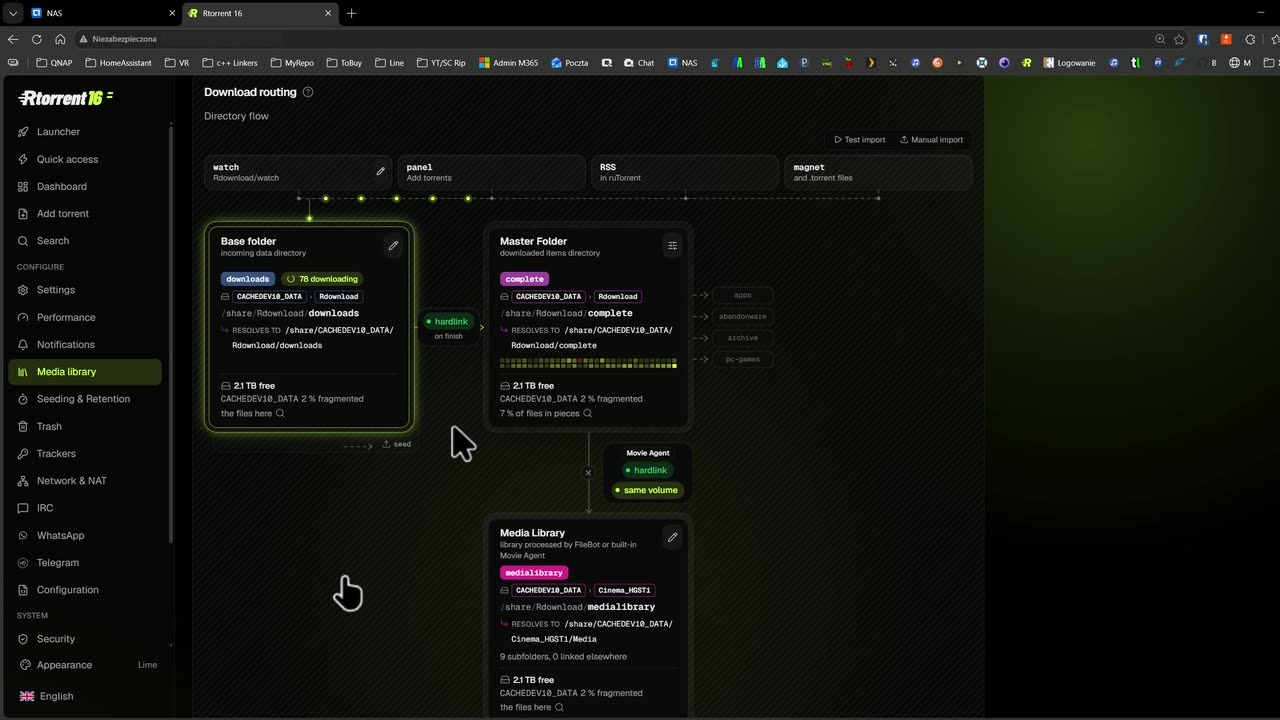
Private trackers have always been a big part of this project. A download finishes; seeding can continue for months. That’s why I pay as much attention to the seeding rules as to the download controls.
For other downloads, there’s also an optional Gopeed add-on, with support for HTTP/FTP and HLS streams. Its browser extension sends download links to the NAS, and it works with Rtorrent 16 for torrent downloads. I’ll also be adding more debrid integrations over time through Gopeed add-ons.
There’s an Android companion app for sending torrents to the NAS, checking progress and receiving notifications. It’s available as an APK or through Google Play testing. The iPhone app is awaiting Apple’s approval for TestFlight - probably never - Apple.
Rtorrent 16 is free to use, with no paid feature tier. It’s an independent project and installs as a native QNAP package through App Center.
You can have a look around the panel without installing anything:
Open the Rtorrent 16 live demo
There’s also a daily-use walkthrough showing the download controls and media library.
https://www.qnaputilities.com/repo.xmlAdding the repository also lets you receive package updates through App Center.
Requirements: QTS 6 or QuTS hero 6 on a supported NAS. Check firmware availability for your model; QTS 6.1 is currently a Public Beta. An ARM64 build is available, but QNAP has not yet released the required QTS 6 firmware for ARM models.
If Download Station has been one of your reasons for putting off the move to QTS 6, give the demo a look. And if you try Rtorrent 16, I’d be interested to hear how you get on with it.
I hope someone who has tried can say a word…
Rtorrent 16: details and downloads
Community support, in English or Polish
I’ve spent the last week or so getting Rtorrent16 up and running and let’s just say that it’s a very slick program. All the integration with features like Sonarr, Radarr, and Seerr are really slick. Add something to your Plex watchlist and boom - it shows up soon after. No muss, no fuss.
Happy to offer suggestions or help to anyone who might need this. It is significantly better than download station. Not even in the same league.