Hi guys,
happy new year at all.
I have a little help to clarify a message that I received during the enable Rsync Service on my Qnap NAS TS-832PXU.
the scenrio is : there is a specific nas with some Folders shared e some user accont that can access to specific folders; this is the normal configuration by some years.
Now, we need to enable to special backup form another NAS (Synology). This procedure can established and we would like to use the Rsync Features between the different NAS. In particulary the Qnap NAS will be the Server Rsync and the Synology NAS will be the Client Rsync.
Below, we can see our message.
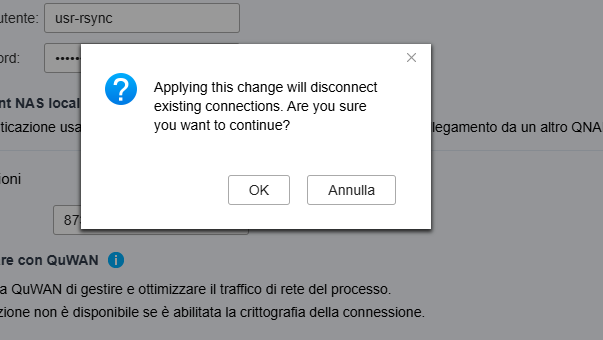
Now the question is :
In the message inform us that after the apply this change, the exsisting connections will be disconnected.
This connections are referred at all connections of the NAS (for exaplme SMB, and others) or to hypothetical connections already present inisde this specific application (HBS3) and in the Service Rsync?
Obviously, before click on “OK” Message, we would like understand if we could create an issues on actually services in production as SMB Sharing Folders.
I hope to explained our sceanrio correctly.
Thank you very much in advance.
Let us Know.
Best Regards.
Dino.