I think HBS in its current version has problems. I just completed a first time backup of my main NAS to my secondary NAS. I had to do this because after I redid my secondary NAS, I just could not copy/restore the snapshot I had vaulted to my primary NAS. It was just reporting as HUGE. I think this is an error in the HBS database.
Anyhow, after this first time backup to an empty folder on the secondary NAS, this is what HBS shows:
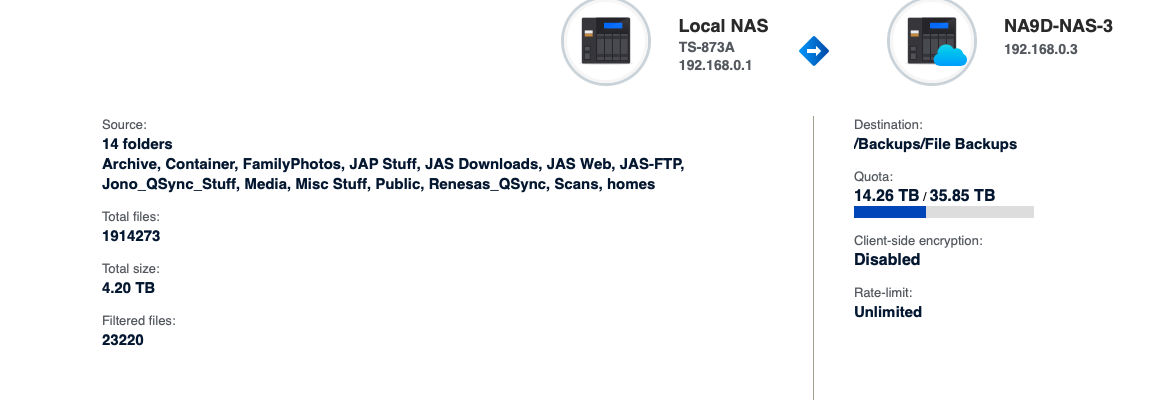
How can I possibly be taking up 14TB of space on the secondary NAS when the data set was 4.3TB?? Please tell me the answer to that question!
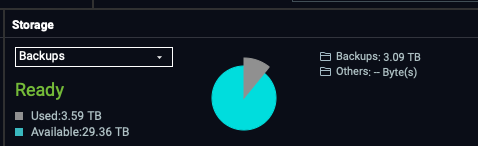
And when I got to the secondary NAS and look at the space of the folder where I have the backups, I get:
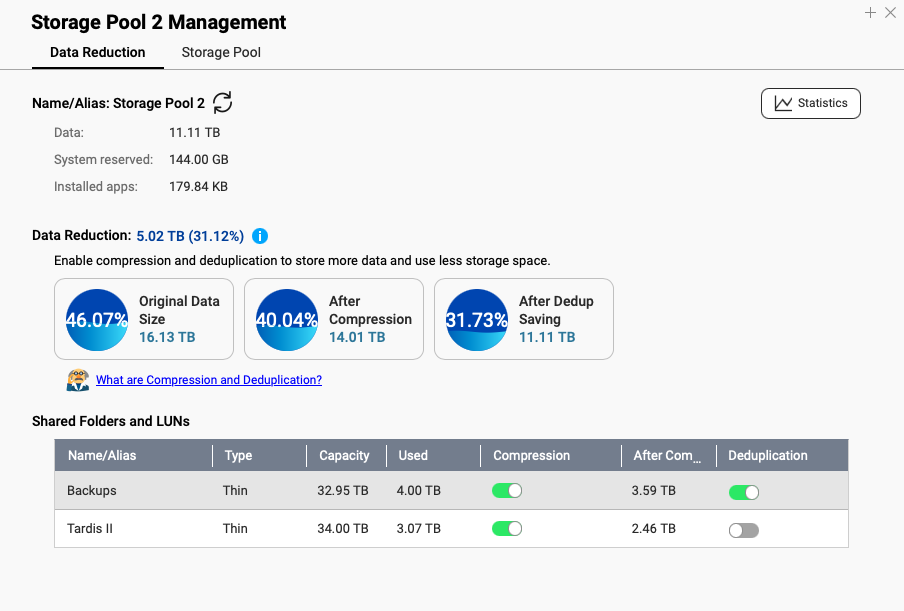
So QuTS Here is doing some size reduction with compression and deduplication:

There seems to be a missing 200GB somewhere so not sure why that is but at least what the OS is reporting is close to what was backed up and not like HBS.
@SteveKo - Please report this to your team. This needs to be fixed. This is not good.