Sources of Noise When Using NAS
As you may know, NAS is composed of various parts assembled together. Its structure is very similar to that of a PC, so you can generally think of it that way without much error.
Within a NAS, there are several components that generate “sound/noise.” Let’s list out some of the noise sources.
CPU Fan: In high-performance NAS units, there are cases where a CPU fan is installed to cool the CPU. The airflow noise from the fan becomes a source of noise.
Main Exhaust Fan: This is usually installed on the rear of the product and is used to exhaust and cool the heat generated by the CPU, HDD, and other components inside the device, preventing heat from accumulating inside. This also produces airflow noise.
Power Supply Fan: This fan is installed in the power supply section of the product. When converting AC input to DC power for use inside the device, heat is generated, and this fan is used to dissipate that heat. Again, airflow noise is produced.
Buzzer (!?): Used to clearly indicate the operating status of the device, such as when the power is turned on. It sounds during power-on, startup completion, shutdown initiation, or when an error occurs.
HDD: Inside the HDD case, the disk spins at speeds like 5400 or 7200 RPM, and the head moves to read data from the desired location. The spinning disk noise and the clicking sound of the head seeking are sources of noise.
That’s the general overview.
As for “fans,” basically, they cannot be adjusted by the user to prevent noise after purchase. Rather, this is something determined by the manufacturer during the design phase.
In the past, if a ball bearing fan was used, it could be replaced with a fluid dynamic bearing fan, but nowadays, most fans are fluid dynamic bearing fans from the start.
Incidentally, “the larger the fan diameter, the lower the RPM (making airflow noise less likely) while still achieving sufficient airflow,” so “can the fan diameter be made as large as possible?” is one of the considerations manufacturers take into account for noise reduction.
The reason why 1U fans are so noisy is because “they need to achieve high airflow but can only accommodate small-diameter fans,” so they have to run at high RPM.
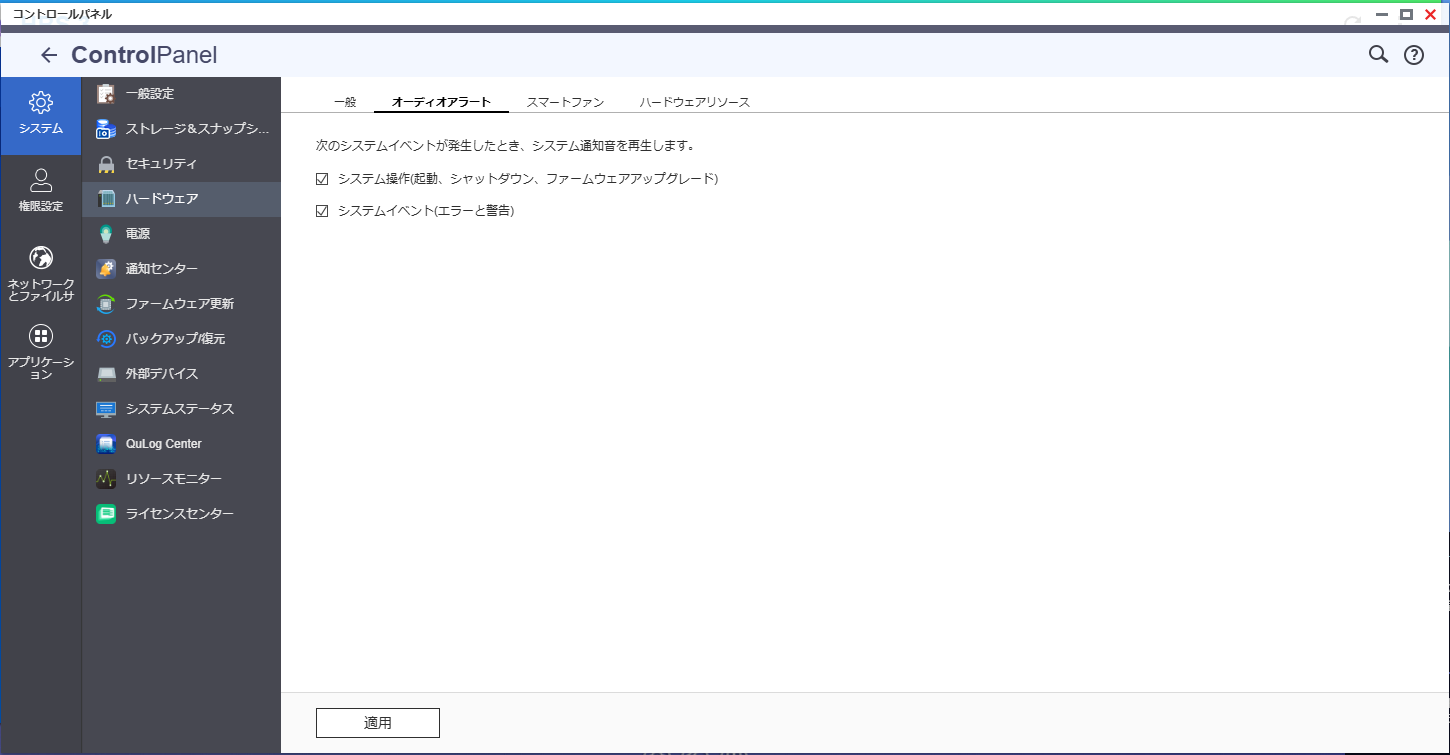
If you don’t need to be notified by the buzzer when an error occurs, with QNAP NAS, you can mute the buzzer sound.
You can configure this in [Control Panel] - [System] - [Hardware] - [Audio Alert].
Now, after a long introduction, let’s get to the main topic of this TIPs: the HDD.
HDDs also have various characteristics. Key points include:
Number of Platters: How many disks are spinning inside the HDD? (Probably now between 1 and 10)
Rotation Speed: At what RPM do the disks inside the HDD spin? (5400 or 7200)
These characteristics, when matched with the NAS unit’s characteristics or the shelf it’s installed on, can result in significant noise.
You may remember an experiment from middle school where “striking tuning fork A causes tuning fork B to vibrate”—the principle is the same.
If You’re Concerned About Noise from the HDD, Try This First
Here’s what our HDD tray looks like.
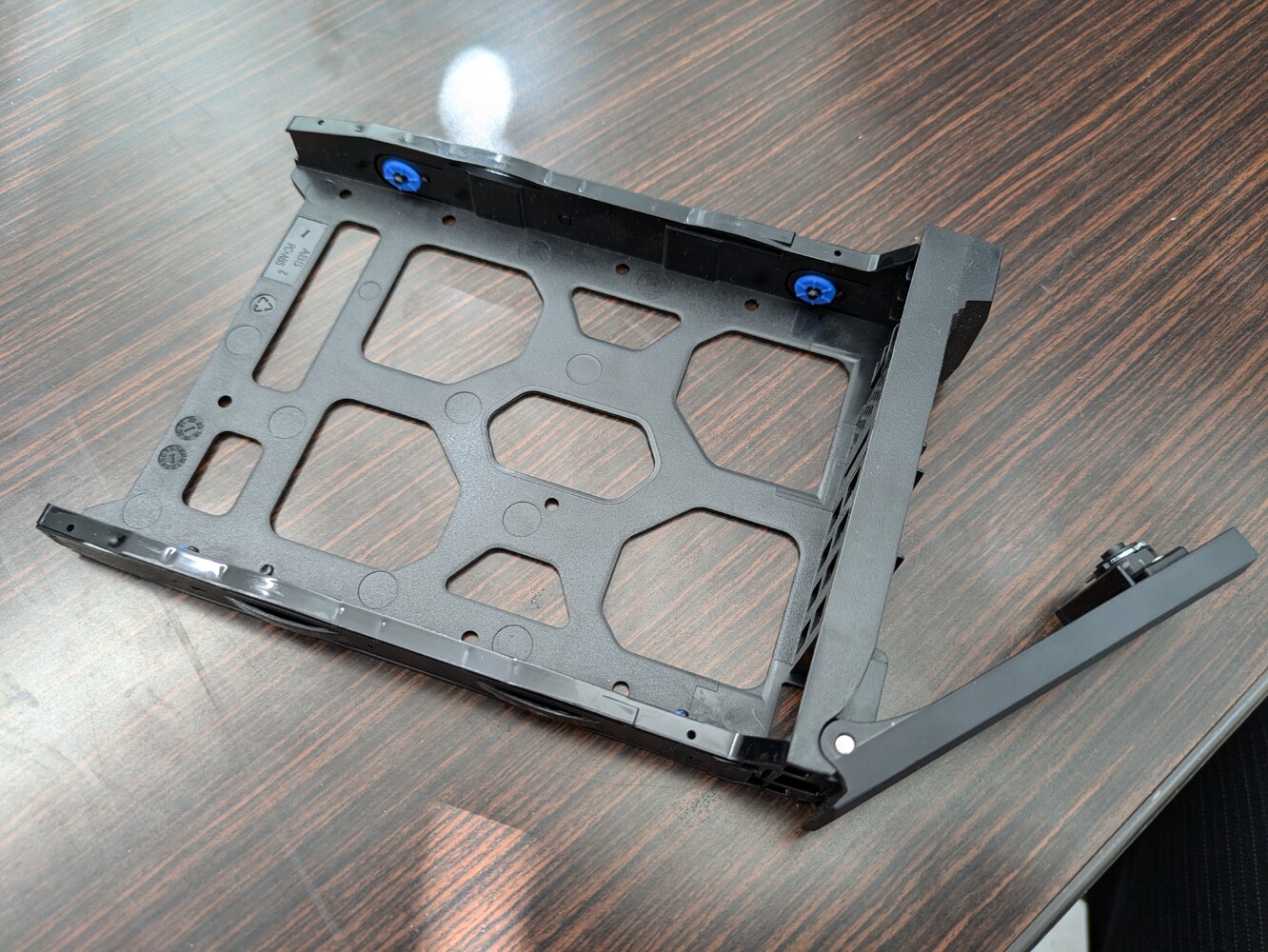
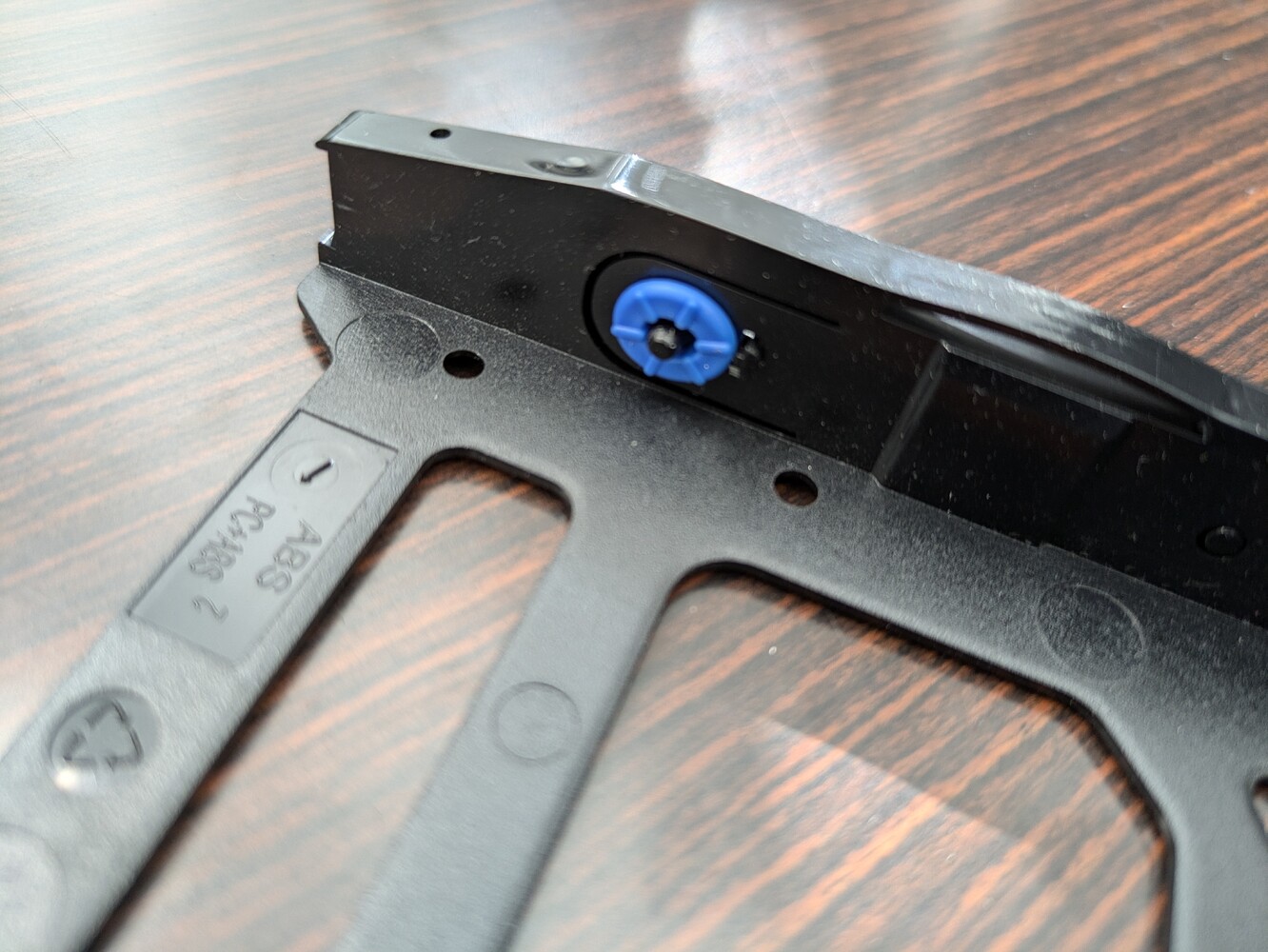
On the side that comes into direct contact with the HDD, rubber rings are installed around the screw hole guides to prevent vibration from transferring to the tray.
Also, the tray sides are designed with plastic leaf springs, so vibrations are not transmitted from the tray to the NAS unit.
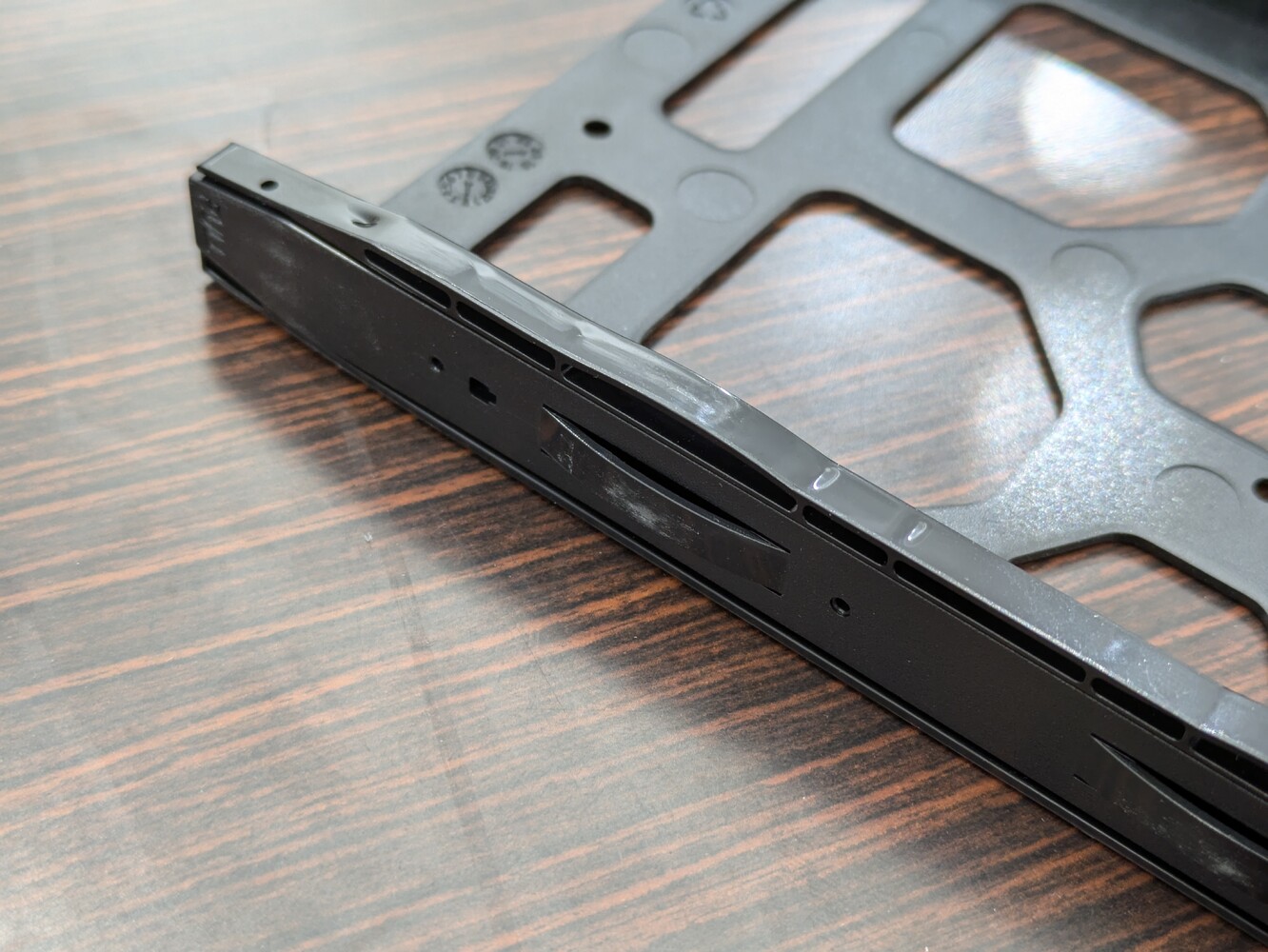
With such a solid tray construction, if you’re concerned about noise around the HDD, we recommend trying this often-overlooked step first (it’s also mentioned in the manual…).
That is, “secure the HDD firmly to the tray with screws.”
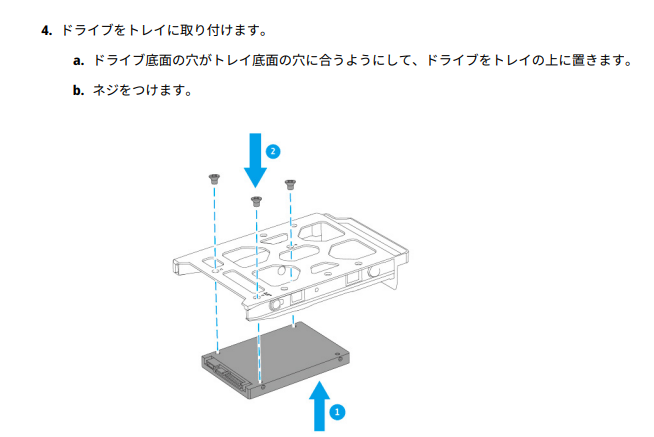
Since you can secure the HDD with just the side rails, many people don’t use screws, but QNAP recommends properly fastening it with screws.
This prevents rattling between the HDD and tray. In fact, we’ve received feedback from customers saying “the noise was reduced.”
If you’re thinking, “It’s kind of noisy…” and your HDD isn’t firmly secured to the tray, please check this point first.
Summary
This time, we organized the sources of noise when using NAS and introduced a one-point TIPs for reducing HDD noise.
If you have a quiet HDD, the effect may be hard to notice, but if your HDD is a bit noisy, we encourage you to try this method.