An update here. Someone earlier in the thread said that QuTS Hero 6.0 made a difference but my first attempt at this wasn’t successful. (it still defaulted to CPU). But a little help from Google Gemini and I have a YAML that works for me.
Hardware: QNAP TVS-h1688x
QuTS Hero: 6.0.0.3500
GPU: Nvidia RTX 3060 (12 GB VRAM)
Docker: Container Station
My objective was to run Ollama on my 1688x with an OpenWebUI front end. I asked Google Gemini to write an appropriate YAML that would work with QNAP Container Station taking into account the RTX 3060. This was the first attempt an remember, this version DID NOT WORK with the GPU.
Again, the previous YAML failed to use the GPU. After asking Gemini to rework the issue, it came back with the following YAML that did work with the GPU: (I deleted the OpenWebUI YAML for redundancy since it didn’t change)
I have no idea if this will solve the issue with QTS 5.9.0, but it may be worth a shot. The big difference are the environment variables (OLLAMA_HOST and OLLAMA_KEEP_ALIVE).
i haven’t really noticed a similar issue as mentioned in this thread. I might be missing it since I dont use open-web AI/ ollama app all the time. I have it running and it will unload the llm, then next time i use it it loads it.
I am using an approved nvidia card for my NAS model.
I think the difference comes from this: OLLAMA_KEEP_ALIVE=24h
Frequently unloading and reloading the models seems to cause problems. When the loading process takes a long time, the problem seems less frequent. Personally, I’m currently testing with 5 hours, and after that time, I still have the loading issue—mainly because the model exceeds the GPU’s RAM, and instead of switching to a CPU/GPU hybrid mode, it switches to CPU-only mode. Or it unloads the model to switch to another one.
The problem isn’t limited to Open WebUI; it was also present in Qsirch and RAG.
I think this has been mentioned in other posts, but newer Nvidia drivers fix some issues like this.
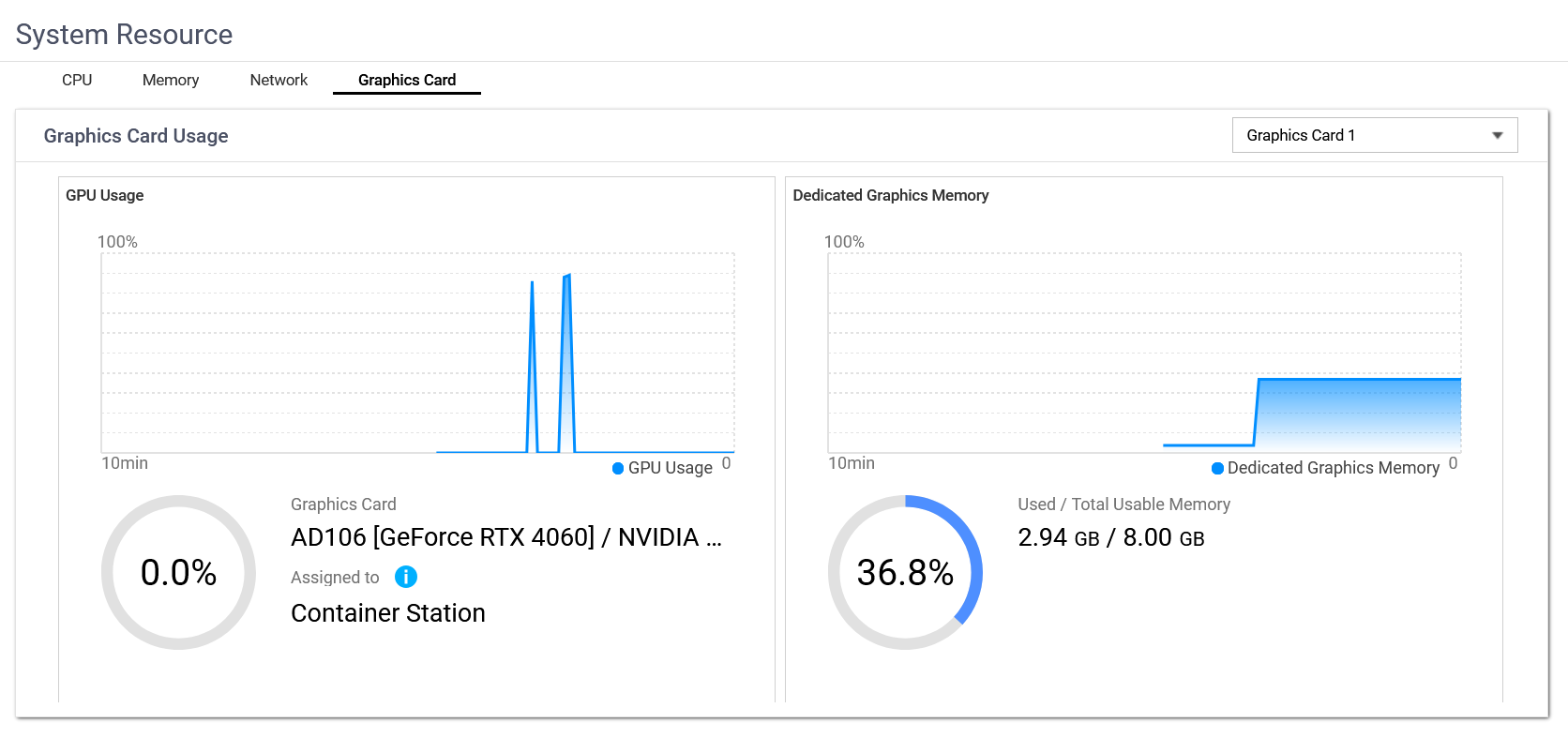
I did try a larger model that exceeded the 12 gigs of VRAM in my card. It did slow things down but Resource Manager did show that the card was being used at about 80% VRAM usage and GPU usage versus smaller numbers with a smaller model. It was still much faster than when I first did it and it was defaulting to CPU only (which on a 10th gen Xeon was extremely slow).
(Deleted last post to prevent confusion, since that was not the solution)
I found out that CUDA context held by ANY process prevents this bug. So, I created this simple Docker container with Codex: Qnap CUDA holder (GitHub)
Check driver path and your host path, run it, then wait for holding CUDA context log message. In my case, I’m now using GPU without problem for over a week. (Recommend rebooting and run this right after; it does not ‘fix’ already failing GPU).
Something else to know when trying to use Nvidia GPU’s for AI workloads. I have an outstanding ticket open on this with QNAP.
NVIDIA GPU initialization fails after ~1-3 day uptime — ZFS ARC pins physical memory; no contiguous 512KB blocks remain (TVS-AIh1688ATX, QuTS hero h6.0.1.3564)
On a TVS-AIh1688ATX (192 GB ECC RAM, NVIDIA RTX PRO 4000 Blackwell, driver 575.64.05, BIOS QA008AR14), the NVIDIA kernel driver becomes unable to initialize a CUDA context after roughly one to three days of uptime with Arc Ram Usage set at 70%. dmesg shows NVRM “Out of memory [NV_ERR_NO_MEMORY]” from _memdescAllocInternal while allocating its MMU fault buffer with ~44 GB of RAM free and the GPU otherwise healthy. You can slow the decline of contiguous blocks by lowering Arc Ram Usage, but a reboot is the only recovery mechanism currently available.
This is not an out-of-memory condition. It is physical memory fragmentation: /proc/buddyinfo captured at the moment of failure shows the 188 GB normal zone with zero free blocks at 128 KB and above. I bracketed the driver’s requirement empirically after forced compaction restored 18,000+ free 128 KB blocks and 69 256 KB blocks; initialization still failed identically, so the driver needs a contiguous region of at least 512 KB, and this system cannot produce one.
I eliminated every recovery short of reboot, all captured: stopping the GPU consumer, vm.compact_memory (rebuilds up to 256 KB, hard wall at 512 KB), and a full drop_caches followed by compaction (no further progress). The pages blocking every remaining 512 KB region are therefore unmovable, unreclaimable kernel memory on this system, ZFS ARC (~127 GB). Only a reboot recovers. Under a RAM-heavy workload, the failure reproduces in under 24 hours; under a lighter load, within days. Reproduction is reliable.
The hardware is healthy: the GPU initializes perfectly on every fresh boot and memory passes MemTest86. What I’m asking for is a supported way on QuTS hero to cap ZFS ARC (or reserve a contiguity pool) so ~96–128 GB stays compaction-friendly or acknowledgement and tracking if no such tunable exists.
For clearification: That’s most likely driver bug originating from Nvidia driver 575.64(.05), which QNAP utilizes currently. Even if QNAP manages RAM space poorly, GPU driver should successfully initialize CUDA if there’s enough RAM capacity, regardless of memory fragmentation, in normal use. I guess Nvidia driver 575.64 coded too tight restriction to the memory or mistakingly skip fallback route for memory allocation.
However, during any process holding CUDA context, the bug is gone - since memory does not needed to re-allocated. That’s why I made simple container to do so. (It’s one post above) I’m now using CUDA after over a week from my last reboot now.
I had information that the driver bug would be fixed in version 5.2.11 and it seems that is indeed the case now NVIDIA GPU Runtime 6.2.3.0580. Since yesterday’s update, everything has been working as it should. The drive didn’t last more than a few hours. In 6.x beta, this bug is still there.
By following the following modification: Getting GPU-Accelerated PaddlePaddle Working in Docker on QNAP NAS , my system has been running very well for several weeks. I put an unloading after 8 hours of my inference, but whether it’s the reloading or the change of inference, I no longer note any problem.