And maybe disable automatic updates if that is a problem for the poster who doesn’t want it to update automatically 
1 Like
Were i can find old relese for download and downgrade, other solution not work.
Thanks
How do I roll back the update? I can’t find the previous version to download.
Thanks.
It seems a rollback works on QTS? Not on QuTS anyway!
As for me; I’m using TS-473A running the latest QuTS Hero (h6.0.1.3550).
Manual rollback doesn’t solve the issue. After any rollback to an older version, the “session” gets reset continuously.
Please QNAP solve this issue, since it’s there for a few months now.
The problem could be connected to QuTS Hero, not the app itself/only.
The latest QuTS Hero update didn’t solve the problem. I’m not happy.
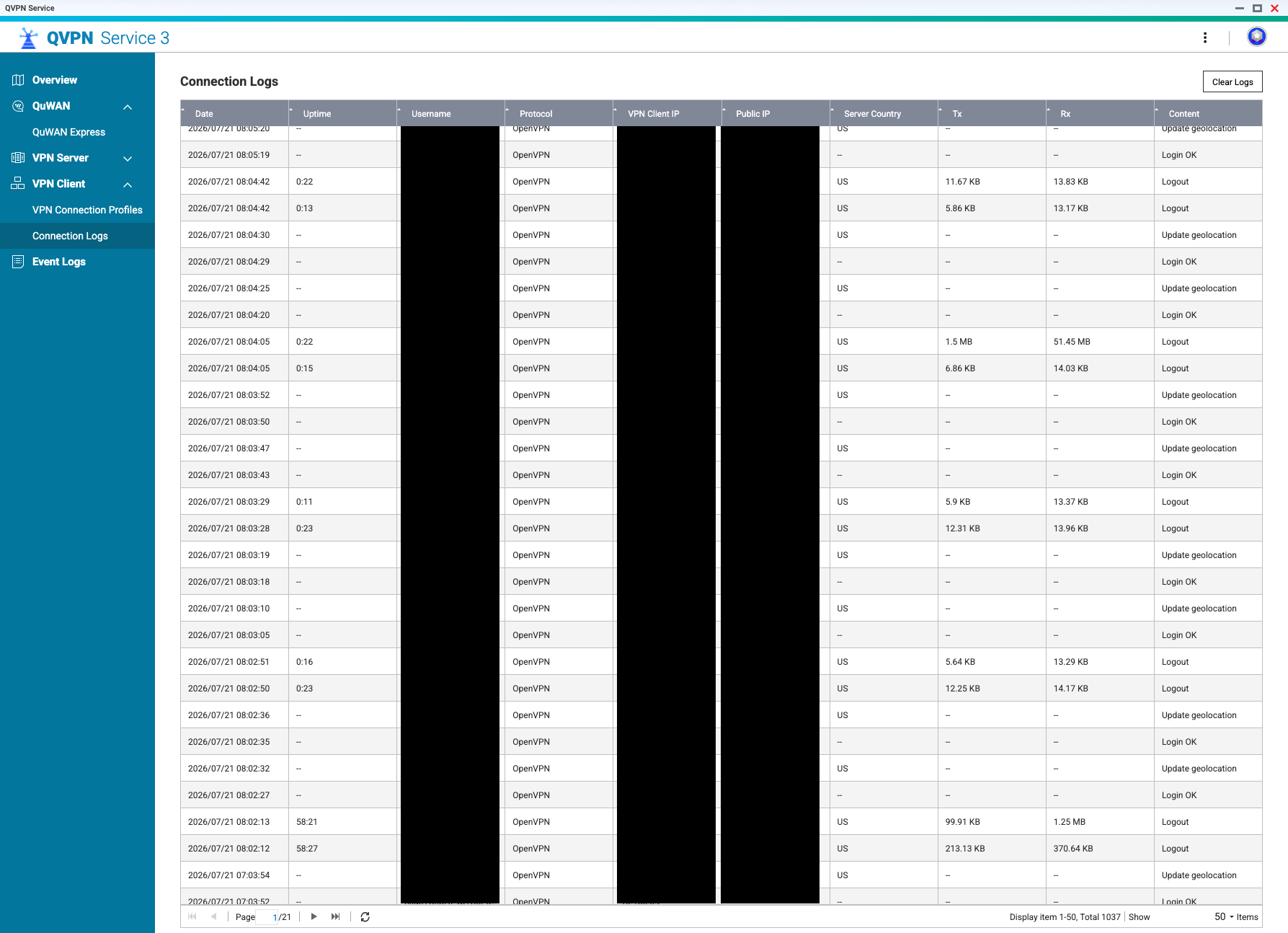
Any Open VPN protocol connection through QVPN keeps refreshing within 20-60 seconds.
Is there more people still having the same issue on QuTS ?
This issue was already fixed in a previous version. Would you mind letting us know your current QVPN Service version?
We’d also like to confirm with you — is the main issue you’re currently experiencing that the OpenVPN protocol connection refreshes within 20–60 seconds? Or do you also experience the app freezing, as the OP mentioned, requiring a restart before you can use the VPN on your QNAP?
We’ll look into this based on the situation you describe. Thanks!
I’m using the latest QVPN version: 3.3.15520
The app doesn’t freeze.
Restarting the NAS doesn’t seem to solve the issue. I also renewed/refreshed my VPN connection profiles, which seem to work fine. Issue is the connection refreshes continuously. After the geolocation has been updated, it logs out and starts over again.
Extra info: Sometimes (not always) When in the QVPN app screen; the status of the connection stays as: connecting (moving icon (not green)) while the connection uptime shows the timer functioning normally and adding time. (status is still connecting though according to the status/icon) When closing the app the connection uptime shows 0:00 after restarting the app.
NOTE: The QuFirewall Auto-LAN discovery rule doesn’t include allowance of the VPN Client IP. However switching off the QuFirewall doesn’t solve the problem.
Thank you.
I’m having issues here as well. I have a TS-264, downloaded 3.2.1088 but once the .pkg is installed and I attempt to open the app I get an error and a blank page. I suspect I’m getting it since I’m on QTS 5.2.9 and this version of QVPN is targeting older versions of QTS. I believe restoring QTS to an earlier version is a much more daunting task.
Ideally a new release of QVPN should fix this issue instead
The QuVPN app sends an unknown error message now and then. I can’t reproduce the details of that error.
The problem has been solved =)
For some kind of (unknown) reason the Primary DNS server was changed somewhere in the past.
Setting up the proper primary DNS (8.8.4.4) has solved the problem.
Thank you.
Regarding your issue — after discussing it internally, we may need to look further into your configuration and environment. Could you please open a support ticket with us and share the ticket number here? Our support team will then follow up with you directly to assist further.
Could you let us know what issue you’re experiencing with QVPN Service 3.3.1552 on your device? Thank you!