Hi @Bill1 ,
Thank you for providing the detailed description of your setup and situation.
To help us better understand the cause of the NVMe temperature fluctuation,
could you please share the following environmental details:
- Is your NAS placed in an air-conditioned or temperature-controlled room?
- What is the approximate ambient room temperature?
- Does the NAS have sufficient ventilation space around it?
These environmental factors can greatly influence the cooling performance of the QM2 card and NVMe modules.
In addition, please check that the M.2 SSD mounting screws on your QM2-4P-384 card are firmly secured.
If any screws are slightly loose, it may cause a small gap between the SSD and heatsink assembly,
potentially leading to less efficient heat dissipation or inaccurate temperature readings.
Please refer to the image below for the screw locations:
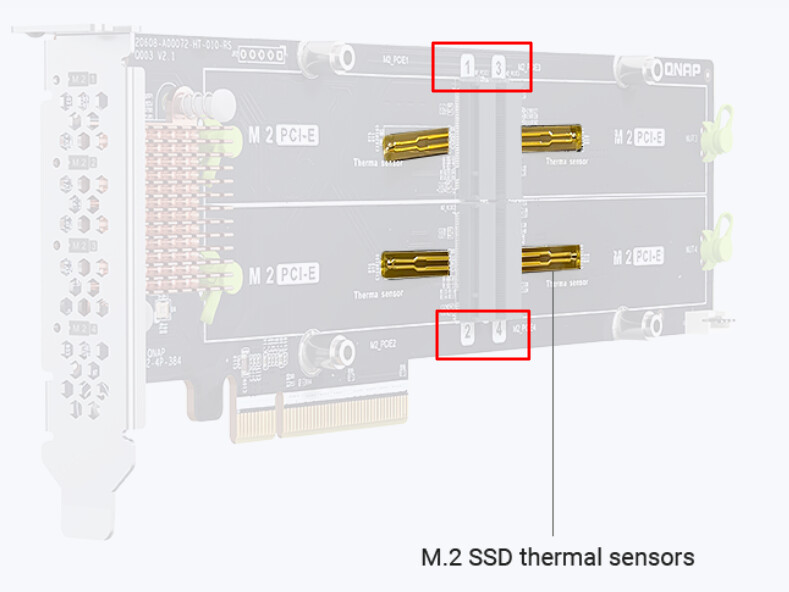
M.2 SSD screw mounting points — QM2-4P-384 installation reference.
If the installation appears correct but the same issue persists,
we recommend reviewing QNAP’s official QM2 installation guide
to ensure the expansion card orientation and system airflow are properly configured:
 How to Install a QM2 Card | QNAP Official Tutorial
Thank you again for your valuable details.
Once you share more about your setup environment, we’ll be glad to assist you further with more precise recommendations.