To get good performance you still need to get the updated NIC driver.
Stable performance if you use the 1 Gbit port but than the max is 1 Gbit.
QTS 5.2.5.3145 still comes with the old driver…
[admin@QNAP /]# dmesg| grep r8125
[ 9.340026] r8125 2.5Gigabit Ethernet driver 9.007.01-NAPI loaded
[ 9.347013] r8125 0002:21:00.0: enabling device (0000 → 0003)
[ 9.369138] r8125: This product is covered by one or more of the following patents: US6,570,884, US6,115,776, and US6,327,625.
[ 9.383975] r8125 Copyright (C) 2021 Realtek NIC software team nicfae@realtek.com
[ 9.952040] r8125 0002:21:00.0 eth1_tmp_56951: renamed from eth1
[ 9.967319] r8125 0002:21:00.0 eth0: renamed from eth1_tmp_56951
[ 91.801433] r8125: eth0: link up
[ 131.665897] r8125: eth0: link down
[ 135.193423] r8125: eth0: link up
[admin@QNAP /]# uname -a
Linux QNAP 5.10.60-qnap #1 SMP Mon May 26 01:05:26 CST 2025 aarch64 GNU/Linux
For unknown reasons QNAP doesn’t want to upgrade the faulty NIC driver. Every time I upgrade and get all kinds of hangs while working with the NAS through SMB. This is only with the 2.5 Gbit port, but that why i bought the NAS…
Tested with QTS 5.2.6.3195
[admin@QNAP /]# dmesg| grep r8125
[ 9.349762] r8125 2.5Gigabit Ethernet driver 9.007.01-NAPI loaded
[ 9.356674] r8125 0002:21:00.0: enabling device (0000 → 0003)
[ 9.378841] r8125: This product is covered by one or more of the following patents: US6,570,884, US6,115,776, and US6,327,625.
[ 9.393673] r8125 Copyright (C) 2021 Realtek NIC software team nicfae@realtek.com
[ 9.963055] r8125 0002:21:00.0 eth1_tmp_56486: renamed from eth1
[ 9.978308] r8125 0002:21:00.0 eth0: renamed from eth1_tmp_56486
[ 91.205639] r8125: eth0: link up
[ 130.398104] r8125: eth0: link down
[ 133.925683] r8125: eth0: link up
[admin@QNAP /]# uname -a
Linux QNAP 5.10.60-qnap #1 SMP Tue Jul 15 00:59:58 CST 2025 aarch64 GNU/Linux
Hi, I’ll follow up with the internal team about this. However, the testing team will likely need to be able to reproduce the issue or get some remote access information from your device.
If possible, I suggest you open another support ticket and send me the ticket number privately. I can then help track the issue for you. Thanks!
I waited long time with this guestion but it seems the nic driver is never getting update by QNAP.
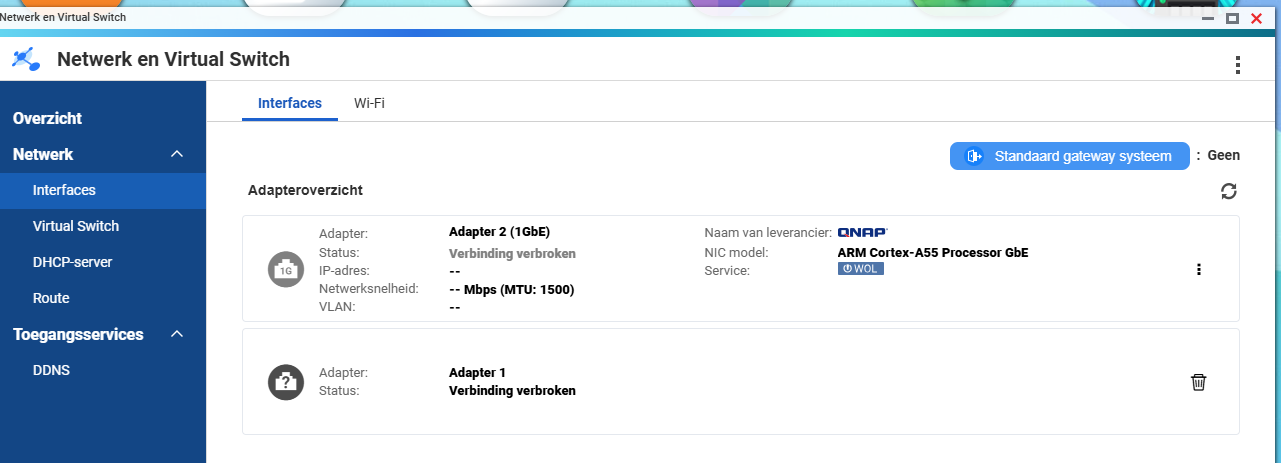
When the I load the new network driver through CLI. The webinterfaces doesn’t show the nic any more. Maybe somebody knows how to resolve this? Than i can add it to the script.
Great blog! So it seems a new version is coming! But of course this is very late for people owning this NAS for a couple of years and having the issue.
I have configured the autorun.sh script which fixes the GUI with the new nic driver.