TS-433 boost performance

To get good performance you still need to get the updated NIC driver.
Stable performance if you use the 1 Gbit port but than the max is 1 Gbit.

QTS 5.2.5.3145 still comes with the old driver…

[admin@QNAP /]# dmesg| grep r8125
[ 9.340026] r8125 2.5Gigabit Ethernet driver 9.007.01-NAPI loaded
[ 9.347013] r8125 0002:21:00.0: enabling device (0000 → 0003)
[ 9.369138] r8125: This product is covered by one or more of the following patents: US6,570,884, US6,115,776, and US6,327,625.
[ 9.383975] r8125 Copyright (C) 2021 Realtek NIC software team nicfae@realtek.com
[ 9.952040] r8125 0002:21:00.0 eth1_tmp_56951: renamed from eth1
[ 9.967319] r8125 0002:21:00.0 eth0: renamed from eth1_tmp_56951
[ 91.801433] r8125: eth0: link up
[ 131.665897] r8125: eth0: link down
[ 135.193423] r8125: eth0: link up
[admin@QNAP /]# uname -a
Linux QNAP 5.10.60-qnap #1 SMP Mon May 26 01:05:26 CST 2025 aarch64 GNU/Linux

Check out the old forum for more (it read only.)
https://forum.qnap.com/viewtopic.php?t=175522&start=15

If you REALLY need speed maybe try 1x SSD scratch disk and 3x HDD RAID5.

Work off the SSD, when project is done dump it to the RAID5.
Maybe QNAP lets you sync SSD → RAID5 every X minutes/hours.

Really your NAS is too small. 6 bay x86 is where you should be.

For unknown reasons QNAP doesn’t want to upgrade the faulty NIC driver. Every time I upgrade and get all kinds of hangs while working with the NAS through SMB. This is only with the 2.5 Gbit port, but that why i bought the NAS…

Tested with QTS 5.2.6.3195

[admin@QNAP /]# dmesg| grep r8125
[ 9.349762] r8125 2.5Gigabit Ethernet driver 9.007.01-NAPI loaded
[ 9.356674] r8125 0002:21:00.0: enabling device (0000 → 0003)
[ 9.378841] r8125: This product is covered by one or more of the following patents: US6,570,884, US6,115,776, and US6,327,625.
[ 9.393673] r8125 Copyright (C) 2021 Realtek NIC software team nicfae@realtek.com
[ 9.963055] r8125 0002:21:00.0 eth1_tmp_56486: renamed from eth1
[ 9.978308] r8125 0002:21:00.0 eth0: renamed from eth1_tmp_56486
[ 91.205639] r8125: eth0: link up
[ 130.398104] r8125: eth0: link down
[ 133.925683] r8125: eth0: link up
[admin@QNAP /]# uname -a
Linux QNAP 5.10.60-qnap #1 SMP Tue Jul 15 00:59:58 CST 2025 aarch64 GNU/Linux

Thanks for the advice.
The projects in progress are on local nvme on the client.

I got the NAS working near the maximum speed with the slow disks for my workload so it good. :slight_smile:

(and it works slow for the other workload but thats fine)

But it is a pain that QNAP doesn’t solve the NIC driver issue.

Why are you working NAT through SMB? Do you have your NAS open to the internet?

Sorry my bad, i typed it wrong. I have update my post. Thanks!

I do not use NAT to access the NAS, all device are connected in the same vlan.

@SteveKo Uhhh, isn’t 6 months long enough to get an answer on if you guys will update the driver or not?

This is also a concern for me. Please do something QNAP…

Hi, I’ll follow up with the internal team about this. However, the testing team will likely need to be able to reproduce the issue or get some remote access information from your device.

If possible, I suggest you open another support ticket and send me the ticket number privately. I can then help track the issue for you. Thanks!

You shouldn’t need to reproduce anything.

We just need you to get an updated driver from your vendor and that driver to pass whatever internal regression testing you have.

Many users have shown that a newer driver works better.
Can you ship an updated driver that passes your internal test suite?

Still no driver update from QNAP for the latest version of my NAS.

QTS 5.2.7.3297

[admin@QNAP /]# dmesg | grep r8125
[ 9.316376] r8125 2.5Gigabit Ethernet driver 9.007.01-NAPI loaded
[ 9.323355] r8125 0002:21:00.0: enabling device (0000 → 0003)
[ 9.346164] r8125: This product is covered by one or more of the following patents: US6,570,884, US6,115,776, and US6,327,625.
[ 9.361000] r8125 Copyright (C) 2021 Realtek NIC software team nicfae@realtek.com
[ 9.927874] r8125 0002:21:00.0 eth1_tmp_56041: renamed from eth1
[ 9.943096] r8125 0002:21:00.0 eth0: renamed from eth1_tmp_56041
[admin@QNAP /]# uname -a
Linux QNAP 5.10.60-qnap #1 SMP Fri Oct 24 11:43:33 CST 2025 aarch64 GNU/Linux

I waited long time with this guestion but it seems the nic driver is never getting update by QNAP.

When the I load the new network driver through CLI. The webinterfaces doesn’t show the nic any more. Maybe somebody knows how to resolve this? Than i can add it to the script.

Thanks!

I have mentioned this in my blog QNAP TS-433 Network Issues — The Realtek r8125 Driver Nobody Updated · mastori.dev

While raising a ticket within QNAP at the same time.

Will update if Qnap actually chooses to fix this.

Great blog! So it seems a new version is coming! But of course this is very late for people owning this NAS for a couple of years and having the issue.

I have configured the autorun.sh script which fixes the GUI with the new nic driver.

Cheers,
Harry

I have a QNAP TS-433 running QTS 5.2.10 with the built-in 2.5 GbE interface.

System details:

Model: TS-X33
QTS: 5.2.10
Kernel: 5.10.60-qnap
Architecture: aarch64
NIC driver: r8125
Driver version: 9.007.01-NAPI

The issue is that the 2.5 GbE interface does not provide stable 2.5 GbE performance and shows a large amount of TCP retransmissions / receive-side packet drops.

I initially noticed the problem because video playback over SMB from an external USB HDD connected to the QNAP was stuttering badly.

The external HDD itself is not the bottleneck. Local copying on the QNAP from that disk is around 70–100 MB/s, while SMB reading from the Mac was initially only around:

9 MB/s

After disabling some Cisco Secure Client components on the Mac and rebooting, SMB performance improved to approximately:

81 MB/s

So there was a separate Mac/Cisco-related SMB issue, but further testing revealed an independent network problem on the QNAP side.

The network consists of the Mac, a Mac mini and the QNAP connected to the same 2.5 GbE switch.

Mac ↔ Mac mini performance is essentially perfect:

~2.35 Gbit/s

Example:

2.74 GBytes transferred
2.35 Gbit/s
111 retransmissions

Reverse direction is similarly stable:

2.35 Gbit/s
43 retransmissions

With 4 parallel streams:

Mac -> Mac mini:
2.35 Gbit/s
363 retransmissions

Mac mini -> Mac:
2.35 Gbit/s
92 retransmissions

However, the QNAP behaves very differently.

Typical Mac → QNAP test:

2.12 Gbit/s
3963 retransmissions

Another run:

2.06 Gbit/s
4350 retransmissions

Another run:

2.11 Gbit/s
2968 retransmissions

The reverse direction is even worse and very unstable.

Example QNAP → Mac:

1.34 Gbit/s

During the test throughput varied approximately between:

0.95 Gbit/s - 1.86 Gbit/s

Another reverse test:

1.21 Gbit/s
412 retransmissions

Four parallel streams did not fix the issue.

Mac → QNAP with -P 4:

1.90 Gbit/s
17679 retransmissions

QNAP → Mac with -R -P 4:

1.19 Gbit/s
1549 retransmissions

This is particularly interesting because on the same Mac and the same switch, the Mac mini consistently reaches 2.35 Gbit/s with almost no packet loss.

I also checked the QNAP NIC statistics with:

ethtool -S eth0

During a single iperf test, the counters changed from:

rx_missed:      24545
rx_mac_error:     117
rx_mac_missed: 720535

to:

rx_missed:      27430
rx_mac_error:     123
rx_mac_missed: 720628

So during that one test:

rx_missed:      +2885
rx_mac_error:      +6
rx_mac_missed:    +93

The iperf test at the same time reported:

2968 retransmissions

The almost identical scale of rx_missed and TCP retransmissions strongly suggests receive-side packet loss on the QNAP NIC/driver.

The NIC reports:

Speed: 2500Mb/s
Duplex: Full
Auto-negotiation: on
Link detected: yes

I have already tested different Ethernet cables and different switch ports. The results remain the same.

EEE is also disabled:

EEE status: disabled
Tx LPI: disabled

Flow control is configured as:

RX: on
TX: on
RX negotiated: off
TX negotiated: off

The driver capabilities are also interesting:

receive-hashing: off [fixed]
scatter-gather: off
tcp-segmentation-offload: off
generic-segmentation-offload: off
generic-receive-offload: on

The interface only exposes one RX queue and one TX queue:

/sys/class/net/eth0/queues/

rx-0
tx-0

There is also only one NIC interrupt:

eth0-0

and hardware receive hashing / RSS is not available.

I also tested IRQ affinity and RPS.

IRQ affinity changes did not materially improve performance:

CPU3 only:
~2.00 Gbit/s
4011 retransmissions

CPU1-3:
~2.05 Gbit/s
5006 retransmissions

RPS was initially disabled:

rps_cpus = 0
xps_cpus = 0

I enabled RPS across all four CPUs:

echo f > /sys/class/net/eth0/queues/rx-0/rps_cpus

but this also did not solve the issue.

I also tested the NIC at 1 GbE.

At 1 GbE the situation improves significantly:

Mac -> QNAP:
~939 Mbit/s
682 retransmissions

QNAP -> Mac:
~854-914 Mbit/s
~500-600 retransmissions

So the problem becomes much more severe specifically at 2.5 GbE speeds.

At this point I have ruled out:

  • Ethernet cable
  • switch port
  • the switch itself
  • the Mac 2.5 GbE interface
  • EEE
  • simple IRQ affinity issues
  • RPS configuration
  • external HDD performance
  • SMB as the underlying network cause

The common remaining factor is the RTL8125 interface using the QNAP r8125 9.007.01-NAPI driver.

Based on the discussion in this thread, it also appears that newer r8125 versions have been tested on the TS-433.

Has anyone received an official QNAP firmware build containing a newer RTL8125 driver?

In particular, I would be interested to know whether QNAP plans to update the TS-433 from:

r8125 9.007.01-NAPI

to a newer driver version in a future QTS release.

From my measurements, this does not look like a simple performance limitation: the NIC is actually incrementing rx_missed counters under load, causing TCP packet loss and thousands of retransmissions.

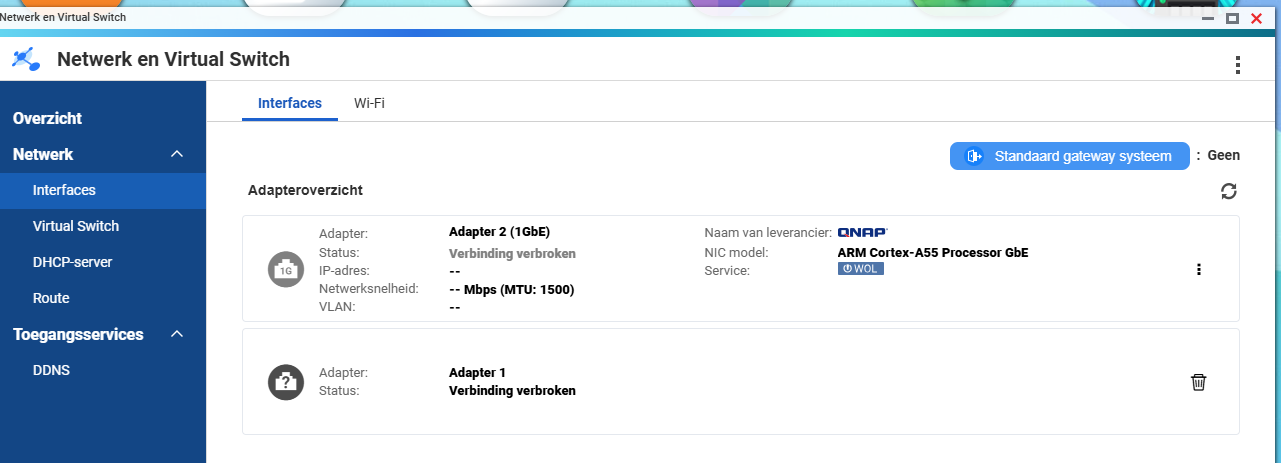
Your NAS is running an ARM A55 processor. The A55 is part of ARM’s low power embedded MPUs. It’s a great processor for IoT devices and the like. I don’t think it’s a great NAS processor. They are used because they are cheap. That’s how you get NAS units for a few hundred dollars.

I would not expect to be able to get truly stable 2.5 Gbps speeds on your NAS with that processor. Sorry, I just don’t think it’s going to be possible.