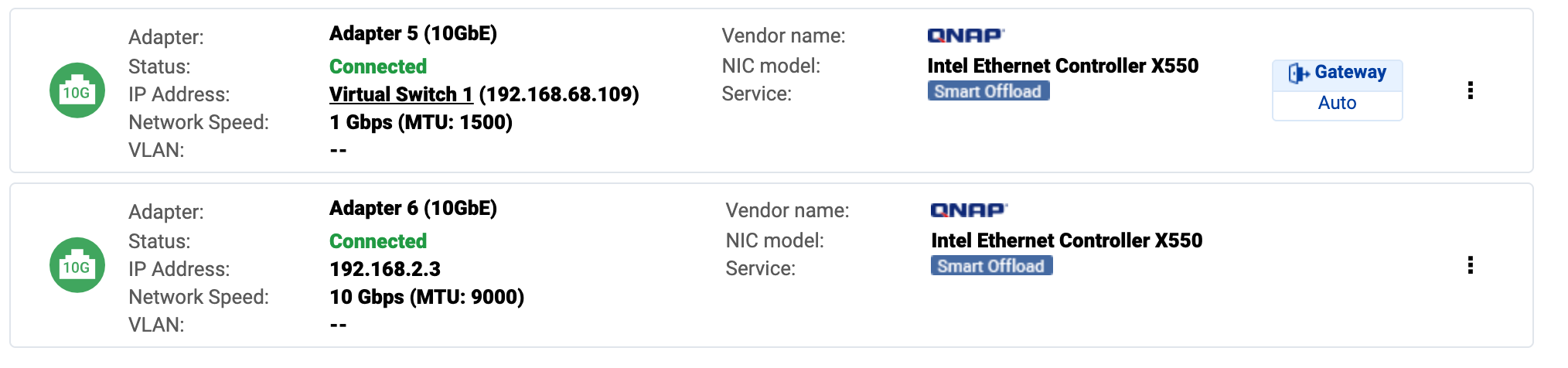
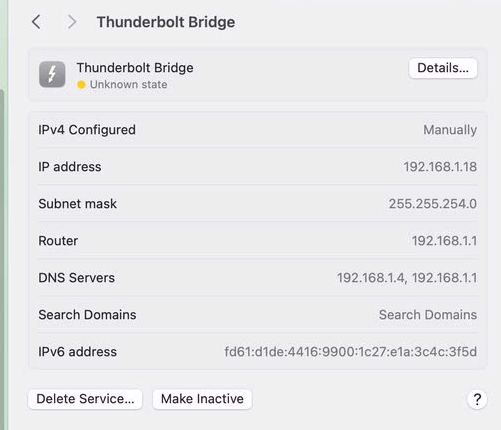
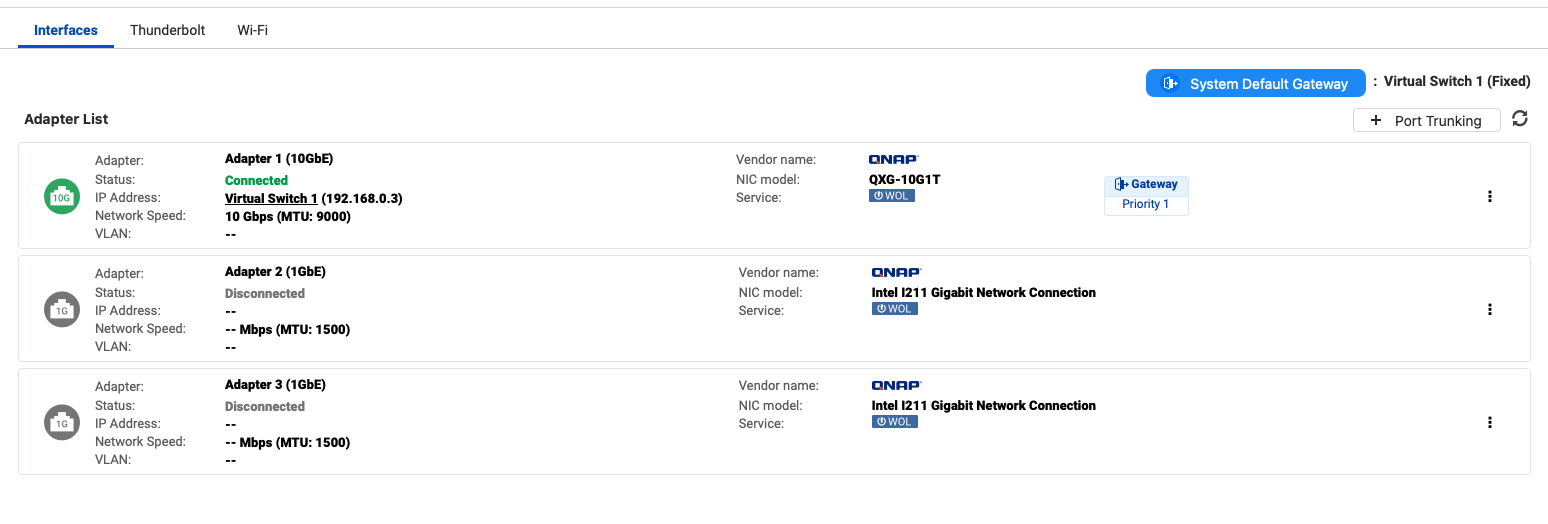
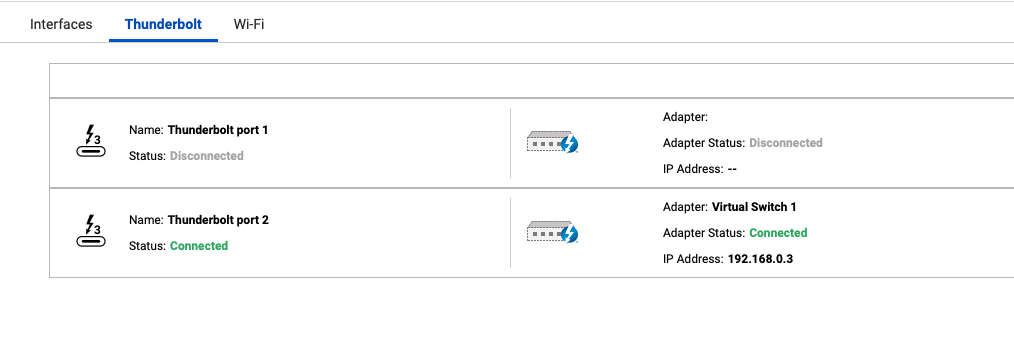
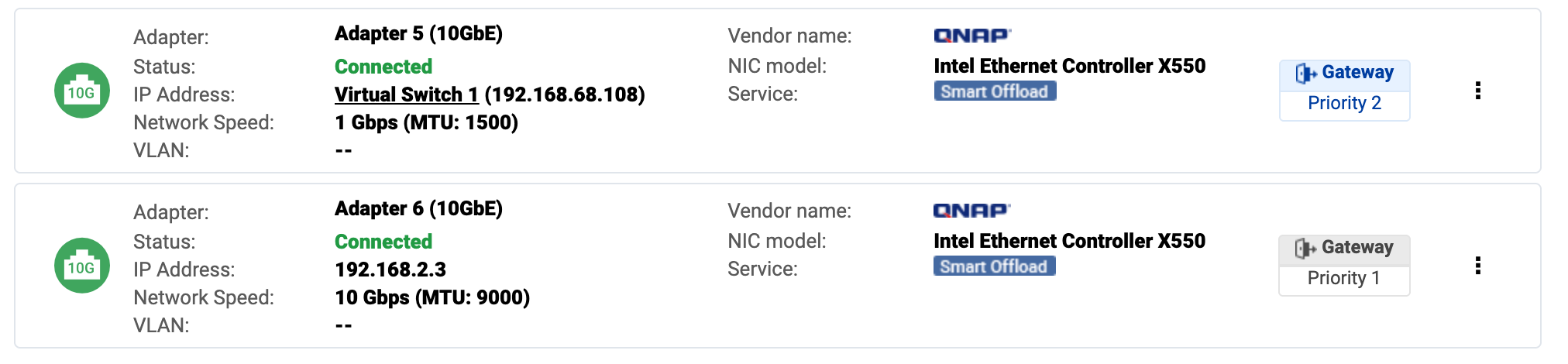
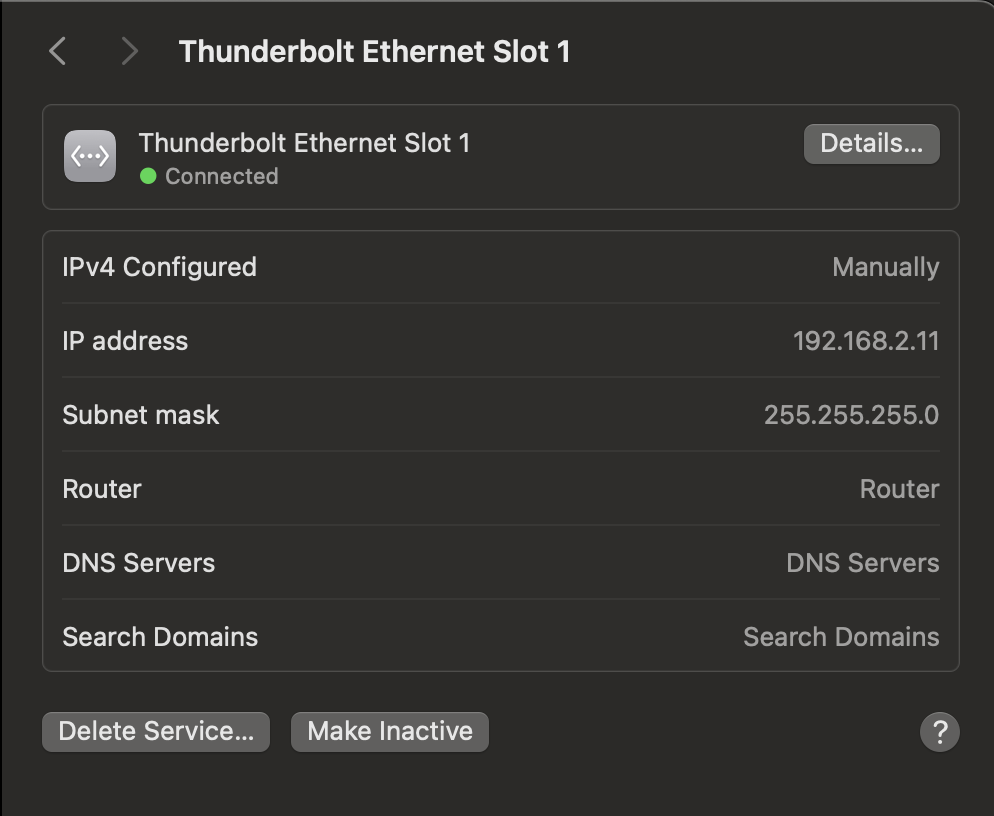
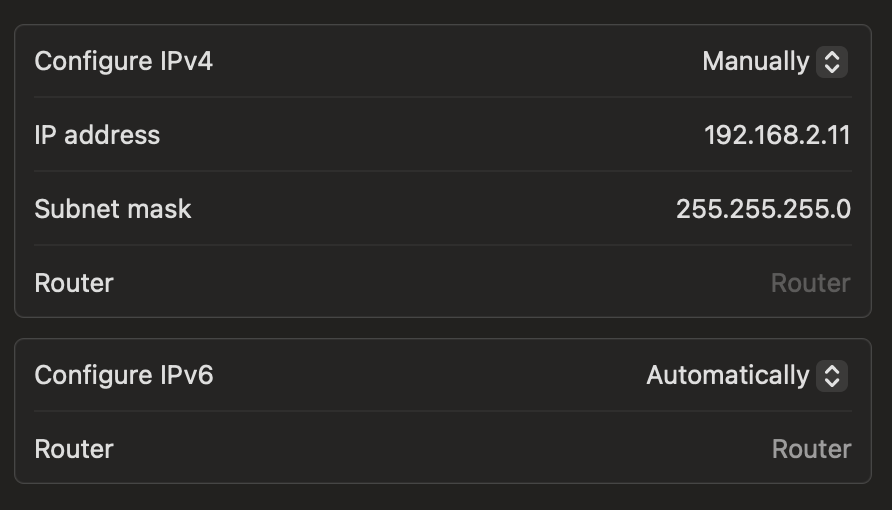
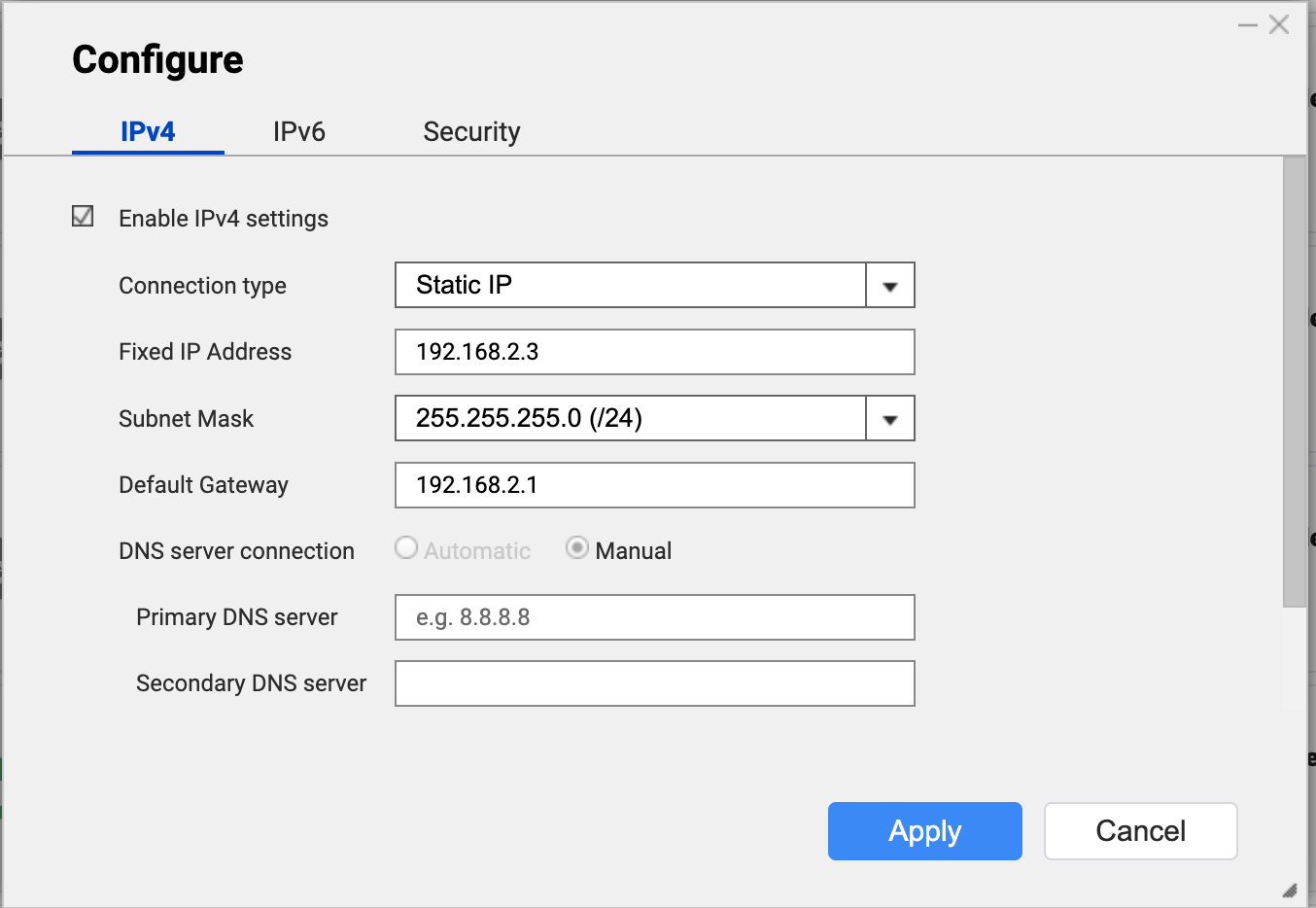
I have a TVS-h1288X running QUTS hero h5.2.6.3195 connected to a Macbook pro running Mac OS 15.5 via a Qnap T310G adapter. On the mac, the thunderbolt ethernet is configured manually for IPv4 and automatically for IPv6. When I check the network settings on the NAS I see 2 connected 10GbE adapters: one running at 1 Gbps and the other at 10 Gbps.
So here’s the issue. When I first boot the NAS I can connect via the finder using the IP of the 10 Gbps adapter and everything works great. I can also connect via Qfinder Pro with the IP address with “(10G)” after it selected. BUT, if I then disconnect, say by rebooting my laptop, then try reconnect it times out - I can still connect, but only using the slower 1Gbps IP or by selecting the IP address without “(10G)” after it in Qfinder. Occasionally unplugging and replugging the adapter allows me to reconnect via 10G but not always.
Any suggestions to make my setup more reliable? Thanks!
So you are using Thunderbolt for your 10GB connection?
I’ve seen that sometimes you have to connect and disconnect the cable potentially multiple times to get things working correctly. It’s a little bit funky for sure.
Yes it’s a Thunderbolt to 10GbE adapter. At first I tried direct thunderbolt - that was never reliable. So it was suggested on this forum that I buy the adapter. If the adapter is also not a reliable way to connect, then TBH I’ll be quite disappointed - I’ve spent a lot of money on this system.
So is the adapter on the Mac? I would run Thunderbolt to Thunderbolt. Skip the adapter you are lowering your speed. I can get really fast speeds past 10Gb on my direct thunderbolt connection.
The Thunderbolt ports on the Mac are very good. Generally I find it works quite well with my set up. You may just have to mess with unplugging and re-plugging the cables a bit. Make sure you get Thunderbolt cables and NOT USB-C cables. They are different. Even if you have a high rated USB-C cable it is still not the same.
The adapter is a QNAP QNA-T310G. It’s a small box that has Thunderbolt on the one side and Ethernet on the other. IIRC I was having trouble with the direct thunderbolt and was told the best was to to 10G with the adapter. Here’s my original setup thread where I was told this: https://forum.qnap.com/viewtopic.php?t=167256
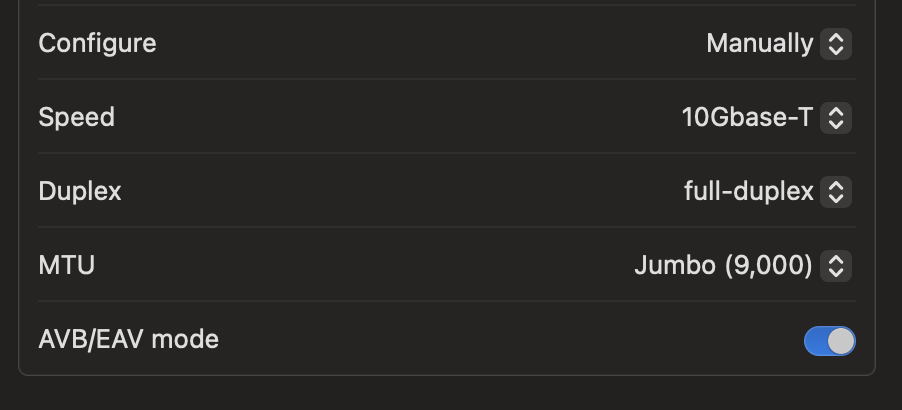
well - here is what Bob Zelin is going to tell you now. Set a static IP for the 10G port of your QNAP - make the TVS-h1288X 10G port 192.168.2.3, subnet mask 255.255.255.0, MTU 9000. APPLY. Now, once that is saved (if you are on this port now, you will lose the connection on your Mac computer) - go to the Mac Computer QNA-T310G1T thunderbolt 3 to 10G adapter and make that a static IP address of 192.168.2.11, subnet mask 255.255.255.0, MTU 9000 APPLY.
Now, click on GO> Connect To Server> smb://192.168.2.3> Connect
and now your QNAP will mount on your Mac. This will never be intermittent ever again. You don’t mount with Qfinder Pro - you mount the way I just showed you. Your drive will always mount now on your Mac. -
Bob Zelin
edit - I see you have a laptop. If you say “well - it worked, but now, today, it’s no longer working” - go back into your Mac System Settings> Network, and look at the IP address of the QNA-T3-10G1T adapter - did it change back to DHCP, from a STATIC IP address of 192.168.2.11 ? That’s why it’s no longer working today.
Well first of all I see that the default connection is through the 1 Gbps connection of adapter 5.
I’m not not sure why you are just not using Thunderbolt directly on the NAS and using an adapter instead. You give up so much speed. You paid for a NAS with Thunderbolt.
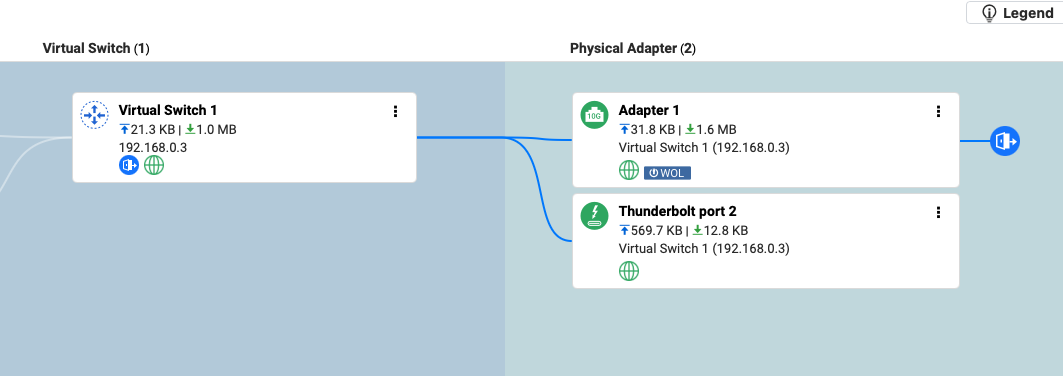
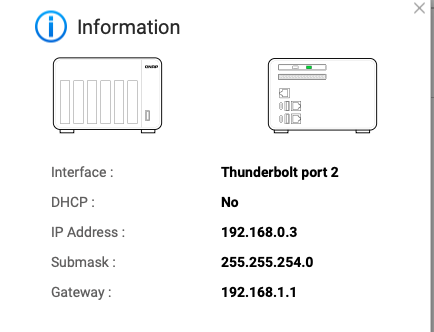
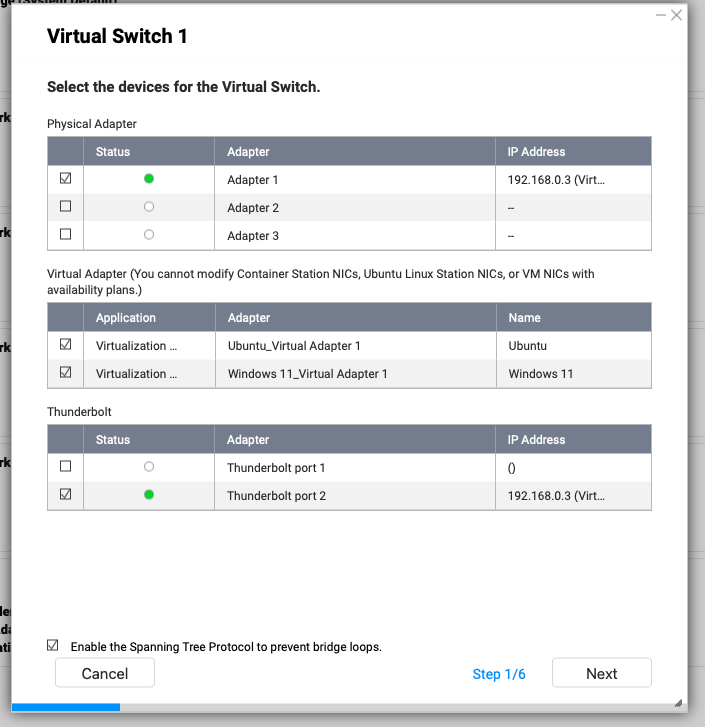
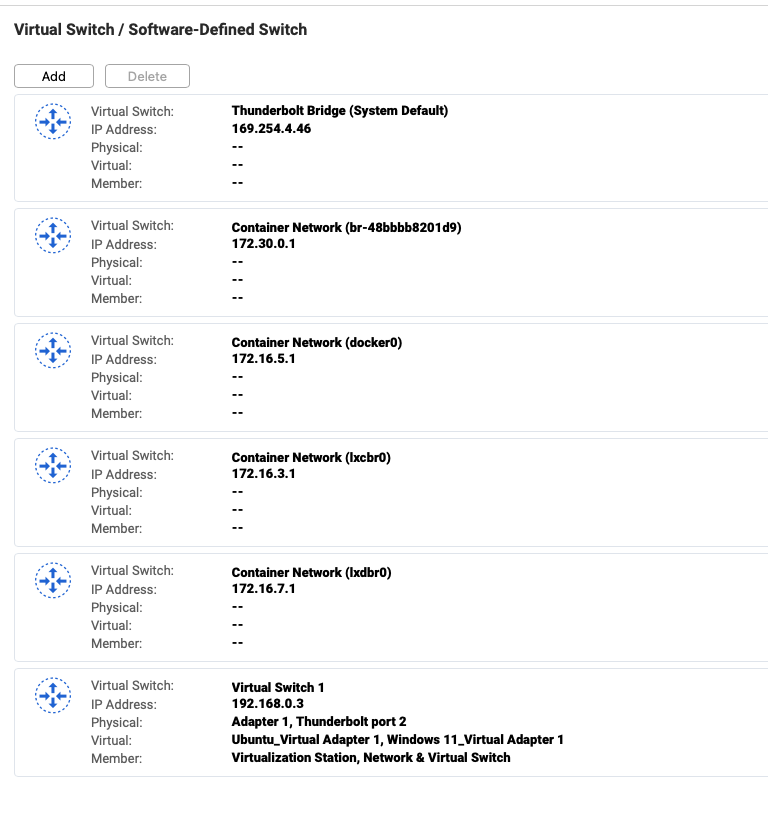
I have a TVS-672XT and it works great over Thunderbolt. QNAP wants to set things as dynamically assigned address. I said forget that. I gave everything fixed IPs. It is weird as the Thunderbolt connection has the same IP as the ethernet adapter. But make sure in Network and Virtual Switch that the Thunderbolt port and the NIC share the same connection.
This works for me constantly. Sometimes if the NAS or computer reboots, I do have to connect and disconnect the Thunderbolt to get it to be recognized but such is life. Once it is recognized, it’s golden and VERY fast.
Thanks Bob. Currently I am connected via 10G and I can’t disconnect at the moment. Right now when I ping 192.168.2.3 it does come back with 64 bytes over and over. System Settings > Network > Thunderbolt Ethernet Slot 1 the IP address is configured manually to 192.168.2.11.
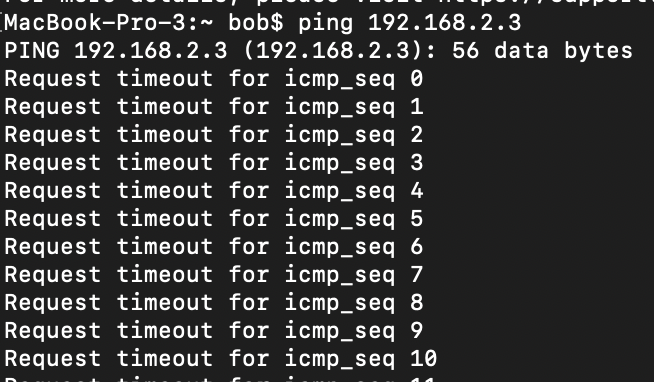
Once this transfer is done I will reboot the mac and I will then no longer be able to connect via 10G, but the Ethernet Slot 1 will still be configured manually to 192.168.2.11. I doubt I will be able to ping the NAS on the 10G port if I can’t connect to it via smb or through my browser or via Qfinder, but I will test when I can.
The first time it connects it connects fine to the 10G connection on adapter 6. Then, if I reboot my Mac I can only connect to the 1Gbps adapter - attempts to connect to 192.168.2.3 just time out.
Thanks very much for the screenshots and taking the time to respond. When I set up the NAS I recall having trouble with direct Thunderbolt. People on this forum told me I was wasting my time and must buy the adapter and connect via 10G for a reliable connection. I was disappointed at the time because I did not want to spend more money on the adapter when I had already purchased the Thunderbolt card. But the Thunderbolt connection was not working, so I had not choice. I purchased th adapter and set it up as instructed, and it initially worked fine, but now it’s no longer connecting reliably.
Maybe the issues with Thunderbolt have been fixed and it is now a better option. I’m going to try it copying your settings when i have the time.
I’ll give it another try. I don’t recall exactly what the issues were when I was initially connecting via TB but I would definitely not have purchased the 10G adapter if they were not serious. I do recall running speed tests and, after starting out very fast when copying large files, the speed would drop down to very slow. Do you work a lot with large files on your NAS?
Not necessarily but keep in mind that network speed isn’t the only thing. Loading on the NAS and drive speed are also factors. You have a pretty solid machine so it should stand up OK. Download the AJA System Test Lite app as it will show you what your transfer rates are for different sizes of video files. Very helpful. Today my Thunderbolt connection seems slower than normal but I think it’s the computer and not the NAS.
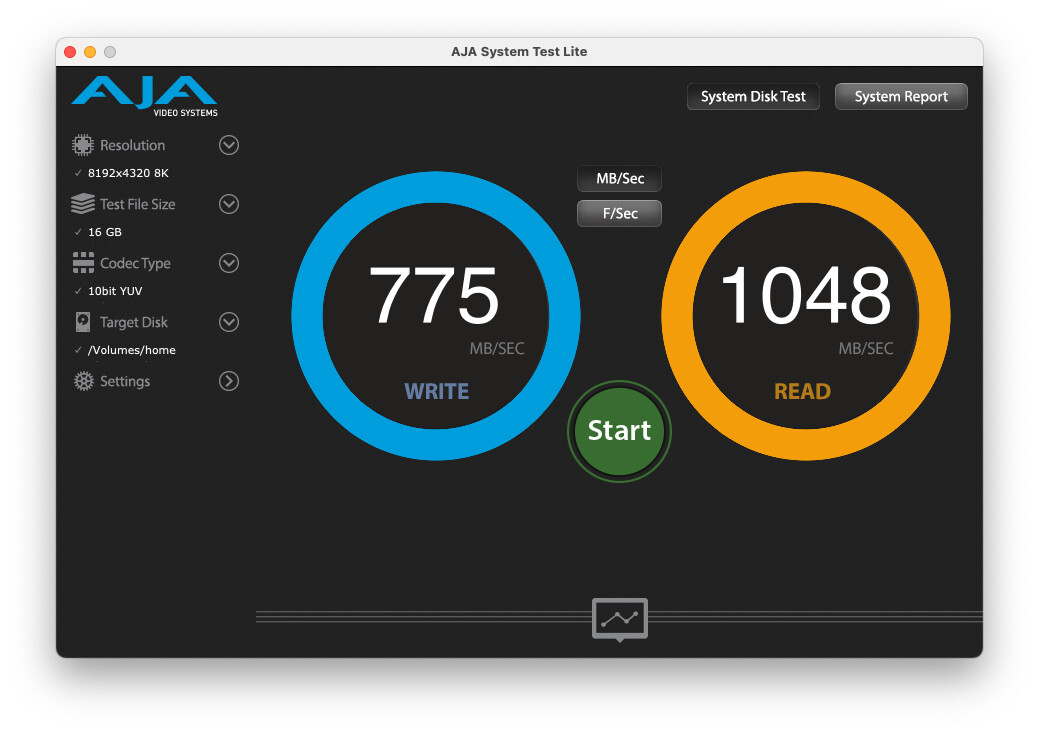
Also, if you are running the Thunderbolt to 10G adapter on your Mac, and can’t maintain a connection, then there’s something in your Mac setup that is causing an issue. I’ve got an old Thunderbolt 1 to 10 Gbit fiber adapter from SanLink running on my MacBook (the direct Thunderbolt is on the MacMini). Here’s a test I just ran…
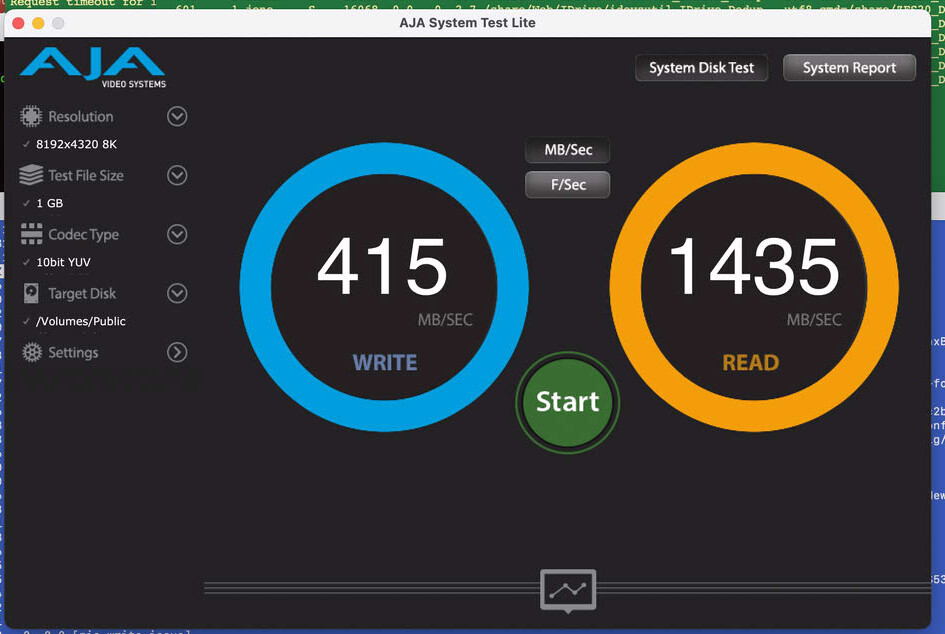
And FYI - this is a test I just ran on the Mac connected via Thunderbolt. I don’t know why the write speed is so slow today (my Mac is doing a TimeMachine backup right now) but read speeds are pretty quick. Over 10Gbit…
The thing that does annoy me about QNAP though is that they insist on standard MTU of 1500 for the Thunderbolt connection. The MTU should really be Jumbo Frame size of 9000. I have changed it to 9000 but I don’t know if it makes any difference given QNAP says it should be set to 1500. Ticks me off as you really want to send bigger packets to increase your efficiency
Edit: FYI - I just upgraded my NAS to new firmware and upon reboot Thunderbolt was not working. I unplugged the cable and plugged it back in again. Now it works.
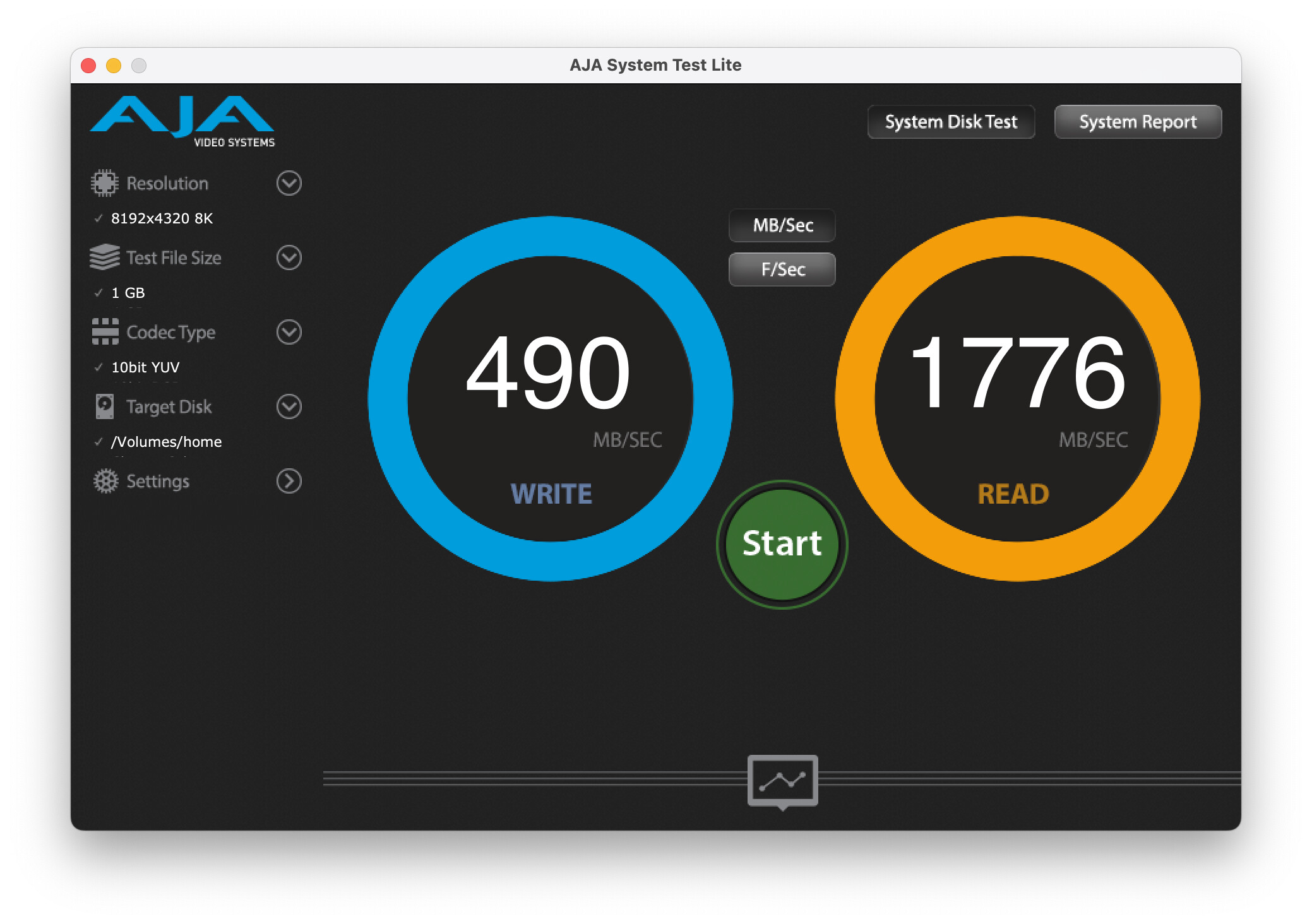
And here’s my latest test on AJA. That’s 14.2 Gbit read speeds.
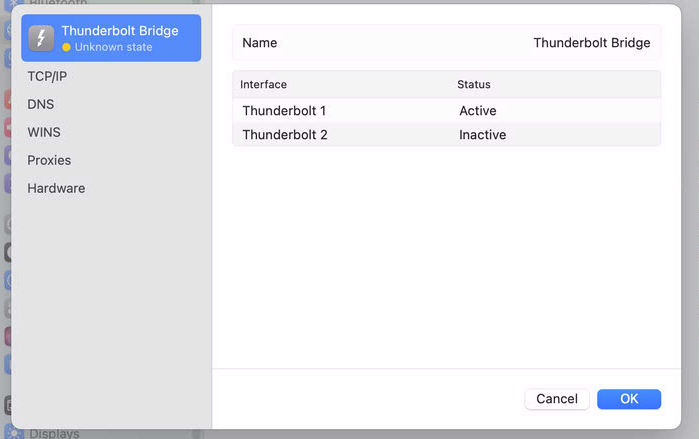
So I just rebooted my mac, leaving the NAS running, and I tried to connect to 192.168.2.3 and it timed out. Everything still looks fine in my Mac network settings but I can only connect to the virtual switch at slow speed. See screenshots.
 (edit: ah, this one replaced the old one)