431XeU out of memory *suddenly*

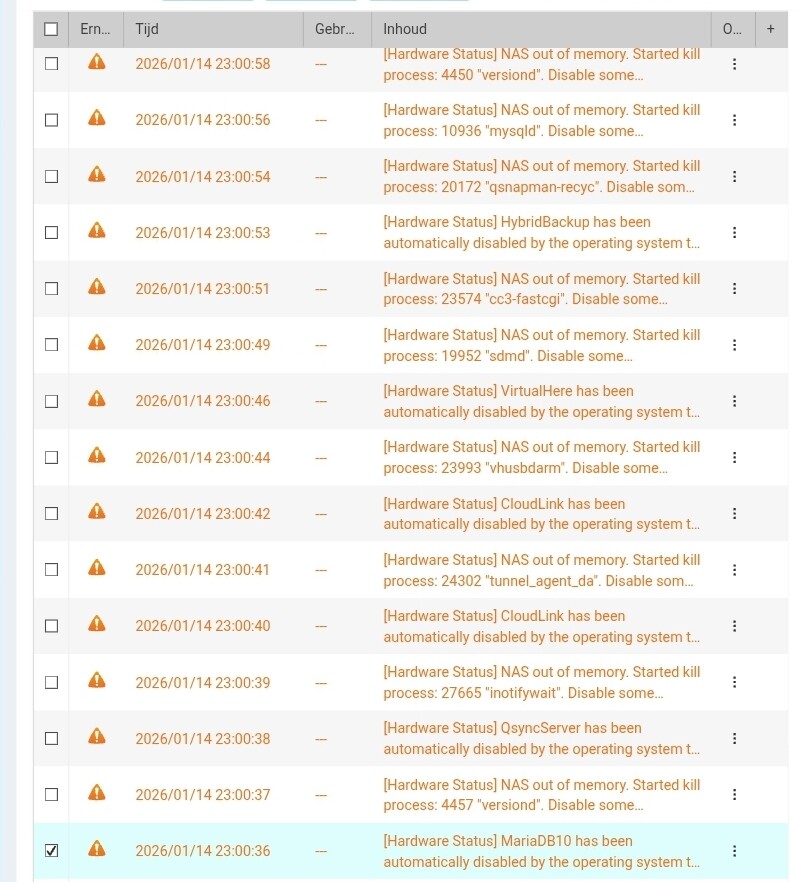
bam! today I get flushed with all kind off messages “out of memory”. Stopped services..

NAS Name: server
Severity: Warning
Date/Time: 2026/01/15 17:23:18

App Name: Hardware Status
Category: Kernel
Message: [Hardware Status] NAS out of memory. Started kill process: 9737 “smbd”. Disable some applications to free up memory, or expand the system memory.

wow. I moved from iSCSI to smb for more stability.. not

Did you upgrade to 8Gb or left it with stock 2?

Any apps or container installed that take your RAM ?

hi, yes its running with 8gb ram. yes its runnjng a container thats been running for 6 month now without any issues.

somehow now there’s a problem. the container is configured to have a max amount of resources (2GB) so I dont expect this to be the issue.

So where is all the memory going ? Got any info on that ?

not sure, how can I find that? its suddenly flooding my mail with notification that all services (one after the other) is being stopped because of shortage on memory. I rebooted now and now its running (although I had to manually start container station).

In your resource monitor under processes

i already rebooted but in the qlog i found starting errors on mariaDB. not using anything with mariaDB. the running container was limited to 1GB.

Next time it comes up, check the processes on your WebGUI or top via SSH

Without info to go by, we cannot troubleshoot

MariaDB is used by the OS for many things. Some process got stuck and started running away with memory.

Who knows. Hopefully your reboot fixed it and it doesn’t come back. If it does, then let us know here…

Regarding the issue you reported, we suspect it might be related to the correlation between HBS3 and MariaDB. We recommend providing Debug Logs by following the steps in this FAQ for further analysis. Thank you for your assistance!
How do I collect the debug logs from HBS3 and all the necessary information to send for analysis? | QNAP