-
After updating the firmware to 5.2.10.3577, I can no longer access any folders via File Station.
-
The first login attempt as either the admin user or a regular user works, but a second login attempt gets stuck in an endless “Loading…” loop.
-
When displaying the volumes to be backed up, HBS reports a “system error”.
Sounds like the drives or at least the volume might be defective.
A few screenshots would be great, or at least the SSH output from md_checker.
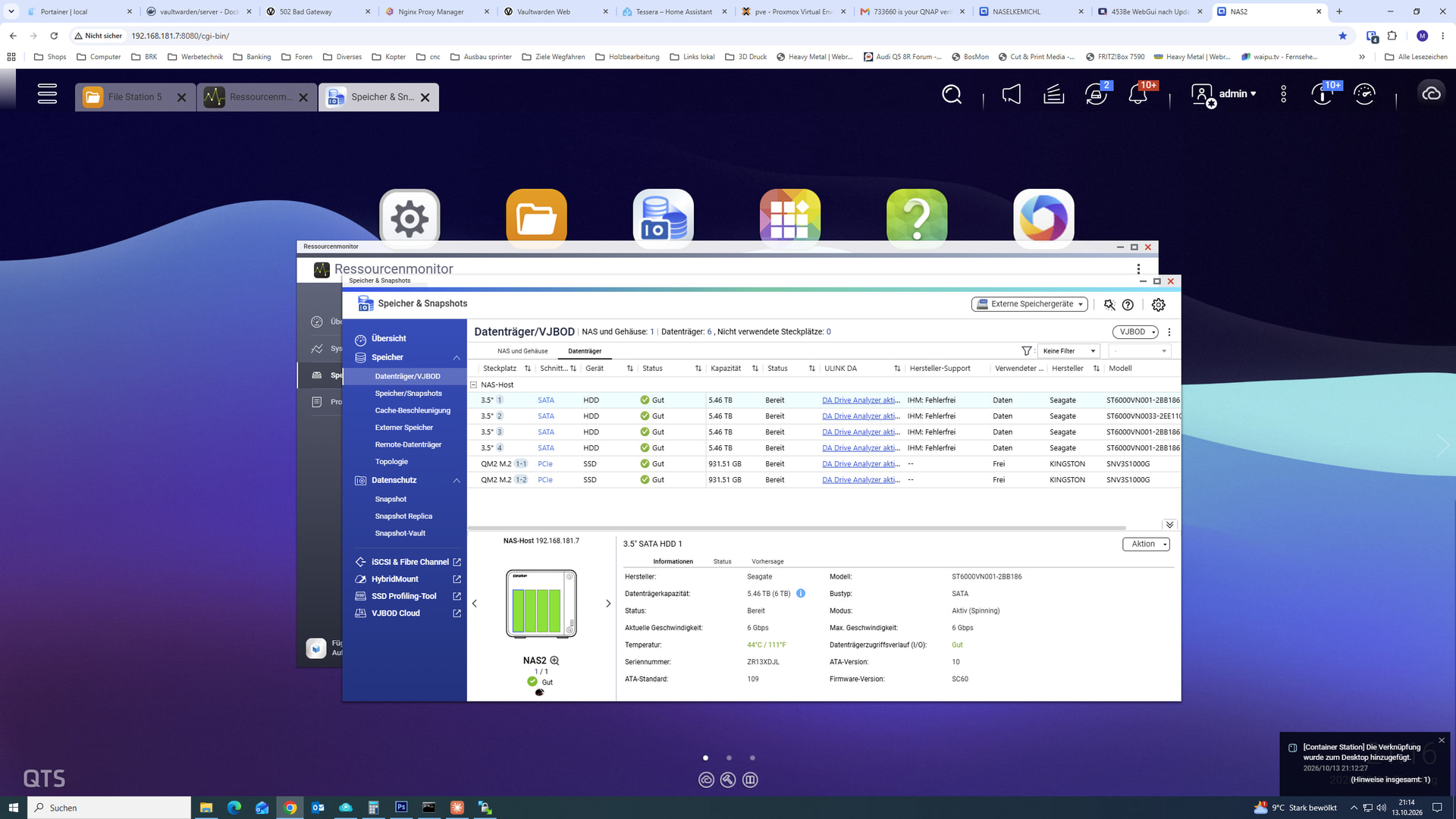
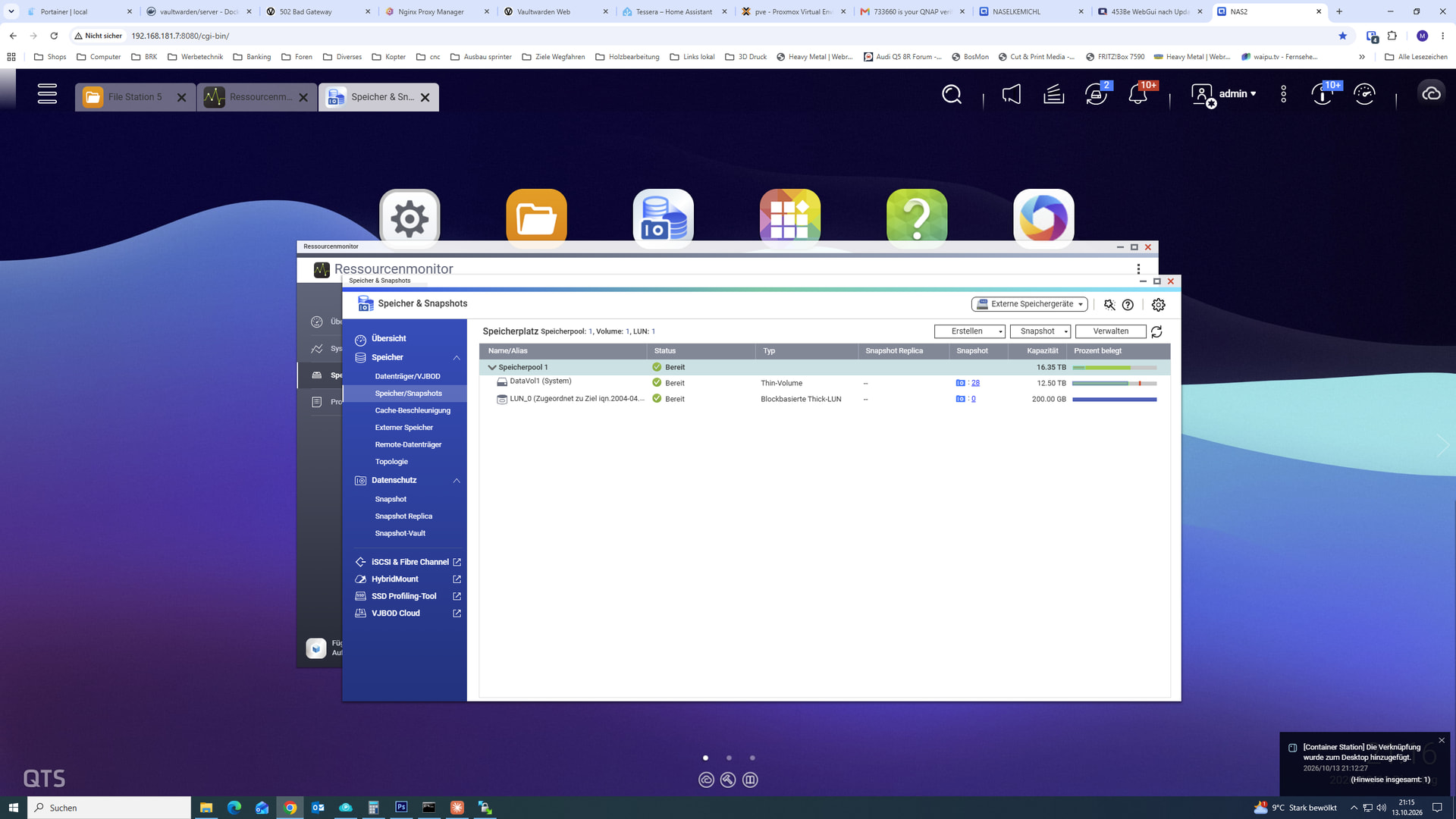
I still can’t get in via SSH; at the moment, I’m logged into the interface as admin.
If I try to open a second connection to the WebGUI at the same time with a different user, I get an endless loop.
SMB access works. The first access with FileStation also works. But if I open a second instance of FileStation - DataVol1:
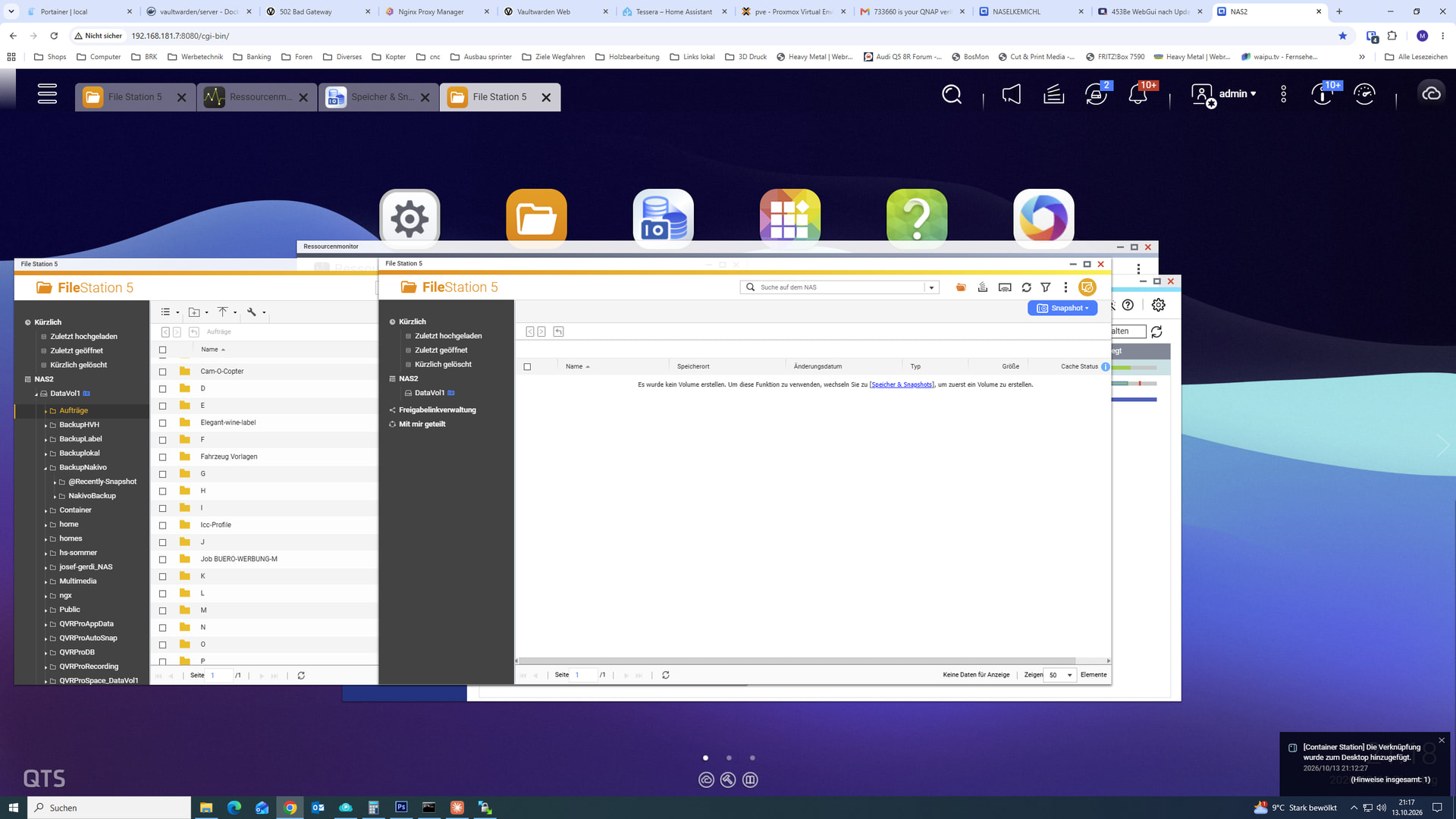
Left instance works — right one doesn’t.
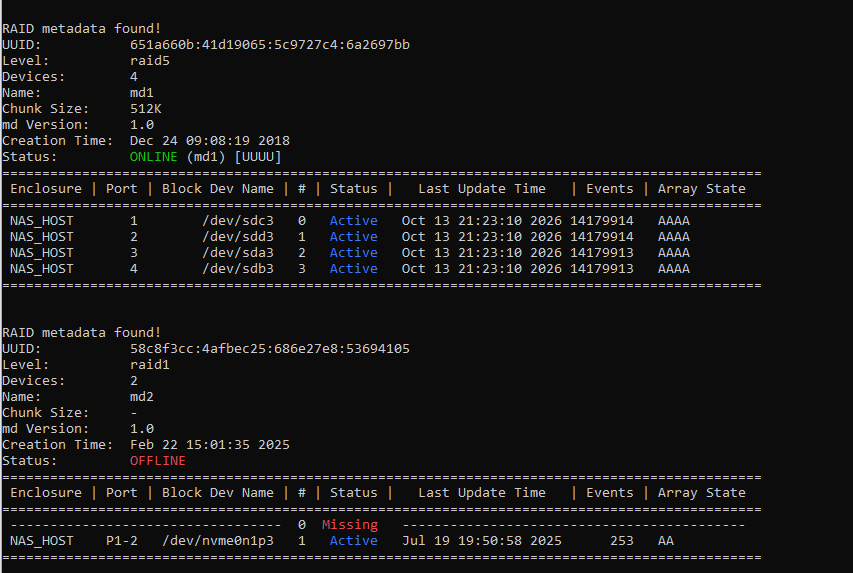
Why is there an md2? And now one SSD is missing from it? Is there still a volume on it, and maybe some applications as well?
Looks like an NVMe volume was created later (hence md2), one of the NVMe drives is missing and the other one is probably defective (volume offline).
That’s true. I didn’t think about that anymore, sorry. There are 2 SSDs installed that were used as cache in RAID1. After a while, one of them failed. As part of the update, I removed the cache. (I was planning to remove both NVMe drives anyway.) After the update, it’s suddenly showing the NVMes again. Should I set up the cache as RAID1 again?
Was the cache properly removed or just pulled like that?
It was just removed like that, and the volume won’t work this way.
I think opening a ticket with support would be best.
I had removed it via the GUI in the Control Panel using “Remove Cache”.
However, the second SSD only reappeared after another reboot. That’s probably also where the md2 RAID information comes from…
Please open a support ticket and our support team will be happy to assist you. Thank you!
(Translated with AI)
Solved:
I reconnected the two SSDs into a RAID1 array, and since then there have been no more issues.
And it’s best to check the cache again and remove it if necessary.