Hi QNAP community friends 
If you’re using QuTS hero version h5.3 or later, there’s an interesting update you should know about — especially regarding how storage and snapshots are now managed separately to improve efficiency and management clarity 
 What’s Changed?
-
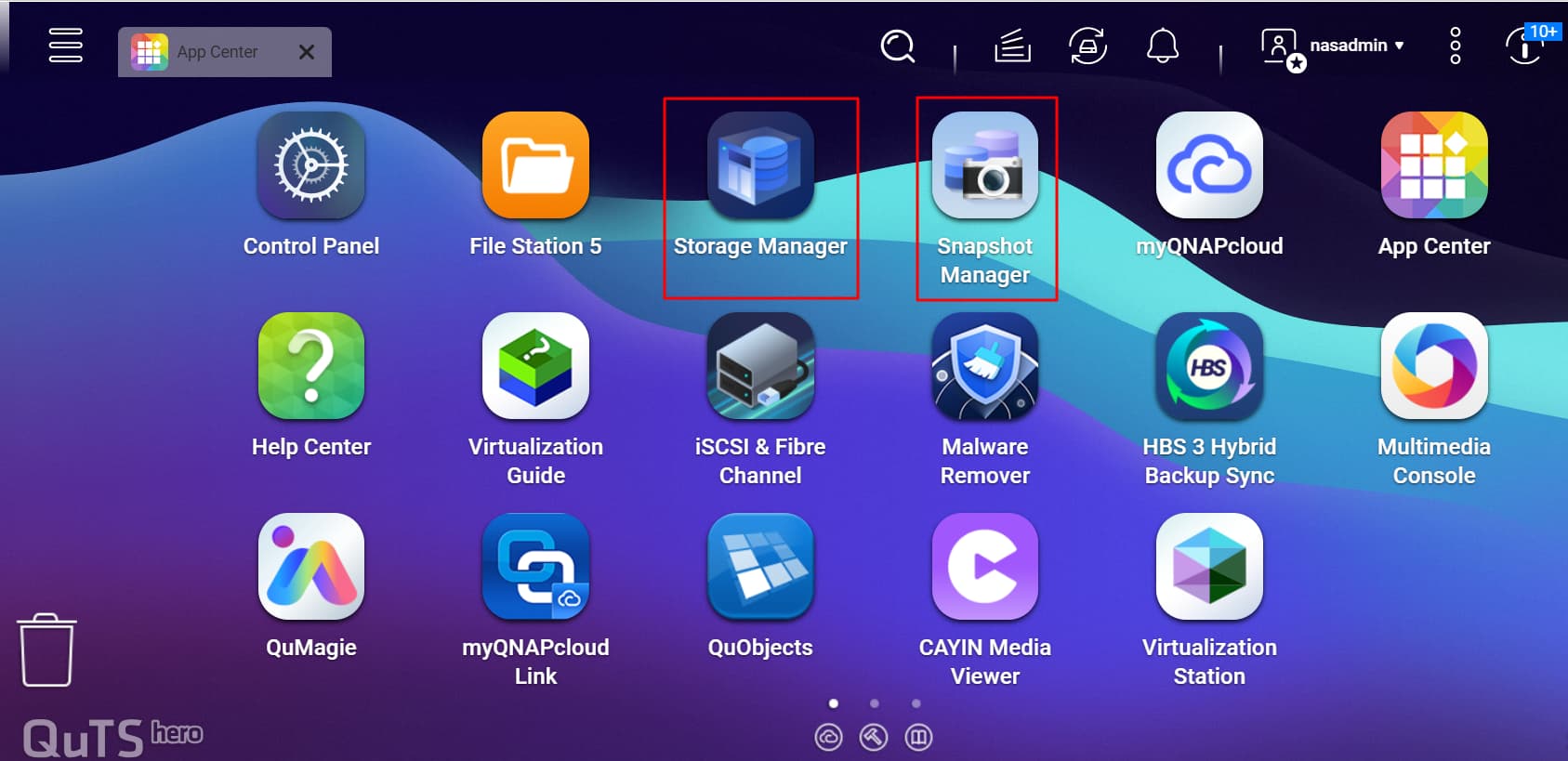
In this version, the “Storage & Snapshots” function is split into two main modules:
-
Storage Manager → for managing physical & logical components: RAID, storage pool, shared folders, LUN.
-
Snapshot Manager → focused on snapshot management: scheduling, retention policies, replication, snapshot cloning.
-
-
With this separation, the interface becomes clearer and storage/snapshot tasks don’t get mixed up — making it easier for admins to focus on each module.
-
A new “Protection Policy” feature has also been added to snapshots — for example, snapshots can be set to not be deleted automatically or manually according to policy.
 Why Is This Feature Important?
-
For IT teams with many tasks: with module separation, routine storage tasks and snapshot backup/restore can be handled more specifically.
-
For data security: snapshot protection policies help guard against accidental deletion or malware/ransomware.
-
For more efficient management: admins can view the status of storage pools, shared folders, LUNs on one side; and all snapshots, replicas, clones on the other — making monitoring easier.
For quick recovery: with snapshot scheduling and more granular policy control, data restoration can be more organized and faster.
 How to Get Started
-
Make sure your NAS firmware is running QuTS hero version h5.3 or later.
-
In the main NAS menu, open:
-
Main Menu → Storage Manager → for storage tasks like creating pools, RAID, shared folders.
-
Main Menu → Snapshot Manager → to create/schedule snapshots, set retention, create clones or replicas.
-
-
For snapshots, enable protection policies if needed: certain snapshots can be marked “immutable” or “cannot be deleted automatically”.
-
Make sure there is enough space available in the storage pool so snapshots and cloning can run smoothly — this is important for performance and stability.
Hope this article is useful for those of you using QNAP and wanting to take advantage of the latest features in QuTS hero. You can find out more information by clicking here 