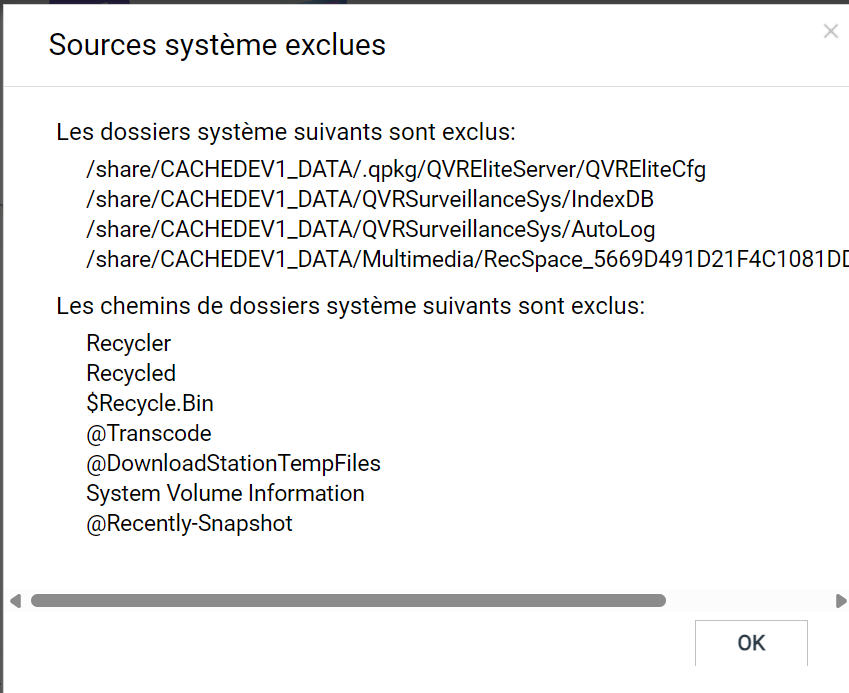
Hello - files in “@Recycle” folders are showing in my QuMagie photo gallery. The list of “excluded system sources” in the Content Management section of the Multimedia Console shows the following, with no way that I can find to edit the list:
Recycler
Recycled
$Recycle.Bin
Transcode
DownloadStationTempFiles
System Volume Information
Recently-Snapshot
Thank you for your report! Regarding the issue you described, our internal technical team has conducted multiple tests but has been unable to successfully reproduce the same situation in our environment.
We recommend that you open a support ticket via our service portal so our team can provide more in-depth diagnosis and assistance. Thank you! Support Portal: https://service.qnap.com/
So if I delete a duplicate picture In QUMAGIE, the one just deleted appears in the @recycle folder so I have another duplicate in QUMAGIE and if I delete the file that is in the good folder it apears that I have again a duplicate but they are bothe in @RECYCLE folder. The result: I LOST the picture if I don’t pay attention. The problem is that I can’t just delete all the files in @relycle, I need to make sure every file in @Recycle is AT LEAST present one time in the good folder. What a mess. I hope you have a fix to be able to exclude all @Recycle in the duplicate index.