CJF191
September 14, 2026, 10:16pm
1
Hi,
Looking for guidance on whether this situation can be salvaged. (I have a support ticket with QNAP and awaiting their response)
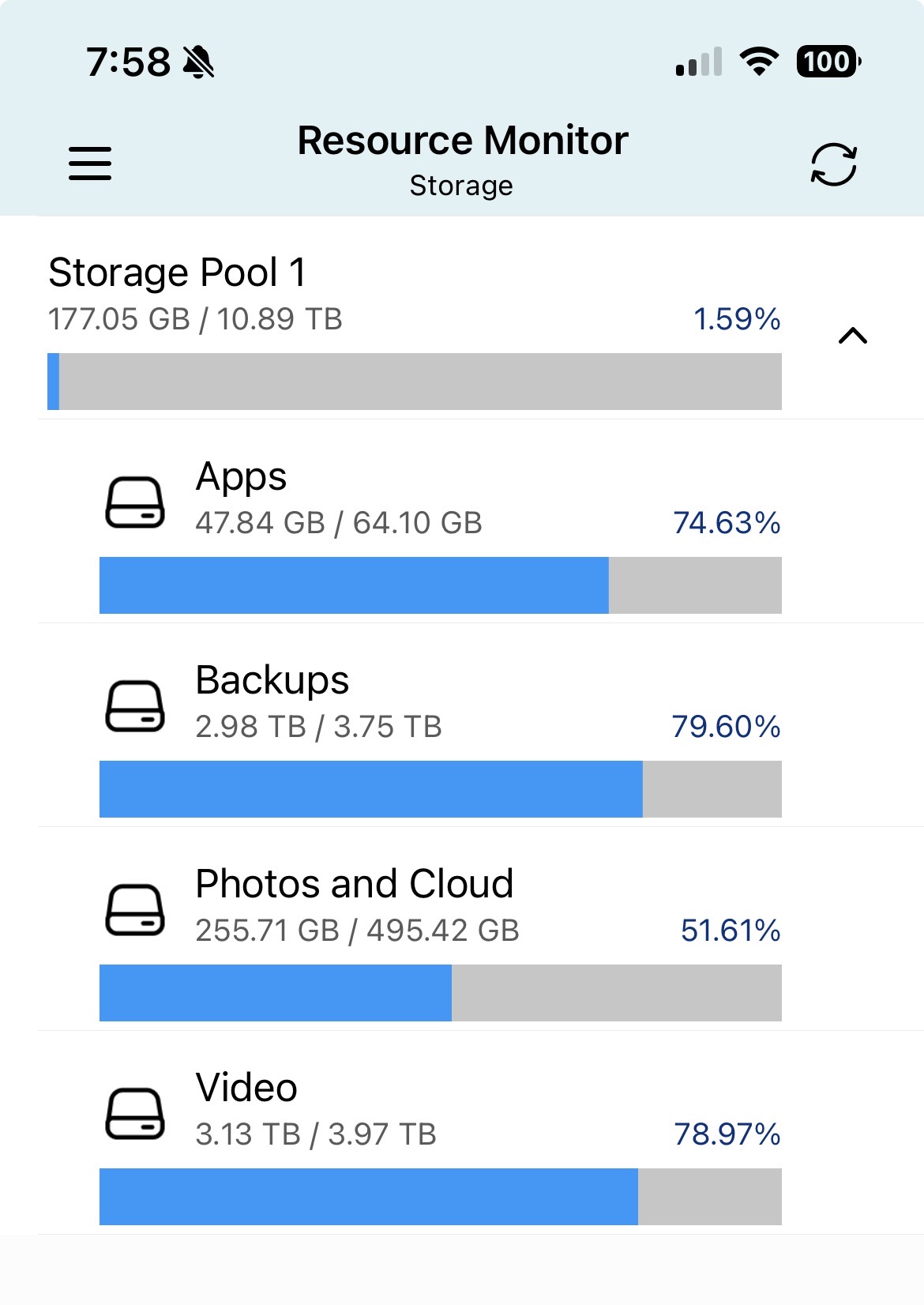
My 4 thin volumes are unmounted. They are showing as still having content, but as the attached photo shows the storage pool itself is showing as blank.
I’ve tried checking the volumes and it fails at around 25%. Also tried scanning the drives for bad blocks.
Just looking to understand if there’s any likelihood of recovering the situation of if I should just get on with rebuilding the storage and restoring data from backups.
Appreciate any thoughts.
What is the underlying disk setup ? (disk number/ RAID level)
And (as always) an expensive or tearful lesson to learn, do backups (!)
CJF191
September 14, 2026, 10:42pm
3
Hi,
There’s 4 disks in raid 5 configuration.
I have the most critical (non replaceable) data backed up and can replace the rest, so all is not lost if I have to rebuild the drives/volumes
Cheers
If you can login to SSH do a
sudo md_checker
if everything is OK there, QNAP support can probably just issue an LVM reset to get the volumes back.
CJF191
September 14, 2026, 11:07pm
5
dolbyman:
sudo md_checker
Welcome to MD superblock checker (v2.0) - have a nice day\~

Scanning system...
RAID metadata found!
UUID:		e799736d:892973a4:089251f6:ade8aaa9
Level:		raid5
Devices:	4
Name:		md1
Chunk Size:	512K
md Version:	1.0
Creation Time:	Aug 16 21:26:52 2019
Status:         **ONLINE** (md1) [UUUU]
===============================================================================================
Enclosure | Port | Block Dev Name | # | Status |   Last Update Time   | Events | Array State
===============================================================================================
NAS_HOST       1        /dev/sdb3   0   Active   Sep 14 22:00:57 2026   439747   AAAA
NAS_HOST       2        /dev/sda3   1   Active   Sep 14 22:00:57 2026   439747   AAAA
NAS_HOST       3        /dev/sdd3   2   Active   Sep 14 22:00:57 2026   439747   AAAA
NAS_HOST       4        /dev/sdc3   3   Active   Sep 14 22:00:57 2026   439747   AAAA
===============================================================================================
That looks good (RAID is intact and all drives are in sync)
I am hesitant to give you the command to reset the LVM, just in case QNAP support has a better idea. (If they don’t, me or someone else can post it )
CJF191
September 14, 2026, 11:14pm
7
Thank you very much for your help. I’ll give QNAP another day or so to respond to the latest info in the ticket. It’s sounding promising…
Cheers,
SteveKo
September 16, 2026, 10:18am
8
We’ll continue to assist you through the support ticket. If you have any other questions, feel free to let us know. Thanks!