
When the usage of a storage pool or volume on a QNAP system reaches or exceeds the set threshold (default is usually around 80%), the system will display a “Warning (Threshold Reached)” status and generate a notification. Here are some risks you need to be aware of:
Main Risks
-
Service / application disruption
If storage space is nearly full, activities such as saving new files or application operations may be disrupted, potentially causing service interruptions. Failed snapshot or backup
Backup or snapshot systems may fail to run due to insufficient space to store changes or new snapshot history. -
Data storage limitations
You may no longer be able to save new files, expand volumes, or run applications that require writing data to storage. -
Performance degradation
As usage increases, the system may respond more slowly because the remaining management space is small and operational overhead rises.
Risk Differences Between “Thick” and “Thin” Volumes
-
Thick volume: When you create this type of volume, the amount of space is reserved/allocated at creation. If the volume is nearly full, only that volume is affected — other volumes or pools remain unaffected as long as there is sufficient pool space.
-
Thin volume: This type of volume does not immediately use all the space allocated to it, but consumes space as data is written (“on-demand”). If several thin volumes share one pool and the pool becomes full, then all thin volumes in that pool can be affected — even if individually the volumes still “appear” to have space remaining.
Practical Tips to Prevent Problems
-
Enable space usage notifications in the Storage & Snapshots menu, so you are alerted when the threshold is exceeded.
-
Regularly review space usage: delete old snapshots, outdated backups, or other unnecessary files.
-
For thin volumes: use conservative allocation and monitor the pool more closely to avoid over-provisioning.
-
Before creating new volumes or expanding pools, consider data growth projections so you can add capacity before reaching the threshold.
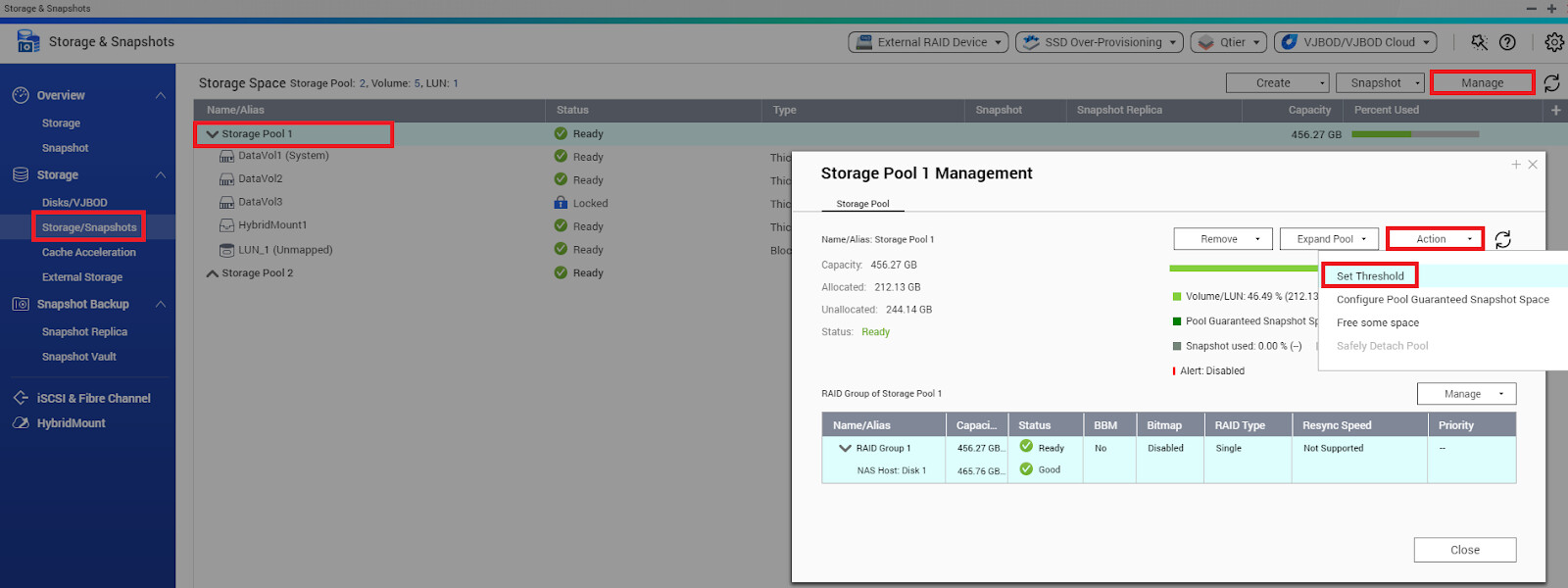
We hope the information provided helps QNAP community members in this forum understand why it’s important to keep storage space below critical thresholds and how to prevent risks before they become major issues.
 For complete information, see here