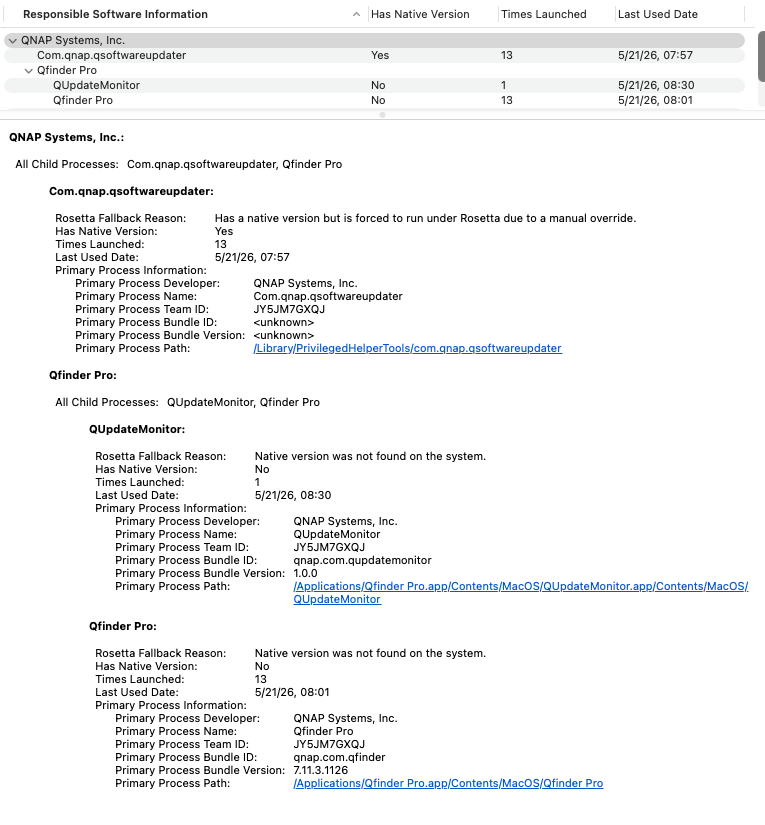
I’m look at the same thing. I am running v7.13.2 of Qfinder Pro. Per Activity Monitor, Kind = Apple, which I think means it is running natively on Apple Silicon. And yet, the software information shows this:
I am not sure why this is showing no native version. Also, the first item says the manual override for Rosetta is active. I cannot find that override - Qfinder Pro does not have it checked.
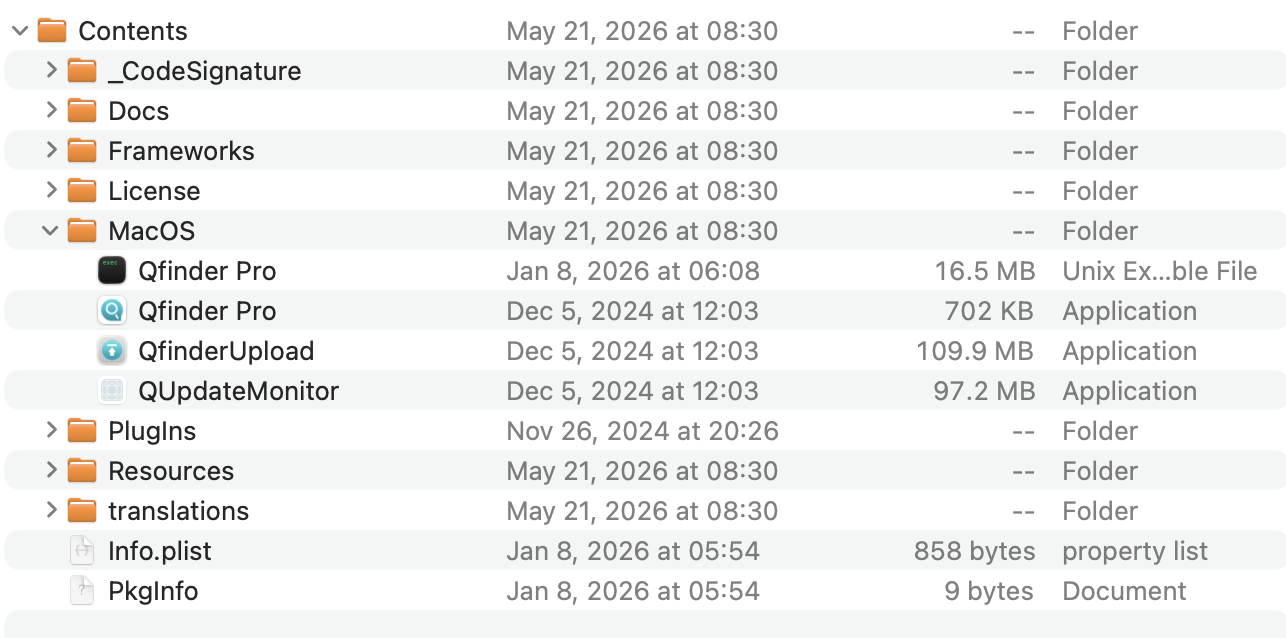
Also, there is this if I view Package Contents on my MacBook:
I would not delete anything in an application package. That’s a bad idea. There’s likely a helper app or process that is still running in X86. The app is not wholly ARM at this time.
QNAP has announced their next version will be fully native ARM. Please wait for that. Enjoy life until then. Right now everything works. Just let it be.
If you have the latest download of Qsync from QNAP, it will have everything you need. Qsync has an update function so if you have done all that, you have the latest.
Don’t ever mess with the files inside an application package. Even those of us who develop applications are never supposed to programmatically modify files inside the package. Once it is built, then it is not to be changed.
We have been able to verify a similar display issue internally and are currently checking with the manufacturer. In the meantime, the current Qfinder Pro version’s features and support can be used without needing Rosetta, so please feel free to use it without any concerns. Thanks!