Automatic backup of system settings quit working in June. This happened on all 7 of my NAS’s. One on QUTS 5, 6 on QTS 5 never more than 1 firmware behind.
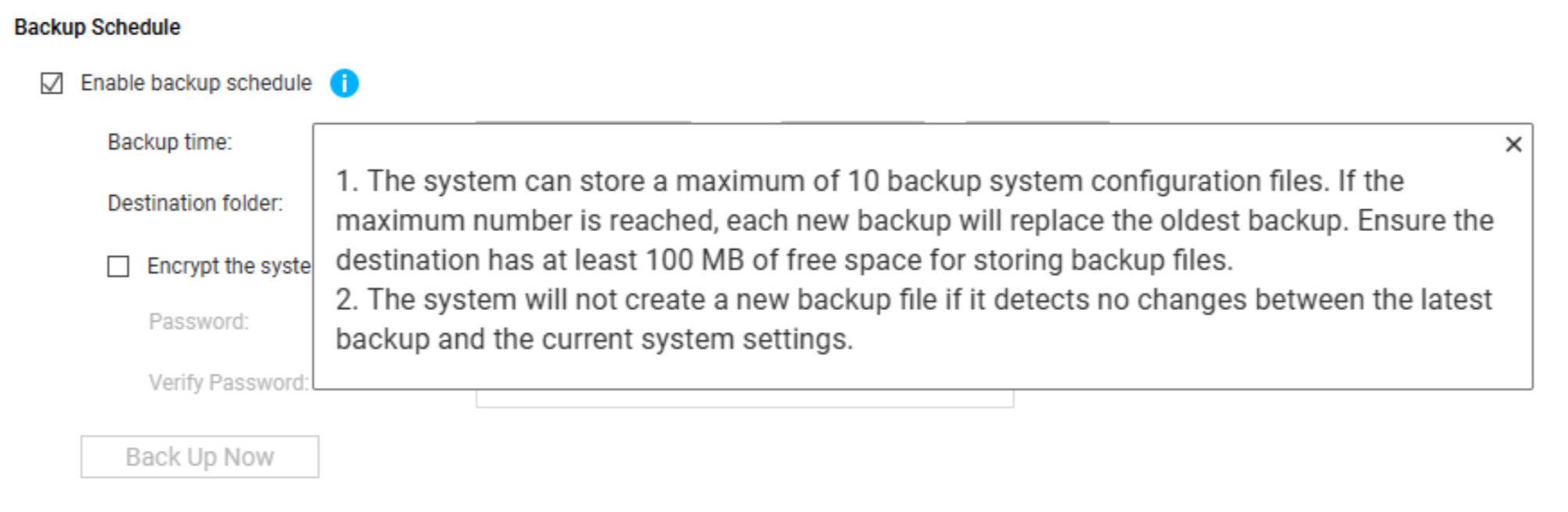
OK. so it is not creating a new one since there have been no changes.
Thanks for confirming! We’ll work on improving the FAQ related to this issue.
Previously all 7 of my NAS’s would do a config backup on Tuesday at 6am to a local folder named /SYNC. Each NAS in turn would do an HBS sync at 6:05, 6:10, etc to one specific NAS (/SYNC folder to /SYNC folder). That NAS and the last one to sync to it would have all 7 backups. On Mondays at 6am Qfile would delete the backups on the 5 NAS’s with incomplete data. On the 2 with complete data, Qfile would move the 7 files to a folder called /SYNCBKP and delete any files older that 80 days. So now all /SYNC folders are empty ready for Tuesday. This left me 2 folders on 2 NAS’s with multiple restore points. This quit working around JUNE because apparently, even if the folder is empty if nothing has changed it will not make a new backup. So, all I have is perpetually empty folders syncing.