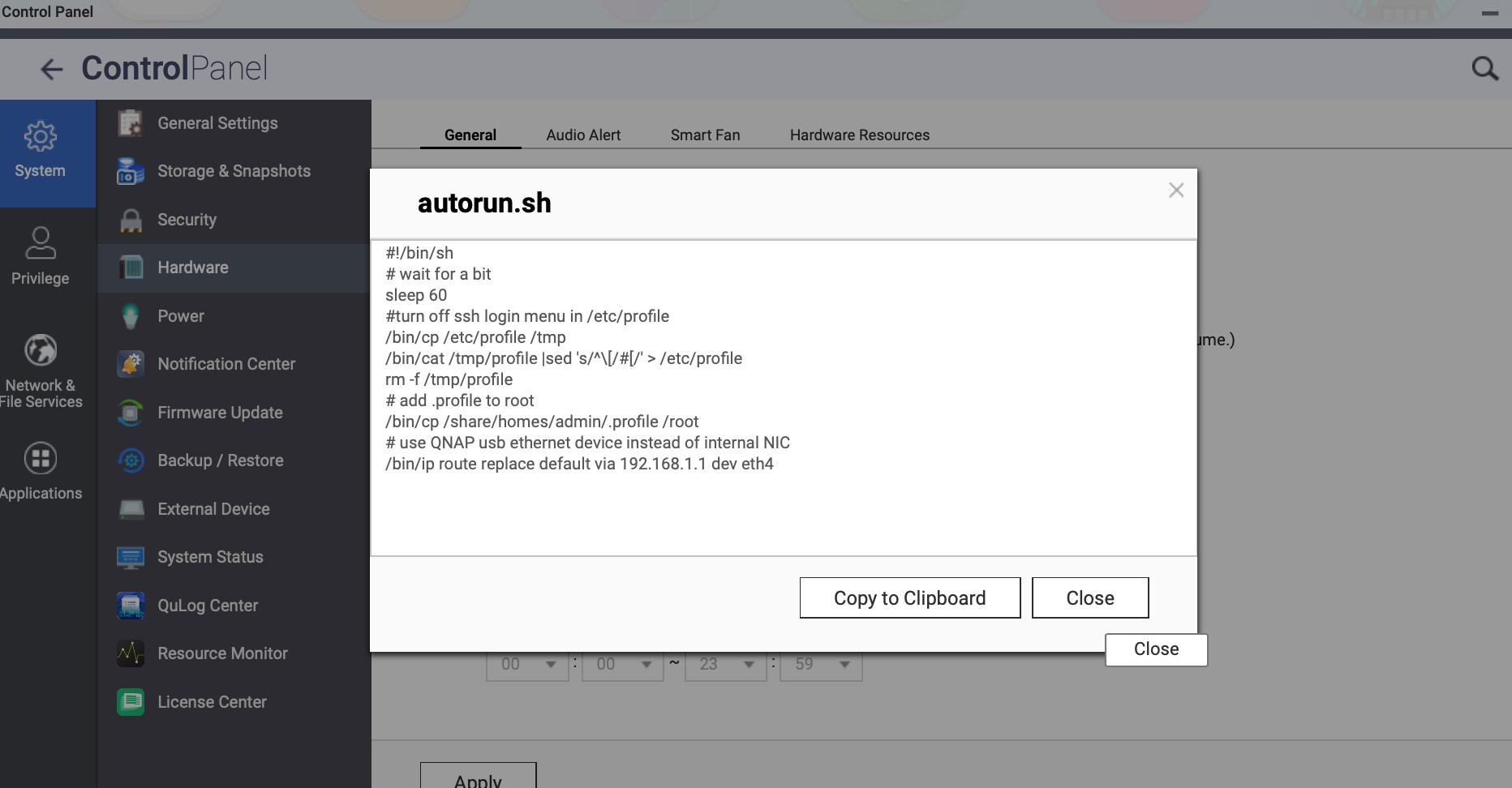
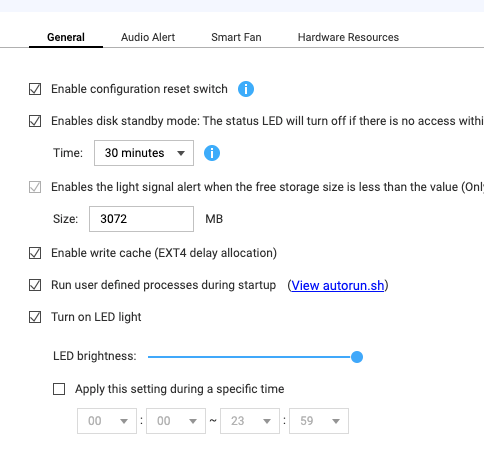
This looks correct to me. What I am trying to accomplish is to turn off the ssh login menu, set up some environment variables and to set my default route to a USB QNAP 5gbps ethernet adapter. This same set of command works perfectly if I run it as root from and ssh session but will not run at startup. I added the delay in case autorun runs before the network and filesystems are all mounted.
Any advice on how to make this work would be appreciated.
I still need the autoexec to run after each boot to set my network routing up. For some reason, the QNAP won’t automatically route thru the USB ethernet, even though it is the only NIC attached to the box. That leaves it only talking my class c here at the house. I can’t figure out why it won’t run.
Tested it. Apparently eth4 is not yet active at that point. I guess I need a longer delay in the script? I’ve got 60 seconds in there now I guess maybe I should try 180?
Yes, or you could create a loop to check for it and only proceed when it’s found.
I noticed your script attempts to access eth4 via the ip command, but you later manually check for eth4 using ifconfig. Might be relevant when checking for eth4 in your script.