Backup - Windows PC's to NAS

New to QNAP and need to decide what to use for backing up data folders (Documents, Pictures, Downloads, etc) from some Windows PC’s (10, 11) to the TS-464 (QuTS).

Hybric Backup Sync: I looked at this first and it’s obviously powerful, but research on the web says this isn’t the best to use: not always 100% reliable and aimed more at folder sync and cloud backup, neither of which I want to use.

Netback PC Agent: the web often suggests this can be used for individual folders but as far as I can see it is to backup complete disks only, and then restore individual files/folders.

Windows options: Windows backup or versioning. But I was hoping to control all the backups from the NAS, and use something QNAP.

Qsync: Version 6 (beta) seems to do what I want, even though I’d rather set it all up from the NAS rather than the client on each PC…

Am I on the right track now, or is there something more appropriate?

My vote is for veeam, folder backup, all the way to bare metal restore.

Free version supports pretty much all you need, just choose your NAS as the storage space for the backups…easy.

4 Likes

I should probably try that. The free edition (if I understand their definition of endpoints) will be fine for me.

If you want to just backup certain items like folders, pics, documents, etc. you could use Qsync. Everything is instantly duplicated on the NAS whenever a change is made. Works very well.

1 Like

I can recommend Veeam Free Agent .

Qsync is good for duplication but isn’t really a backup option.

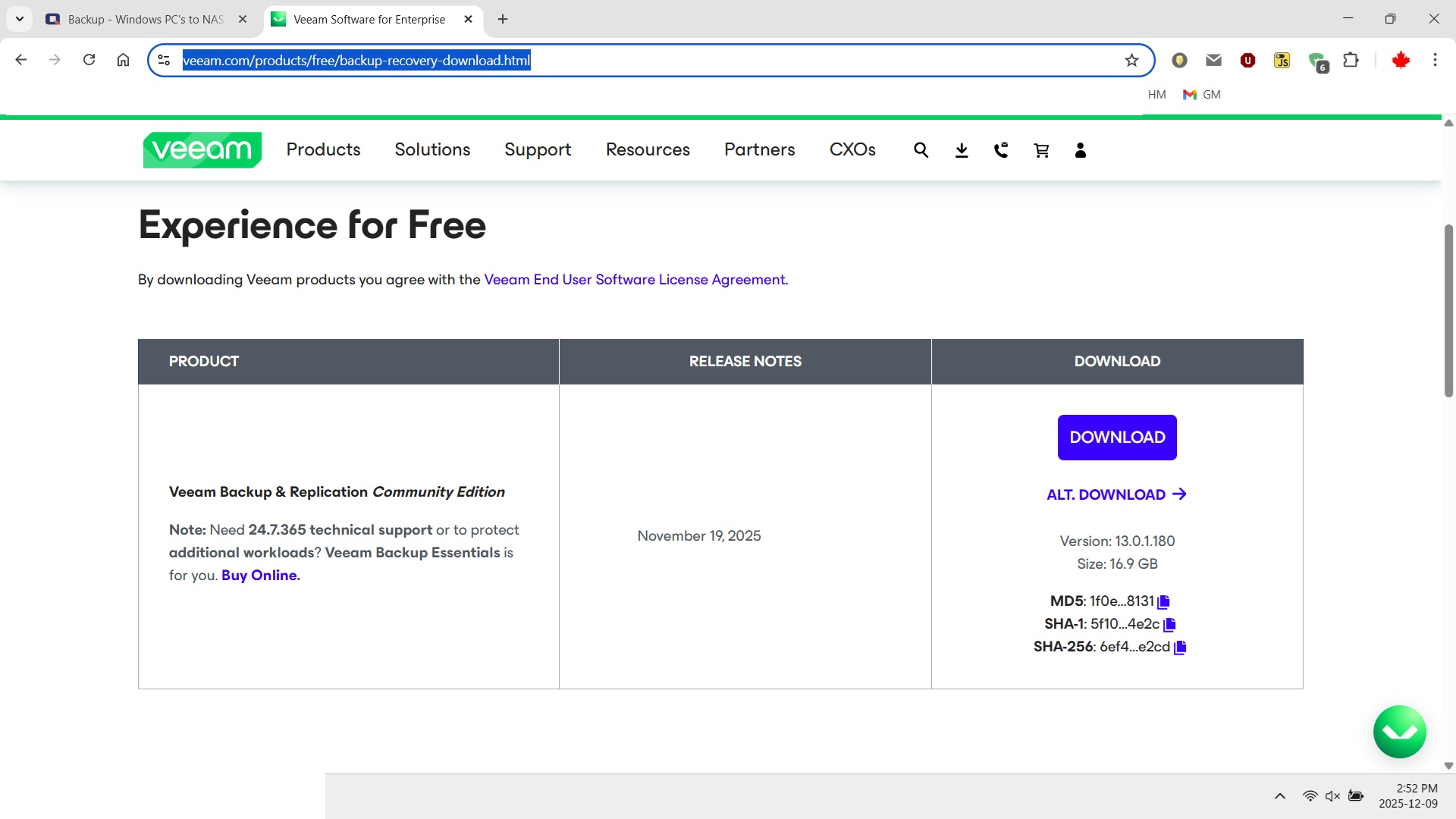
Not installed yet but looking at the download size of over 19GB… I guess this is going to be complex. Is this going to have major impact on the PC’s?

Yes. Qsync is not really a backup, but it’s effectively duplicating your files on the NAS - so it’s creating a second copy and instantaneously. The OP basically talked about backing up files not necessarily his whole OS and everything. If you are going to backup the entire machine, then yes, you need a backup app. If you want to just backup files, then use Qsync. It’s lightweight and like I said, instantaneous. Then you can run backups on the NAS of all those files to an external drive.

1 Like

Another choice, QNAP Netbak Replicator. It’s a lightweight, free Windows file/folder backup to QNAP NAS.

1 Like

I am going to stick with my recommendation after re-reading the OP. Veeam is a backup client and I believe would be far more suited to their needs than a sync client.

Very interesting post: I’d previously found out that “Netbak” should be an option but had not appreciated that there were two products: Netbak PC agent for system backup and Netbak Replicator for files folders. As I said “New to QNAP”.

Replicator does look promising… seems to do what I want. Not sure how/if it deals with versions yet; we’ll see.

Haven’t I still haven’t installed Veeam, the 19GB+ install file definately raised a red flag in terms of impact on the PC’s. Possibly fine for my own system but maybe not the weaker laptops.

I have been using QSYNC but it seems not ideal to me as it creates a duplicate folder/file structure in AppData Local. OK the files are only tiny placeholders but my file find utility now finds two of everything!

:astonished_face:

That sounds a little large. Do you have a link to it?

1 Like

I just checked, my Veeam install has 117MB (ProgramFiles) and 297MB (ProgramData) on disk

1 Like

Unless this is the wrong package, it is quite large

2 Likes

Damn! That’s larger than many OS installers!

This is exactly the page I downloaded from: https://www.veeam.com/products/free/backup-recovery-download.html?ad=downloads

…though on my disk it is 17.7GB so still quite large!

…that does encourage me to try it… though intrigued where the other 17 or 19GB that was downloaded was for.

Could be the rescue disk and drivers that are included for the rescue bootstrapper disk you need to/can create after the install

I use 3 methods. HBS Hybrid Sync to backup to a 6 TB USB HDD. The initial back up takes times, a lot of time but after that it is incremental which is fast. I also use Acronis on my local machines to backup to a local secondary HDD which I then transfer to my NAS also. Lastly I use Hybrid Data Protector. Anyway that is what I am using for backups. As you can see I have multiple.

Personally I prefer to do the backup from Windows. The way I do backups may not be appropriate to others, but there may be some useful points in here… possibly :wink:

Firstly don’t do any kind of instant mirroring, as if you have finger trouble, or something nasty starts zapping stuff, then the backup gets instantly zapped too.

Secondly, if you aren’t backing up the backup consider making it read-only from normal Windows accounts and only writable from a separate login you only have in the backup profile.

My personal technique, using a SSD to boot and Rotating Rust for most data, is:

Image the boot drive from time-to-time, in case it gets zapped. Much easier than a re-install and finding all those licences… I use Image for Windows but it’s quite techy and there are simpler tools.

I use Syncback to backup data (including some frequently changing stuff from the Boot drive). There is a free version, the paid SE version is all anyone is likely to need, although I have the Pro version for other reasons. I don’t mind paying modest amounts for something that is so important to me. Also they have added a couple of things I asked for (maybe others asked too, but I had to push somewhat), like queuing profiles to run sequentially and controlling what happens to new files/directories that appear (back them up, ignore them, etc.).

Think about how often to back-up, as anything you’ve (or something nasty) made a bad change to will not be reversible. I have backups of the backup, which get updated not too often, so I can update the backup quite frequently and not lose stuff.

P.S. If you don’t want to get another NAS to backup the NAS’s backup then a TR-002 works well (if the NAS has a fast USB port). I just stripe the disks for maximum space and performance as disk failures are rare and you get twice the capacity, plus the NAS has redundancy. Just go put it somewhere else afterwards.

This is why there is something called version control.

NO! NO! NO! NO!

This is a horrible idea. You may think disk failures are rare but they do happen. Years ago I had two 1.5TB Seagate drives striped on my MacPro with all my data there. The drives were less than two years old when one or both of them started having problems. I had no backups. Guess where my data is now - In a landfill somewhere.

Never ever, never ever, never ever, trust a striped volume with data that you need. Only use those for stuff you don’t care about or stuff you back up to a volume that has redundancy!

1 Like