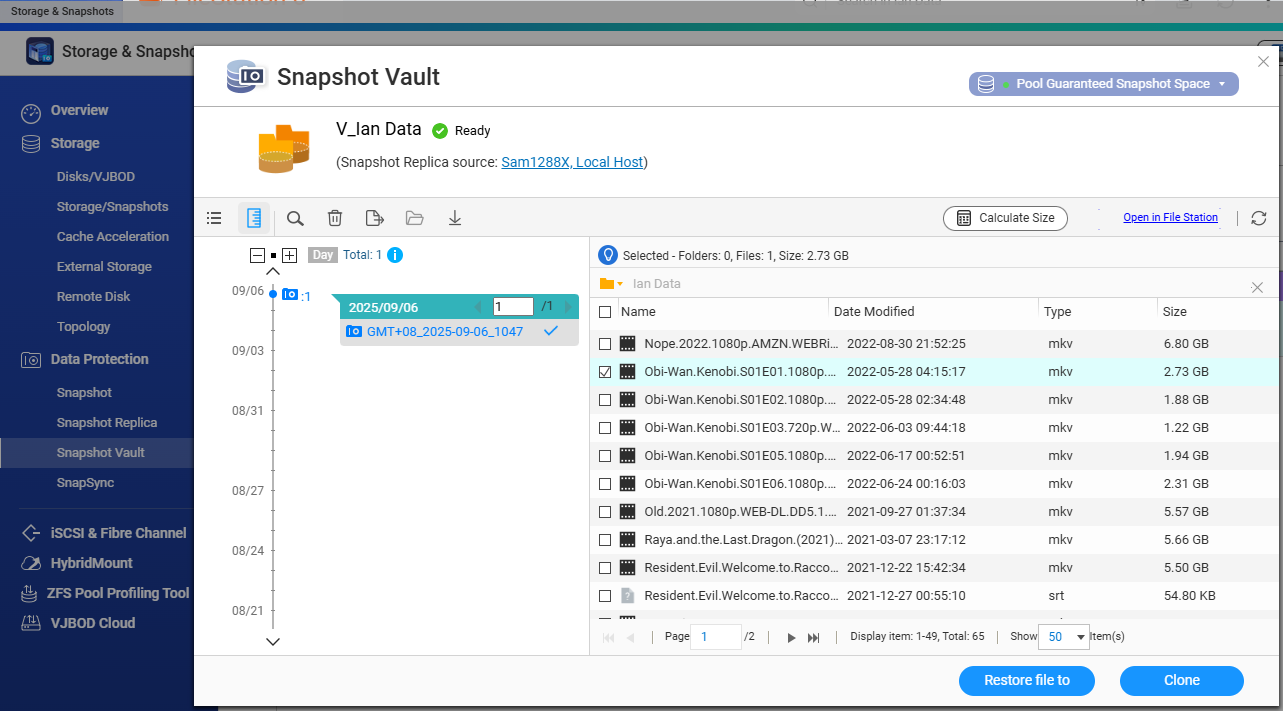
Hi @NA9D,
Usually, after you’ve made a snapshot backup to another NAS, you should be able to just hit the [Revert] button to get your data back.
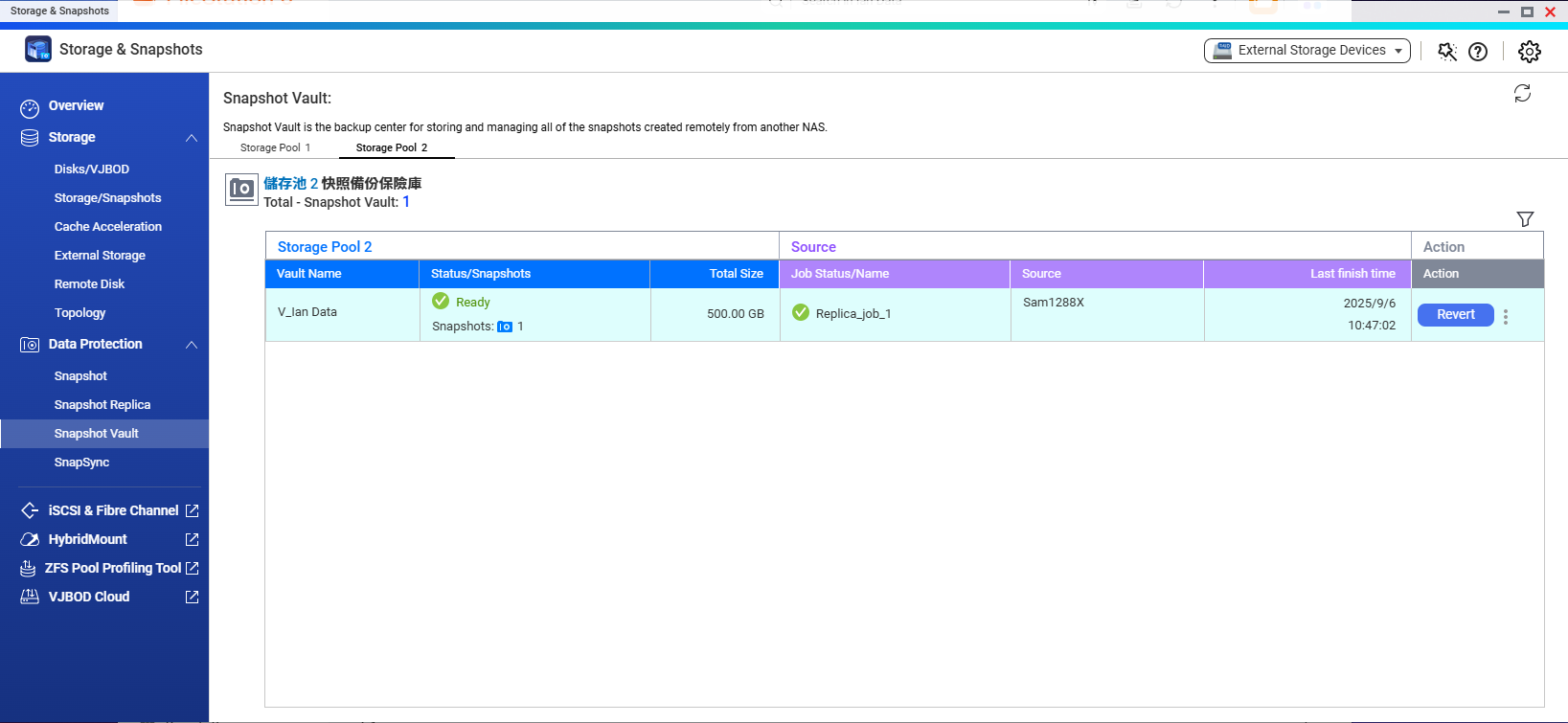
Snapshots are basically like taking an image of the data as it exists at a certain point in time. The snapshot itself is tied to a dataset — on QTS that means the whole volume, but on QuTS hero it can be just a single folder.
So, after you hit the [Revert] button (like I mentioned before), if what you want is just to make another copy of the files instead of rolling everything back, that’s when you’d use the [Clone] button in the bottom right.
And if you’re trying to restore the snapshot back onto the original NAS, then you’d actually want the [Restore to] option.
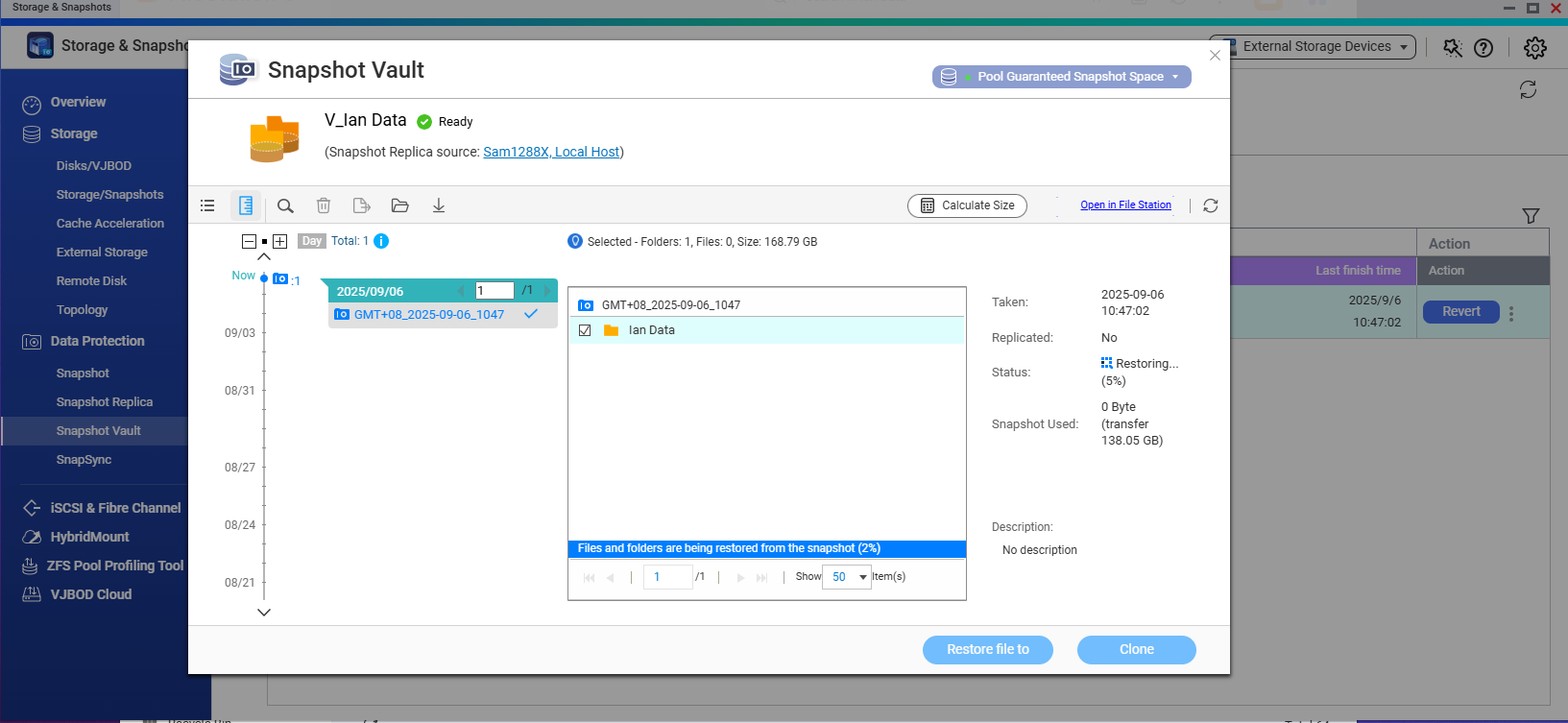
By the way, if you’re doing a full restore, you need to select the entire dataset that was included when the snapshot was created. But if you only want to pull back certain files, you can drill down into the snapshot and check just the ones you need.