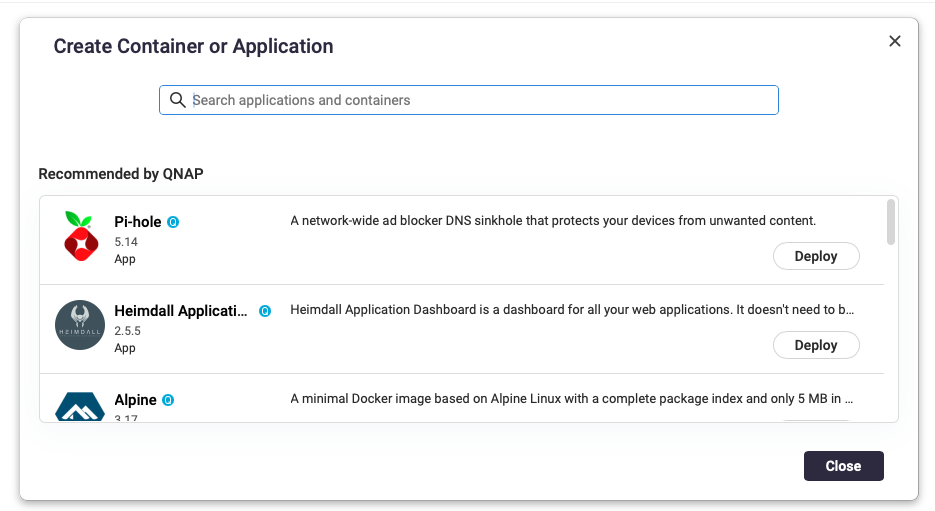
最初,我是在 Container Station 中使用 QNAP 列出的預設應用程式來設置 Pi-Hole。
但這樣無法獲得最新版本,而且更新起來也很麻煩。
我用最新版本的 Pi-Hole 重建了一個容器,但更新依然不方便,而且每次重啟伺服器或容器時都必須重新設定密碼。因此,鑑於最近在 @Weedy 的幫助下使用 SimpleHelp 的經驗,我決定嘗試自己建立 Pi-Hole 應用程式,並將儲存位置設在 .qpkg 目錄結構之外。以下是我根據 QNAP 建立的應用程式所寫的 YAML 程式碼:
services:
  pihole:
    image: pihole/pihole:latest
    networks:
      qnet-network:
        ipv4_address: 192.168.1.4
    environment:
      WEBPASSWORD: *MyPassword*
      TZ: Chicago
    volumes:
      - /share/Container/pihole:/etc/pihole
      - etc-dnsmasq.d:/etc/dnsmasq.d
    restart: unless-stopped

networks:
  qnet-network:
    driver_opts:
      iface: eth3
    driver: qnet
    ipam:
      driver: qnet
      options:
        iface: eth3
      config:
        - subnet: 192.168.0.0/23
          gateway: 192.168.1.1

volumes:
  etc-dnsmasq.d:
所以有幾個問題:
1.) 在 environment 設定的 WEBPASSWORD 似乎沒有效果。這並不是所需的密碼。
2.) 即使我現在已經把所有檔案移到我平常可存取的資料夾,每次啟動時還是必須重設密碼。
3.) 最近幾天,我開始看到廣告,而且這個 Pi-Hole 應用程式運作得非常慢。網頁不像以前那樣顯示,今天早上我重設密碼後,它也沒偵測到我已經重設。感覺像是無法寫入磁碟。
所以我到底做錯了什麼?
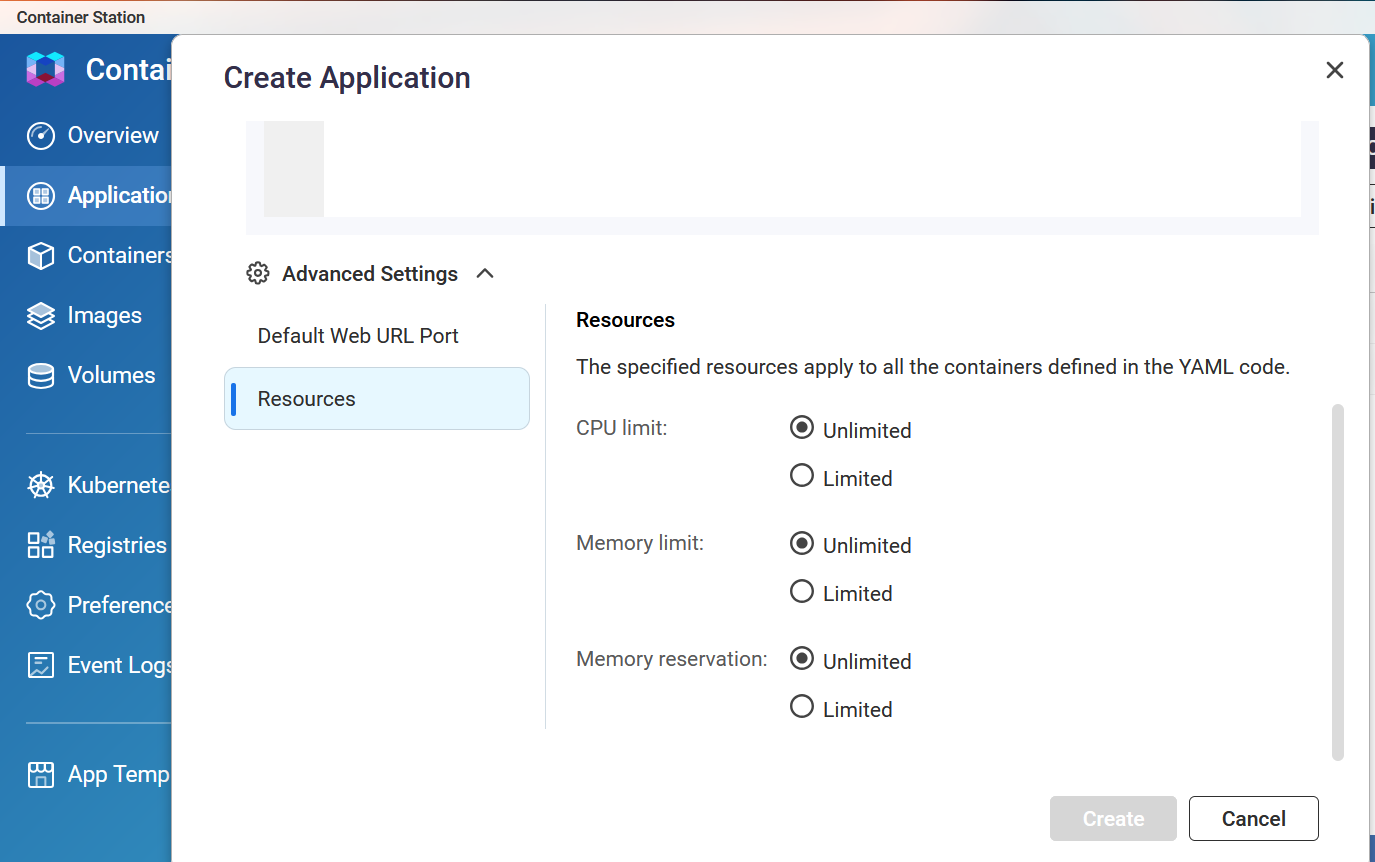
你給容器分配了哪些資源?
在 CS 創建應用程式時,可以在進階設定的資源選項下找到。
應用程式日誌顯示了什麼,有沒有任何錯誤?
另外,作為測試,你可以嘗試將限制設為 Pi-hole 建議的設定。不確定這是否有幫助,但我通常不會將限制設為無上限,以防應用程式出現問題佔用所有 NAS 資源,導致 NAS 當機。
我需要詳細查看日誌,但我還沒有這麼做。
我真的很想知道我的 YAML 程式碼是否有問題,以及如何安裝應用程式,這樣每次啟動時就不用一直重設密碼。
好的,我試著操作了一下,有幾點說明。
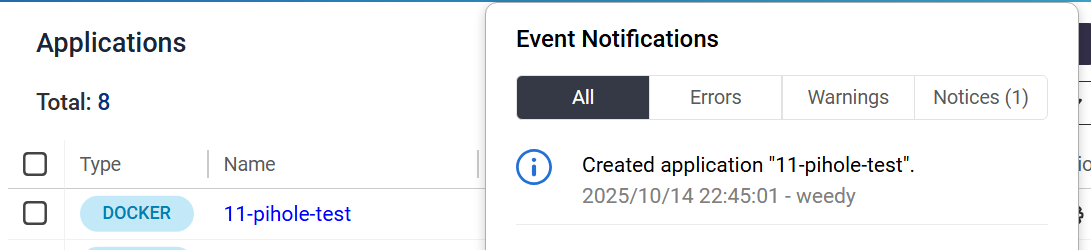
首先,我把檔案轉成 compose.yaml,然後用 Container Station 的應用程式建立來部署。我把資源設為 2 顆 CPU、2GB RAM。
另外,密碼欄位名稱已經改成 FTLCONF_webserver_api_password,所以你檔案裡才會無法運作。
我也更改了連接埠,避免和我已部署的其他應用程式衝突。你可能需要調整網路設定才能正常運作。
我沒有在用 Pi-hole,所以無法測試長時間運行後是否會出現問題。
services:
  pi-hole:
    container_name: pihole-server
    image: pihole/pihole:latest
    stdin_open: true
    tty: true
    volumes:
      - /share/change to correct path/pihole:/etc/pihole
      - etc-dnsmasq.d:/etc/dnsmasq.d
    environment:
      FTLCONF_webserver_api_password: "test!test1"
      TZ: NewYork
    ports:
    - "753:53/tcp"
    - "753:53/udp"
    - "767:67/udp"
    - "780:80/tcp"
    - "7443:443/tcp"
volumes:
  etc-dnsmasq.d:
我被召喚了……
正如 marcoi 指出的,你的 compose.yaml 並沒有發揮作用。
很可能是因為 QNAP 做了 QNAP 的事,導致它與上游的通用版本不相容。
你應該試著找找上游的 compose,然後再研究要怎麼調整才能在 QNAP 的 docker 上運作。
SOOOO,我一直很好奇像 pihole 這類應用/服務到底該怎麼處理 NAT。
尤其是 DNS 解析。我們不是都想要一個 LAN IP 嗎?而且不希望有其他東西擋在中間?
所以感謝 @NA9D 讓我安裝了這個範本,現在我對 QNAP 又多學了一些東西。
OKAY SO QNAP 預設值
version: "3"

services:
  pihole:
    image: pihole/pihole:2022.12.1
    networks:
      qnet-network:
        ipv4_address: ${QNET_STATIC_IP}
    environment:
      WEBPASSWORD: ${WEB_PASSWORD}
      TZ: ${TZ}
    volumes:
      - etc-pihole:/etc/pihole
      - etc-dnsmasq.d:/etc/dnsmasq.d
    restart: unless-stopped

networks:
  qnet-network:
    driver_opts:
      iface: ${QNET_INTERFACE}
    driver: qnet
    ipam:
      driver: qnet
      options:
        iface: ${QNET_INTERFACE}
      config:
        - subnet: ${QNET_SUBNET}
          gateway: ${QNET_GATEWAY}

volumes:
  etc-pihole:
  etc-dnsmasq.d:
如我們所見,它明確指定了 2022 年的版本。
你和 marcoi 都用了 :latest,我也不知道推薦用哪個 tag,但我自己也常用 :latest。
我就假設這是正確的
既然都在 /share 設定了東西,為什麼還要用 named mount?
自 2022 年以來設定選項有變化我一點也不意外
很明顯,這是 DNS,之後肯定會很有趣。
所以我去 docs.pi-hole.net 看了一下
# 更多資訊請見 https://github.com/pi-hole/docker-pi-hole/ 以及 https://docs.pi-hole.net/
services:
  pihole:
    container_name: pihole
    image: pihole/pihole:latest
    ports:
      # DNS Ports
      - "53:53/tcp"
      - "53:53/udp"
      # 預設 HTTP Port
      - "80:80/tcp"
      # 預設 HTTPs Port。FTL 會產生自簽名憑證
      - "443:443/tcp"
      # 如果用 Pi-hole 當 DHCP Server,請取消註解下方
      #- "67:67/udp"
      # 如果用 Pi-hole 當 NTP server,請取消註解下方
      #- "123:123/udp"
    environment:
      # 設定你所在地區的時區
      # https://en.wikipedia.org/wiki/List_of_tz_database_time_zones,例如:
      TZ: 'America/Chicago'
      # 設定網頁介面的密碼。不設定會隨機產生一組密碼
      FTLCONF_webserver_api_password: 'correct horse battery staple'
      # 如果使用 Docker 預設的 `bridge` 網路,DNS 聆聽模式應設為 'all'
###      FTLCONF_dns_listeningMode: 'all'
    # Volumes 會在容器升級時保留你的資料
    volumes:
      # 用來保存 Pi-hole 的資料庫與常用設定檔
      - /share/Container/pihole/config:/etc/pihole
      # 如果有自訂的 dnsmasq 設定檔要保留,請取消註解下方。大多數剛開始用 Pi-hole v6 的人不需要。如果你從 v5 升級且之前有用這個目錄,第一次啟動 v6 容器時建議保留,之後可移除。需要設定環境變數 FTLCONF_misc_etc_dnsmasq_d: 'true'
      #- /share/Container/pihole/etc-dnsmasq.d:/etc/dnsmasq.d
    cap_add:
      # 參見 https://github.com/pi-hole/docker-pi-hole#note-on-capabilities
      # 如果你用 Pi-hole 當 DHCP server,必須設定,否則不用
      - NET_ADMIN
      # 如果你用 Pi-hole 當 NTP client 以設定主機系統時間,必須設定
      - SYS_TIME
      # 選用,如果想讓 Pi-hole 多點處理資源
      - SYS_NICE
    restart: always
沒錯,這確實不一樣。看起來我們可以不用第二個 bind mount。
但~~~~~~,我覺得還是得保留那個 qnet-network 鬼東西。所以也許像這樣……
# 更多資訊請見 https://github.com/pi-hole/docker-pi-hole/ 以及 https://docs.pi-hole.net/
networks:
  qnet-network:
    driver_opts:
      iface: eth0
    driver: qnet
    ipam:
      driver: qnet
      options:
        iface: eth0
      config:
        - subnet: '10.0.0.0/24'
          gateway: '10.0.0.1'

services:
  pihole:
    container_name: pihole
    image: pihole/pihole:latest
    networks:
        qnet-network:
            ipv4_address: '10.0.0.10'
    hostname: pihole
    ports:
      # DNS Ports
      - "53:53/tcp"
      - "53:53/udp"
      # 預設 HTTP Port
      - "80:80/tcp"
      # 預設 HTTPs Port。FTL 會產生自簽名憑證
      - "443:443/tcp"
      # 如果用 Pi-hole 當 DHCP Server,請取消註解下方
      #- "67:67/udp"
      # 如果用 Pi-hole 當 NTP server,請取消註解下方
      #- "123:123/udp"
    environment:
      # 設定你所在地區的時區
      # https://en.wikipedia.org/wiki/List_of_tz_database_time_zones,例如:
      TZ: 'America/Chicago'
      # 設定網頁介面的密碼。不設定會隨機產生一組密碼
      FTLCONF_webserver_api_password: 'correct horse battery staple'
      # 如果使用 Docker 預設的 `bridge` 網路,DNS 聆聽模式應設為 'all'
###      FTLCONF_dns_listeningMode: 'all'
      #### 因為 QNAP(我所有 docker 都用獨立帳號)
      PIHOLE_UID: 1000
      PIHOLE_GID: 1001
    # Volumes 會在容器升級時保留你的資料
    volumes:
      # 用來保存 Pi-hole 的資料庫與常用設定檔
      - /share/Container/pihole/config:/etc/pihole
      # 如果有自訂的 dnsmasq 設定檔要保留,請取消註解下方。大多數剛開始用 Pi-hole v6 的人不需要。如果你從 v5 升級且之前有用這個目錄,第一次啟動 v6 容器時建議保留,之後可移除。需要設定環境變數 FTLCONF_misc_etc_dnsmasq_d: 'true'
      #- /share/Container/pihole/etc-dnsmasq.d:/etc/dnsmasq.d
    cap_add:
      # 參見 https://github.com/pi-hole/docker-pi-hole#note-on-capabilities
      # 如果你用 Pi-hole 當 DHCP server,必須設定,否則不用
      - NET_ADMIN
      # 如果你用 Pi-hole 當 NTP client 以設定主機系統時間,必須設定
      - SYS_TIME
      # 選用,如果想讓 Pi-hole 多點處理資源
      - SYS_NICE
    restart: always
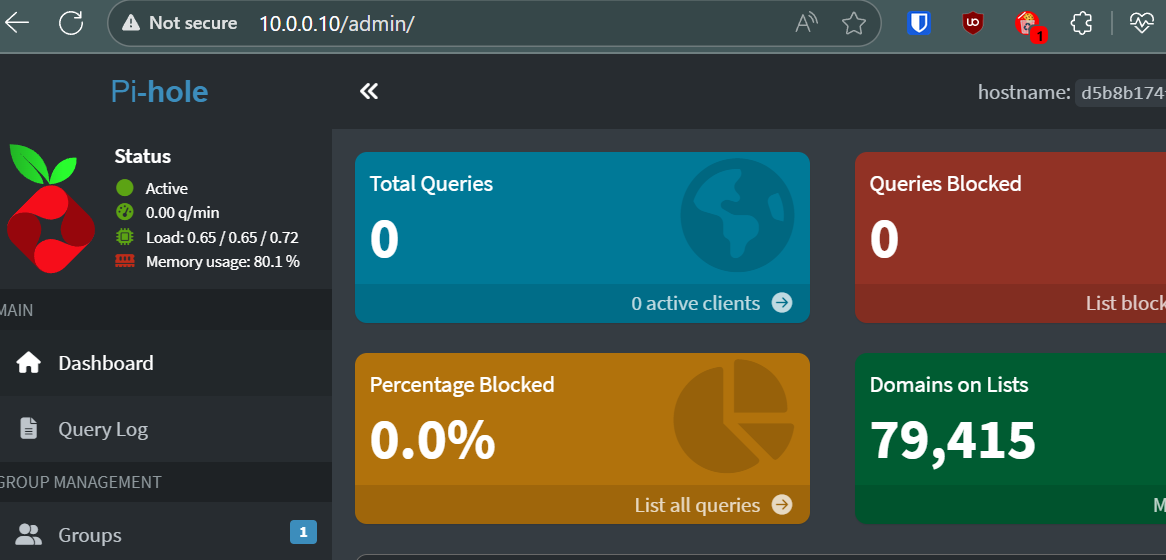
成功了!祝你後續順利 @NA9D
@SteveKo driver: qnet 到底有什麼特別的?看起來就像是另一個 macvlan,只是你們把所有 IPV6 都砍掉了。這真的很爛 
我真的很希望你們能支援 IPV6,我已經受夠了為了讓東西勉強能跑還要一直折騰。
所以所有由 @marcoi 加入的埠定義(753:53/tcp 等)都是他自己測試用的,並不是正常使用情境。
網路設定很簡單。你只要把容器設成 Bridge(橋接)模式,然後指派到你的網路卡(NIC),再給它一個 IP 位址。這樣就不需要做什麼特殊的 NAT。這也是為什麼我會把網路相關的東西放進去。
我最大的問題可能不在於容器本身。最近幾乎每天早上 Pi-Hole 都變得很遲鈍。可能是因為我在凌晨十二點到早上七點之間做 RAID 校驗(scrubbing)。我需要把這個問題找出來。
還有,為什麼你在區域網路(LAN)上需要用到 IPV6?IPV4 簡單多了,而且我還能把位址背起來!
沒錯,關於這些埠號,我只是多加了7個,以確保不會影響到我其他正在運行的應用程式。
您好,我們已將此問題回報給內部團隊,並將安排 Container Station 版本的更新。
關於您遇到的 Docker 問題,如果您認為有必要,請提交支援服務單,以便我們能夠遠端協助檢查。我們或許能找到協助您的方法。
謝謝!
Weedy
12
我個人不需要支援單。
QTS/QuTS 整體來說需要可用的 IPV6。
我手動解決了很多問題,但還是不夠完美。
為什麼我必須手動編譯 ip6table_nat.ko?為什麼你們出廠時 Docker 就封鎖了 ipv6?為什麼要強制停用 ip6tables 規則產生?
請修好 IPV6,謝謝。
我完全同意。我真的沒辦法在我的 QNAP 上使用需要 IPv6 的容器,這真的很麻煩。
我已經在容器中運行 PIhole 幾年了,沒有遇到問題。但現在我想使用 DHCP 伺服器。看起來 DHCP 請求沒有被轉發到容器。請問有辦法轉發 67/68 端口嗎?因為我在 Qnap 的 Container Station 實作中找不到相關設定。
如果你想使用 DHCP 伺服器,應該將你的 pi-Hole 容器設置為 Bridge 模式,並分配一個新的固定 IP 位址給它,這個 IP 應該在你的 DHCP 範圍之外。我不建議依賴 QNAP 提供的「NAT」功能來路由進入容器的區域網路。DHCP 伺服器需要在你的區域網路(LAN)上。
以下是我的 Compose 檔案。我在 Compose 裡設定了網路設定。
services:
  pihole:
    image: pihole/pihole:latest
    networks:
      qnet-network:
        ipv4_address: 192.168.1.4
    environment:
      FTLCONF_webserver_api_password:
      TZ: America/Chicago
    volumes:
      - /share/Container/pihole:/etc/pihole
      - etc-dnsmasq.d:/etc/dnsmasq.d
    restart: unless-stopped

networks:
  qnet-network:
    driver_opts:
      iface: eth3
    driver: qnet
    ipam:
      driver: qnet
      options:
        iface: eth3
      config:
        - subnet: 192.168.0.0/23
          gateway: 192.168.1.1

volumes:
  etc-dnsmasq.d: