Now, Qsync not only syncs but also backs up your computer data to NAS, enabling easy version control and flexible scheduling. Restore files with one click and protect every piece of your important data!
 New Feature Highlights:
- Regularly back up computer data to NAS to prevent data loss
- Customizable backup frequency (real-time, scheduled, manual)
- Multi-version control: Supports up to 64 versions, easily restore to any point in time
 Use Cases:
- Company employees can regularly back up laptop data to the company NAS to prevent file loss or accidental deletion.
- Home users can also back up precious photos and videos from their computers, avoiding data being stored in only one place.
Qsync backup is not just for syncing—it’s your reliable assistant for protecting data in both work and life!
Follow the steps below to download Qsync Client 6.0 Beta and experience the power of Qsync backup!
Click here to visit the official Qsync website and download Qsync Client 6.0 Beta.
Step 1: Click “Experience Qsync 6.0 Beta”

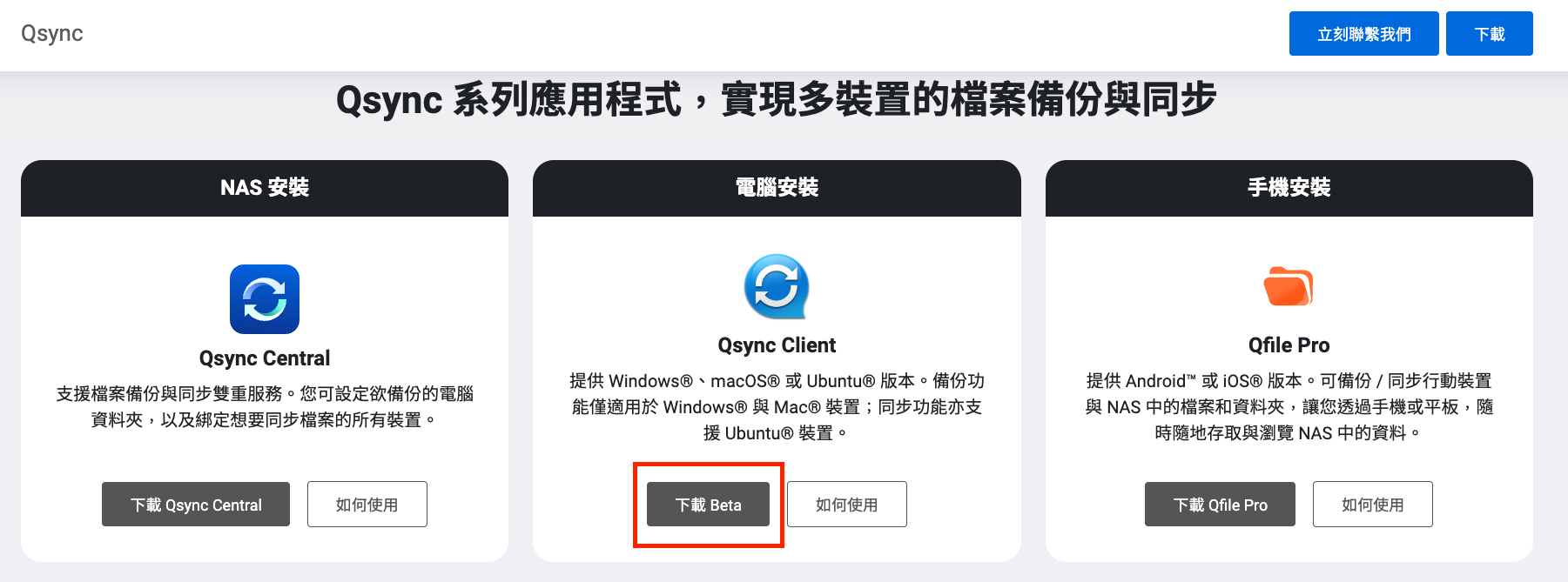
Step 2: Click “Download Beta”
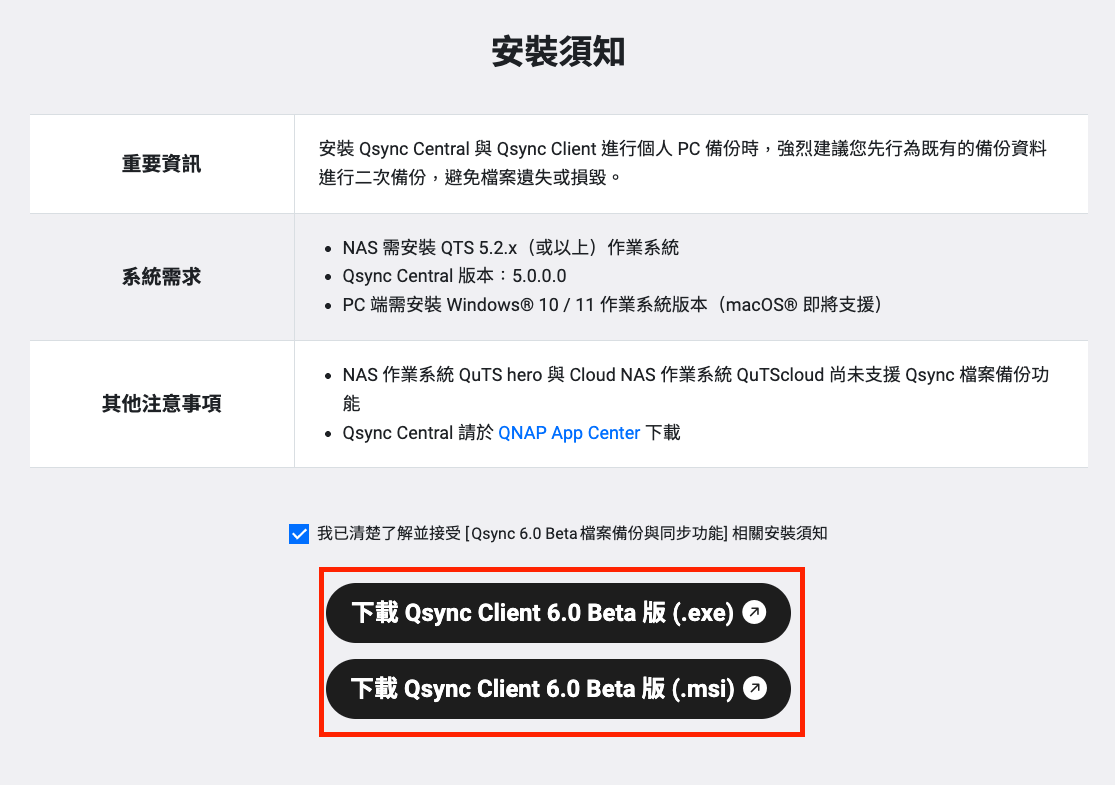
Step 3: Click “Download Qsync Client 6.0 Beta”
Please note: Qsync Client 6.0 Beta currently supports Windows operating system only. macOS support is coming soon.
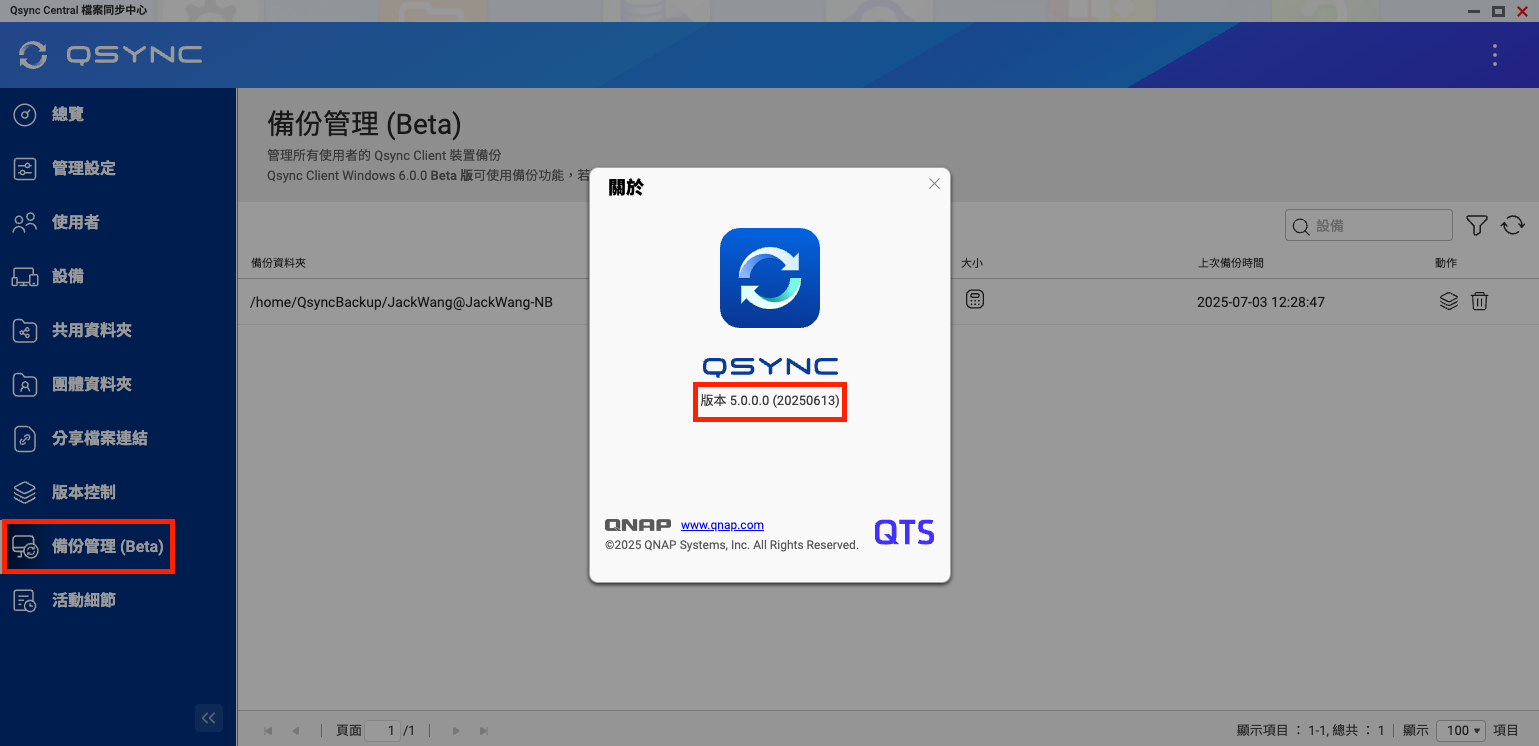
Step 4: Upgrade Qsync Central on your NAS to version 5.0.0.0
- Qsync Central 5.0.0.0 is currently available only on the QTS platform; Hero and Cloud platforms will be supported in the future.
- Qsync Central 5.0.0.0 requires QTS version 5.2.1 or above. Please ensure your NAS system has been upgraded to a compatible version.