I have successfully deployed several containers, and mapped inner directories to qnap host using CS interface. That is great. All my containers data is in /local/containers-data folder and subfolders (one for each container)
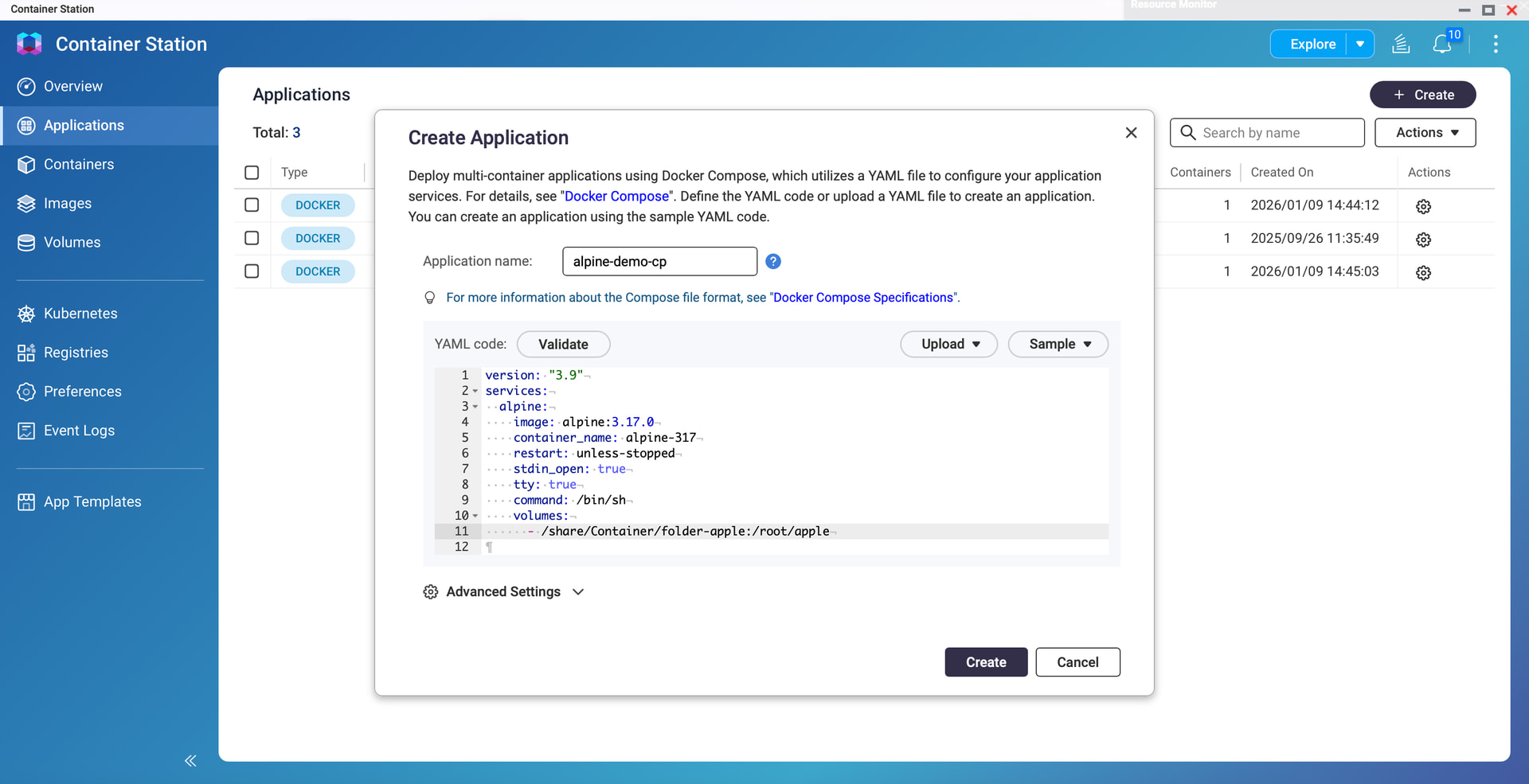
I am trying to do the same within an application, using the usual “compose” syntax as shown below :
Thanks ! Yes, it is only a matter of short or long syntax.
After have read your response, i went on ssh into the NAS, and discovered the “/shared” directory i didn’t know of, and under this folder, the “local” that was accessible from FileStation.
And of course, i found the expected files in the “/local/”…. just as specified in the compose file.
So everything is ok is i prefix with the “/shared” the bound volumes..
The weird thing is that i never put the “/shared” when directly creating containers with the CS interface and it worked seamlessly …
Yes /share is the top level working directory for everything in QNAP world. Yes, there is other volumes and folders off of the root level, / but those are all more for the OS and not part of the user file system. OK, some programs like NoteStation and others store their databases in these “other” folders that is why if you don’t export your content from those before wiping you NAS, you will lose them all. I found out the hard way on that! But all “normal” folders are under /share.
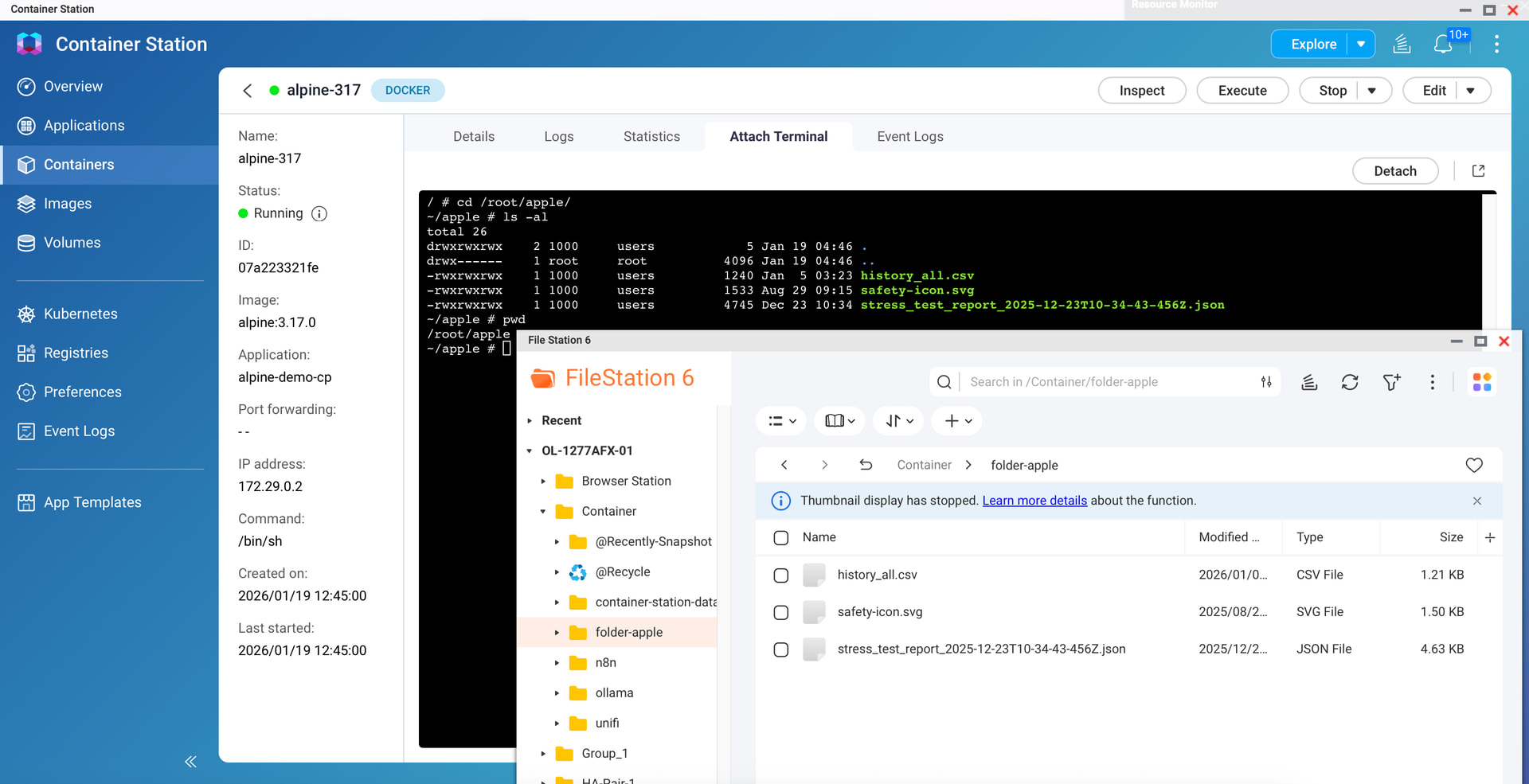
Suppose my container application has a folder /root/apple that needs to be “linked” to a specified directory on my NAS, and I choose to use the folder Container/folder-apple on File Station.
We have two methods. The first is to go to Advanced Settings and Storage when you create Container in GUI, then select Mapping with Host. In the first field, select the folder /Container/folder-apple on the NAS as Host, and manually enter the location of the container, /root/apple, in the second field.
The second method, if you manually create it using a YAML file, is to create a mount point /share/Container/folder-apple:/root/apple in the -volumes field.
The /share at the beginning is fixed, /Container is the shared folder you see in File Station, and /folder-apple is the subfolder. The :/root/apple after the colon represents the location within your container.
Once completed, your container’s /root/apple will be linked to Container/folder-apple on File Station. Whether the container creates files or you upload files to Container/folder-apple, the files can be viewed on both platforms.