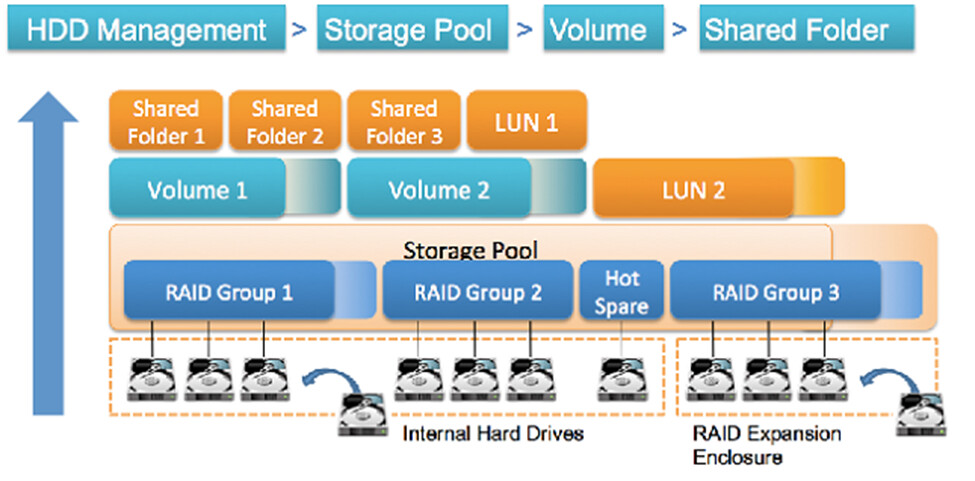
Many NAS users have wondered: Is it possible to remove one or two disks from an existing RAID group? Unfortunately, according to official QNAP information, the simple answer is: you can’t — at least, not directly.
 Why Not?
Once a RAID group is formed, the data protection structure and data block distribution are already “bound” to the initial disk configuration. If you remove a disk — other than a spare disk — the system will lose the integrity of its RAID structure. Therefore, QNAP states that reducing the number of disks in a RAID group (other than spare) is not supported.
 QNAP’s Recommended Solution
Although you can’t directly shrink an existing RAID, there is a safe way to “restructure” your storage:
- External data backup — secure all contents of the current volume/pool.
- Delete the current volume & storage pool — this dismantles the old RAID structure.
- Create a new storage pool/volume using a configuration with fewer disks according to your new needs.
- Copy the data back from the backup to the new structure.
With this method, you effectively “reduce” the number of disks, but through a rebuilding process, not a direct modification.
 Notes & Tips
- Make sure all data is backed up and verified before deleting the old structure.
- After migration is complete, ensure the RAID settings are correct so that you are not under-protected.