NA9D
November 28, 2025, 3:23pm
1
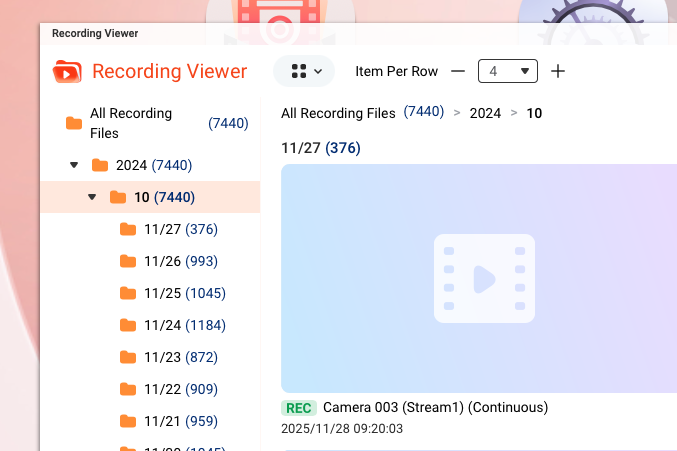
The Recording Viewer in QVR Surveillance is showing 2024 instead of 2025. Videos are dated correctly:
marcoi
November 28, 2025, 3:38pm
2
i just started testing qvr pro (not sure the different in the apps pro vs surveillance) but i think i noticed the same thing happening.
haru0
December 1, 2025, 2:46am
3
Hi @NA9D @marcoi I checked with the team that this seems does not be able to analyzed using only debug logs…so it will need you to open the support ticket and let the tech team arrange a remote connection to confirm the problem.
NA9D
December 1, 2025, 2:17pm
4
I think you can analyze it quite easily by simply looking at the web page for the recording viewer…
This picture should show you all you need to know. It is NOT 2024.
marcoi
December 1, 2025, 2:35pm
5
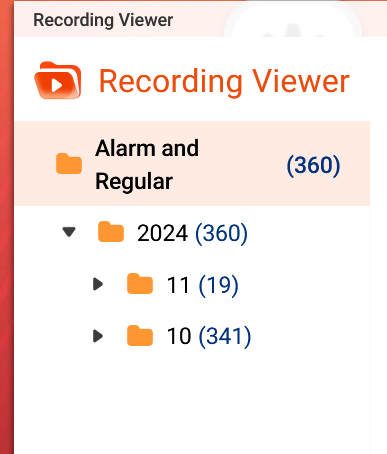
same on the pro. the recorder viewer app under qvr pro website is showing wrong year
NA9D
December 1, 2025, 2:37pm
6
We should not need to file tickets. And @haru0 you are correct that it won’t show in any debug logs. But if you just look in the recording viewer yourself, you will see that the year is wrong. It is a very simple change in code…
Speak straight, in our NAS the date looks correct.
So there must be something else than UI issue. That is why we need a ticket for “remote access”
Using other methods are OK but it will be guessing. We can review our code but still, need to know why it happens outside our own NAS.
haru0
December 2, 2025, 2:00am
8
@NA9D @marcoi the team said that the viewerdb will be rebuild after change the time zone.
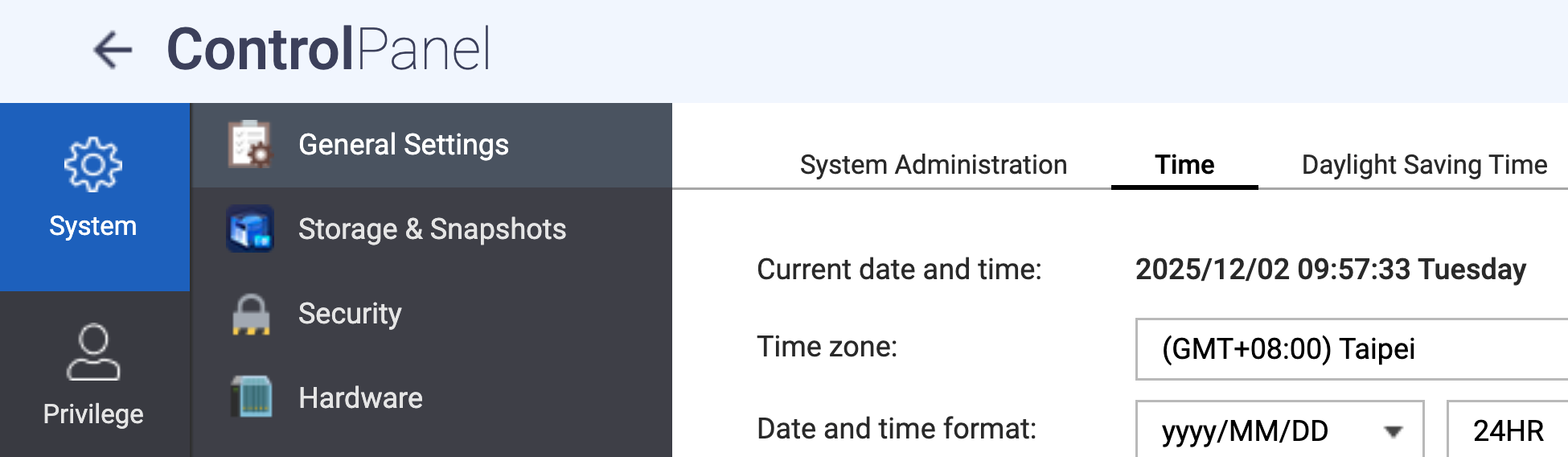
Could you go to Control Panel → General Settings → Time to change the time zone and then back to QVR Recording Viewer to check the year?
marcoi
December 2, 2025, 2:14pm
9
my time zone is set correctly. are they suggesting i change it to something else then back?
NA9D
December 2, 2025, 3:02pm
10
That’s what it seems like. Problem is that it got the year wrong in the first place. So there is still a bug!
marcoi
December 2, 2025, 3:24pm
11
changing it made no difference, i even stopped and restated qvr pro app a few times
NA9D
December 2, 2025, 7:28pm
12
I figured. Strange why they don’t see this..
haru0
December 3, 2025, 12:27am
13
Without the remote access or debug log, we can only speculate the root cause based on the screen shot. We try this yesterday but still can not reproduce it.
Since this happened on both QVR Pro and QVR Surveillance @NA9D @marcoi could you let us know the OS version and Browser version you are using?
NA9D
December 3, 2025, 1:08am
14
I’m using Mac OS X and Safari.
I’ll open a ticket later tonight.
haru0
December 3, 2025, 2:18am
15
@NA9D @marcoi
Good news, we have found the root cause of the issue, some specific time zone causes the display time to jump forward by one year.
Bad news, this currently no workaround that it need wait next version to fix it.
Thank you for your assistance and apologize for the inconvenience caused.
NA9D
December 3, 2025, 2:23am
16
OK. Great. I knew it had to be simple.
I was going to tell you that I am running QVR Pro on a different NAS of mine and see the same problem. So two NAS units, two different applications.
But you found the issue. Great! Saves me having to file a ticket, pull debug logs, etc.
NA9D
December 3, 2025, 2:24am
17
Actually, I think you mean backwards by one year? Please confirm. Jumping forward would mean that it would show 2026.
haru0
December 3, 2025, 2:33am
18
Actually, I think you mean backwards by one year?
Yes, it should be backward not forward, sorry for the misunderstanding.
NA9D
December 3, 2025, 2:50am
19
Don’t feel bad - most of us who have English as our first language still can’t speak it properly!
marcoi
December 3, 2025, 1:56pm
20
cool glad it was determined as a bug.