I am not very experienced in network, so please be nice
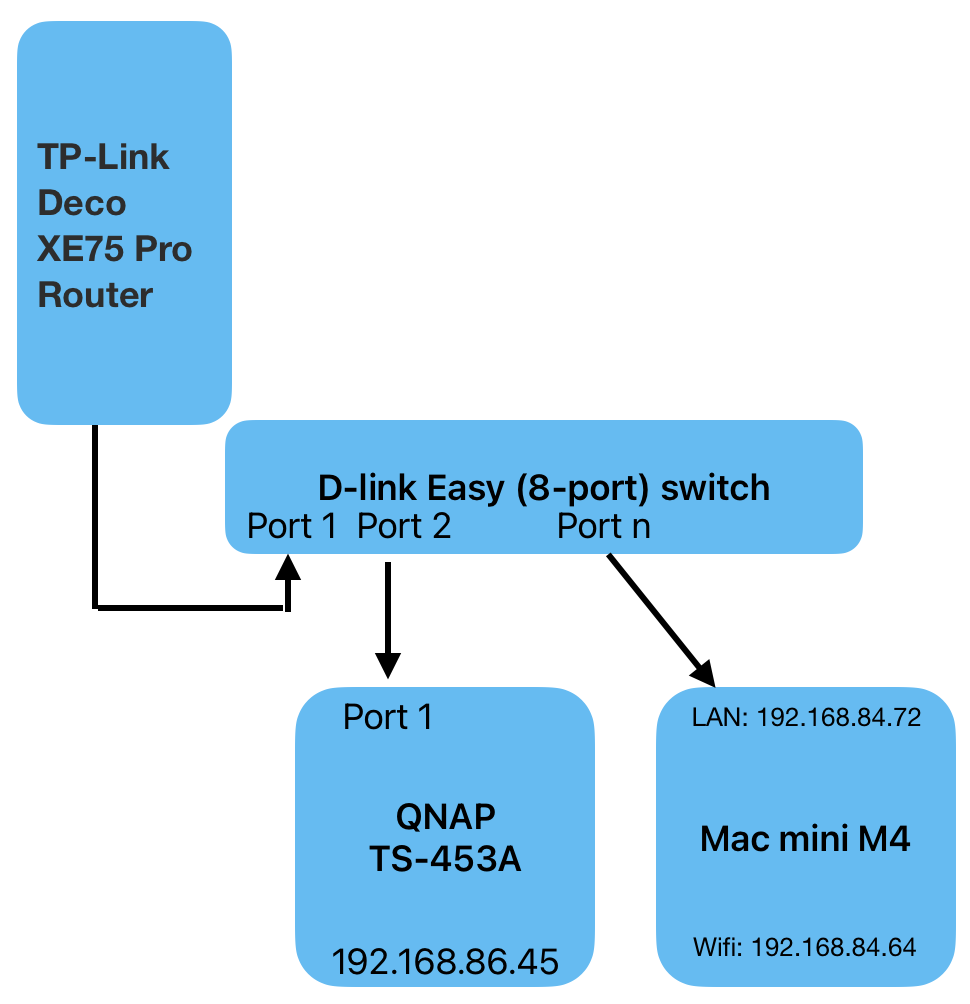
My TS-453A is connected to a 8 port switch which again is connected to my router.
I also have a Mac mini. When it is connected to the same switch I can see the NAS with Qfinder Pro, but I cannot log in. Neither through the web interface or accessing network drives. I can access the NAS nicely from other devices (eg QManager on my phone).
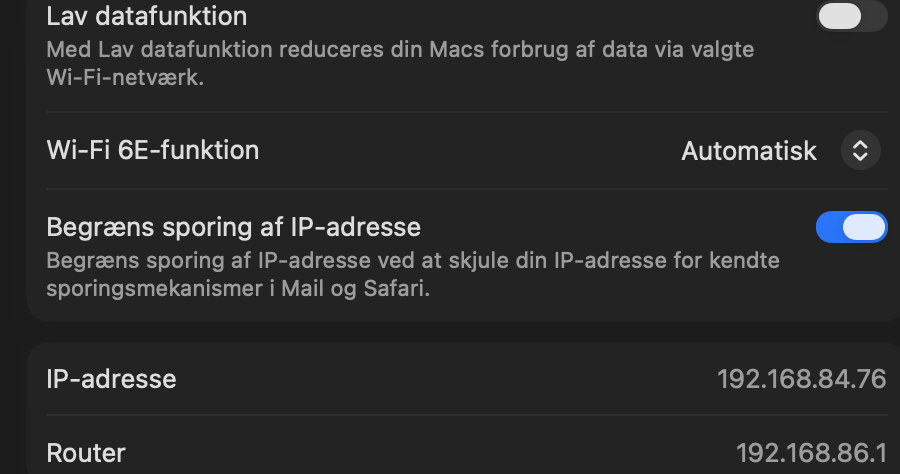
As soon as I unplug my Mac mini from LAN (so it only uses wifi) I can log in again. See the attached image.
What can I do? For many reasons I would like to be connected via LAN from my Mac mini. I also tried to connect it directly to one of the ports on the NAS, but that was not very successful and I spent an hour trying to understood how to setup the network switch in the NAS without success.
Info on my setup:
Mac mini M4, Tahoe 26.6.2 (although this has been a problem on previous MacOS versions)
NAS is TS-453A with QTS 5.2.10.3577 (but its been a problem for many versions)
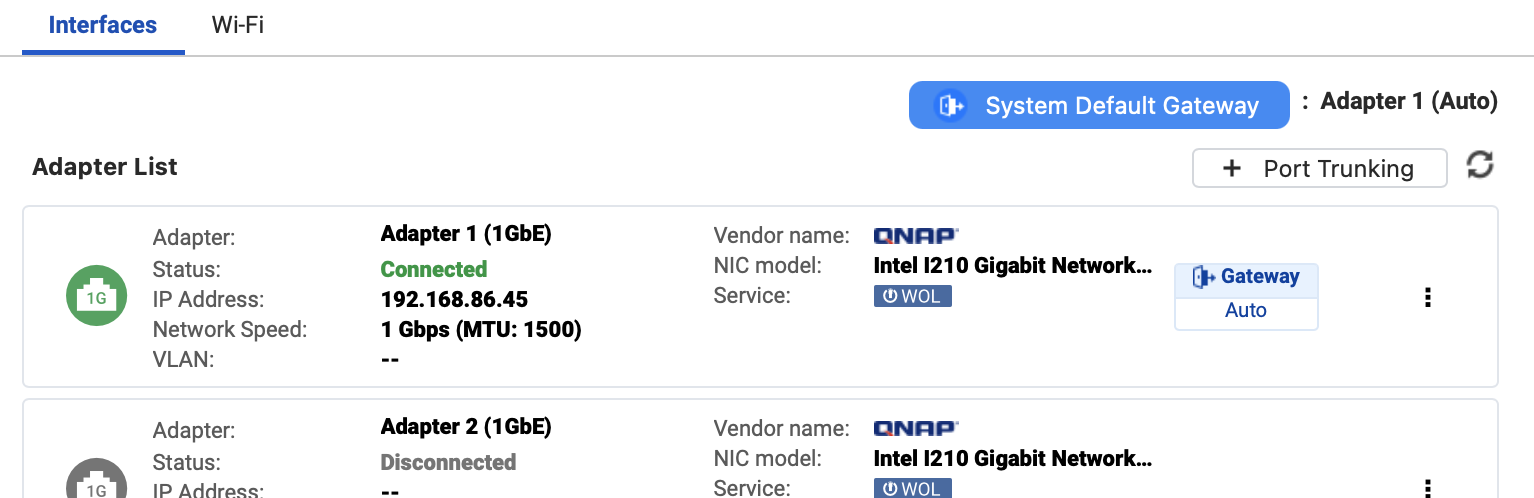
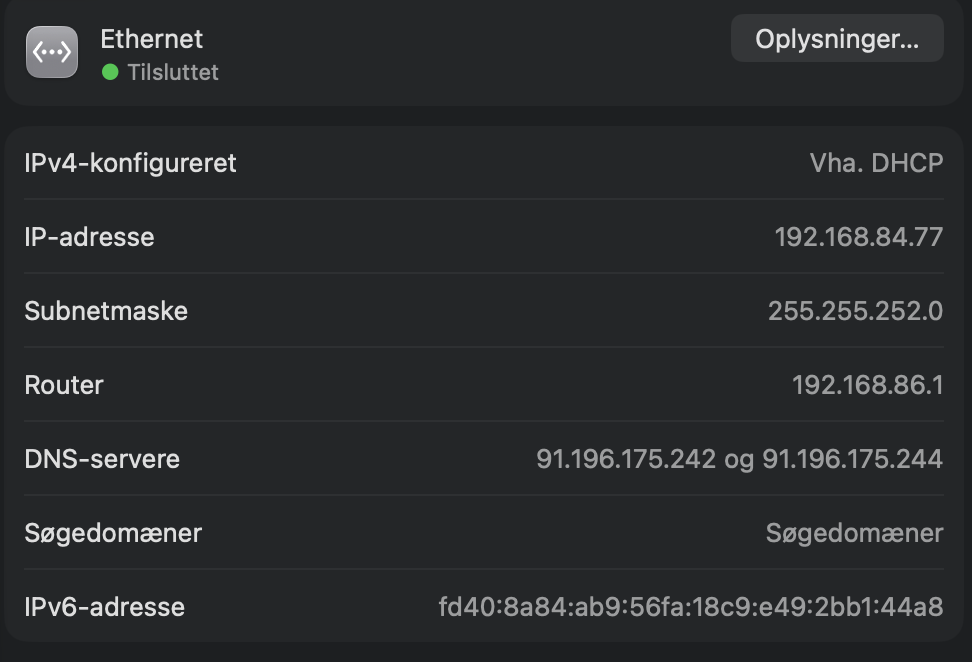
I’m not sure what more info is needed. Here’s the screendump of network settings. The other 3 ports are disconnected.
EDIT: Just for good measures: I have of course tried with different cables and different ports on the switch. Does not seem to make a difference. And the Mac mini can access the internet through the cable and switch if I turn off wifi. Its just the connection between the NAS and the Mac that doesn’t work.
The IP addresses shown in your figure are a little bit odd.
Your NAS IP(192.168.86.45),
Mac mini LAN IP(192.168.84.72),
Mac mini WiFi IP(192.168.84.64)
They are not in the same network segment if your netmask setting is regular 255.255.255.0(/24). In most of case, they should be configured in the same network segment for working properly. Like, three of above device IP address are 192.168.86.x
I’m not sure if it is just a typo. Please clarify it.
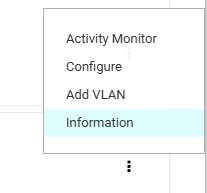
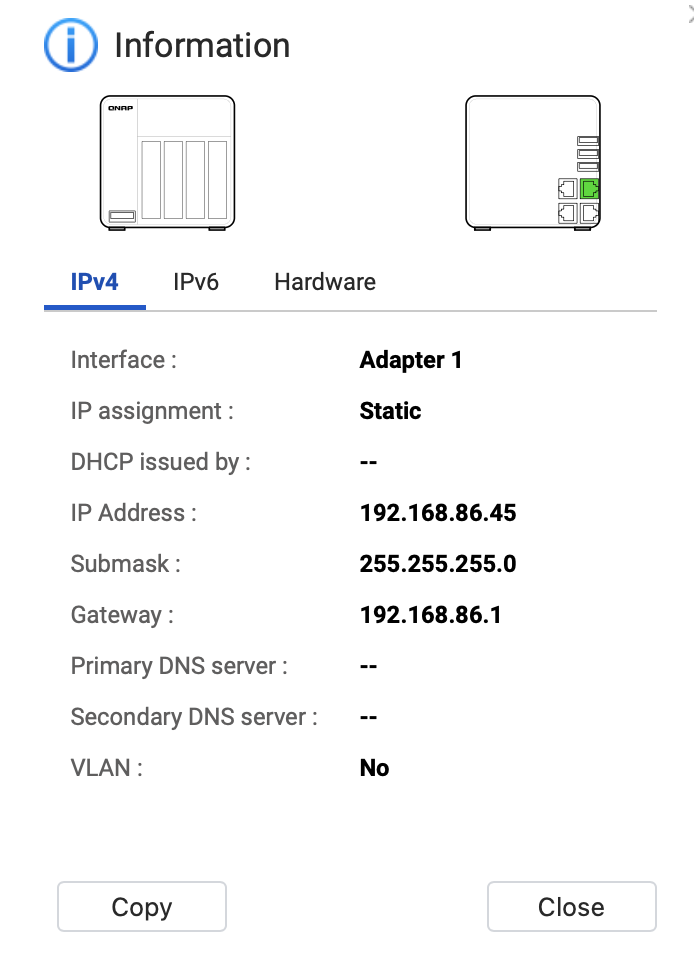
From your NAS Adapter 1 IP screenshot, its IP address is 192.168.86.45. Can you click on 3 vertical-dot and select Information to show the settings and take a screenshot for the reference.
As @abtmega stated, your addresses are somewhat confusing.
Can you please tell us the subnet mask for your IP address settings? Is it 255.255.255.0 or is it 255.255.0.0?
Most home routers use a subnet of 255.255.255.0. That means the first 3 sets of numbers must match in order to access the device. You have your IPs listed as:
I think that we might have found it. You gave me a clue. I had long time ago set the NAS to have a fixed IP through the Deco router (reserve address). That was set to 192.168.86.45. It seemed convenient to have that static. I have now disabled it and it seems like it’s working. The IP address is unchanged however.
The IP addresses are still confusing and the above was not a typo. The Mac has 192.168.84.xx and the NAS 192.168.86.45
Here’s the NAS (fresh screenshot after I disabled reserved address)
Here’s the Mac ethernet/LAN. It seems like the last two digit was renewed, which probably make sense as I restarted it since yesterday. They are connected to the same switch. Right next to each other.
By the way: I really appreciate the help, guys
I can see from the client list on my router that IP’s are all assigned to 198.168.84.xx. Apart from the NAS who got 192.168.86.45.
Most are on wifi. There was a philips hue that was previously connected to the same switch but which I put somewhere else. That guy also had a reserved address. I deleted that as well.
Could you please confirm whether the issue is resolved now?
Based on the information provided, the router/gateway is using
192.168.86.1 with subnet mask 255.255.252.0 (/22).
This subnet includes IP addresses from 192.168.84.1 to
192.168.87.254. Please note that this is the usable IP range of the
subnet; the actual DHCP address pool depends on the router’s DHCP
configuration.
If your NAS uses a static IP address and is configured with subnet mask
255.255.255.0, while the router and other devices use 255.255.252.0,
the inconsistent subnet mask may cause the connection issue.
Please configure the NAS with the same subnet mask as the router:
IP address: an unused address within 192.168.84.1 to 192.168.87.254
Subnet mask: 255.255.252.0
Default gateway: 192.168.86.1
Before applying the change, please confirm that the selected static IP
address is outside the router’s DHCP pool, or reserve the IP address in
the router’s DHCP settings to avoid an IP address conflict.
@abtmega has it 100% correct. It’s unusual to have that large an address pool on a home network. I use 255.255.254.0 which gives me 510 IP addresses. A 22 bit subnet is really huge with 1022 addresses.
Anyhow, it doesn’t really matter how many addresses you have. Make sure you set the NAS to a STATIC IP that is outside your router’s DHCP address pool. And make sure all of your subnet masks are all the same.
Sorry for the delayed response. My kid had an injury that took the attention for a few days.
I have no clue why the router has been setup with such a large address pool. It’s a very automagical setup procedure it has.
Buttomline: The issue has been resolved, despite the NAS was still at subnet 255.255.255.0 and the Mac was at 255.255.252.0.
I have now (to be a bit more on the safe side) set the NAS to also use 255.255.252.0 from its network menu. And its using the same old 192.168.86.45
I also found the subnet settings deep inside the router settings. It was set to 255.255.252.0.
I’m speculating that was has happened was that the NAS has been set to the standard 255 for a decade including the fixed IP. When I got a the new router a year ago it for some reason decided that 252 was a much better setting for my network. Every other unit just followed along, but the NAS had 255 “hardcoded” somehow.
Either way: It works now. I’m a little smarter on these terms. And I’m very thankful
Just to keep things “standard”, you may want to revert the router’s subnet range to the “normal” 255.255.255.0. You may find other devices and products, should you introduce them, don’t handle the expanded range.
Now that you know, it may not be a big deal, but changing to the larger subnet is rarely “required” unless you have a lot of client devices.
Obviously up to you, but these are the sorts of things I tend to “forget” over time, then spend hours troubleshooting some weird behaviour until it occurs to me it may be related to some other thing.
@dosborne is correct. Some consumer devices may only accept a 255.255.255.0 subnet regardless of the DHCP settings in the router. I think that is less and less common today than it was a few years ago, however. I have a 255.255.254.0 subnet and have never had an issue. So if things are working for you, then you could leave them alone. If you decide to go to the standard 255.255.255.0 subnet, then every device needs to match in the first three “octets” of the IP address (ie: 192.168.86.x) of the router.