I have TS-670-Pro with QTS 4.3.6.2805 being accessed with Mac OS 27. Until early June I was successfully backing up the Mac to a shared folder using Carbon Copy Cloner. At the beginning of June CCC reported it was unable to mount the volume. I have since enabled Advanced Permissions in System/Privilige/Shared folders but the backup folder remains greyed out here with only a refresh button and no Edit Properties or Edit Shared Folder Permissions buttons. It is the only folder in the list of folders that doesn’t have those buttons. Also in this list it is the only folder that has a Yes in the Hidden column. I can browse the folder and sub folders in Filestation. If I right click the folder there and select properties I can see the owner is admin but the panel with the key symbol above it where permissions can be changed is blank and the key symbol is greyed out. I can see no way to unhide the folder and make it mountable from the Mac, can anyone help?
have you tried logging in with the admin account and unhiding the folder?
Thanks for the input. Yes I’m logged in with admin but either the buttons to edit properties are just not there or options for accessing properties are also not there.
Hard for me to help much more as I am not familiar with QTS version 4. Is there a sharing control panel or anything like that? You may be able to go in use SSH and use some Linux commands to change ownership or permissions…
a screen shot may be useful.
it could be that the volume/drives had errors. Have you tried running a “Check File System”?
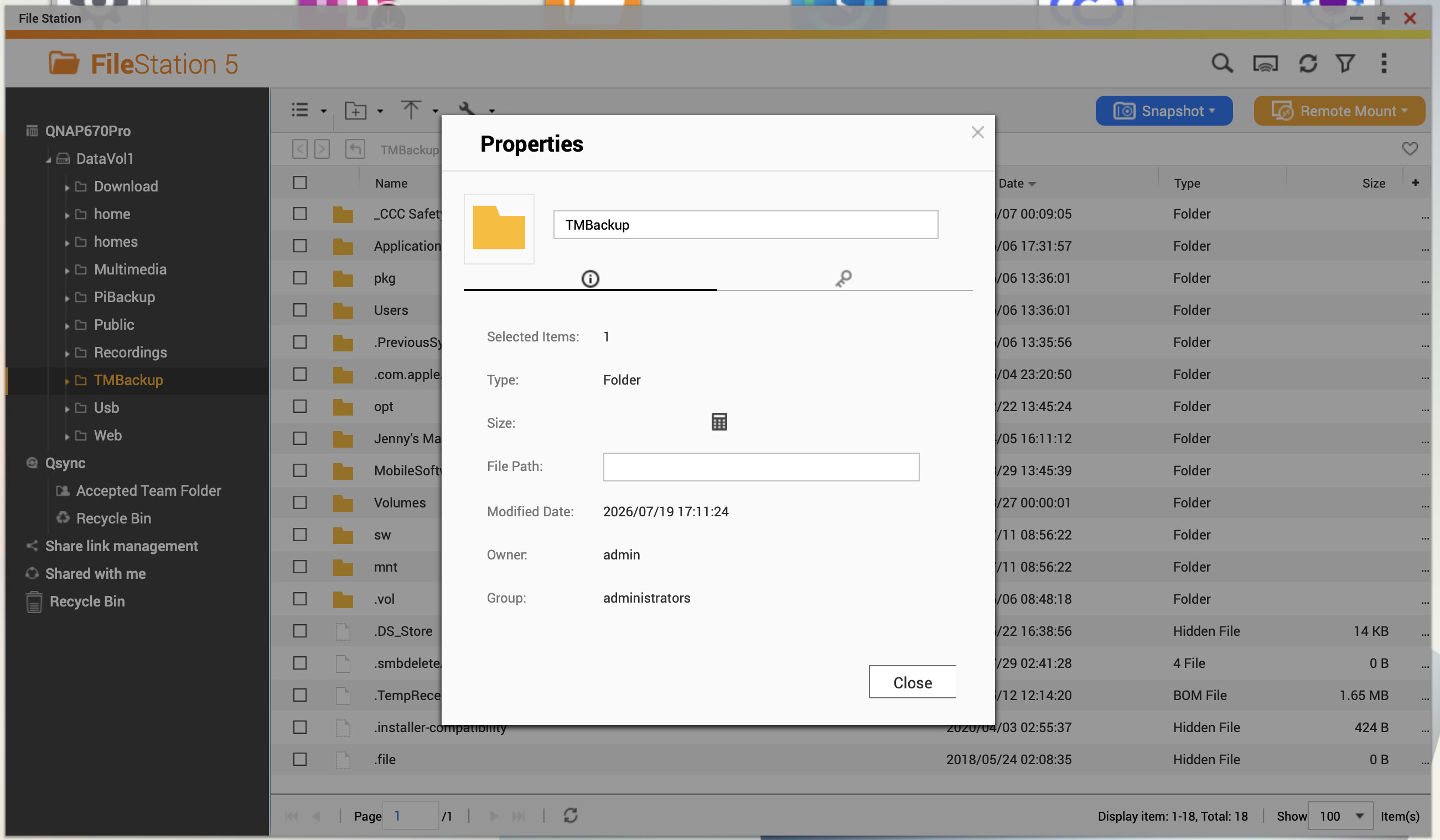
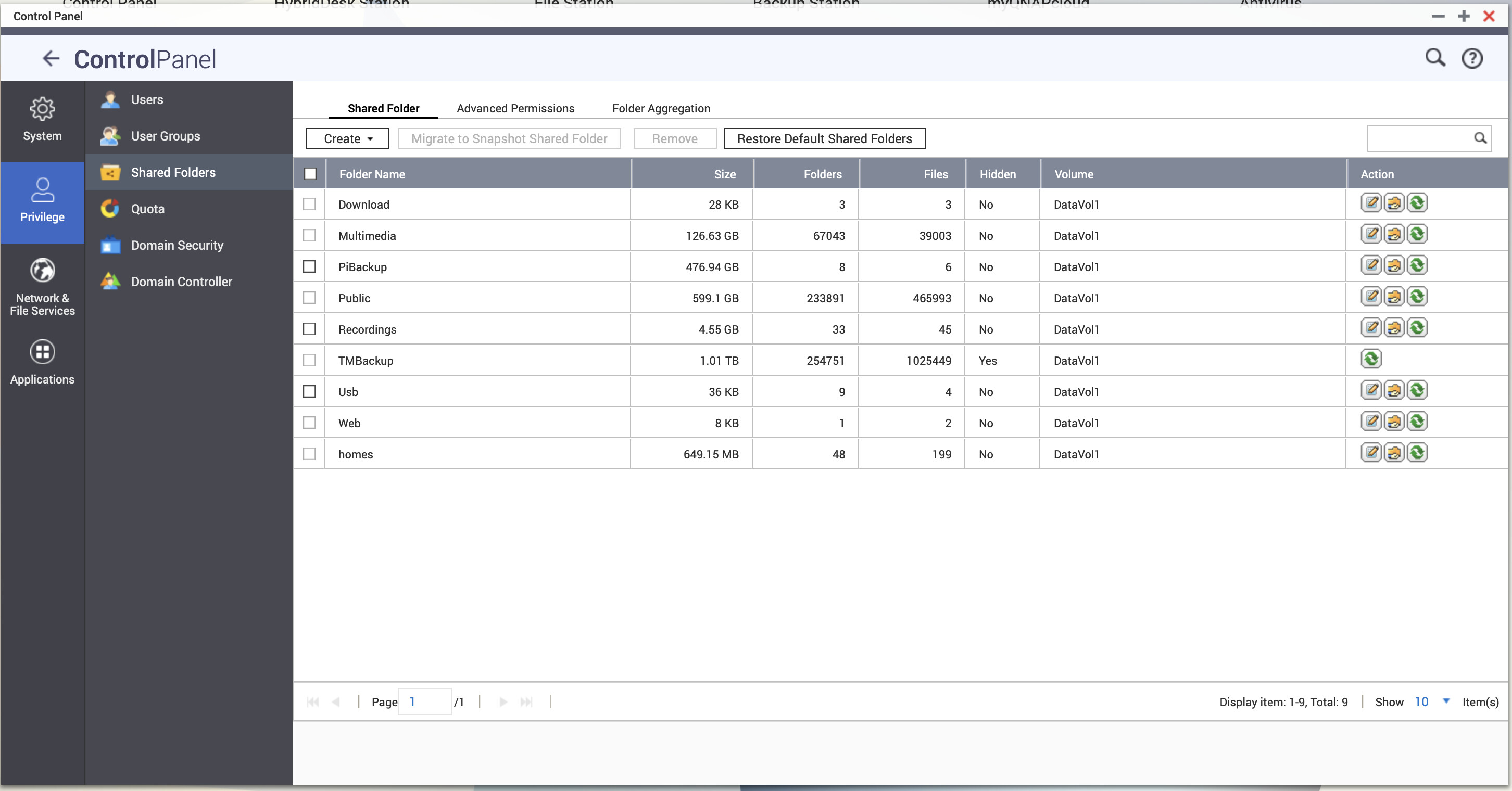
One further thing to note is that I have access via SSH and looked at the folder in question (TMBackup) and see the following with an ls command.
ls -la TMBackup
lrwxrwxrwx 1 admin administrators 27 2026-08-02 10:20 TMBackup → CACHEDEV1_DATA/.timemachine
In the past the folder was used as a target for Time Machine on my Mac but that’s no longer the case. My linux knowledge is limited but wondered if the .timemachine attribute is implicated in this somehow as I know the . filename indicates a hidden file.
Further to this it appears that the actual folder name in CACHEDEV1_DATA is .timemachine. How this whole issue arose I have no idea. My ideal would be to change the actual folder name to TMBackup but I have no idea how to do this without screwing up symbolic links etc and screwing the file system.
Check File System completed with no errors.
OK, for the benefit of other Mac users I think I have bottomed this. QNAP has an afp (Apple Filesharing Protocol) network service which was enabled. There is also support for Apple’s Time Machine in Backup station. As I originally used Time Machine for backup that’s when the .timemachine folder was created. I stopped using Time Machine several years ago and I’m not sure how/when the .timemachine folder was given an alias of TMBackup. All was well until the beginning of June when I migrated to MAC OS27 Beta which is when Apple dropped support for afp. My backup task was then unable to mount the folder as it was configured to use AFP. So I’ve now gone into QNAP Network and File Services and disabled afp and also gone in to Backup Station and removed support for Time Machine. So now the TMBackup folder name has ‘disappeared’ but the .timemachine folder remains. As I had also reconfigured my existing backup service to now connect via SMB to that folder I will wait until it finishes and then use SSH to rename that folder TMBackup and make it visible in File Station etc. As far as I know removal of afp has not been well publicised by Apple and I certainly wasn’t aware of it until trying to solve this problem.
First of all, you are running an ancient version of QTS and trying to make it work with a modern version of MacOS. There are going to be issues. I know you may not be able to get a newer OS supported on your NAS that is otherwise working fine. I understand upgrading to a new NAS may not be something that is possible for you financially. Just understand that as time goes on, more and more of these issues will crop up as technology moves forward but your device cannot.
1.) AFP has been discontinued by Apple due to security issues and fully replaced by SMB. I believe in MacOS 27, AFP is completely removed. Older OS versions still supported it as deprecated.
2.) A . in front of a filename or folder name makes that object hidden.
3.) It would likely be best to create a completely new folder for backups. Then copy any backup contents into that. And use that new folder. Get rid of the old one.
I’m guessing that your problems started when you upgraded to OS 27. You were likely still using AFP for the file sharing protocol and OS 27 no longer allows that.
Thanks for the report! I’ll forward this to our internal team and have them look into the issue. In the meantime, you may also consider creating a separate shared folder and manually specifying the path/directory to see if that resolves your problem. Thanks!
Steve, thanks for this. I renamed the .timemachine folder to TMBackup and then created a new Shared folder which I named MacBackup and entered the path to the TMBackup folder as you suggested (as I found, the new Shared Folder cannot have the same name as the physical folder on disk which makes perfect sense). The MacBackup folder is now visible in FileStation and mountable from my Mac using SMB so all good.