using: Quts on a tvs-1288x, 128gb Ram, one raid6 storage pool 8x8TB Disks
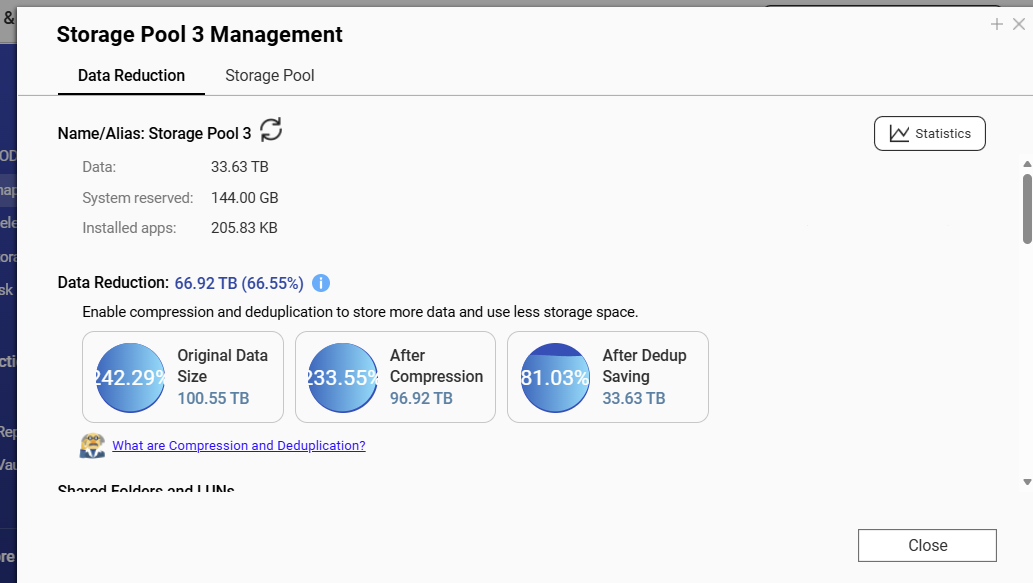
on this volume, there is a high rate of deduplication.
The original data is increasing around 1 TB each month
In the course of the last months, performance on deduped folders is decreasing dramatically.
NON deduped folders are performing normally.
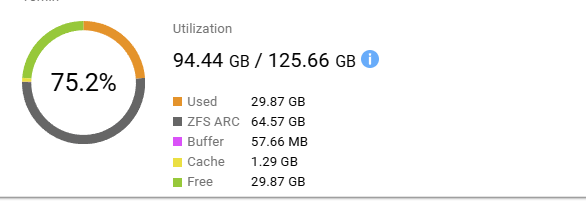
I have a hunch that the amount of usable RAM has reached its limits.
Thus, dedup performance is decreasing.
IS there a way to check if dedup is out of pyhsical Ram?
Additionally, how to check the status auf ZFS in regards to used memory?
In a QNAP support ticket i asked, but the answer was “they dont know”
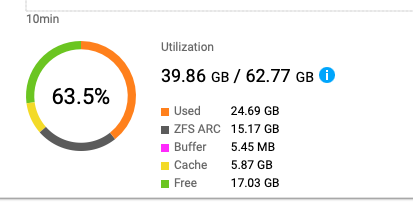
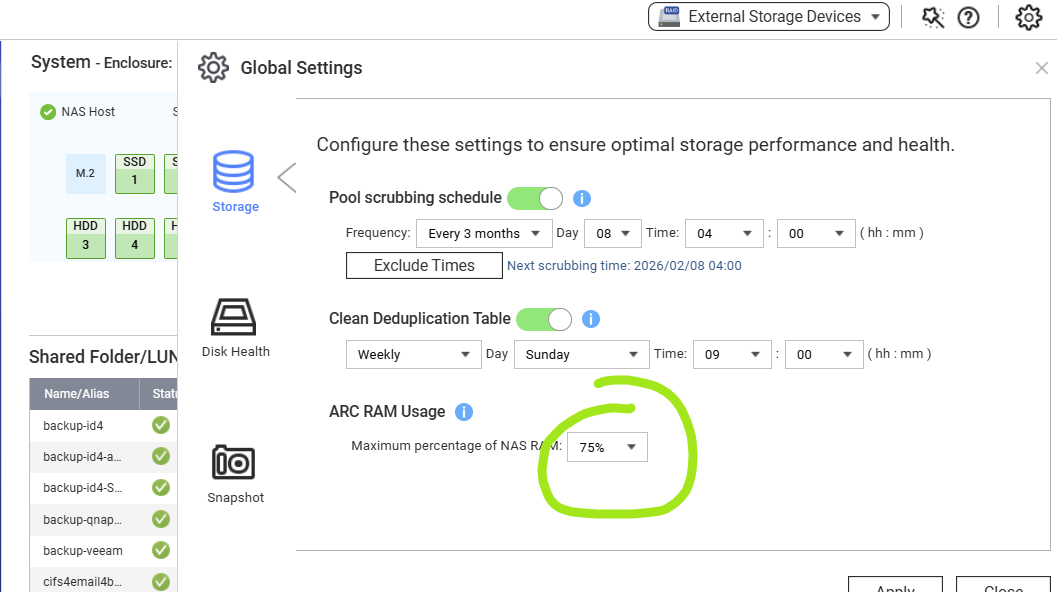
You can go into Resource Monitor and look at Memory usage. There’s an item for ZFS ARC but I am not sure if that is the memory used for De-duplication.
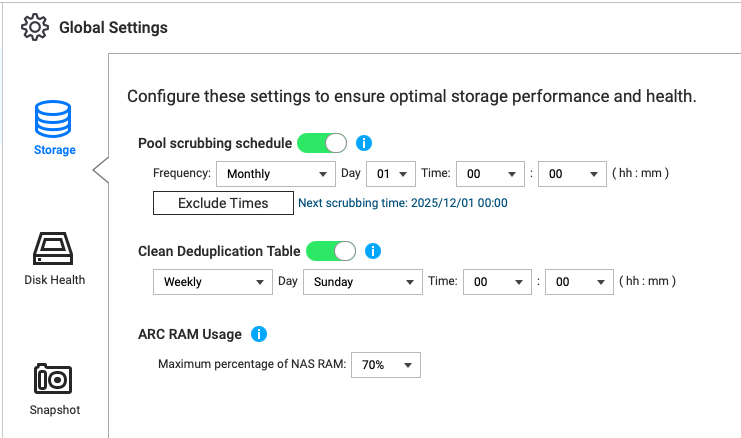
It may be helpful to see how much memory you are using and you can change the amount of memory that ARC uses in Storage and Snapshots. What level is set for yours? Can you increase it?
OK. Good. I am not an expert on deduplication nor am I 100% sure that the memory allocated for ZFS ARC is used for the inline compression and deduplication. I would “assume” that is the case, but you know what happens when you “ass-u-me”!
But like I said, I would expect deduplication efficiency to drop as your file space grows bigger. I would expect that there’s less statistical chance of files having the same data in them the larger your file count grows. And even in cases where you have very similar data, my assumption is that each file is going to have slightly different data in addition to data that is the “same.” I would not expect all your files to be exact duplicates of each other (maybe that are but that would be odd). So your non-duplicated data will grow and as it grows the duplicated data will be come an ever smaller percentage of the total.