Hello. Since the latest update to myQNAPcloud Link 2.4.71, I haven’t been able to connect to my NAS via the mobile apps or via QSync. I can still access the NAS through the myqnapcloud.com website. Could someone please share the previous version of myQNAPcloud Link, 2.4.66?
Moved to a topic in the English section, unclear why you would post that in the Chinese section
@shkril the myQNAPcloud Link has different QPKG based on CPU model, here is for the x86 CPU
https://download.qnap.com/QPKG/CloudLink_2.4.66_20250901_x86_64.zip
My own home NAS is also myQNAPcloud Link 2.4.71 and I can connect to my NAS via the mobile app like Qfile or QuMagie normally, so maybe you can create a support ticket to let myQNAPcloud team can check your environment directly?
@dolbyman I think the reason is the automatic translate function, which default to let every to see their own language…
Thank you very much. I have a QNAP TS-231P NAS running on the ARM platform. I downloaded myQNAPcloud Link for ARM and installed it on my NAS. After that, the connection was restored, and I was able to access my NAS through the Qfile Pro and QuMagie mobile apps, as well as on my Windows computer using Qsync.
I can confirm that I experienced what appears to be the same issue on my QNAP NAS, and downgrading myQNAPcloud Link from 2.4.71 to 2.4.66 solved it immediately.
My NAS is a QNAP TS-431K with an Annapurna Labs Alpine AL214 quad-core ARM Cortex-A15 CPU, running QTS 5.2.10.3577 Build 20260731.
After myQNAPcloud Link was updated to 2.4.71, remote access through QNAP mobile apps stopped working.
The symptoms were quite specific:
- QuMagie worked normally when my phone was connected to my home Wi-Fi.
- Qfile Pro also worked normally on the local network.
- Qmanager worked normally on the local network.
- As soon as I disabled Wi-Fi and switched to LTE/mobile data, none of these apps could connect to the NAS.
- QuMagie would remain stuck on “Preparing” / “Connecting to device” and never complete the connection.
- Qfile Pro and Qmanager had the same general remote connection problem.
Interestingly, remote access through the web browser was still working.
Using LTE with Wi-Fi completely disabled, I was able to open my qlink.to / myQNAPcloud address in Chrome, log in to my QNAP account, access the QTS desktop remotely, and even open the web version of QuMagie and browse my photos.
So the situation was basically:
Local network:
- QuMagie Mobile: works
- Qfile Pro: works
- Qmanager: works
Remote connection through LTE:
- QuMagie Mobile: does not work
- Qfile Pro: does not work
- Qmanager: does not work
- myQNAPcloud/QTS through a web browser: works
- QuMagie through the QTS web interface: works
I also ran the myQNAPcloud Link Diagnostics on the NAS. Everything was green, myQNAPcloud Link showed Normal, and the diagnostic tool reported that remote access was configured correctly.
I initially checked the router, DDNS, port forwarding, mobile data permissions, battery restrictions, SSL settings, connection methods, etc., but nothing helped.
Then I found this thread.
Because my TS-431K uses the ARM/Annapurna platform, I installed the appropriate myQNAPcloud Link 2.4.66 ARM version instead of 2.4.71.
After downgrading to 2.4.66, remote access started working again immediately.
QuMagie Mobile, Qfile Pro and Qmanager can now connect to the NAS over LTE again without any other changes to my router, NAS network configuration or mobile phone settings.
So this seems to be more than an isolated case. At least on my TS-431K / ARM platform, myQNAPcloud Link 2.4.71 causes remote connections from QNAP mobile apps to fail while browser-based myQNAPcloud access continues to work correctly.
Downgrading to 2.4.66 completely resolved the issue for me.
Hopefully this information helps QNAP reproduce the problem and confirms that there may be a regression in version 2.4.71 affecting at least some ARM-based NAS models.
Hi @krzysztofp thanks for the report, we have confirmed that myQNAPcloud Link 2.4.71 has an issue on ARM devices and are immediately fixing it. The new version is currently being tested and we will to release it as soon as possible.
If anyone need version 2.4.66 in the next couple of days, please let me know.
hello, i have the same problem and we need to fix it ASAP. i tried installing 2.4.66, but it’s failing saying i can’t downgrade. if i’m gonna delete it, will that erase the app settings?
Hello! I have a similar problem. There is a connection locally, but no connection via myqnapcloud from another network.
I have a QNAP D2 rev.A.
I couldn’t find version 2.4.66; the one above it is not compatible.
@andrei.arnautu @Gggtr the new version of myQNAPcloud link 2.4.73 should be release today or tomorrow.
Please use the QPKG file I send to you via private message if need it urgently.
Hello. Can I get version 2.4.66 of myQNAPcloud Link for the QNAP TS-220? Thanks.
I experienced same problem.
Local connection succeeded and LTE based connection failed by qfile and qumagie.
I cannot find cloudlink 2.4.66 for ARM (TS-133).
Please let me know how I can get the file of 2.4.66 and how I can install or roll-back.
Thank you.
Hi @altair3111 the new version myQNAPcloud 2.4.73 should be released on TS-133 and it should fix the issue, could you give it a chance to update that version and try again?
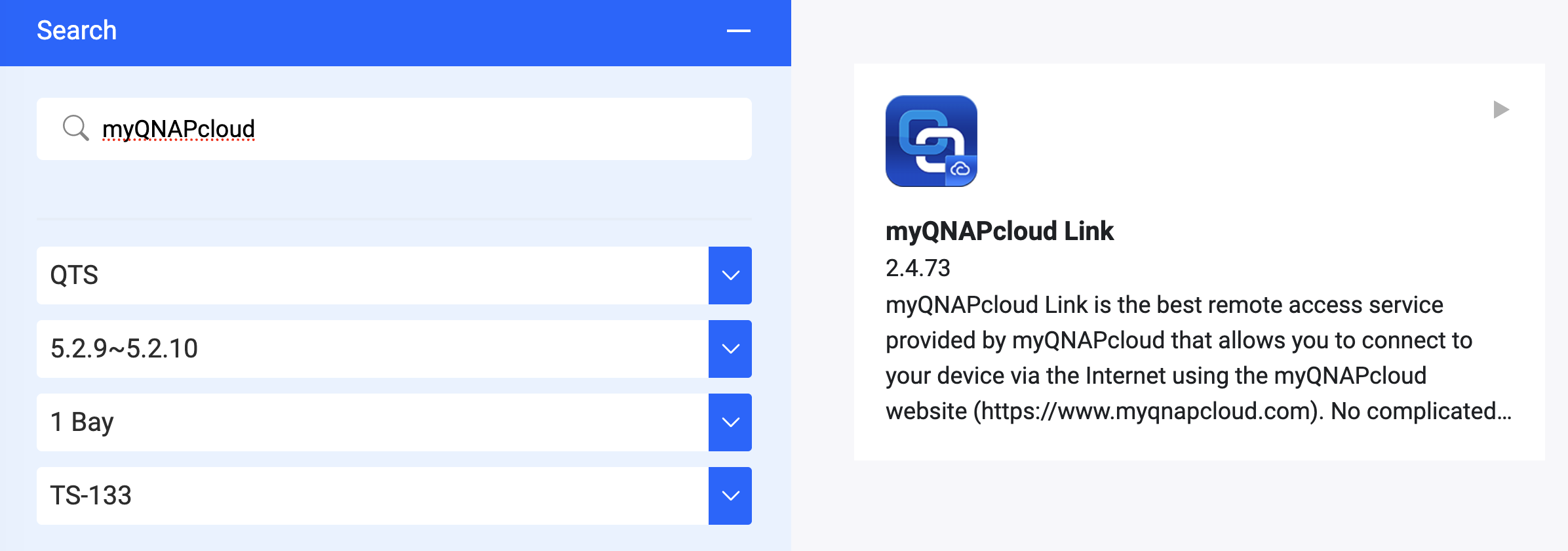
My ver. is already 2.4.73.
Nothing is changed or solved for my case.
please get me 2.4.66 and teach me how to downgrade myqnapcloud to solve this issue ASAP.
you can probably try to install manually this version
https://download.qnap.com/QPKG/CloudLink_2.4.66_20250901_arm_64.zip
Hi, I’m seeing the same symptom as described in this thread on a QNAP TS-473A (x86-64, QuTS hero h6.0.2.3591 Build 20260819).
myQNAPcloud Link is 2.4.71, diagnostics are all green, browser access via my own domain works from 5G, but Qfile and QuMagie fail to connect automatically over cellular.
Version 2.4.73 is not offered in my App Center.
Could you send me the 2.4.73 x86_64 QPKG, or confirm whether the fix applies to x86 models?
Container Station is installed on this NAS. Happy to provide logs from the Helpdesk app.
Looks like you can update to the version 2.5.1
That version still gives me the same issues unfortunately, or maybe the issue returned on this version?
Can anybody point me to the download of the previous version (before 2.5.1) for the AL212 ARM Cortex-A15 CPU?
@haru0 can you help me out with the app file? I really need to get my smartshares up again.