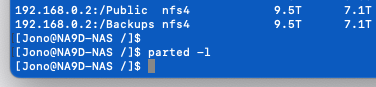
EXT4 and ZFS are PARTITION formats, NOT disk formats (if only a single partition is on a disk, I guess you could call it a disk format, but actually a misnomer). EXT4 and ZFS partitions can exist on the same physical disk; just need to use the appropriate command set for which filesystem you/QNAPinternals are manipulating.
If you’re on Hero, look at all the partitions on a disk that’s in use as part of a data pool. The data pool partition will be ZFS, but tell me which filesystem(s) you see on the other ‘hidden’ partition(s)…
Other than a possible disagreement with Dolbyman about whether a firmware image is in fact on DOM as shipped and updated during fimware updates, I agree with everything Dolbyman has told you is accurate and valuable info, as well as the alternate path I have provided to cleanly go from QTS to hero or back.
The steps you are trying don’t follow what QNAP doc nor Dolbyman nor I have described and you are confused/upset that an undocumented course of action is giving unexpected results. We’ve tried to explain where you went off course and each given you different documented alternatives on how to swap hero to qts or back. Perhaps if studying our responses aren’t ‘coming thru’ for you, maybe open a ticket and QNAP support’s explanation may be clearer. Maybe point to this thread on the ticket as supposedly QNAP support can and will look at this new ‘much unloved’ version of the forum.