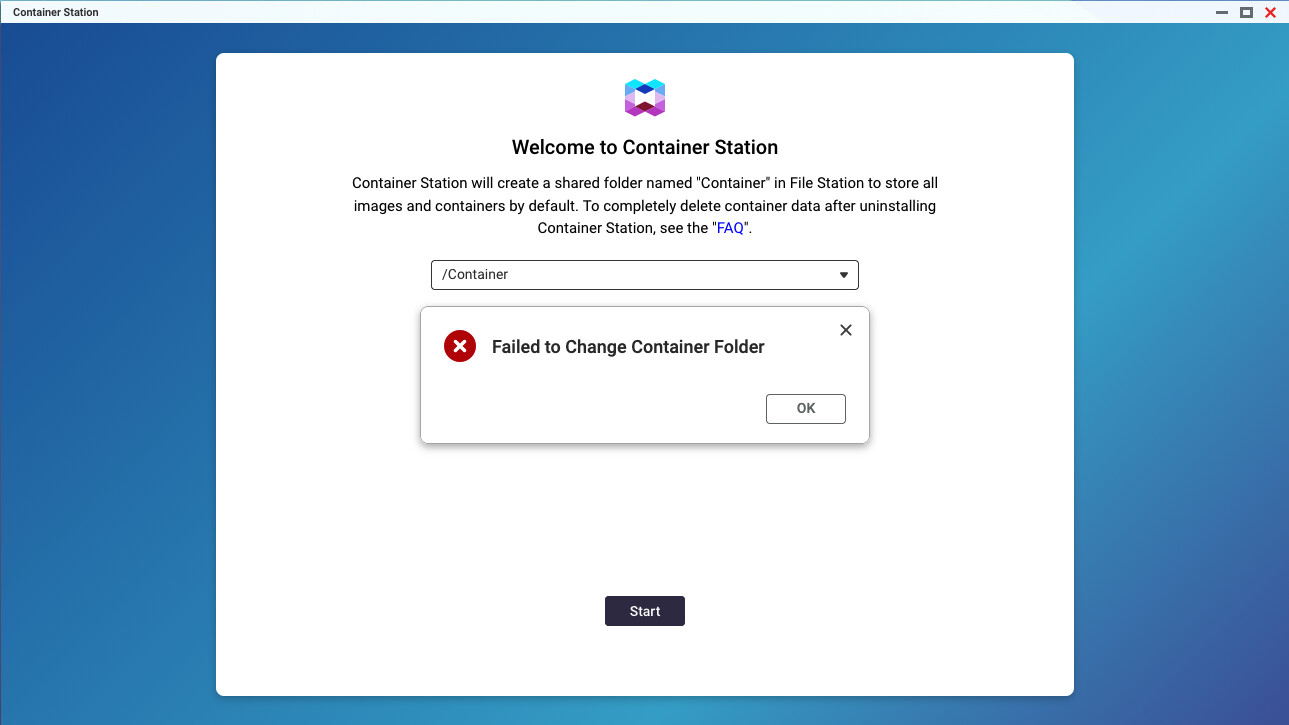
Brand new TS-473A, installed the latest QuTS Hero 5.3. When I run the Container Station for the first time, the /Container folder is supposed to be created, but the following error occurs. Any help would be appreciated.
What permissions are you running?
Permissions on what exactly? It is a brand new NAS, everything is default. It worked fine to create a directory called Containers, but the directory Container failed every time.
you do have storage pools defined? just making sure the app has a place to put the /Container folder.
Yes, the storage pool is defined, data is being transferred from another NAS, and Virtualization Station works fine. The Container Station has accepted /Containers directory, though.
might be time to open a support ticket for the issue.
Based on the error looks like CS did not install completely.
If you are okay with possible additional problems you could try to uninstall CS, if there is a /Container share remove it if possible (take a backup if you have stuff inside it) then reboot and try the install again.
If you have no data on the NAS, you can go into control panel backup/restore settings and select reinit the nas.
1 Like
It is not possible to create a /Container share, as the name is protected and reserved for the Container Station within the QNAP system. However, I was able to successfully create a /Containers share using the Container Station. This share is fully operational and functioning as expected. I have already opened a support case with QNAP support, but they have advised that since the CS is not experiencing any apparent issues, further investigation is not necessary.
–Translation added by Dolbyman–
I’m experiencing the same problem on a newly installed TVS-AIh1688ATX.
I keep getting the message “Error changing container folder,” even though /Container is selected.
Has this issue been resolved by support in the meantime?
Thanks and best regards!
Claus
========
I have the same problem on a newly installed TVS-AIh1688ATX.
I keep getting the message “Error changing container folder,” even though /Container is selected.
Has the case been resolved by support in the meantime?!
Thanks and best regards!
Claus
Please only post in English in the non German section