Container Station Minecraft Docker no connection on port 443

Hello dear QNAP users :slight_smile:

I have a problem with my Docker in Container Station. I am very new to Docker but have already read through quite a few forums.

Here’s my situation:

I own a QNAP TS 251+ NAS.

I am trying to run a small Minecraft Bedrock server for my son. At first, just within our own network without external access.

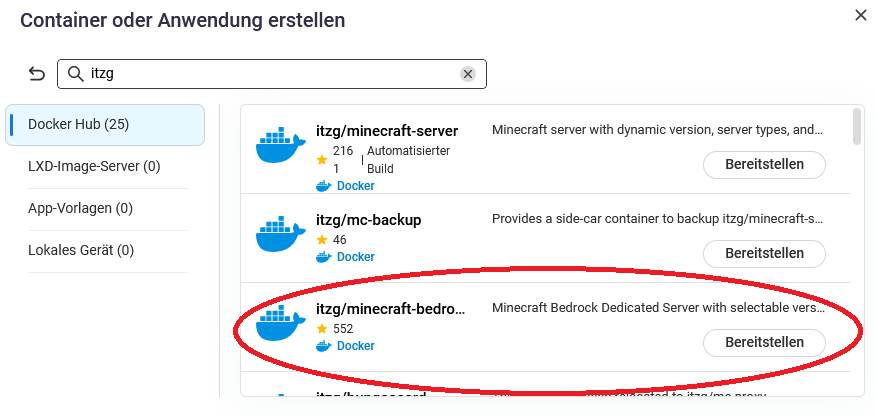
For this, I downloaded the Minecraft Docker from ITZG in Container Station.

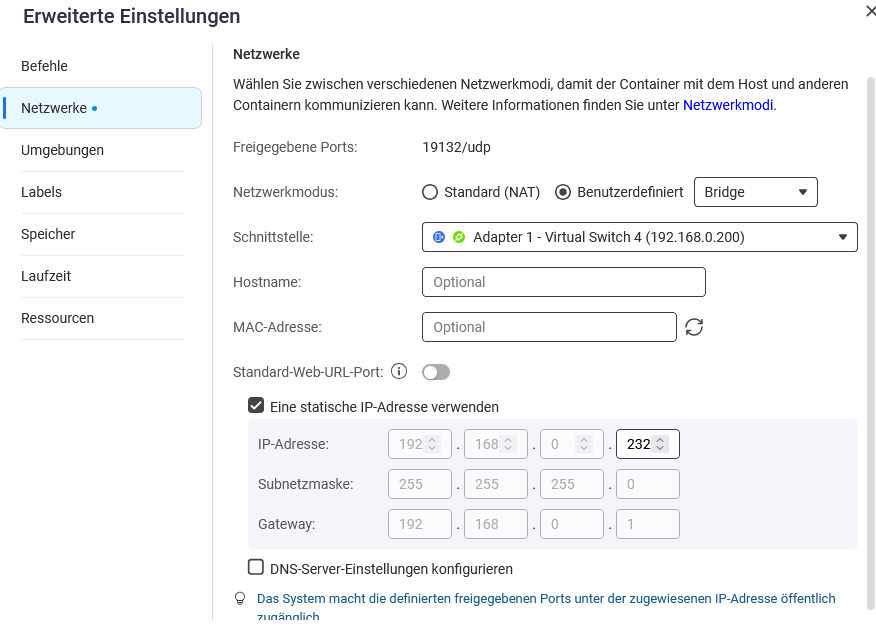
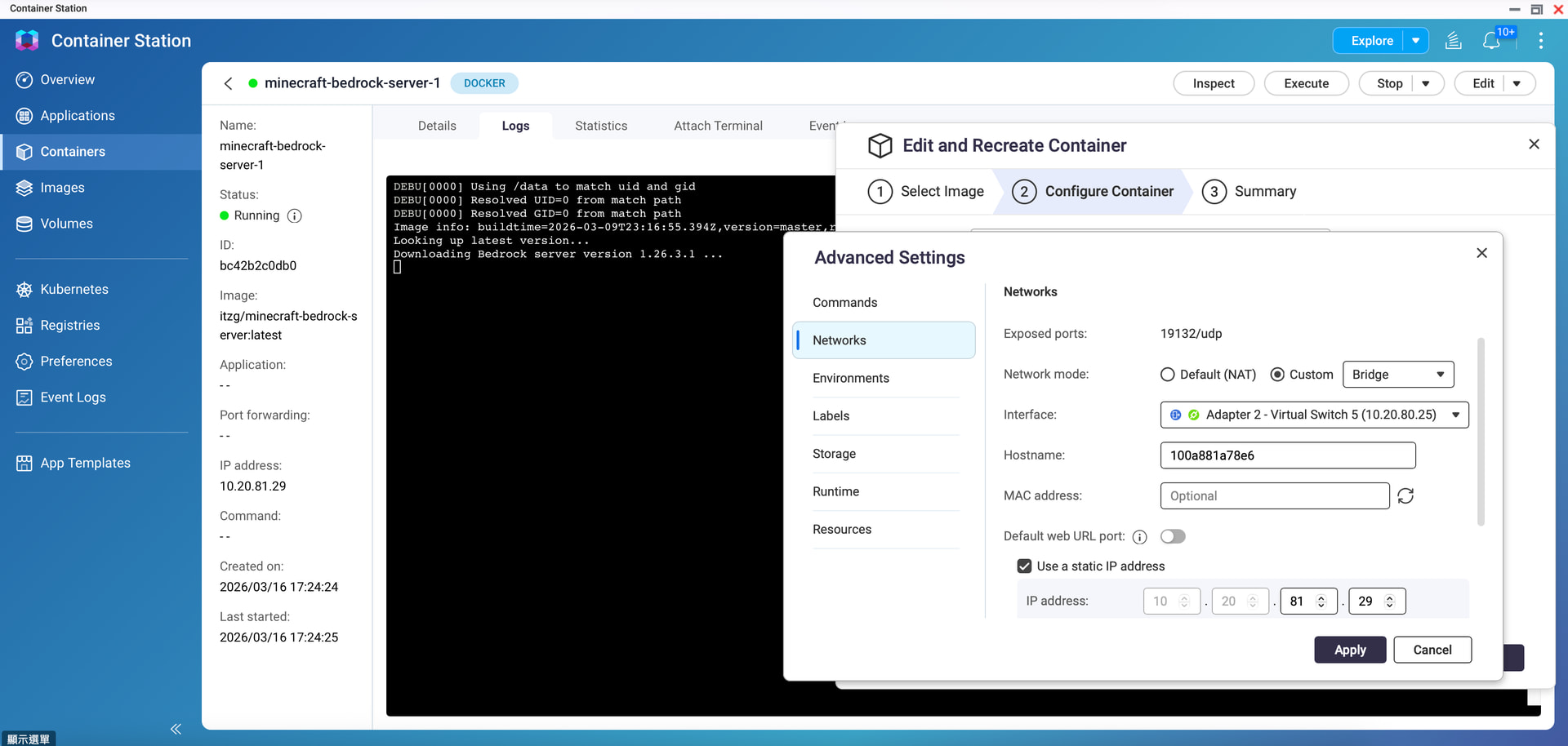
During installation, I set the network to bridge mode and assign a fixed IP so that the server is always reachable. I also entered the EULA = True command in the variables. This is recognized as well.

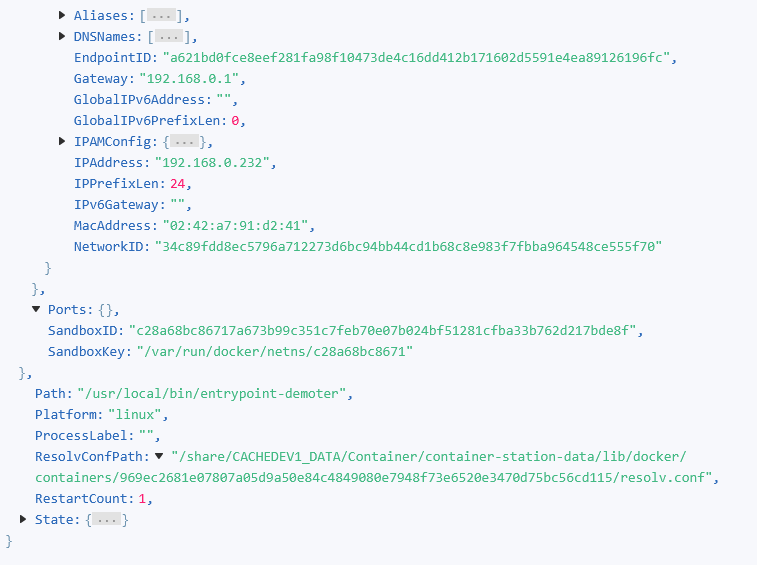
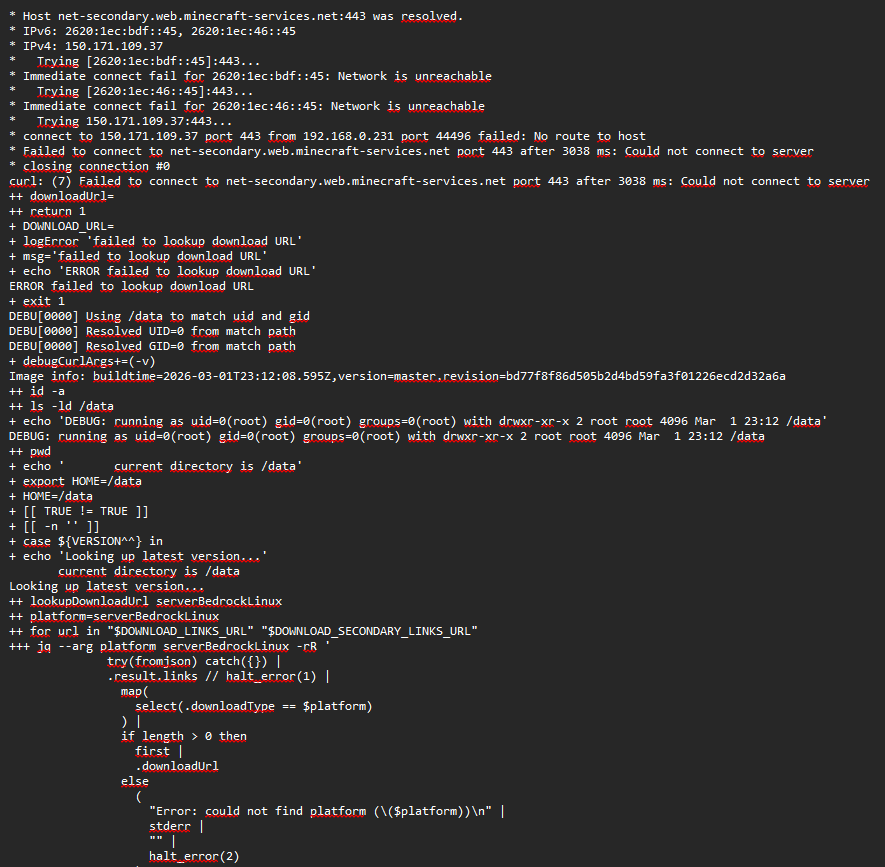
Unfortunately, the Docker does not connect because there is a problem with port 443. (See attached screenshot). I have already read through many forums, but have not been able to find a solution so far. I know that it must have something to do with the ports that Docker uses. When I run the Minecraft server in NAT mode, everything works, but then I don’t have a fixed IP. The input field under network is also no longer accessible when switching to bridge mode, so I can’t set up port forwarding.

Does anyone have any advice here?

It’s probably a general issue regarding the ports.

Many greetings and thanks in advance for your help!

Moved to the German subforum, please always pay attention to the language!

It’s best to create the container using Compose.

It looks like the container is failing to connect to minecraft-services.net over HTTPS (port 443) during the startup process.

In the Bedrock Docker image this connection is required to download the server package, so the error usually indicates a network connectivity issue from inside the container, rather than a port mapping issue.

At the moment it’s a bit difficult to determine the exact cause because the network configuration isn’t visible.

Could you please provide some additional information:

  1. Screenshots of the container network settings

    • Container Station

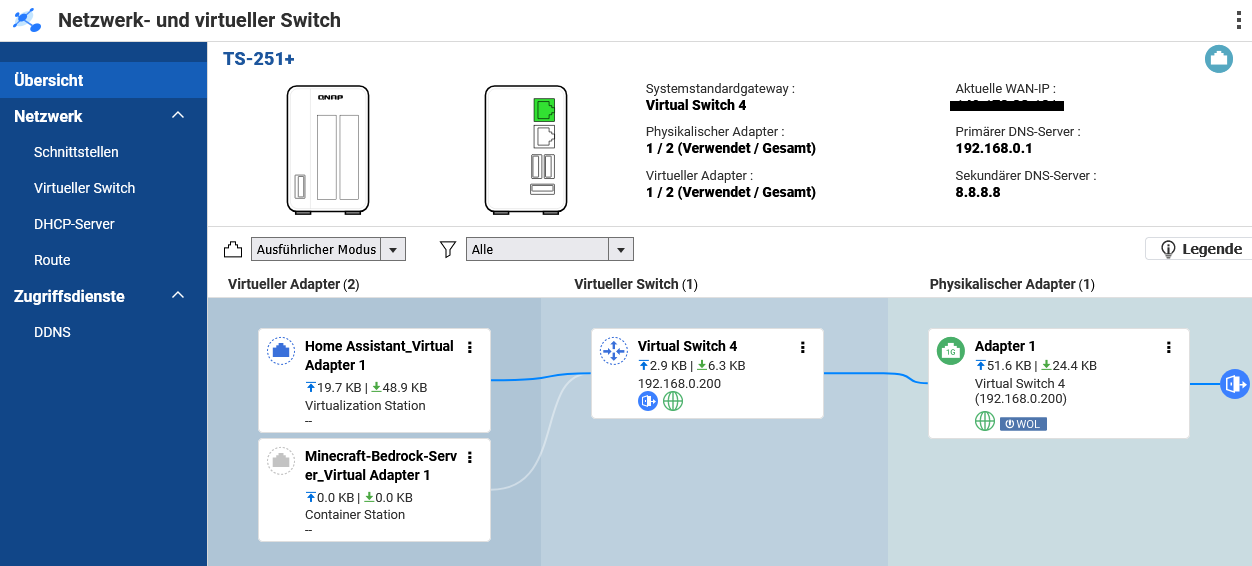
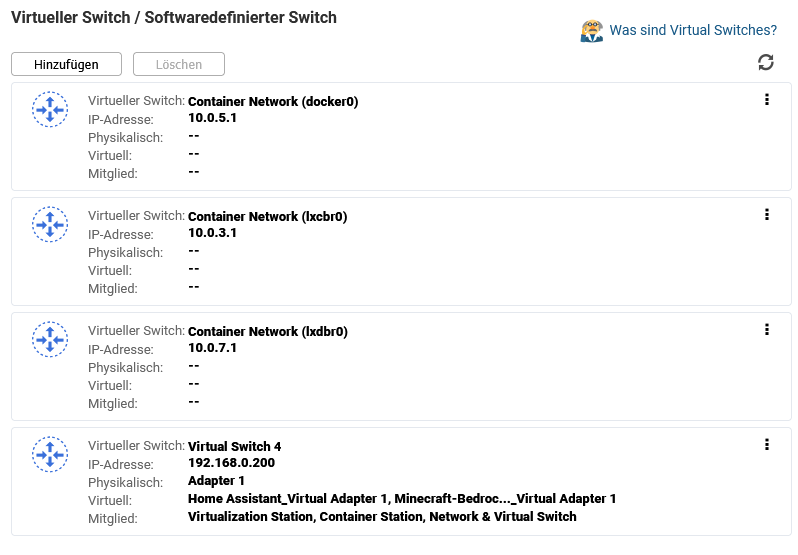
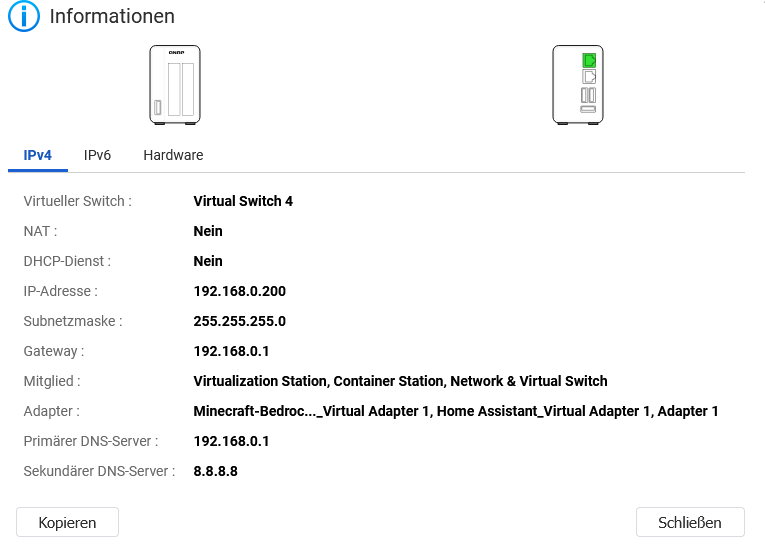
    • Network & Virtual Switch configuration

  2. Where are you testing the connection from

    • Inside the same LAN?

    • From the internet?

  3. Your Docker configuration

    • If you created the container with docker-compose, please paste the docker-compose.yml

    • If it was created through the GUI, a screenshot of the configuration would also help

Also please check the following:

  • DNS settings for the container network

  • Whether the container can reach the internet (for example resolving external domains)

  • That the network subnet does not overlap with your LAN

For troubleshooting and reproducibility, we usually recommend deploying containers using docker-compose, since the full configuration can be reviewed easily.

Once we have the network settings and compose/YAML configuration, we should be able to narrow down the issue.

=== The following is an AI-translated German version. ===

Es scheint, dass der Container während des Startvorgangs keine Verbindung zu minecraft-services.net über HTTPS (Port 443) herstellen kann.

Beim Bedrock-Docker-Image wird diese Verbindung benötigt, um das Serverpaket herunterzuladen. Daher deutet die Fehlermeldung in der Regel auf ein Netzwerkproblem innerhalb des Containers hin und nicht auf ein Problem mit der Portweiterleitung.

Im Moment ist es jedoch schwierig, die genaue Ursache zu bestimmen, da die Netzwerkkonfiguration nicht sichtbar ist.

Könnten Sie bitte einige zusätzliche Informationen bereitstellen:

  1. Screenshots der Container-Netzwerkeinstellungen

    • Container Station

    • Network & Virtual Switch Konfiguration

  2. Von wo aus testen Sie die Verbindung?

    • Innerhalb desselben LAN?

    • Oder aus dem Internet?

  3. Ihre Docker-Konfiguration

    • Falls der Container mit docker-compose erstellt wurde, posten Sie bitte die docker-compose.yml

    • Falls er über die GUI erstellt wurde, wäre ein Screenshot der Konfiguration ebenfalls hilfreich

Bitte prüfen Sie außerdem:

  • die DNS-Einstellungen des Container-Netzwerks

  • ob der Container eine Internetverbindung herstellen kann (z. B. externe Domains auflösen)

  • dass das verwendete Subnetz nicht mit Ihrem LAN überlappt

Für Troubleshooting und bessere Nachvollziehbarkeit empfehlen wir generell, Container über docker-composebereitzustellen, da sich die komplette Konfiguration so leichter überprüfen lässt.

Sobald wir die Netzwerkeinstellungen und die compose/YAML-Konfiguration sehen können, lässt sich das Problem deutlich besser eingrenzen.

Hi Oliver,

so I’ll try to answer everything one after the other.

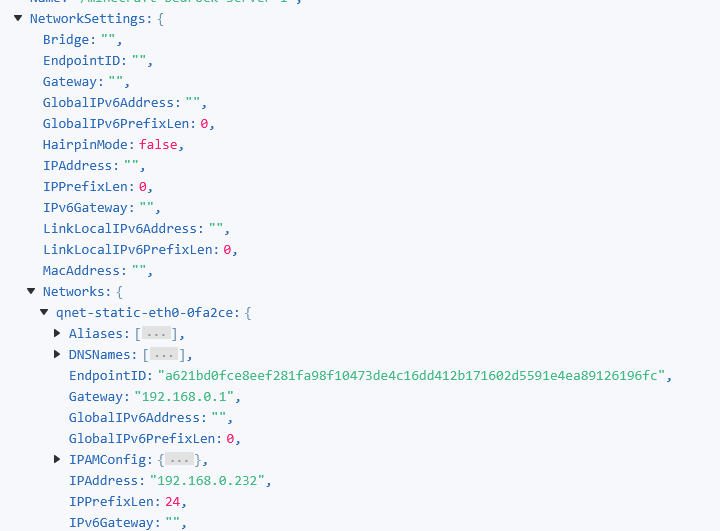
To 1 (here are the screenshots)

Network settings container. I assigned the IP statically at the bottom, otherwise Bridge Mode

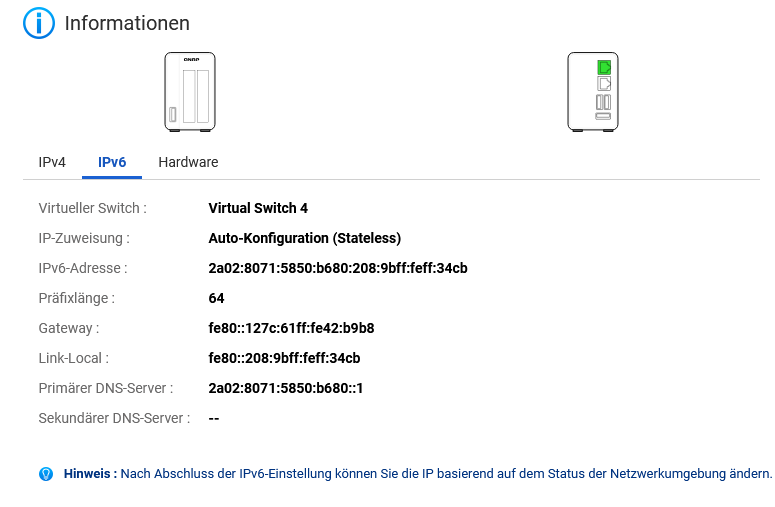
Network Virtual Switch screenshots:

To point 2:

Currently, I’m only trying it from within our LAN or inside the LAN network, since I primarily want the server to run for my son. In the future, it would of course be good if you could access it from outside or if his friends could. But for now, that’s not important to me.

To point 3:

The container was created via the GUI.

As for the last points, I don’t know if I can really help, at least I don’t know exactly where to look. I haven’t changed the DNS settings and they’re standard, I think you can see that in the screenshots.

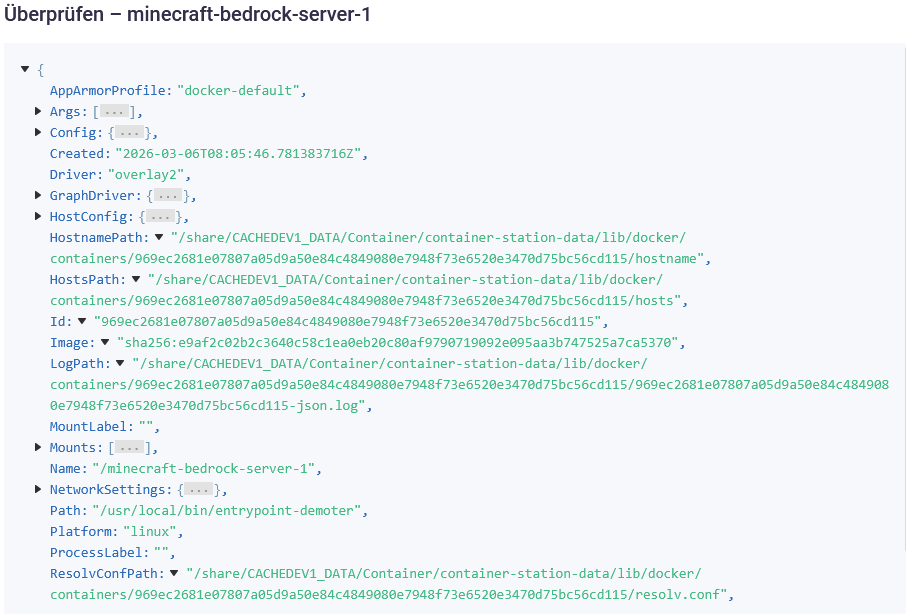
I also can’t determine the resolution of external domains. I only have the original LOG file screenshot, maybe you can see something there. And I know that other containers are working.

The subnet should be the same because of Bridge Mode, right? Maybe I’m misunderstanding something there.

I’m happy to provide more information, I just need to know where to find it.

I hope this helps for troubleshooting for now.

Thanks in advance for your help!

Hi @Monsterino

===German translation added by Dolbyman===

Entschuldige die späte Antwort. Ich habe das Docker-Image getestet und ihm eine statische IP-Adresse zugewiesen. Es scheint einwandfrei zu funktionieren, aber unser Büronetzwerk blockiert den Datenverkehr. Wie du siehst, zeigt das Docker-Image die neueste Version 1.26.xx an, was bedeutet, dass es auf das externe Netzwerk zugreifen kann.

Angesichts deiner Situation schlage ich vor, dass du den virtuellen Switch 4 entfernst, Docker neu erstellst und prüfst, ob sich etwas ändert (die IP-Adresse deines NAS kann sich beim Entfernen des virtuellen Switches ändern, du kannst sie aber wieder zurücksetzen).

===================

Sorry for the late reply. I tested this Docker image and set a static IP address for it, and it seems to be working fine, but our office network is blocking traffic. However, you can see that the Docker image shows the latest version as 1.26.xx, which means it can access the external network.

Based on your situation, I suggest you try removing the virtual switch 4, then create Docker again, and check if there are any differences (your NAS IP address may change during the removal of the virtual switch, but you can change it back).