This was happening on prior version of CS and the latest. I been having refresh issue with the app. When I do something like create an application or stop or delete it, CS will not show the changes until i close the app and reopen it. Not sure if this is just happening to me or what. Maybe i need to clear browser cache lol.
Just seeing if anyone else experiencing this.
I don’t even administer docker using CS and CS updates just fine.
It does lag sometimes but worst case would be me needing to switch tabs.
If you use incognito mode or another browser, does it still cause you problems?
CS interface doesnt always do this. Seems like after clearing the cache for the url its been behaving better. I dont know if it is a browser issue or app. I’m using the latest firefox version. I also tend to leave the tabs open on my VM workstation forever since i am constantly doing things.
I was just curious if anyone else notice the lagging behind on updates while using CS.
I HAVE noticed QNAP tabs start doing stupid things after 4-5 days of being open.
Especially if you got app updates during that time.
Following up on this: Our internal team was unable to reproduce this specific issue after multiple tests. Did clearing your cache fix the problem?
If you are still running into this, please open a support ticket for us. Our Support Team would be happy to take a deeper look! Thanks!
Not really, it help for a little bit then CS starts to do the same thing. I dont know if it a browser issue or i’m running a lot of containers in dockers. Currently have 18 containers and 12 apps running in CS.
The screen stops updating after doing a few things like creating a new app and waiting for it to deploy. Stopping an app or container.
I’m running it in Firefox ESR latest version. I may run Edge to see if the behavior is the same.
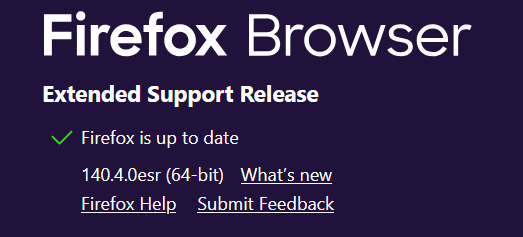
edge broswer does the same thing
My Personal recommendation is using CS to install Arcane/Dockge/Portainer, and then do your real work in that. I only touch CS to redeploy Arcane/Dockge/Portainer if I found a way to break it.
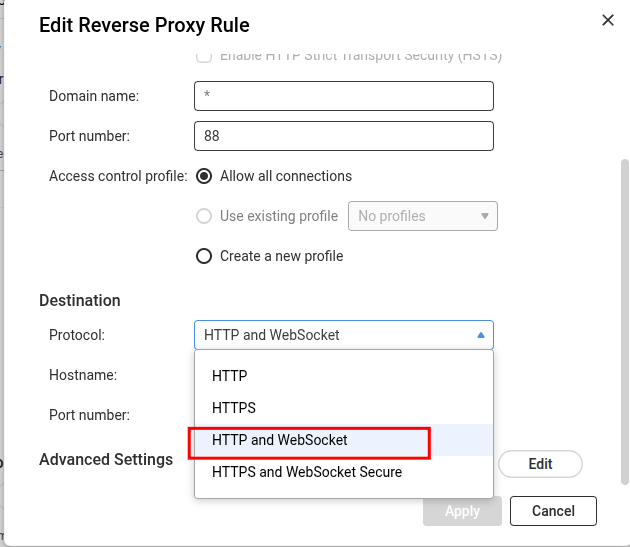
Hi, I found a way to consistently reproduce the issue on my end.
If I access the QNAP UI through the expected system port, I get Background Tasks and live updates.
However, I recently tried to change the system port and setup a reverse proxy on port 80 (my goal was to access web apps on separate ports by specifying different hostnames only). With this change:
- If I access the CS UI with the system port, I get live updates
- If I access the CS UI on port 80 (through the reverse proxy), I don’t get live updates.
Is this a use case that is even meant to be supported?