Hello, I have a TS673A running on QuTS backed up with TS433. TS673A has six 16 TB HDD’s in a RAID 6. I have begun to scan my personal files directly from ScanSnap iX2500 to the TS673A folders in File Station that I have set up. I came across Qfiling app. Is this app worth downloading and will it simplify the naming and the placement of the documents into the folders I have set up in File station? I would appreciate any tips to simplify the downloading of documents from a scanner to the File Station folders. Thank you.
Hi @clide ,
Thank you for sharing your setup. Your TS-673A with RAID 6 and TS-433 as backup sounds like a very solid configuration.
Regarding Qfiling, it can help simplify file organization on your NAS. Qfiling allows you to automatically sort and move files based on rules that you define.
For example, Qfiling can organize files based on conditions such as:
-
File type or extension (PDF, JPG, DOC, etc.)
-
File creation or modification date
-
File size
Once rules are configured, files can be automatically moved into specific folders. For example:
-
Moving PDF files from a scanner folder into a Documents/PDF folder
-
Organizing files by year or month based on the file date
You can also schedule Qfiling tasks to run periodically to organize newly scanned files, which may help streamline your workflow when scanning documents directly to your NAS.
To better understand your needs, may I ask how you would prefer your scanned documents to be organized? For example:
-
By document type (invoices, receipts, contracts, personal documents, etc.)
-
By project or category
If you could share the folder structure or categories you would like to use, we would be happy to suggest a suitable Qfiling rule setup.
We can also share your feedback and use case with our internal team for reference when evaluating future improvements.
Thank you.
Hi @clide , Hope you are well. After some research, I found the features you mentioned such as naming and placement are supported by the free app along with iX2500: ScanSnap Home Software | ScanSnap Official Site - Europe Have you met scenarios that it couldn’t resolve your problems, and seeking for the other tools? And have you tried the Qfiling already? You like it?
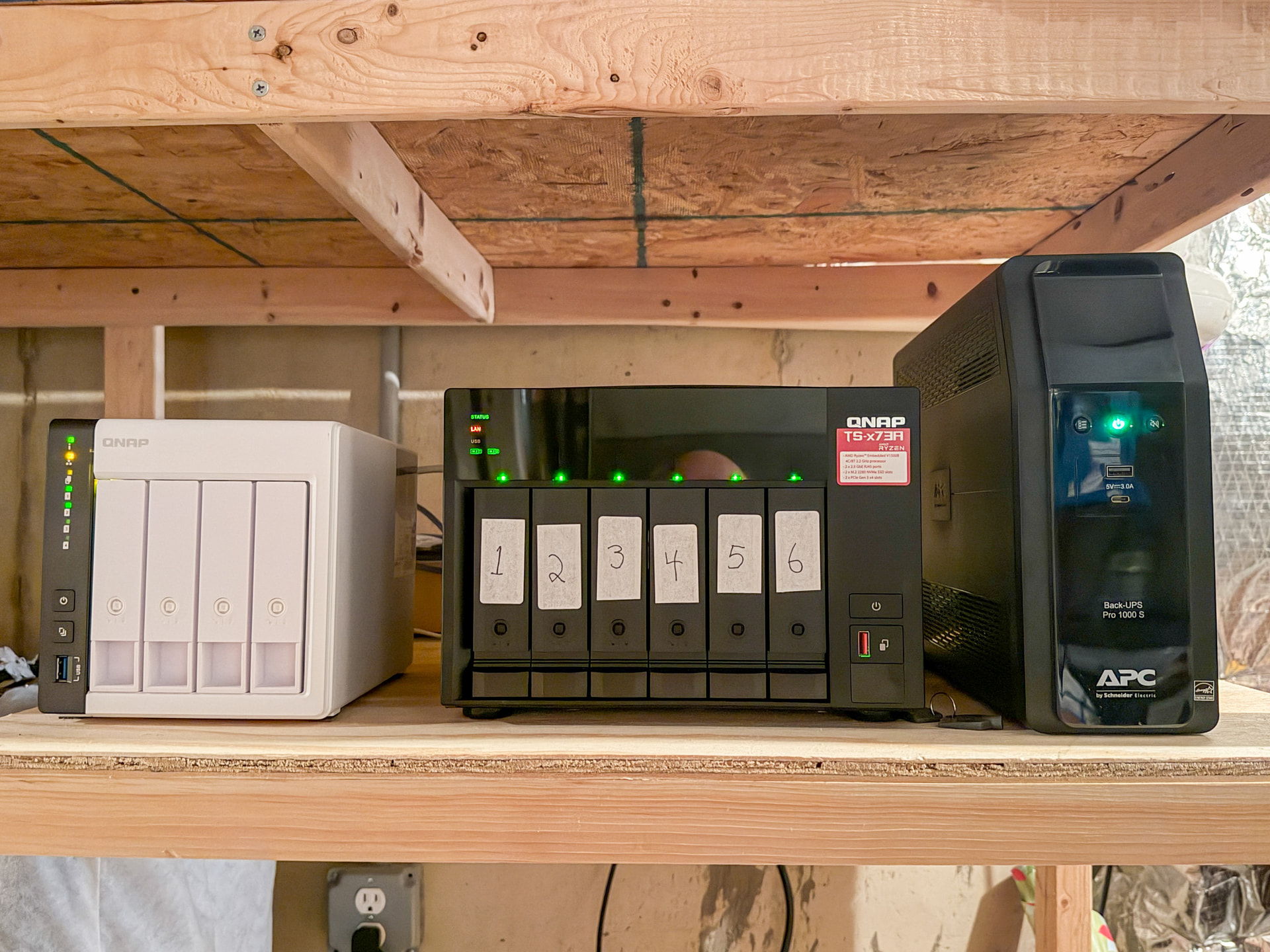
Hi Tim, thank you for your follow up. The units are all up and running with no issues. I have been away, so I have not followed up with Qfile Pro. I have started organizing all my documents in preparation for scanning. I plan more research before I move forward. I would like to get the organization correct in the beginning of the process. The entire project has been a very good learning process. Photo of my set up in my cool dry basement storage area.
1 Like
Hi Lucas, thank you for your reply. I have been away and have not been able to follow up with you. My initial organization has been by document type; Medic
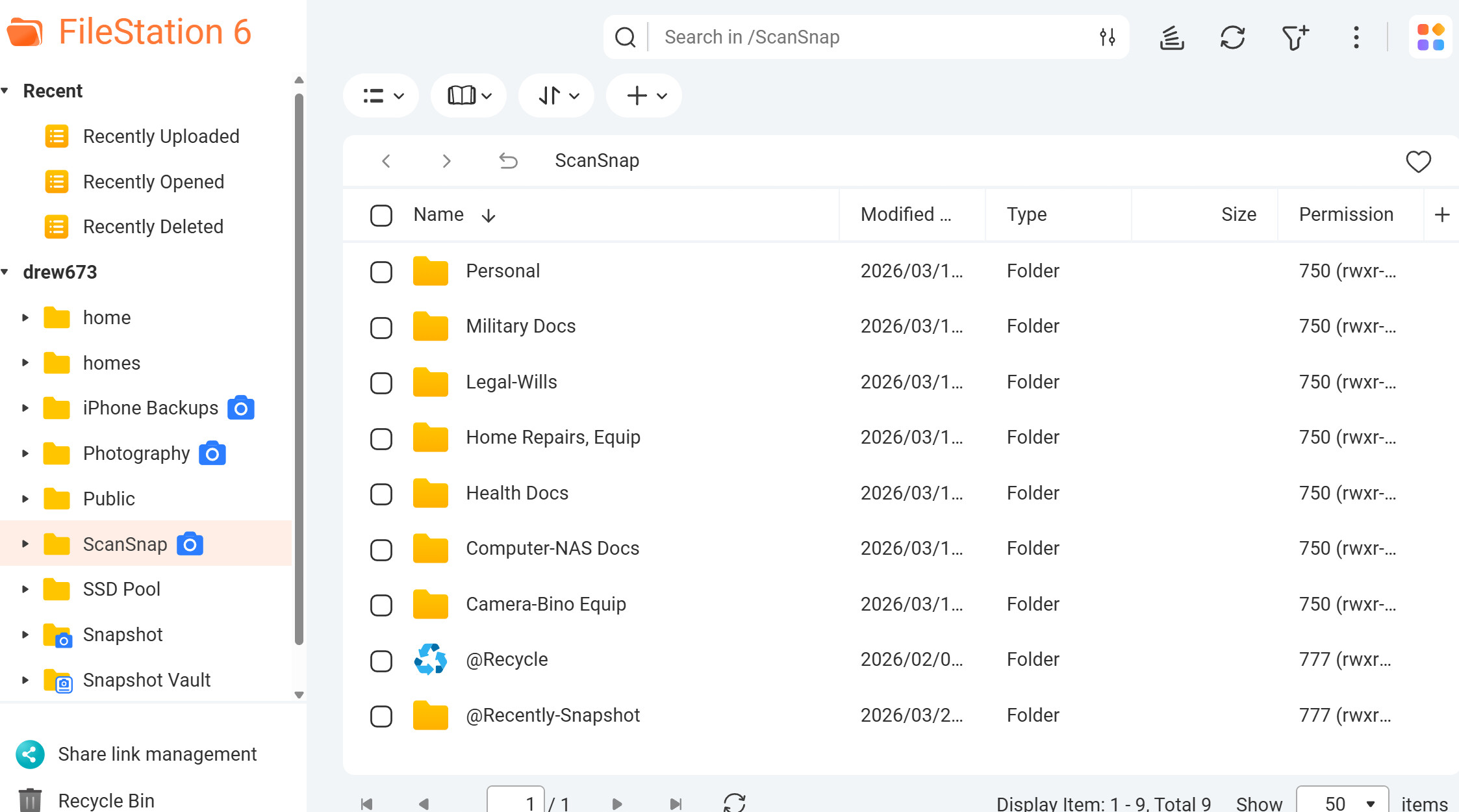
al, Military history, Photographic, etc.
I am still working on titles based on my document organization. Thank you for your help! Best, Clide
Under each heading I would also like to break it down by year. For instance, in 2025 these were my medical records, or I purchased the following camera equipment. Thanks again.
1 Like