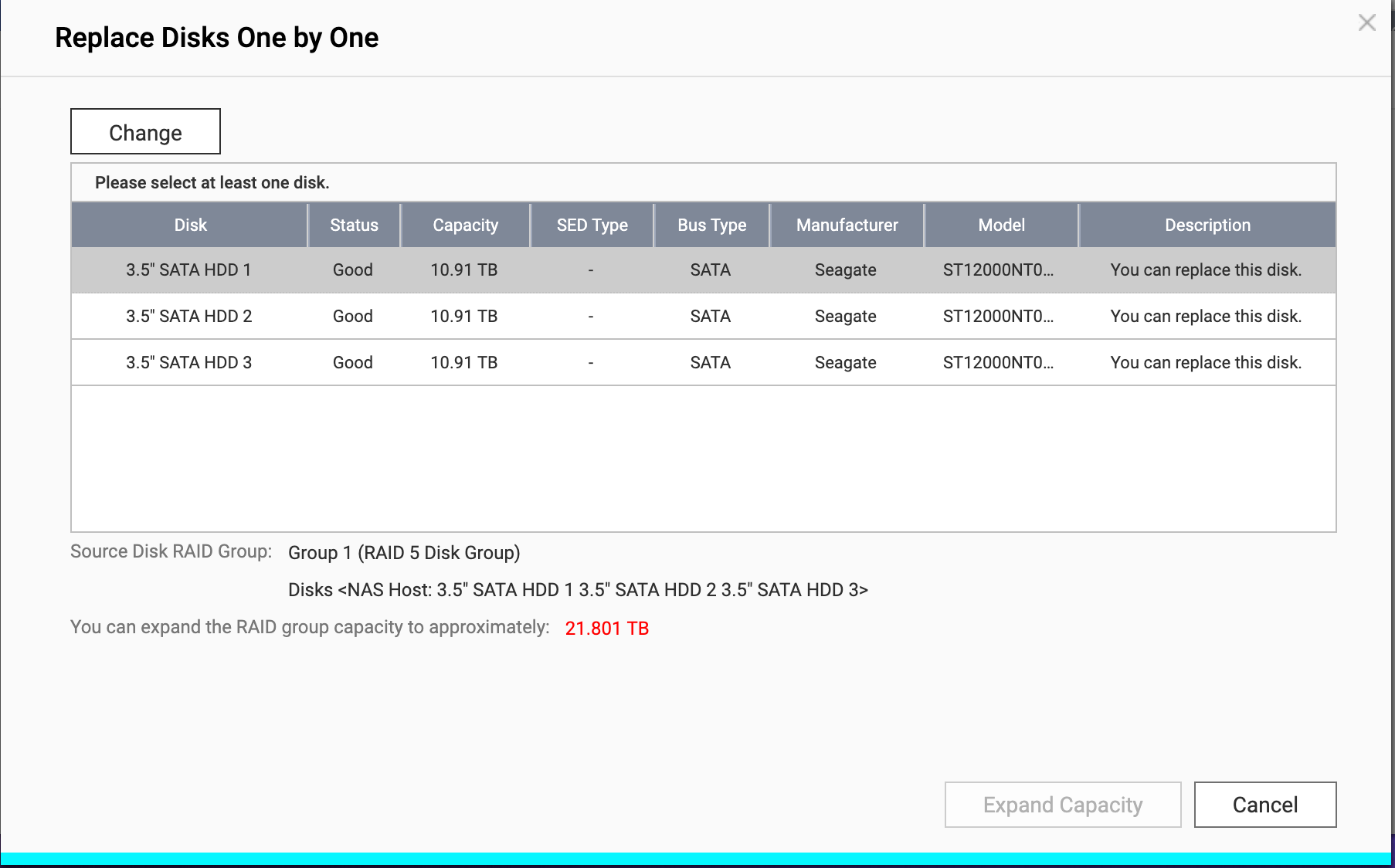
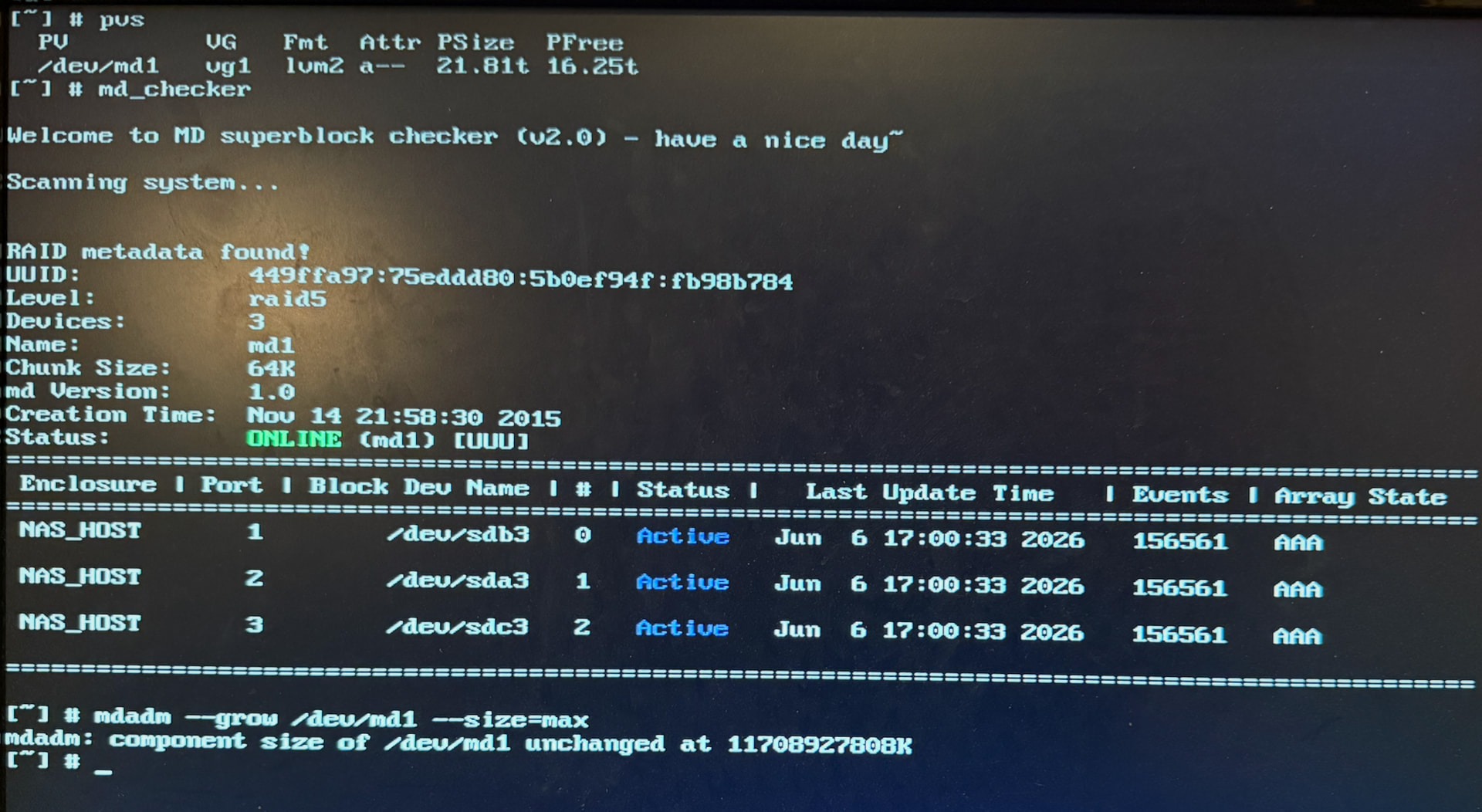
I had 3 4GB drives in my TS-453 Pro in a RAID 5 array. I wanted to expand my storage, so I bought 3 new 12GB drives. I used the replace 1 at a time functionality and replaced them. The expand functionality was available at that time.The expand unfortunately failed for some reason after waiting for literal days. I have looked for a way to get that option back so I can try again without any luck. I even did the replace 1 at a time again and just unplugged and re-plugged the same drive. It took a day for each rebuild, but the expand was not available after the second attempt.
So now I have new drives, but still only have 8GB of space available. Is there anyway I can get the volume to expand the available space now?
NAS model: TS-453 Pro
Firmware: QTS 5.2.9.3451
Network Setup: Single Port
Memory: 8 GB (8 GB usable)
CPU: Intel(R) Celeron(R) CPU J1900, up to 1900 MHz (4 cores, 4 threads)
Drive Configuration: RAID 5
Number of Drives: 3
Drive Manufacture: Seagate
Drive Model: ST12000NT001-3LX101
Could you please provide some screenshots related to the issue, including the expansion failure you mentioned and the screen where the expansion option is not showing? This will help us better assist you based on your situation. Thanks!
Thanks again for the response. The issue happened months ago and I don’t have specifics on the failure. I have been intermittently working to resolve the issue, but haven’t found a solution on my own.
Here is a screenshot showing I have space, but I just can’t click the expand button: