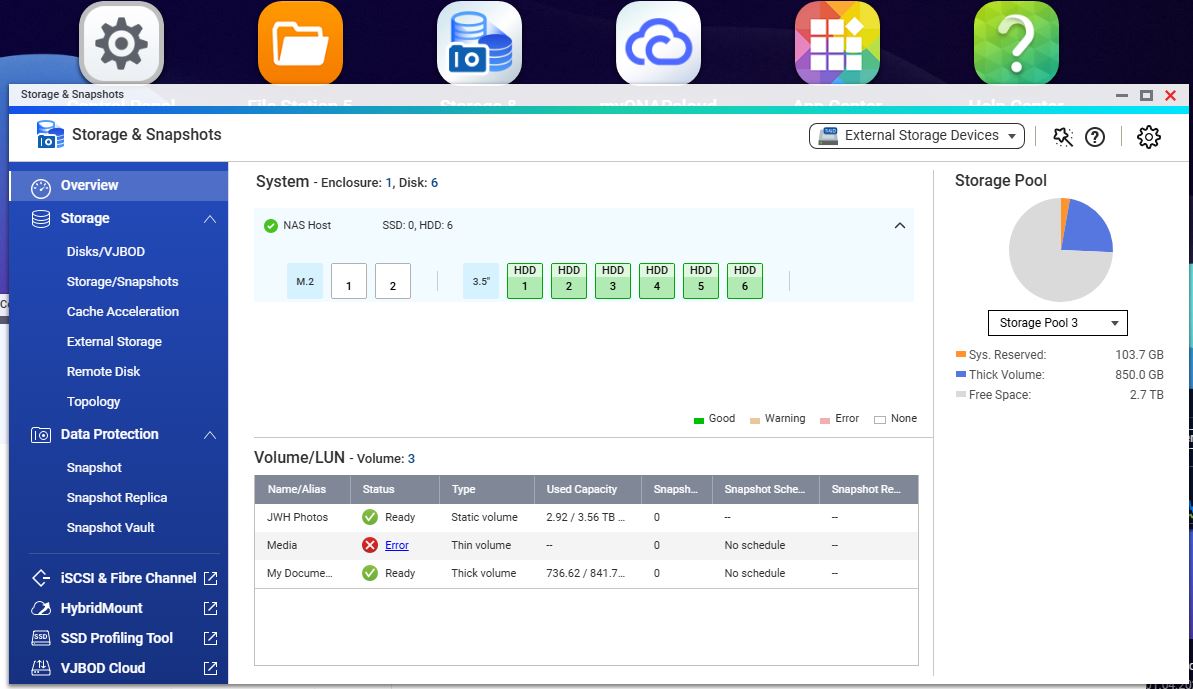
TS- 664 (fw 5.2.9.3410) One of the drives recently failed without warning. Luckily, it was a Thin Volume, not part of a RAID and the contents are backed up and easily available. The other five drives are two as a Raid1, one as a static volume and one as a thick volume and although most of the data is backed up, it’s not so readily accessible (read: well organised). Ideally, I’d like to replace the failed one with an identical 6TB drive and get the Nas back into service as soon as possible (ie not losing any data as I’m unwell and simply don’t have the time to restore it until the end of April. Any assistance would be much appreciated.
So you mean that you have 2 drives in RAID 1, and 3 drives as Single Disk config?
If the failed drive was in a Single Disk configuration, there is no way to simply replace it and keep data on that drive.
You would need to remove the volume/pool, replace the drive, reconfigure a pool/volume, and then copy data back. Of course that will not touch the data on the other drives
Yeah it’s very unclear how the NAS is actually setup, you need to elaborate
Could you please provide a screenshot of your Storage Manager so we can better assist you? Also, please make sure to back up your data before performing any operations.
Thanks!
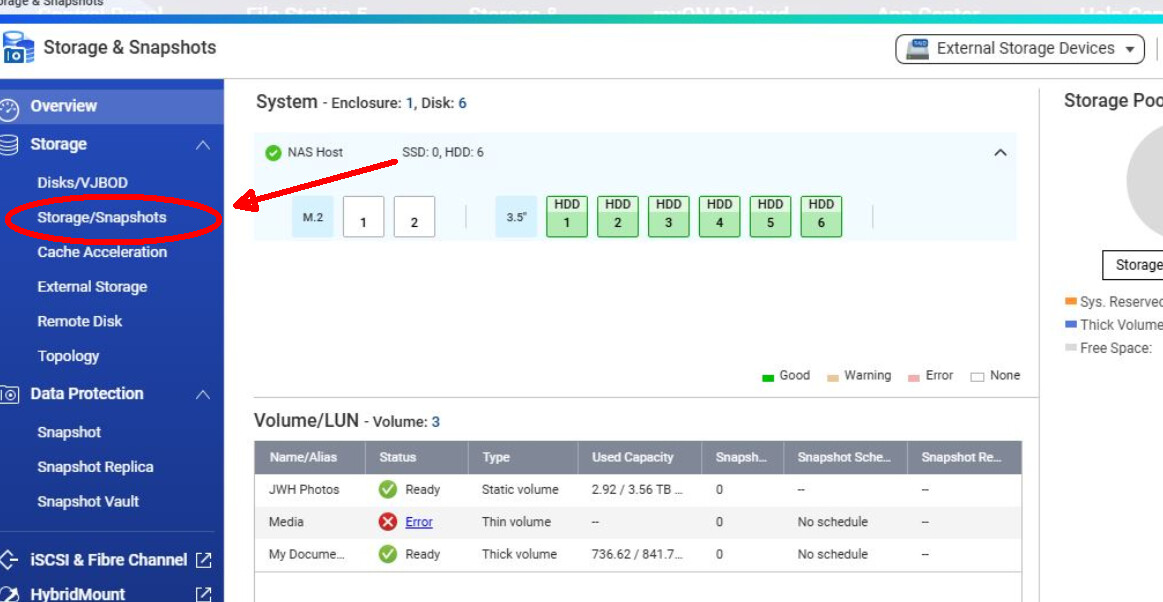
Sorry, dumb question: Where do I find Storage Manager? ( I’ve attached a screenshot of Storage & Snapshots overview, but the only Storage Management link I’ve seen is for External Devices
Drive 3 (Media) was the failed one and in this screenshot it’s been replaced with an empty Identical spec 6TB drive. Photos and Docs are in good shape and accessible via Windows File Explorer so my goal now is to restore the media data to the replacement drive (no problem) and set up the NAS the way I remember it was before without losing any data. Thanks to all who replied to my OP