I am also using Windows 11 on my computer and file explorer to access specific folders on the NAS. It all works well as the credentials are the same between Windows and the NAS user.
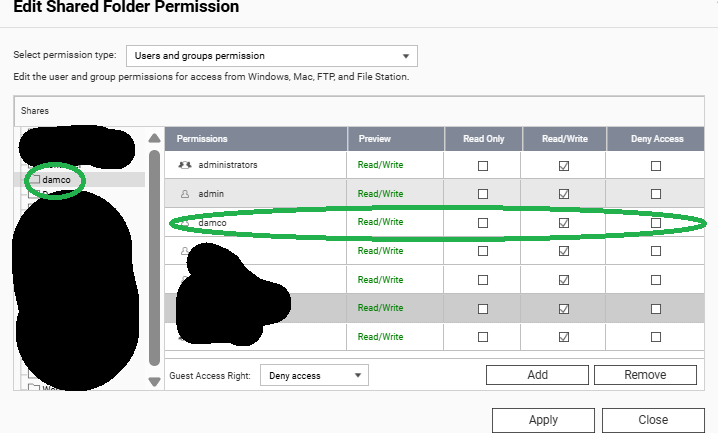
However, I want to use Qfiling to copy attachments of emails (stored by QMailAgent under the QKPG directory, configured for the same user) into a separate shared folder which I mapped under Windows. All the folder permissions are RW for NAS admin and the Windows user.
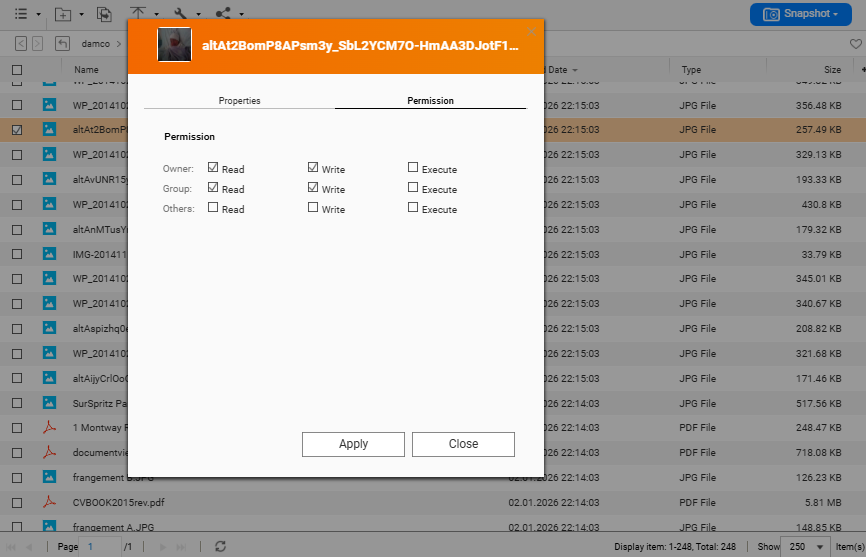
I can access those files via QTS filemanager from the user account, but not via Windows File Explorer. I can map the drives, open the folders, see the files, but cannot open them. It says “Access Denied” for pdf documents, “you don’t have permissions to view this file”.
The strange thing is that the same process (copying documents via Qfiling) works for other folders - no problem. I can access both from QTS filemanager and Windows File Explorer.
Are the attachments of QmailAgent any different? Am I missing something?
The user from Windows cannot open the file, it says: access denied.
But, if I login with QTS and filemanager from the same account, I can open/read the file in question.
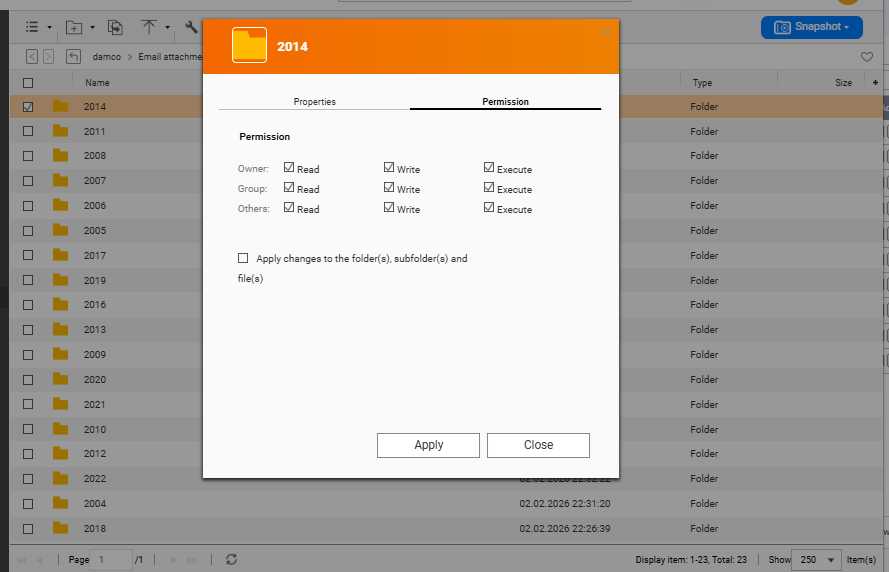
If I change the permissions manually (from the admin account and apply the change to all files and subfolders), it works. I was just hoping it would be automatic, as I want to access my attachments from Windows without additional steps.
I sincerely apologize for overlooking your previous reply! Thank you very much for your feedback. Regarding the issue you reported, our team will work on optimizing and addressing it internally. Thank you again for your support; it is invaluable to our product improvement!
 )
)