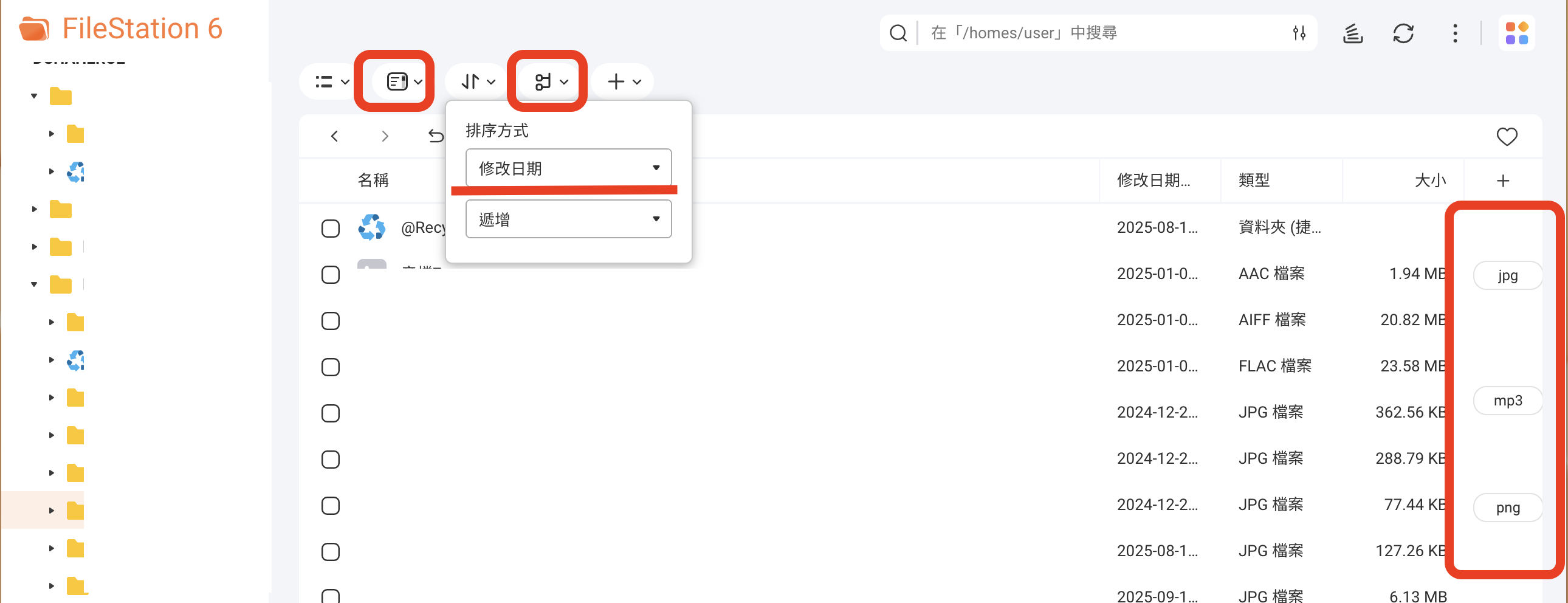
Here’s the thing: I have a lot of files, so when I view files in File Station, I always adjust the sorting at the top first. But when I tried using Scroll Mode, even though I had already changed the sorting to “Modification Date,” the labels on the right axis still stayed at “Category,” and no matter how I adjusted it, nothing changed.
Later, after randomly clicking around, I realized that the labels on the right axis actually follow the “Group” feature, not the sorting! In other words, the sorting is actually applied within each “Group.” The whole logic in Scroll Mode is a bit complicated, and regular users might find it hard to understand intuitively.
A small suggestion:
Since the “Group” feature only appears in Scroll Mode, and its priority is higher than sorting, why not integrate “Group” directly into Scroll Mode? For example, when entering Scroll Mode, have the right side automatically expand the “Group” options. This way, it’s much clearer where the axis labels come from, and it’s more intuitive.