Fw Recovery for a TS-453D

Good morning everyone,

I’m a happy owner of a TS-453D-4G for 5 years (upgraded since to the beginning to 8GB with identical a-data RAM). A few days ago, during a firmware update, the system failed to finalize the update and completely crashed. Booting works properly, as does the RAM, which is fully recognized in the BIOS. The problem is that I can no longer load any upgradeable version of QTS, and before switching to other operating systems, I’m asking you as a last chance.

In two days, I’ve tried everything:

Attempt 1

created a bootable drive with clonezilla and reloaded the test firmware F_TS-X53D_20210303-1.3.0.img
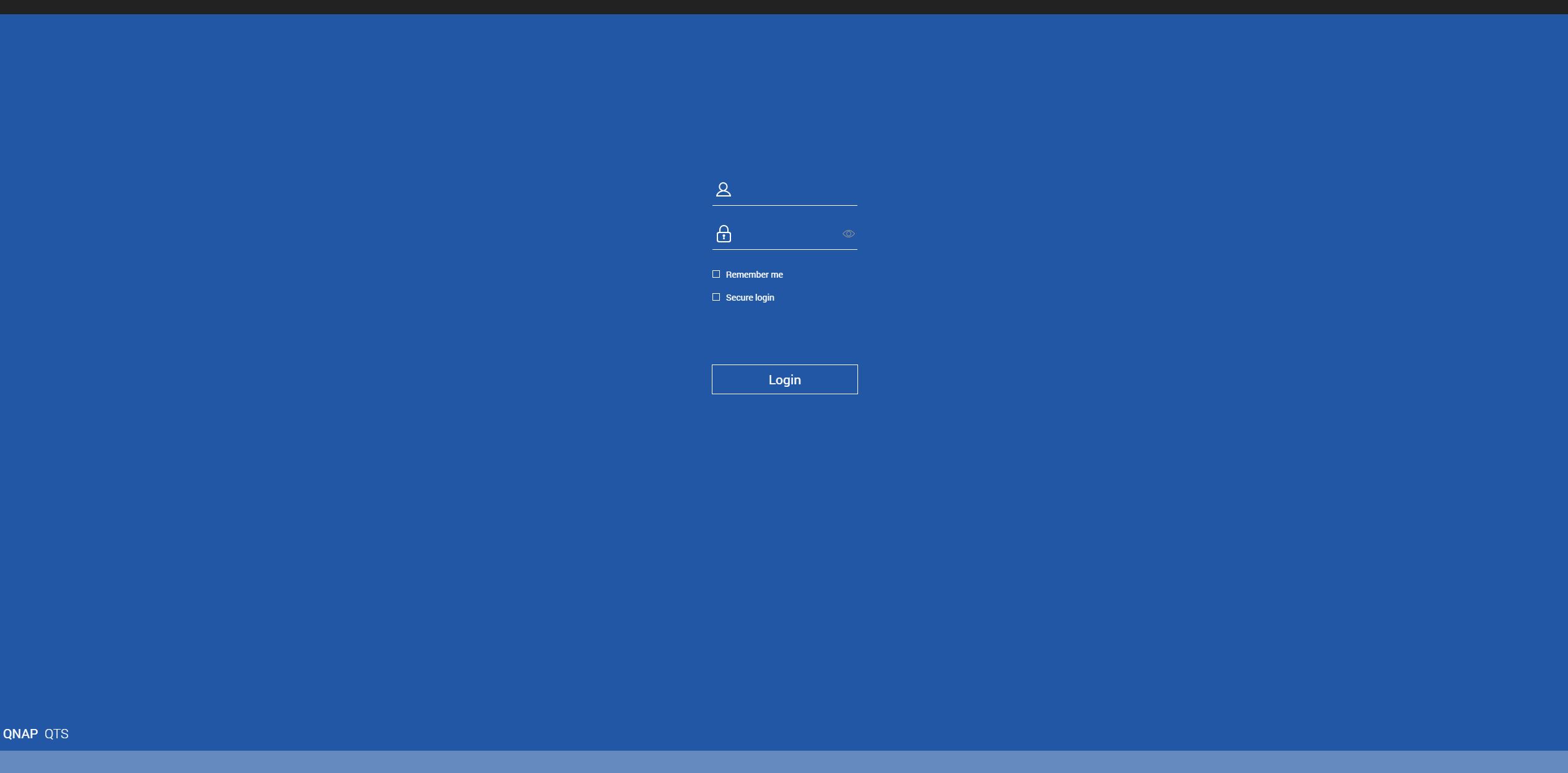
Once the procedure is complete, the NAS is visible in Qfinder, but there’s no option to update the firmware, either automatically or manually. When logging into the web GUI with admin/admin credentials, the system doesn’t respond at all. I repeated this procedure several times and with different USB drives.

Attempt 2
I created a live version of Ubuntu and, after following the official recovery procedure as in attempt 1, before starting a manual update, I manually expanded the \mmcblk02 and \mmcblk03 partitions using gparted, thinking it was a space issue. I was then able to finalize the manual installation of firmware 5.2.8.3359 Build 20251225, but once completed, the NAS still couldn’t boot QTS.

Attempt 3
I completely cleaned the DOM using Ubuntu Live and followed the official fw recovery procedure I tried previously, but the situation didn’t change. Test firmware 1.3.0 was installed, QNAP was detected by Qfinder, but from there there was no way to revert to a previous version of QTS, not even trying to perform gradual updates.

All attempts has been done several times and with different usb drives

Data isn’t a problem, as I fortunately had synchronized external HDDs. But I honestly don’t want to swap QTS for another operating system. I prefer QTS.

At moment the system is in the status after the official firmware recovery procedure, I mean when i turn it on, it is visible in qfinder but nothing else can be done for upgrading to the last qts version.

Any idea? please if thi is no right session for posting, tell me thx

I am not sure to fully understand, so i will ask first: after installing the recovery firmware 1.3.0 , have you tried to update manually with Qfinder, without drives? If it fails, what is the error?

https://www.qnap.com/en/how-to/faq/article/how-can-i-update-nas-firmware-without-disks-installed

Hi, thank you for the reply. Exactly, after the firmware recovery I am with a fresh 1.3.0 test image installed. The first thing I try is an automatic update but the qfinder say the system already has the most recent version. So I try the manual upgrade (the guide you linked) and the manual update goes wrong also tryng to install past versione of the series qts 4.3.x e qts 5.0.x.

In internet I found in a forum a user who had the same problem han described he resolved resizing by gparted the partition \mmcblk02 e \mmcblk03 in the DOM after a fresh installation. Actually, after the resize i was able to install the last firmware 5.2.8.3359 Build 20251225 (one full night of installation) but at the reboot the system is no longer recognized by qfinder. I tried different times but the result is the same. The installation went wrong and i returned at a 1.3.0 fresh installation.

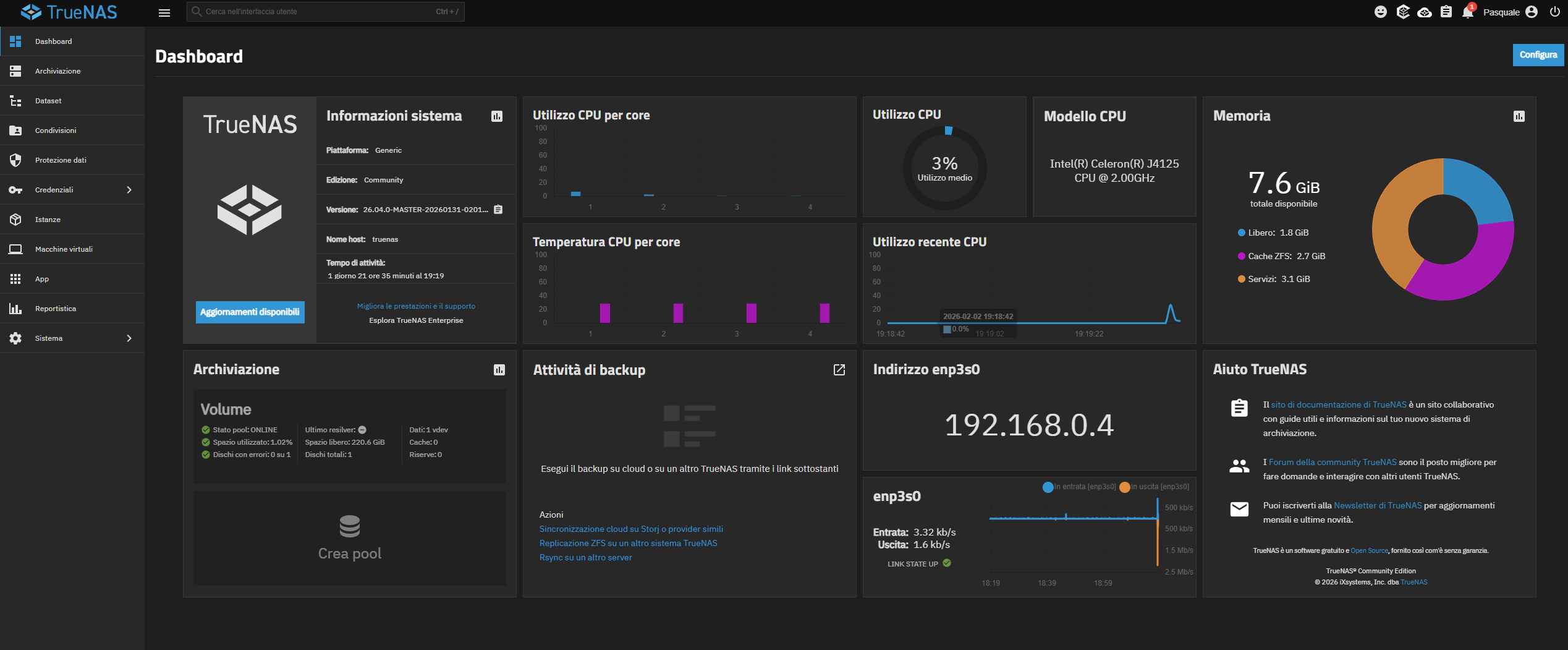
I don’t think hardware has problem becouse yesterday i tried the installation of Truenas on a external USB and the system works perfectly.

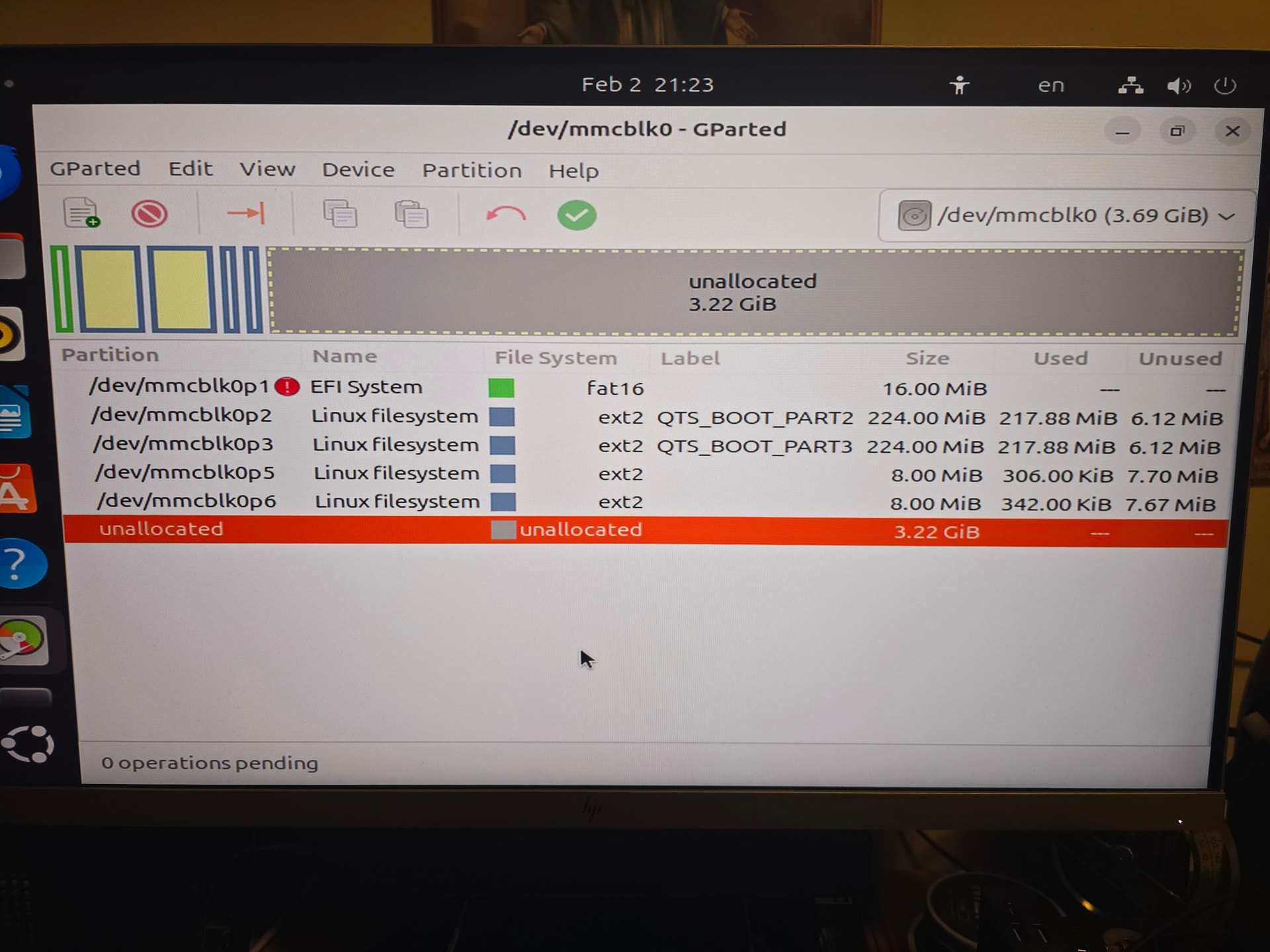
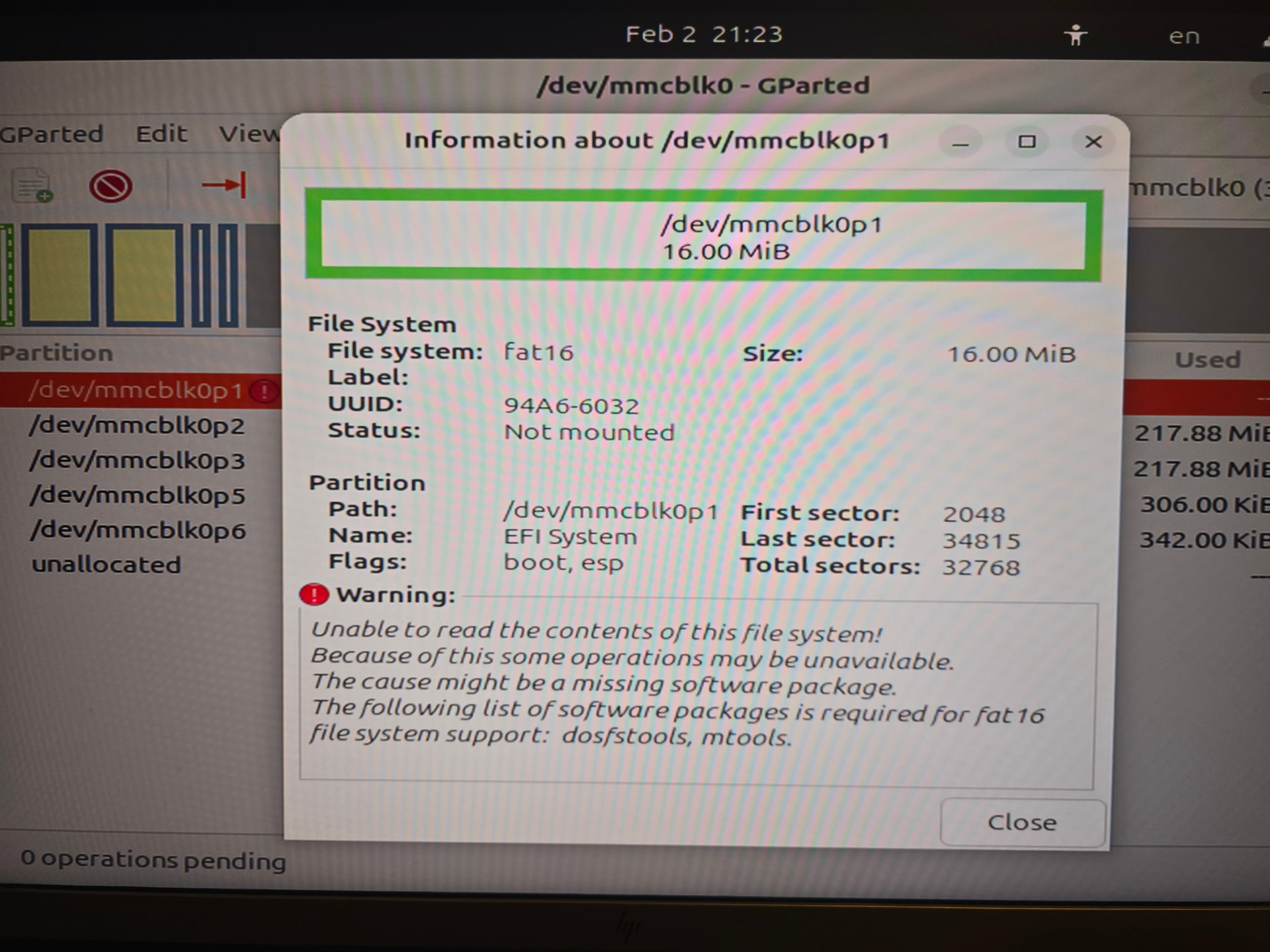
Below, some images of the current situation (when the system boot as prymary option the OS System)

I think either the eMMC of the DOM has a problem or the test image that qnap provide is bugged.

The doubt that eMMC can be damagd is becouse in some youtube video, the boot list of the eMMC wher e qts is installed appear as OS (eMMC vs. 1.x…) ….in my boot list i can se just OS without any eMMC detail. eMMC in UBUNTU and GParted is fully manageble (formatting, rewriting, etccc)

Regarding the issue you’ve encountered, we recommend that you open a support ticket via our Service Portal.

Our technical support team will provide further assistance tailored to your situation. Thank you for your cooperation!

Support Portal: https://service.qnap.com/

Hi SteveKo,

thank you for the reply. On last saturday I have opened it and the number is Q-202601-72324 . I’m waiting for being got in touch by a technician and hope we can resolve it without an RMA becouse I’am sure it can be managed via software trick…maybe providing me a full working DOM image to be mounted. In case, can you get me in touch with someone who can remotely help me? I’m a happy QTS and want to continue with it

Just because Qfinder doesn’t see your NAS doesn’t mean it’s not there and working properly. Qfinder is nothing special or magical. If your NAS doesn’t show up there, look up your DHCP address list in your router and you should see the address belonging to your NAS. Then go in and access it.

Hi NA9D,

when i have the fresh 1.3.0 version installed and after the failed “forced” installation of the most recent firmware, i tried to find the NAS by mean of Advanced IP scanner … but is not on the network and in addition the video output indicate the POST process is not finalized ….. appear the terminal command line with a login request ….logging in (always with admin/admin) I could give some command for exemple fsdisk -l or reboot….but is a field completely over my knowlidge. the same happen when

But a question: as I have the NAS set with a static IP address also in the router assigned to the MAC address . Could it be possible that there is a conflict about something regarding the IP/MAC Address and so on? @SteveKo do you know some contraindications in keeping the NAS and its MAC address tied to a specific IP during the firmware upgrade process?

If you reset, the the static portion should be erased, but the DHCP reservation should work, if the LAN port used is the one that matches the MAC address (i.e. you have more than 1 port, are you sure you plugged into the right one?).

In any case, port scanners, qfinder etc are not 100% reliable, as mentioned, you should check in your DHCP server to verify if or if not an assignment has been made. Do the LAN port link LEDs show connected and activity?

Of curse have used alwayse the same port. But now i have a doubt.

I am wondering why, if the MAC address is mapped as 192.168.0.4 in the router, the test fw let the NAS appear in the qfinder as 192.168.0.49…of course I tried to open the old 192.168.0.4 web page but is not recognized. The blue log in page i have shown is from 192.168.0.49

At moment TrueNAS that i have installed per test is running very nice

Nothing, I have deleted the static IP linked to the MAC in my router…. the result was just a change of the IP given by the dhcp an so i see just a different IP in Qfinder. This evening I tried every possible thing and my conclusion is that the FW1.3.0 has a bug.

This evening:

  • I totally wiped the DOM /dev/mmcblk0
  • I re builded the partition table
  • I re flashed the test FW image
  • Tried to update with a previouse version of qfinder

nothing. I am sure that the hardware is perfectly ok. I attach a image of what I see in gparted. Also the detail of a warning that i think is not important with reference to my problem

@SteveKo as you are of the qnap staff, would it be possible please to have another version of the test firmware eligible to flash in my ts453D ? I mean not the one available in internet but another (also older)

SOLVEDDDDDDDDD

I did the standard procedure, without the secondary RAM module. For some reason the system with two modules was in conflict with the procedure. After installed de 1.3.0 fw test, I tried to install again the 4.5.x and failed, then the 5.0.x and failed and finally the magic happened with

TS-X53D_20251024-5.2.7.3297

Thank you to everybody

Hope this journey can help other people in future

Pasquale

So - did you try putting the other RAM module back in or just leaving it out. It’s quite possibly incompatible or it has gone bad…

Still not inserted the secondary module. But It is an identical module (an a-Data equal to the original) and it was correctly recognized in the bios and in TrueNas (you can see in the picture above).