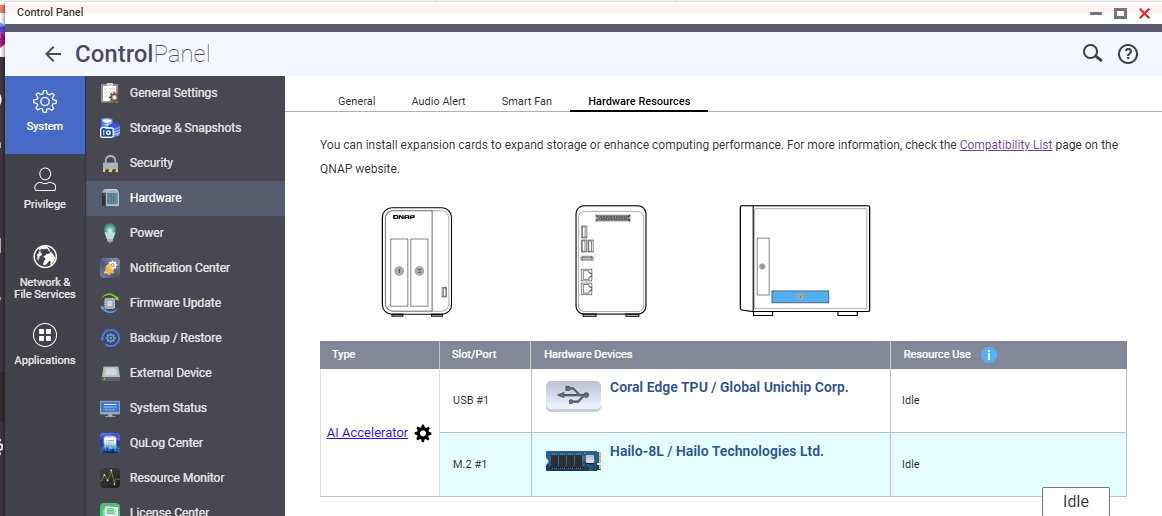
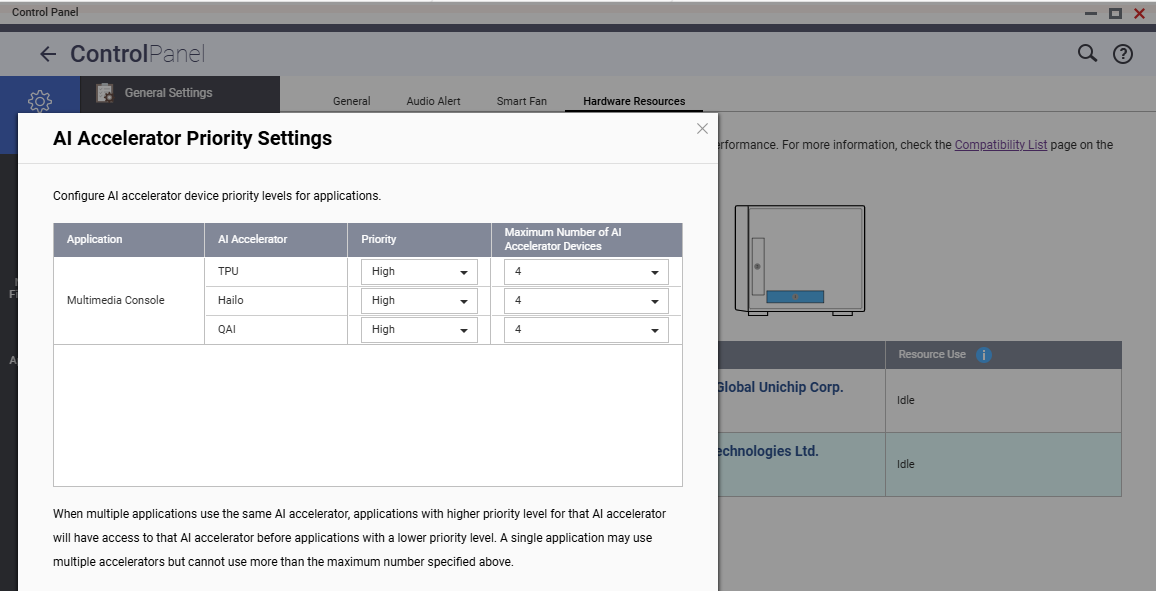
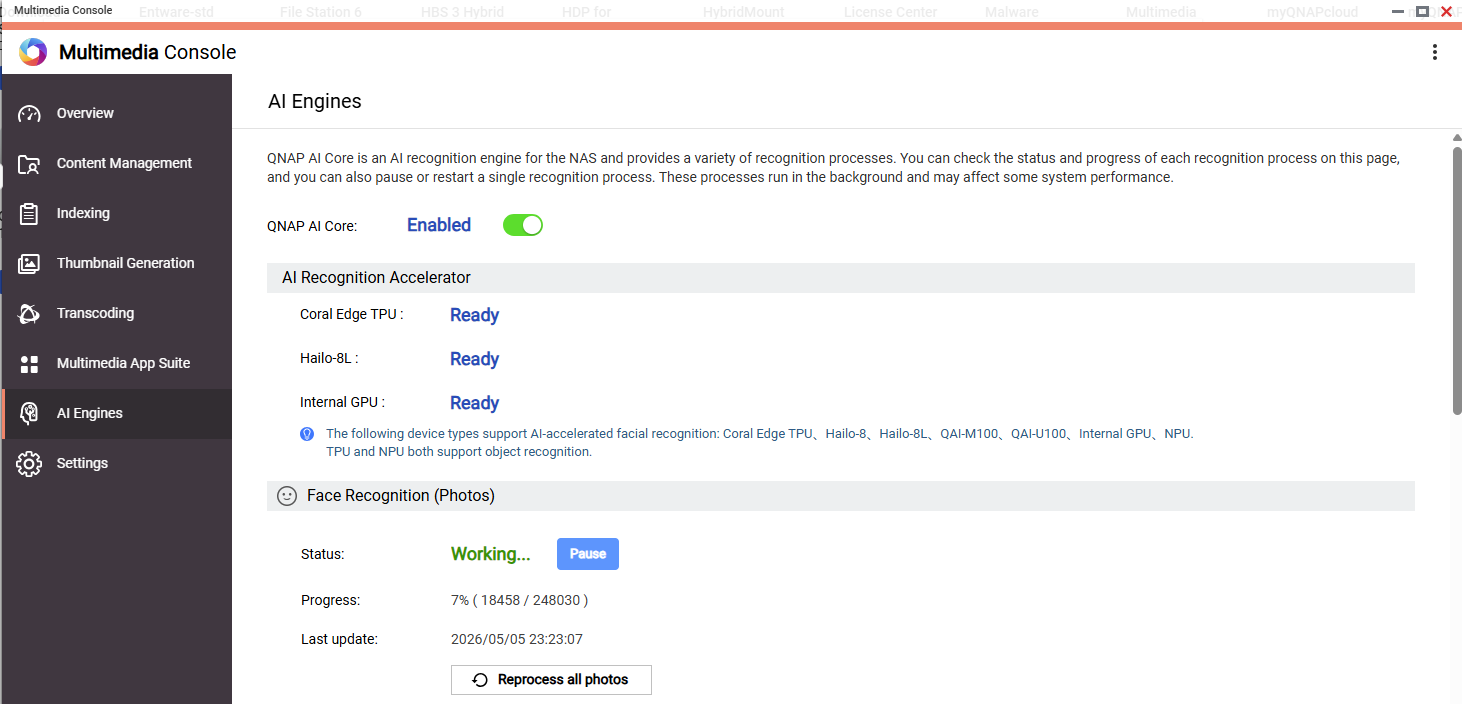
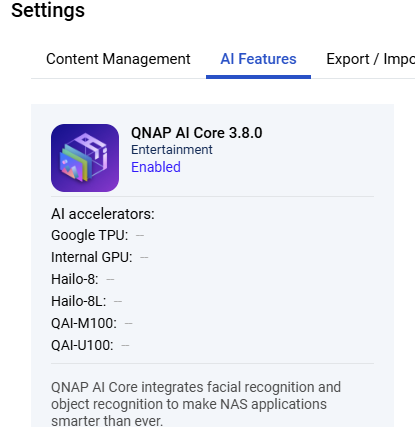
Hello. Running out of ideas - how to make Coral TPU and Hailo 8L work for Qnap AI core within Multimedia (for face recognition etc.)
Even though devices detected, CPU seem to be grilled instead.
Sometimes devices biefly shown as used, but mostly displayed as:
‘idle’ in Control Panel \ System \ Hardware
‘ready’ in Multimedia Console
Can it be temperature related? (Hailo heating under load, and falling back to CPU).
CPU (4 core Intel Celeron N5105) chosen as more capable than 4 TOPS Coral or 13 TOPS Hailo? Can they be used in tandem?
BTW when only Coral TPU was installed, seem to be used more.
Based on our verification, this situation is likely not caused by thermal protection or CPU throttling, but may be related to accelerator support. However, if you still have concerns, please feel free to open a support ticket so we can observe whether the CPU usage is caused by the Similar Photos feature. Thanks!
Hi, did you happen to find a working solution to get the Hailo-8L (Hailo-8L M.2 2280 B+M key W/O Heatsink SKU:9686Y00516) module running with Multimedia Console and the various AI engines integrated into the QNAP? Best regards!
Hi there,
I think I’ve been unlucky… unfortunately, the “HM21LB1C2LAE” module I received isn’t being detected when installed on two different adapter cards: an original QNAP “QM2-2P10G1TB” and a Glotrends model PA09-HS10.
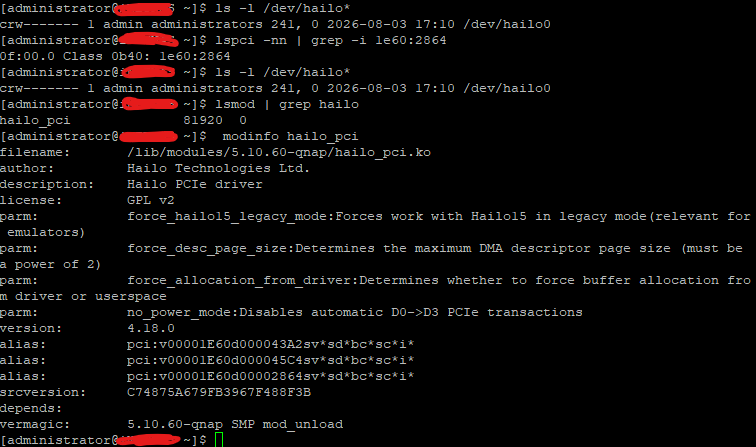
In both cases, the card isn’t detected; even when checking installed devices via the CLI, no code related to manufacturer “1e60” shows up.
I even tried installing it on a Windows 11 PC after installing the driver suite… but nothing.
Could I kindly ask if you get any results when running the following commands via the CLI on your QNAP?
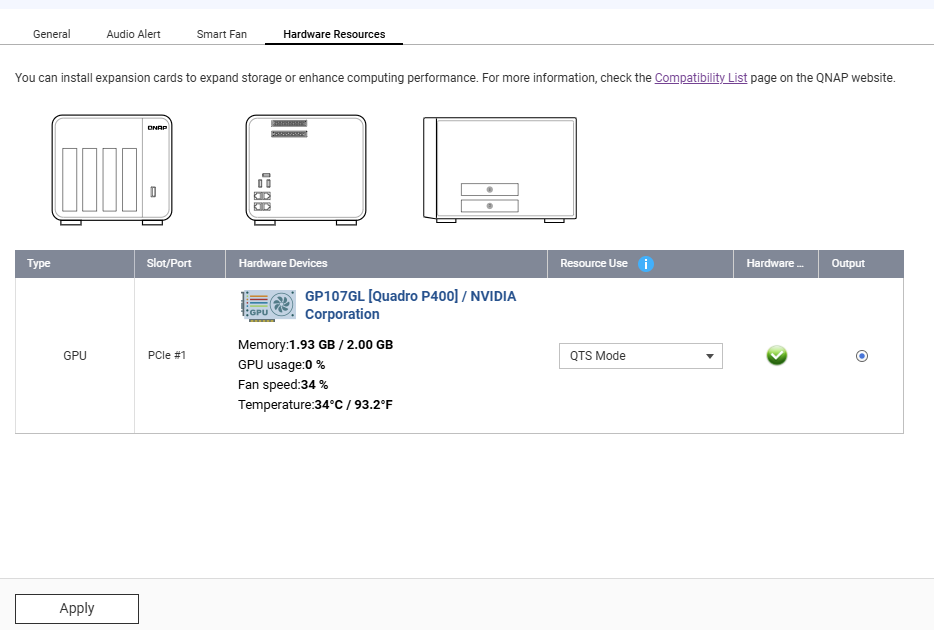
Hi, I’m answering my own question… I took some time today to run further tests… and by installing the module on a different Windows PC, I managed to downgrade the firmware version on the Hailo-8L module… it was on version 4.24, whereas the QNAP system has drivers for version 4.18… After downgrading and reinstalling the module on the Glotrends PA09-HS10 card, my TS-473 detects the module, but unfortunately, it doesn’t show up under the Hardware menu. I suspect QNAP has implemented some sort of restriction to prevent TPU modules from working on older NAS models… honestly, I’m really ticked off about this… what is the point of blocking a module that offloads complex tasks from the CPU?!?
Can anyone from QNAP support confirm my theory that there’s some kind of block for older NAS units?!? From what I can see, I should be able to set up Docker containers and correctly assign the workload to the Hailo module… I’m going to test it with Frigate…
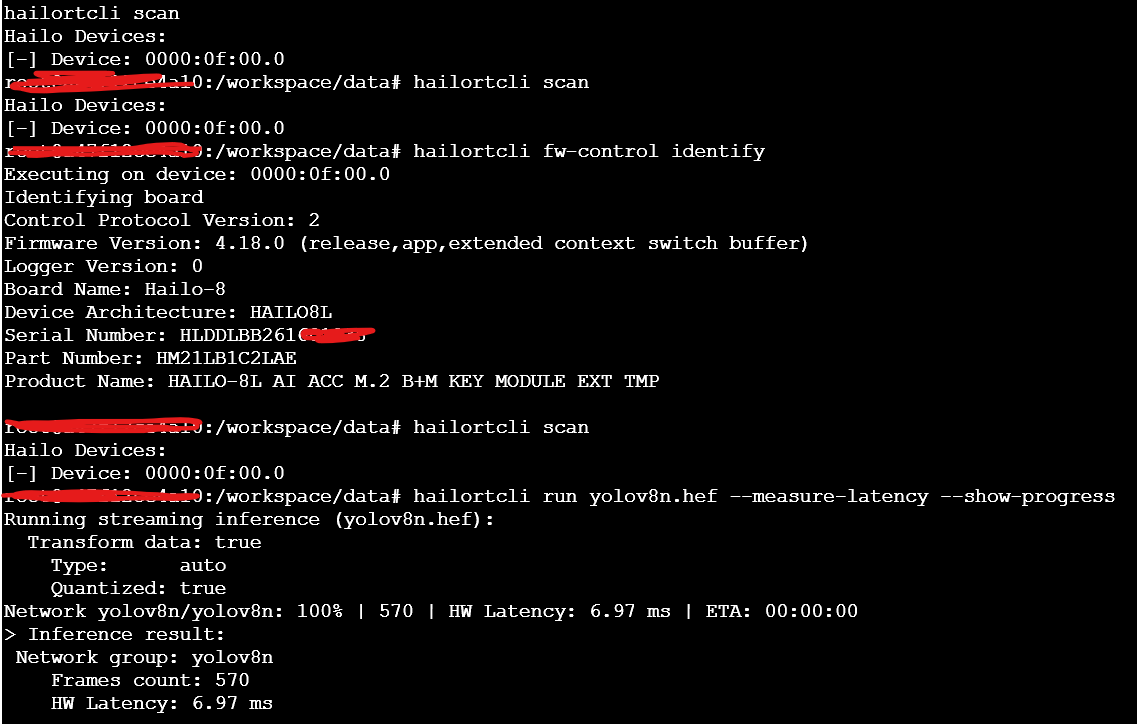
Hello again! I compiled ad hoc a docker for the execution of *.hef benchmarks strictly with support for the version of the drivers loaded on qnap 4.18… (quite outdated) the module works correctly so it is only an implementation problem on Qumagie and consequently on all apps that run on QNAP such as QVR Survelliance with support for people recognition (QVR Face Insight).
I attach a screenshot of the correct execution of the benchmark module.