When I was using Hybrid Backup Sync 3 (HBS 3), I encountered a backup error message as follows:
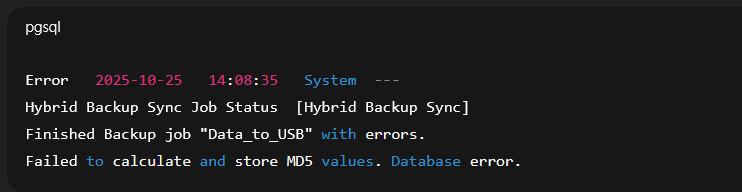
The backup target is an external hard drive connected via a USB Dock. It had always worked fine before, but this error only started appearing recently.
The backup job would end and be marked as failed. I would like to ask what this kind of error message usually means?
Later, I found out that the external hard drive was full. After clearing some space, the problem was resolved.
However, I want to point out that—the system message did not clearly indicate “insufficient disk space,” but instead showed a “Database error” and “MD5 values” error, making it difficult to determine the real cause.
I suggest that HBS could display a more specific warning message in such cases (for example, “Target drive full” or “Insufficient disk space”) so that users can resolve the issue more quickly.