HDD Failed. Have I lost my RAID5 array?

My TS419P – set up as RAID5, running QTS 4.3.3.2784 – sits on my home network and has served us faithfully for years. A few years back I upgraded the HDD’s to higher capacity WD Red drives, and carefully following instructions, rebuilt the RAID5 array. Everything went smoothly and ran reliably.

A few days ago the TS419P shut down on its own. Upon reboot, the QNAP GUI told me that HDD #2 had failed. The hardware confirmed that, with the little red LED glowing over HDD #2.

I tried a reboot with fingers crossed. Anyone my age has probably suffered a drive failure where they were able to get it back up and running briefly, if only do do a final back-up. Anyway, I tried it and got the same error.

Since I am in the market for a new NAS anyway, I did some reading, and decided to replace the drive with an SSD of higher capacity. Everything that I read told me this would work, but that the drive would only be recognized as the same capacity as the other HDD’s in the array. No worry, I figured that I was going to migrate to a new NAS next year anyway and could use the SSD somehow.

I shut the QNAP down, inserted the SSD, and booted back up. All lights glowed green. GUI acknowledged that the drive was recognized (but as predicted, only as the same capacity as the remaining WD Red HDDs). No matter, I still had plenty of space, I thought. But the RAID5 did not rebuild. Nothing.

I have a backup. My instinct tells me to format the QNAP to RAID5 again and repopulate the data.

  • What went wrong?
    Was the SSD a bad idea? Everything that I read told me that it was compatible and that it should work.
  • Is there any way to coax the RAID5 into rebuilding?
  • Will the QNAP build a reliable RAID5 array using three WD Red 3TB HDD’s and one 4TB Crucial SSD?

I guess I can just spend a ton of money and do my planned NAS upgrade now, but I am in the middle of building a new house and have a few other things on my hands. Time, you know?

Thanks in advance for your consideration of my dilemma.

Yes.

https://www.qnap.com/en/how-to/faq/article/can-i-mix-hdds-and-ssds-in-the-same-raid-group

Buy a HDD.

Could be several issues

  • Always swap broken drives hot (do not shut the NAS down to swap drives!)
  • SSD drives are actually smaller than HDD in many cases, so while the drive says it’s the same size as the HDD, it’s actually not (and the rebuild would not start as the size does not match)
  • As mentioned in the other topic, SSD and HDD do not mix in the the same RAID group, but above size difference would be the culprit first

Some side notes/questions:

  • This is an old CAT1 NAS, it does not support SSD trim and is not suitable for SSD’s not matter if mixed or pure setups
  • You said you ‘lost’ your array, a single failed drive should not cause data loss and your NAS data should still be there, did another drive fail ? (if another drive failed, rebuild would not start and data access would be gone (depending on the actual error)

Thanks for the feedback. There is so much erroneous information on the web about everything, including this. I would never have attempted this if I hadn’t found more than one reference that said it was OK. Even the TS419 manual says that it is SSD compatible.

The older drives are WD Red, and the only WD Red drives I can find today seem to be WD Red Plus. A good match or a bad idea? What does the Plus mean? You pay for the Red drive Plus it messes up your project? Any familiarity with the distinction?

Red Plus was introduced after the SMR debacle, it’s basically non Pro WD Red

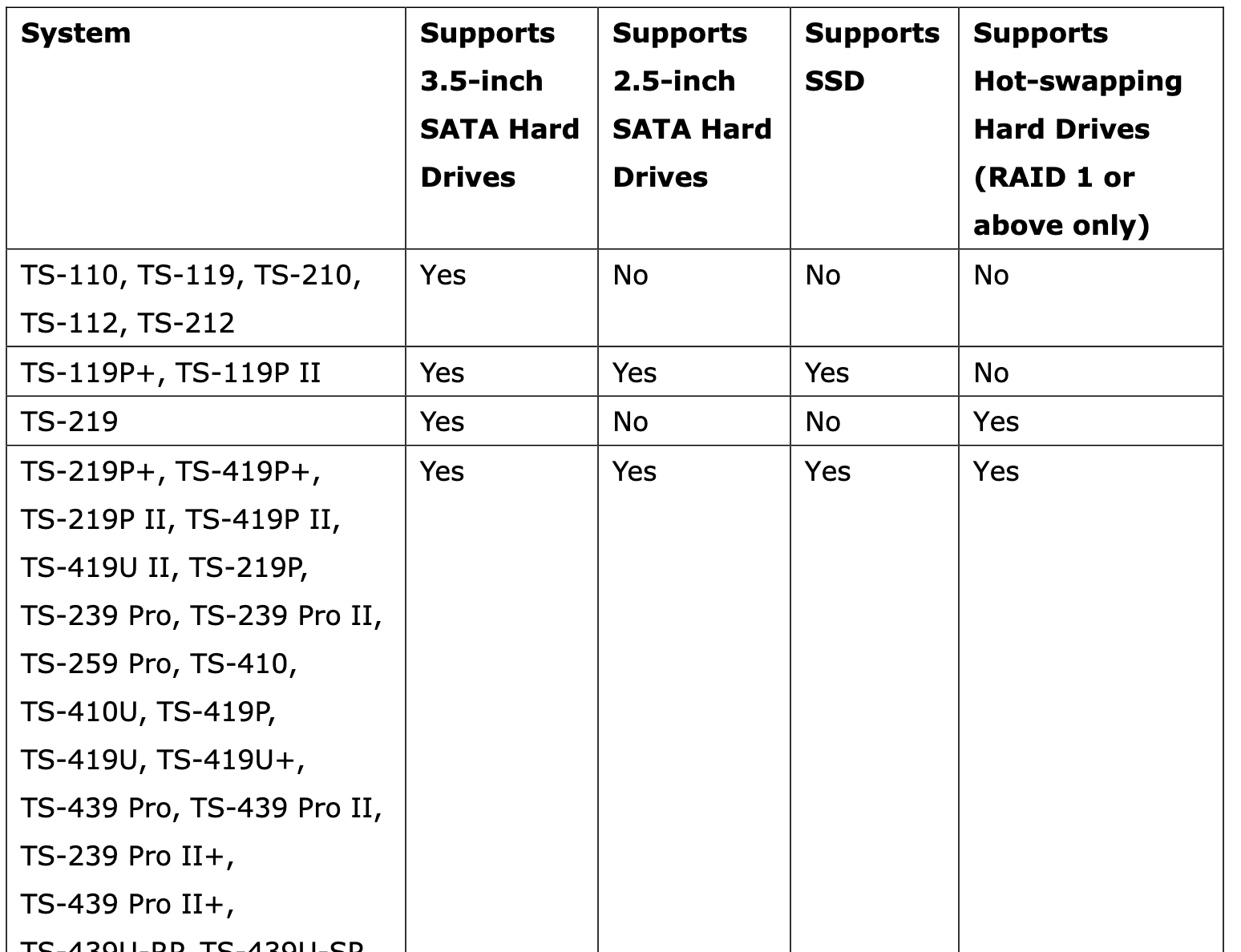
I have a 419p+ but neither the printed nor the online documentation mentions SSD

The other drives seem to boot up fine, and the QTS GUI seems to think that they are fine. If I am going to proceed, do you advise pulling the SSD and hot swapping a new HDD to see if it will rebuild, or do you sense that I will need to rebuild a new RAID5 and restore the data?

BTW, QNAP documentation actually said to shut down the system before installing a new drive in order to prevent electrical shock. Sounded like silly nonsense to me (I wasn’t standing in a pool of water). I was following QNAP suggestion! :slight_smile:

The question still remains though, your data should still be there and accessible as your one failed drive should not interfere with the RAID function. If you are indeed missing your data, you might have more than one failure

1 Like

Here is a screenshot of what I was referring to.

There was a press release a decade ago from QNAP what NAS models and firmware would support TRIm, can’t find it right now.

At the end of the day, unless you are aiming at lower power consumption or vibration resistance, putting SSD in these CAT1 units is a waste, as they are too slow to even fully utilize spinning storage, so there would be no speed gain anyways.

I think it’s an easy mistake to make - thinking you can mix hard drives and SSD drives. But it seems like one cannot do that.

You stated you researched everywhere about mixing drives but did you search on QNAP’s website?

Anyhow, backup your data as you still have it baring another drive failure. Then get a hard drive and see if the RAID rebuilds.

We do support SSDs; however, mixing them (e.g., with HDDs in the same RAID group) is not recommended. To ensure system stability and optimal performance, we suggest using the same type of drives for your storage configuration. Thank you!

1 Like

Thank you for the feedback, everyone. As I said, I do have backups. Onto SSD’s in fact :wink:

I ordered a WD RED drive direct from Western Digital. They are backordered a few weeks, but are nearly half the price I could find them anywhere else. I will report back about the installation and RAID5 status once I have the drive.

Also in 17 year old CAT1 NAS? (TS 419p+)..mostly in regards to TRIM

Since this is a fairly old model, to my understanding, it should support standard SATA SSDs. However, given the age of the hardware, actual stability and performance still need to be verified through compatibility testing.

Got the new 3TB Red HDD today. Hot swapped it with the bad drive. It’s a 4-drive array. I see flashing green and yellow led’s. The drive light still shows red, while the other three are green.

Qfinder says, “Server not installed yet” “NASCxxxx (xxx.xxx.x.xxx has not been initialized yet” “Do you want the Smart Installation Guide to guide you through the configuration process?”

Is this the correct path to format the HDD and rebuild the server (if it’s possible), or is it simply going to guide me through building a new RAID array?

I never did this using Qfinder before. When I upgraded the drives a few years ago it was automatic. I am OK starting from scratch and repopulating from the back-up. Just not familiar with the Qfinder interface.

When I try to log into the Qnap using the browser interface I get:

“Service Unavailable
The server is temporarily unable to service your request due to maintenance downtime or capacity problems. Please try again later.”

As I said further up, your RAID and data should have been intact the whole time (just one failed drive in RAID5), if that is not the case, you may have more than one problematic drive.

As you have backup, I would take out all drives and do a check with the manufacturer tools if they are indeed OK. When you confirmed the drives are working fine you are probably better off starting the NAS from scratch.

An alternative would be to boot the NAS diskless and insert the drives during setup (you need to use Qfinder or your DHCP server to find the websetup IP).

You can then insert all remaining good disks and reinstall the OS on the drives (there will be a prompt) after that you can try and rebuild the RAID5. (Your data should stay intact but all shared folders will have to be manually recreated via the GUI)

That’s helpful, dm, thanks.