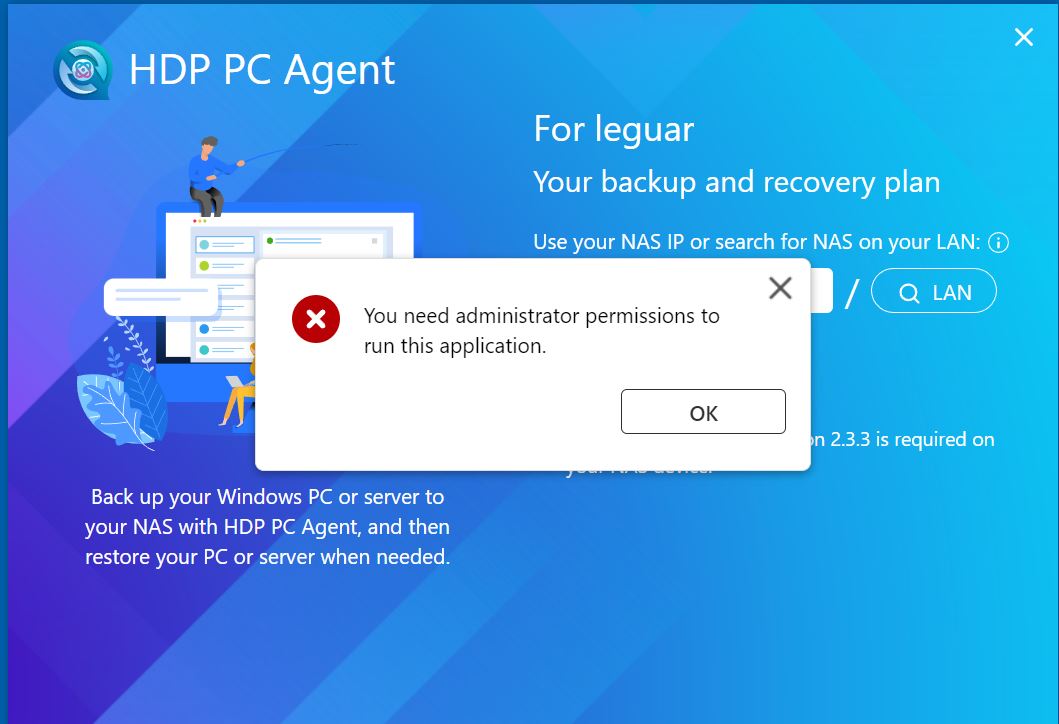
Trying to create at secure backup/recovery solution.
Installed HDP Recovery Media Creator on my PC.
Installed HDP PC Agent on my PC
installed HDP for PC agent (PC/Wm) on my QNAP
But when I try to setup PC Agent on my PC, I just
get a msg. that I’m not an administrator.
Well… I really am, My user is an admin, I have opened
the program as admin, I have changed the link to become
an administrator, but until now… no success.
Any hints or help ???
Hi, Please provide the HDP PC Agent debug report.
Go to the install directory “C:\Program Files\QNAP\NetBakPCAgent” and use “Administrator” execute “report.bat”.
It will generate a debug report in C:\QNAP_Support.
Feel free to send the file to me via private message and we’ll be happy to take a look for you. Thanks!
@SteveKo
Sorry, but how do I make a PM in this community ?? 
I just added permissions (changed your user level) to allow you access to PM’s
@ dolbyman,
Thanks now I can use the PM - but have another problem, as SteveKo
want to send him a small ZIP file. As I can see, only photo can be attached.
How do I send a PM including a small ZIP file ??
Encrypt it and use any random file sender of your choice (send Steve the decryption string of course)
Thanks - I’ll try this (for the first time) 
Please check if the QNAP_NetBak_PC_Agent service under Task Management → Services is running properly (should be enabled), and set the StartType to Automatic.
If you’re able to log in normally, please also check the following:
-
Confirm whether the IP/port 192.168.209.210:443 is correct.
-
Try logging out and logging back in from NetBak.
At first, all three QNAP services was set to manual, and when called, HDP Agent was disabled.
Tried to set them to Automatic - delayed and booted, The two services was running, but HDP Agent was disabled.
Changed all three services to Automatic and booted. Then all services was running.
But nothing changed with the administrator rights, I still have to call HDP Agent as an admin.
Thanks.
@ SteveKo
Yesterday I closed down my desktop, and the three services was set to “automatic”.
Here to day I started up and checked status of the service programs.
Then again, the HDP Agent had changed to “disabled”. Strange I think !!

That does seem a bit strange. Is the issue still occurring? If so, please feel free to open a support ticket and our Support Team will be happy to assist you further. Thanks!