HDP PC Agent Restore issue

Can anyone give me a point in the right direction - I am trying to restore my PC, but when I get to the part where I have selected the backup to recover from the NAS I get stuck because the wizard cannot detect a disk to restore the backup onto. The Target Disk drop-down is empty !?

I have restored other PCs in the past without an issue, but this is the first time trying with this PC. System is Windows 11 Home, Bitlocker not installed.

Any suggestions really appreciated

Richard

Does this PC have some sort of RAID or AHCI setting enabled? If so, either disable it or you would need a driver to mount storage first.

definitely no RAID - only 1 boot disk, and there doesnt seem to be an AHCI setting anywhere in the Bios. My PC is a HP Envy if that helps ?

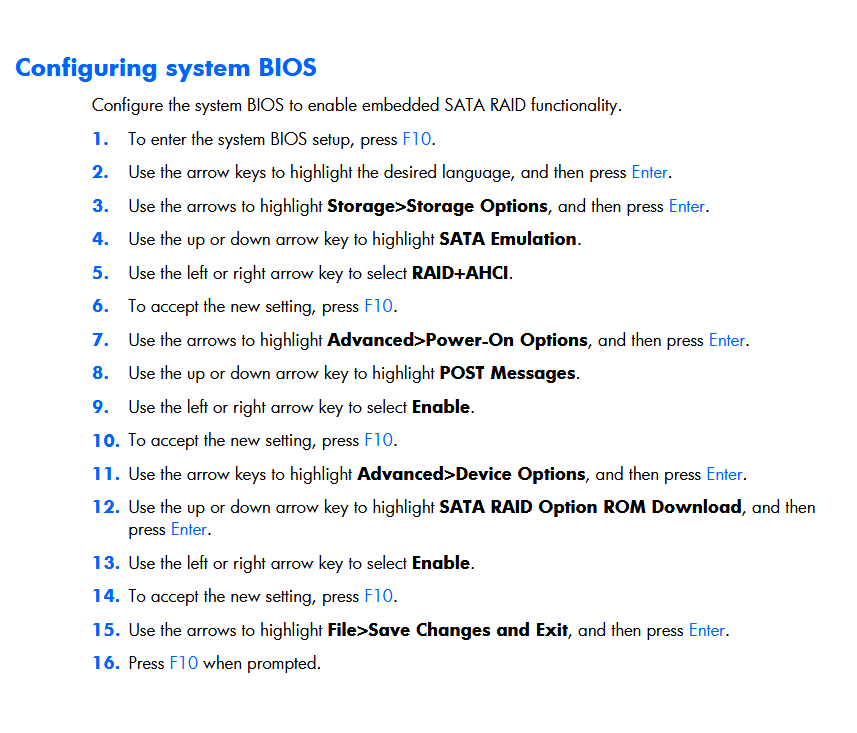
A quick google brought this up

See what setting is done under RAID/AHCI

It’s a stab in the dark, but I have seen that often when no storage devices are shown on a vanilla WIn1x recovery (no storage controller drivers loaded)

Thanks, but alas my bios doesnt have a Storage>storage Options sections nor any mention of RAID or AHCI :frowning: Seems to be a very basic Bios compared to other machines I have seen.

(no Advanced>Device Options etc)

Secure Boot is enabled, but I havent tried disabled that (yet).
Actually, found something saying I have

Non-RAID Physical Disks:

  • PCIe 0.0. WDC PC SN530 SDBPNPZ-51G-1006 214043803942. 476.9GB

Top of the page refers to “Intel RST 18.1.1.5201 RST VMD Driver”

So perhaps some additional driver needed in the HDP PC Agent USB ?

Check the HP download section for your specific device if it has a driver you can download.

I also have no idea if the HDP restoration bootstrapper has a section to load drivers

Big thanks for you help … guess talking it through got me there :slight_smile:

There is an option to load extra drivers in the HDP restoration bootstrapper, and I (eventually) found a driver that worked here >> https://h30434.www3.hp.com/t5/Notebook-Operating-System-and-Recovery/Re-intel-rst-18-1-1-5201-vmd-driver/td-p/8995771 (if anyone else has same issue - extract the files from the zip folder attached to the solution post iicr there are a couple of .inf files and one of them worked for me)

Again thanks dolbyman !

Richard