Hi can someone explain what the ‘Full backup’ option under the Backup by schedule options does and how this relates to the smart versioning on the next tab?
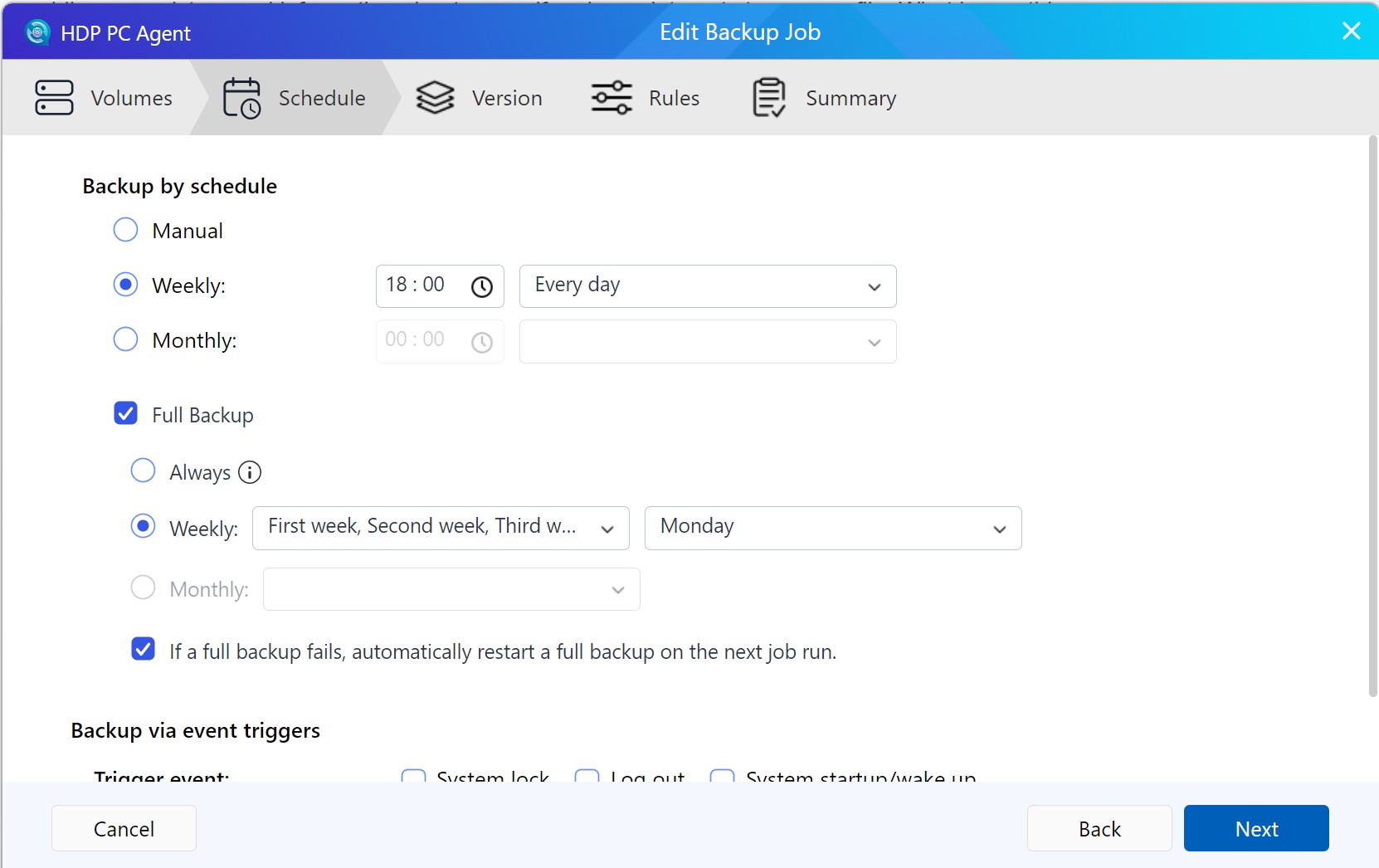
Yes, I don’t understand; isn’t the weekly backup above a full backup?
Previous Behavior
HDP originally used a fixed backup strategy: during the first backup run, the system created a Full Backup as the anchor point. After that, every subsequent backup was performed as an Incremental Backup, and the backup chain continued to extend from that initial full backup.
With this design, users could not decide when to insert another Full Backup into the chain.
Current Behavior
HDP now allows users to define, based on the configured backup schedule, which backup runs should be performed as Full Backups. All other scheduled backup runs will automatically be performed as Incremental Backups.
Example
Assume the backup schedule is set to “daily at 18:00”, and the full backup schedule is set to “Weekly → Monday”. In this case:
-
Every Monday at 18:00: Full Backup
-
Tuesday to Sunday at 18:00: Incremental Backup
Smart Versioning
Smart Versioning determines which backup versions should be retained after they are created, and for how long.
Instead of keeping every version indefinitely, it automatically thins out backup versions over time: more recent versions are kept at a higher density, while older versions are retained more sparsely.
Example
Assume backups run daily and Smart Versioning is configured as follows:
Daily: 7
Weekly: 4
Monthly: 12
After the backup job has been running for a full year, the system will retain:
7 daily versions + 4 weekly versions + 12 monthly versions
All other versions that do not match the retention rules will be automatically removed.
For more details and examples, refer to the official FAQ:
https://www.qnap.com/en/how-to/faq/article/how-does-smart-versioning-work-in-hbs-or-hdp-for-pc-vm