I’ve installed TWO Kingston KC3000 2TB NVMe drives for QuTS hero 6.x OS/System volume (as recommended by QNAP UK videos on YT) and I like those drives, should last long (TBW 1600) and they are listed on support list of my TS-h2477AUX-7-32G-RP NAS.
All seems to work fine and good, but I’d like to add heat-sinks (passive) to those NVMe-s since their temps are 55-57C even at low CPU usage/idling. Sure Kingston lists that they can go to 70C before start throttling, but I’d like to be sure it won’t throttle in any situation and in general would prefer lower temps so, I’d like to add Passive heat-sinks but i can’t find which one to fit on those two drives into tight space on motherboard?
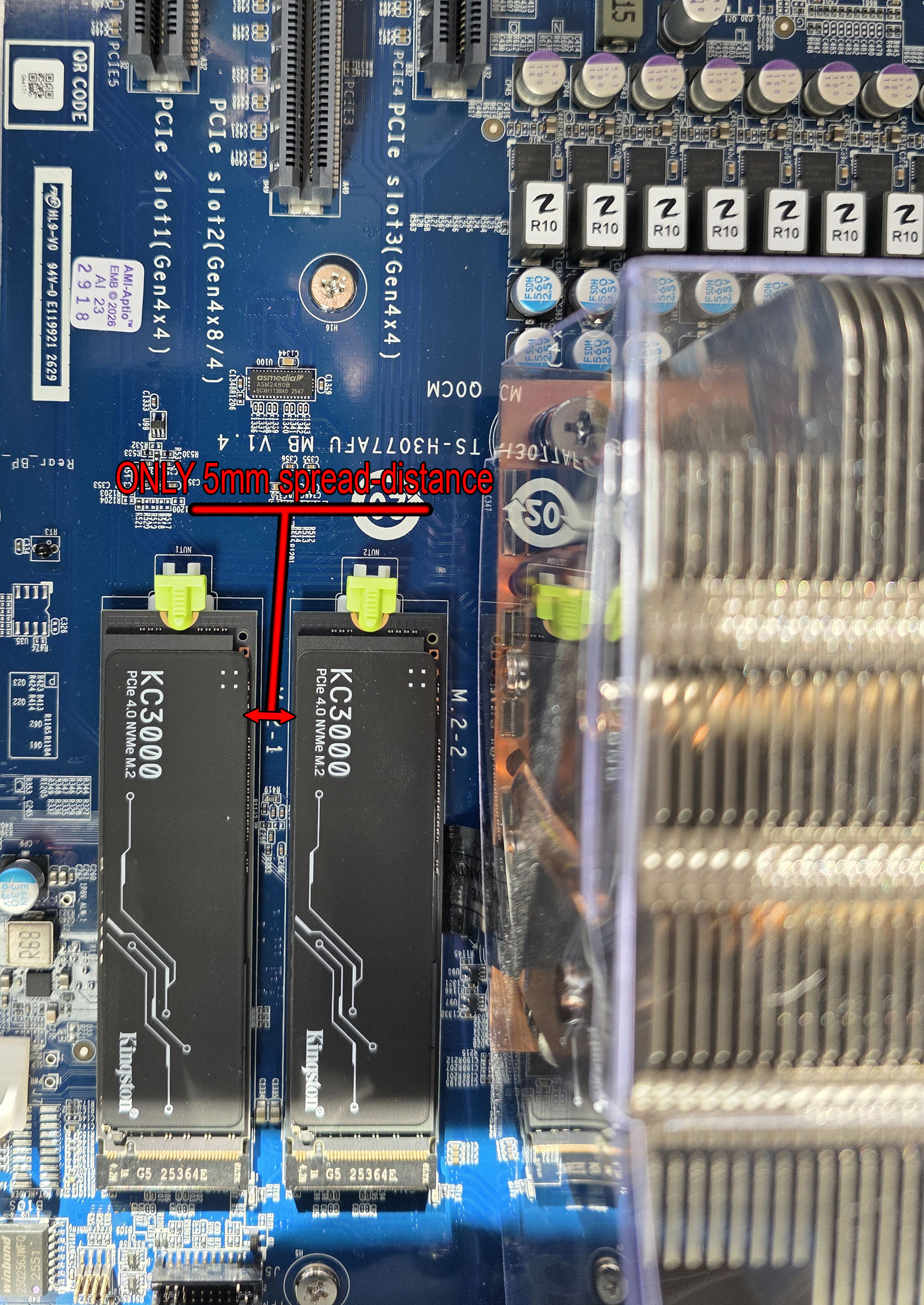
Height is not a problem it has plenty vertical space but distance between NVMes is only 5mm so i’d need some very narrow heat-sinks, not much wider than SSDs itself? Like if NVMe is 22mm then 24-25mm total width of heat-sink so that they don’t touch in between when both placed on MB together.
IS there official heat sinks (I thought they will come with NAS but haven’t found any in my package/box :/) so can someone recommend me heat-sinks that can fit in that MB and can cool both sides of NVMe since it has chips on bottom and top side).
EDIT:
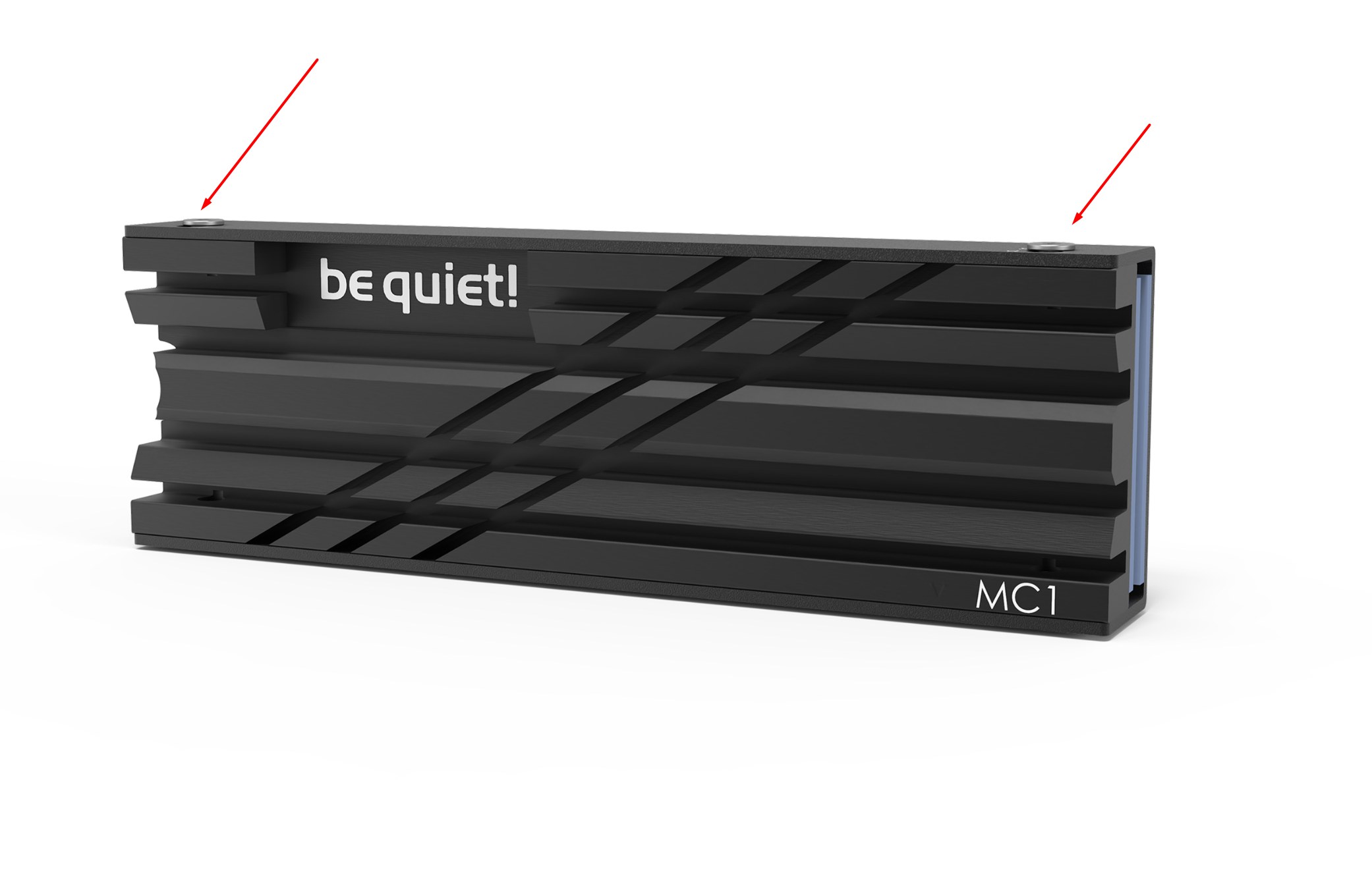
In theory this should be official 2-pack heat sinks for my NAS that should fit perfectly , I just don’t see, do they have thermal pads included on bottom and top side or is just aluminium plate only and I’ll need to buy .5mm and 1mm pads separate?
The issue though is where to put it. QNAP in their instructions says to place the heatsink on the controller chip. But with the fact that there’s a plastic cover over the entire PCB, you don’t know where that controller chip is located. And you can’t remove the plastic cover because if you do, you will void the warranty on the drive.
And secondly, if you did manage to place a heatsink correctly on the controller chip, it may not do much good because the plastic cover is acting as somewhat of a thermal barrier anyhow. So I question how much good they really do…
Thanks for info, weird that i haven’t got any then.
Maybe someone from QNAP staff can confirm is that the case? Should those 2 heat-sinks+thermal pads come with my NAS?
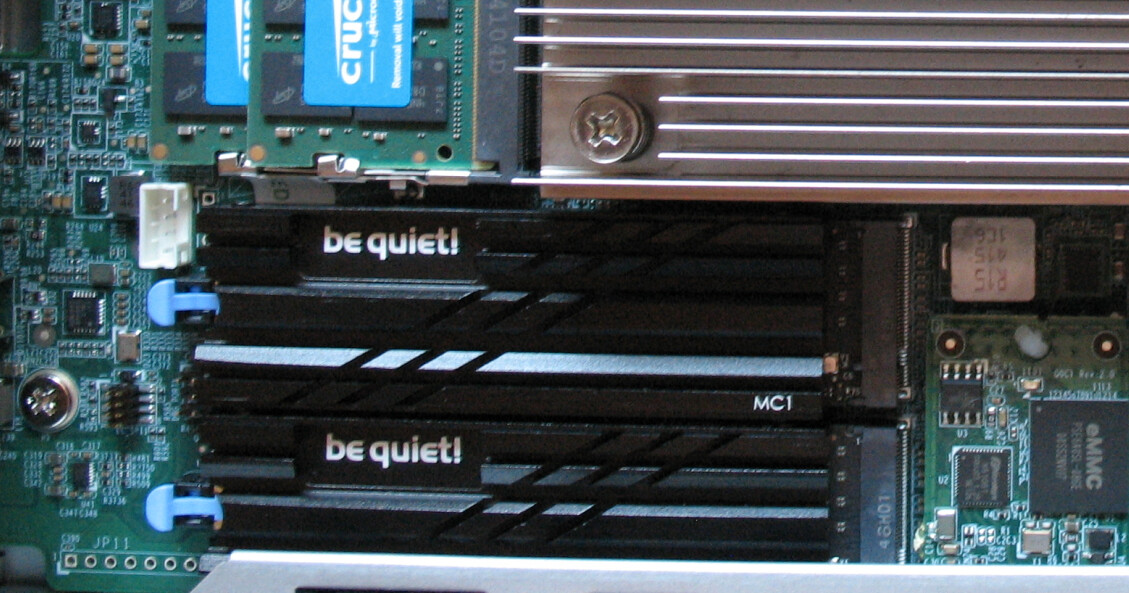
As for placing then, Physon controller is top right chip (when looking from above as they sit in slot) and left side chips are RAM. Thermal pads and heat sink itself go over complete length of drive (80mm long heat sink) and I don’t expect miracles but form what I can see online those passive coolers can decrease temps by 4-5 °C which would be enough in this case for “peace of mind”
Those heatsinks you show are NOT what QNAP includes with the NAS. They are small black heatsinks that just fit over the controller. Putting one over the entire stick would make more sense. However, I do wonder how effective they are given the thermal barrier of the label.
I know what you mean now, you mean those small black squares you just tack on the chip/sticker?
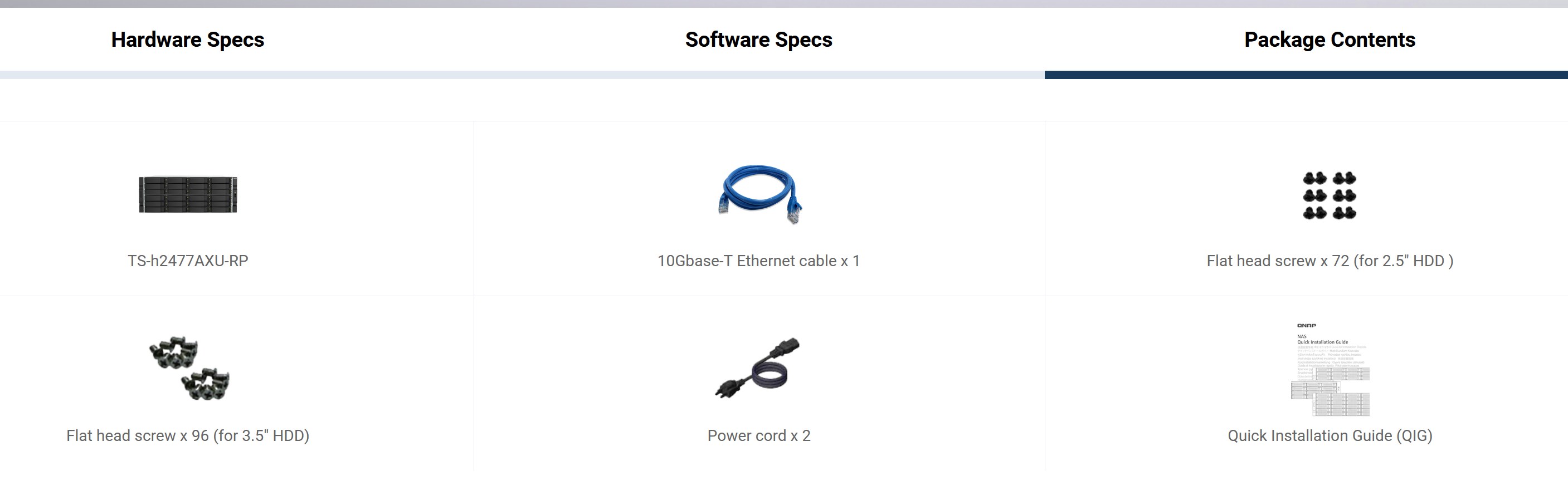
But sadly even those arent included with my NAS either. And “package ceontent” isn’t listing it either so I guess with more expensive NAS-es you/we get less parts included in price :).
Depends on NVMe also, are they single sided or double sided RAM chips, Mine are on 56-57C currently (no heat sinks) so 45-47°C would be good decrease (on idle, of course, on heavy tasks they will spike more surely) :).
Thank you for your inquiry. For the TS-h2477AXU-RP, we recommend using the black square M.2 heatsink listed on the product compatibility/accessory page (HS-M2SSD-06 & 07), as it has been validated for this model. We have also checked the compatibility of the QNAP HS-M2SSD-02 heatsink. Unfortunately, it cannot be installed on the TS-h2477AXU-RP due to mechanical clearance limitations around the M.2 connector. The available clearance is lower than the installation space required by the HS-M2SSD-02.
If you would like to use a third-party heatsink, we recommend choosing a low-profile design and verifying its dimensions carefully before purchase. In particular, the clearance required around the M.2 connector should not exceed 2.9 mm. Heatsinks with larger mounting structures or thicker bases may not fit properly.
If you provide the dimensions or product link of the heatsink you are considering, we will be happy to help review its compatibility.
Hi @JasonH - thanks for your input and answers.
Sadly those black stick on squares do not help/cool bottom side of NVMe (2TB NVMEs are double sided) so i hoped for some that can cool both sides.
My NVMe SSDs stabilized at 52-54°C after 24h of usage/truned on NAS so maybe i won’t need heat-sinks after all, but if find some low profile ones i’ll see can they fit with their dimensions. I think 2.4 mm on each side is maximum due being only 5.x mm spread between NVMEs.
No, the heatsink goes on the controller. There may be SRAM chips on both sides, but I am betting there is just one controller on the top side for all the chips on both sides.
After 10 days of waiting for delivery i finally got my Heatsinks delivered for this setup.
Eventually i went for AXAGON XL heatsinks since company was very quick and replied my e-mail within few hours even with measurements between coolers (they assembled 2 of them on table to measure between distance - very nice of them) so i was sure it will fit horizontall with enough spacing between two on this QNAP motherboard.
BTW not sponsored link, I bought this with my own money (just in case anyone thinks i’m pushing for any specific brand :))
I used thermal pads that come with heatsinks (there is thin one for bottom side of NVMe and thick one for top side" and i got these results.
WITHOUT Heat-sinks my NVMe temps at idle were 53-56°C and at heavy usage 60-62°C. Well within Kingston specs before throttling (at 70°C) but hey i wanted them cooler anyway so here is results:
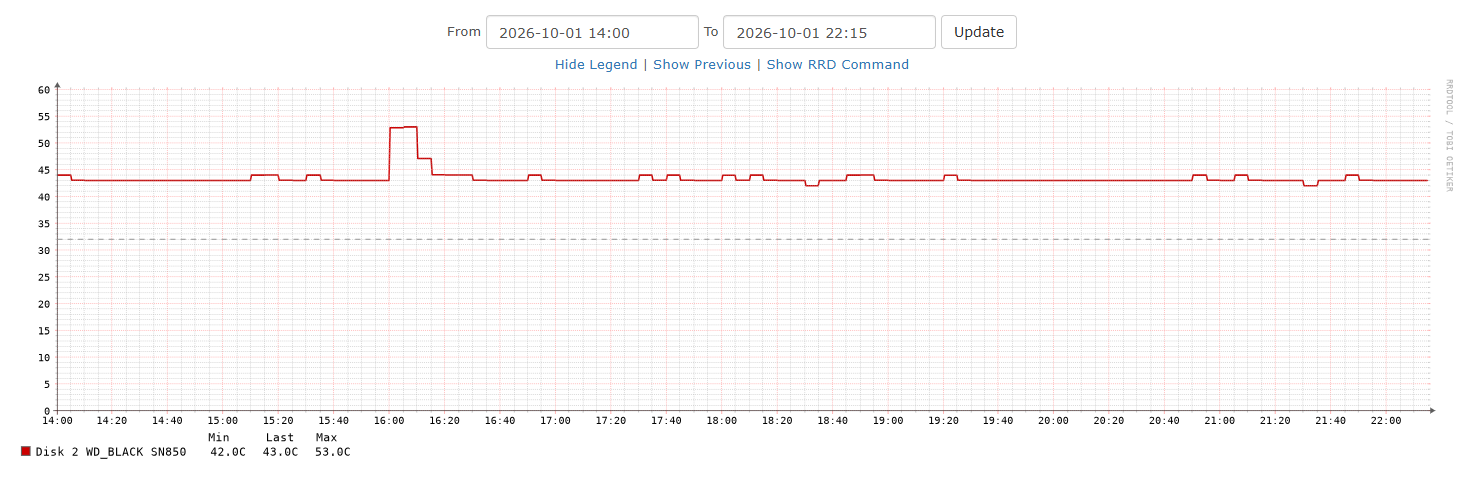
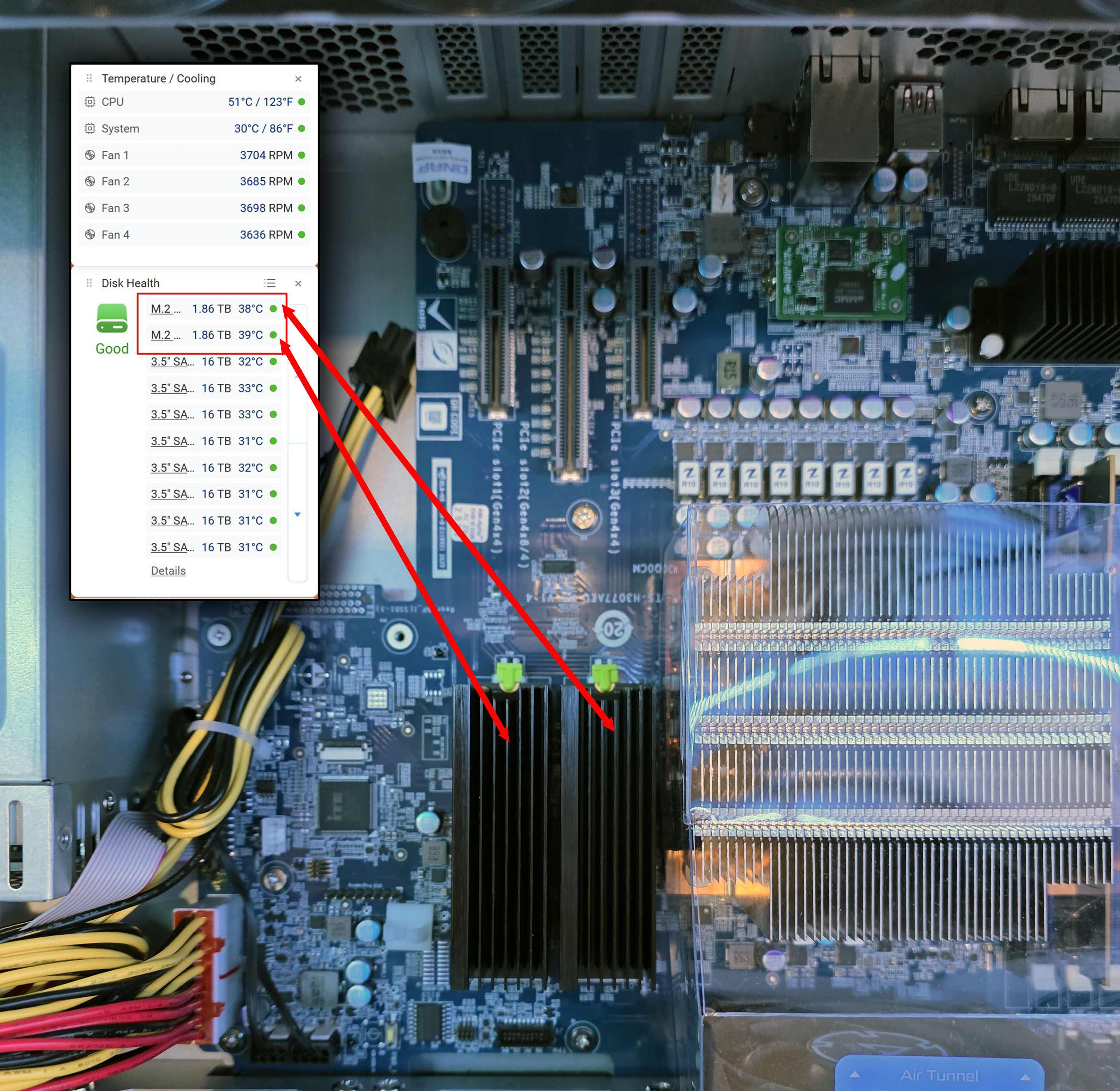
WITH heat-sinks (after 40 minutes of NAS being turned ON)
Temps are 38-39°C so i’m pretty happy with that difference.
Sure it’ll rise few degrees after days of usage but i don’t expect over 45°C so that sucessfully decreased temps 15-18°C in any conditions.


 :).
:).