Does this work for HBS 3 version 26.3 and the Active Sync method over the rsync? Are there other options?
https://www.qnap.com/vi-vn/how-to/faq/article/how-can-i-exclude-specific-files-and-folders-in-an-hbs-job
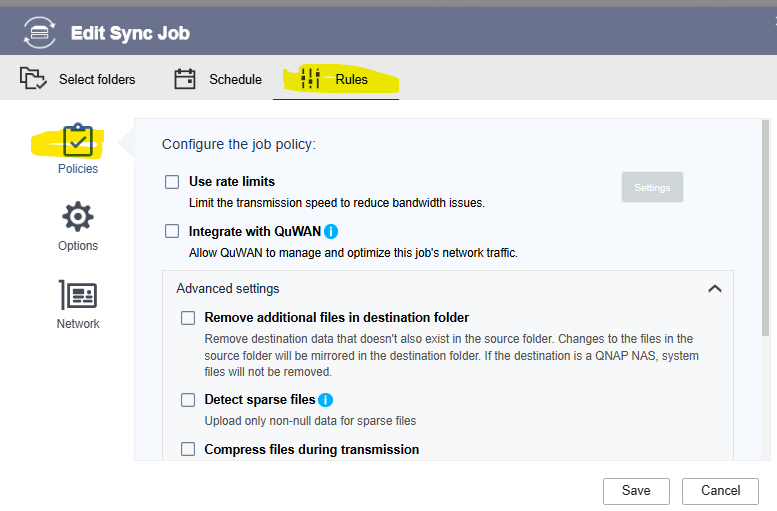
For me it looks like this. I have no item Enable Filters
Select the folders you want under the Select Folders Tab.
In the Rules tab, you should have an item named “Methods.” If you don’t, it’s possible you need to have rules set when you set up the backup job. You may not be able to add them later.
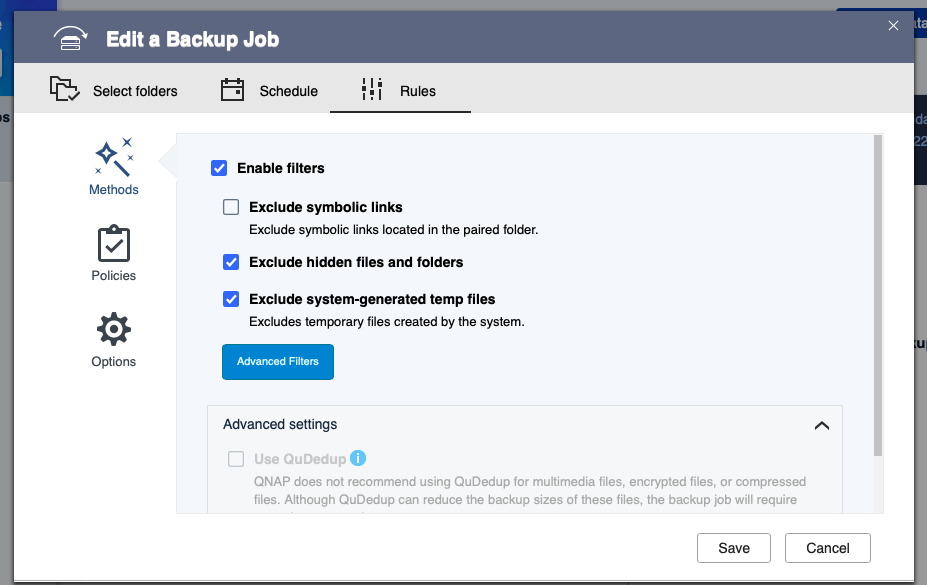
And this is from version 26.3.
Thanks for the reply. Did you check yours in “active sync” mode? I even attached a screenshot; I don’t have a “methods” section in “active sync” . I set up syncing to the qnap direction. The documentation in point 2 states that this also applies in “synchronization” mode.
Hi @Vlad21 ,
We have confirmed that Active Sync jobs using rsync do not currently support file/folder exclusion filters.
We understand this is an important feature. We will review this internally and share your feedback with our development team for future planning.
Thank you for your feedback and support.
Ah, I missed it was a sync job!
Yeah, for a sync job you need to specifically pick the folders you want synced. I agree it would be a helpful addition to have filtering!