TS-216G
1- which folder do I upload to public or media?
2- should I create folder such as public/shared?
3-how do I create password protected link for person(s) to download?
thanks
TS-216G
1- which folder do I upload to public or media?
2- should I create folder such as public/shared?
3-how do I create password protected link for person(s) to download?
thanks
Sharing files with QNAP is one of the coolest aspects of the product.
1.) You don’t need a special “public” folder.
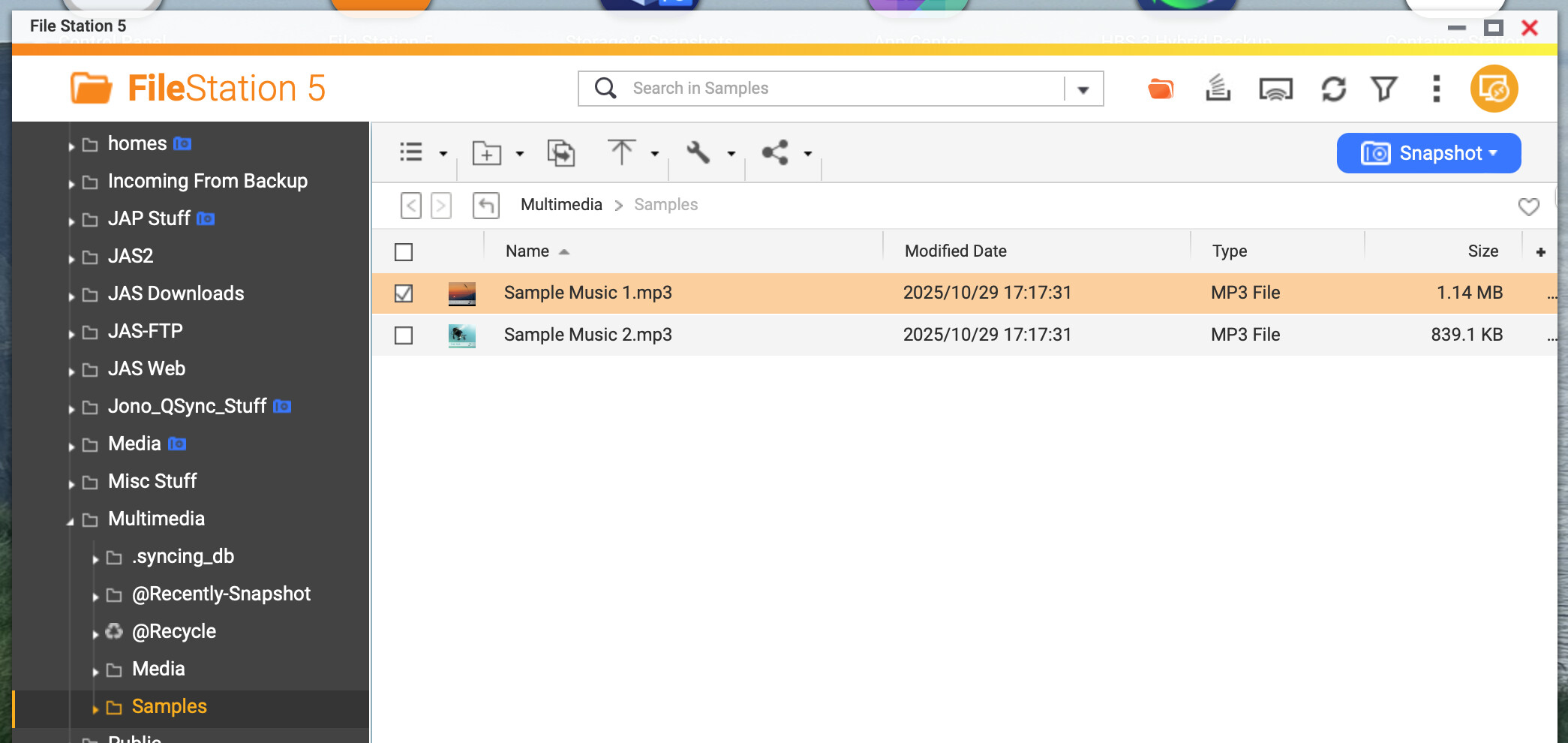
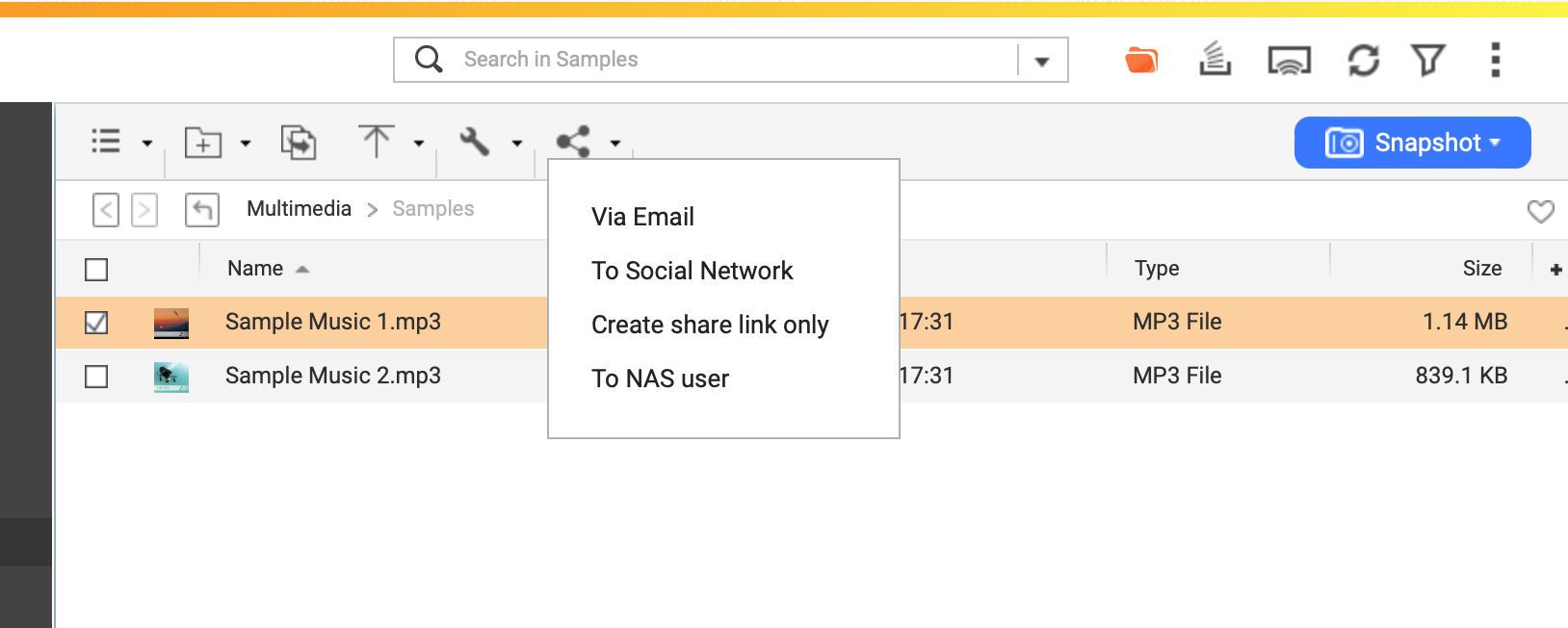
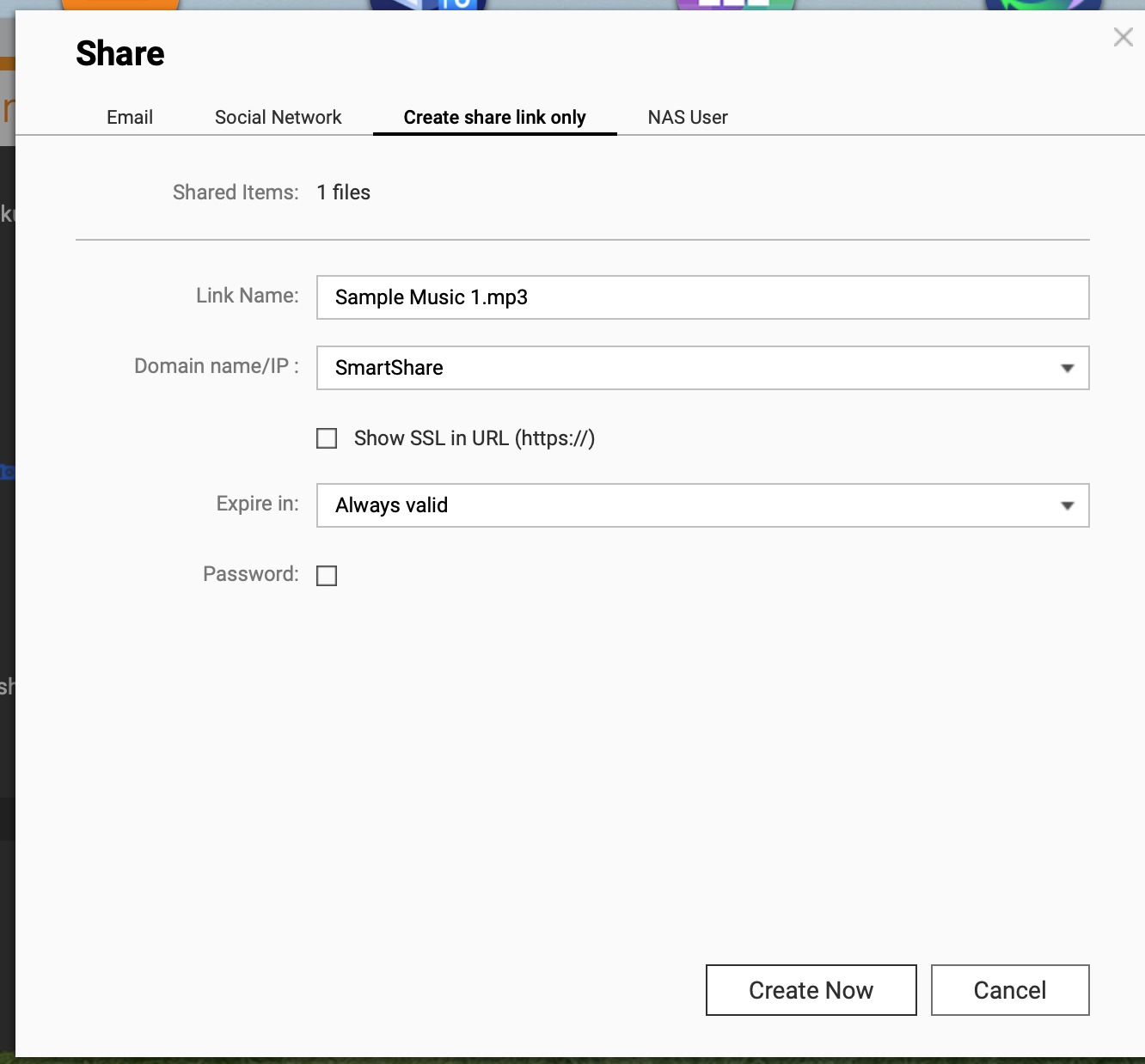
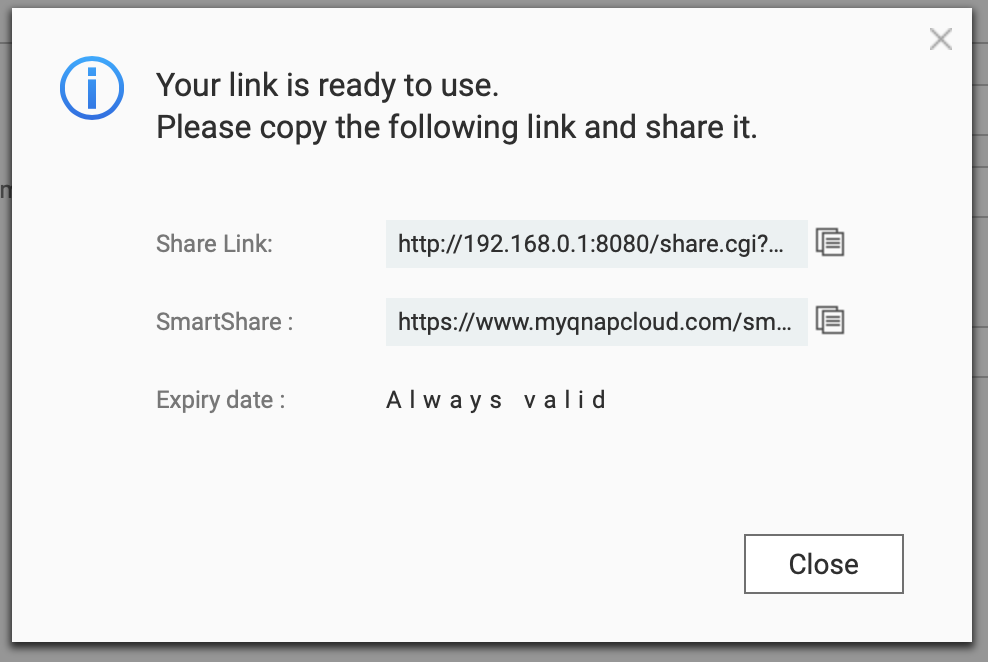
2.) To share a file, follow these steps:
What this does is create a link that goes through QNAP’s servers in Taiwan. When the person goes to access this, they go to a web page where they can select your file (and only your file) to download. When they download it, it gets uploaded from your system to the QNAP server as a proxy and then downloaded to the user.
You never have to expose your NAS to the public internet this way. When I first discovered this it was the best day ever!
The only drawback is that the download speed is somewhat slow as it only goes through QNAP’s servers in Taiwan. I have found that the speed is roughly about 2 Mb/s or so.
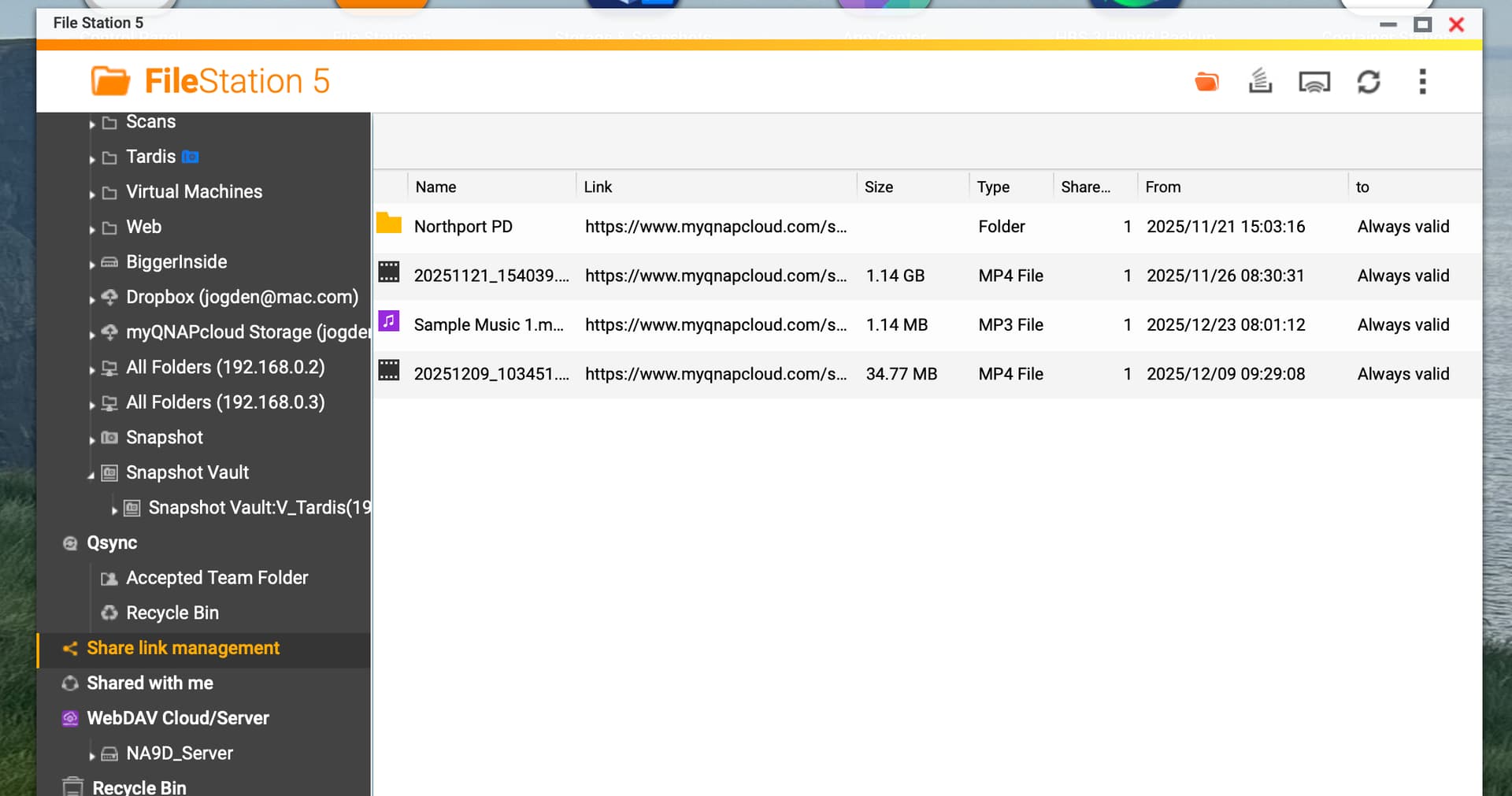
You can manage links in the “ShareLink Management” section in FileStation:
Also, the “public” folder in QNAP is really more designed to be a public folder for use when you have multiple NAS users. It’s not meant as being the place where you put stuff to share with anyone. You can share a file from any folder on the NAS.
And if you use Qsync and have a sync’d file you wish to share, you can create a share link right from your computer without having to go into FileStation.
Also, if you have your email set on the QNAP, you can create the share link via email from the QNAP as well be selecting that option.
Got it thanks. Is there a way I can monitor how many times file was downloaded?
That I haven’t figured out yet. I would like to have that function as well. Maybe someone else or QNAP Staff can chime in?
Please keep in mind that opening any access to your internal NAS presents you with a security risk. You should never expose your NAS unless you understand the risk (search for the past history of vulnerabilities and be sure you realise what you are doing).
To be secure, use a free 3rd party sharing service (such as dropbox, google drive, microsoft onedrive, etc) where you can safely provide file access and monitor who downloads the file and how many times (depending on the service used). You can even use HBS3 to replicate to many cloud sources and share them from there.
If you do proceed to use the QNAP option, ensure that anything important to you stored on the NAS is properly backed up to an external offline device.
OK. So I figured out a way to get notified when the shared file is downloaded.
QuLogCenter creates a log entry whenever the file is accessed. So that means, you can create a NotificationCenter rule.
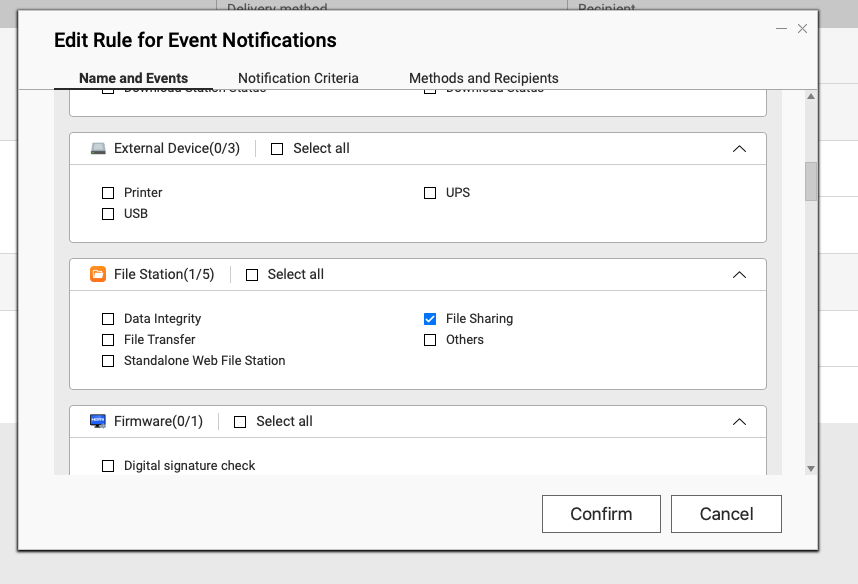
So in NotificationCenter create a new rule. Be default everything is selected. Uncheck that. Then scroll down to FileStation and select File Sharing
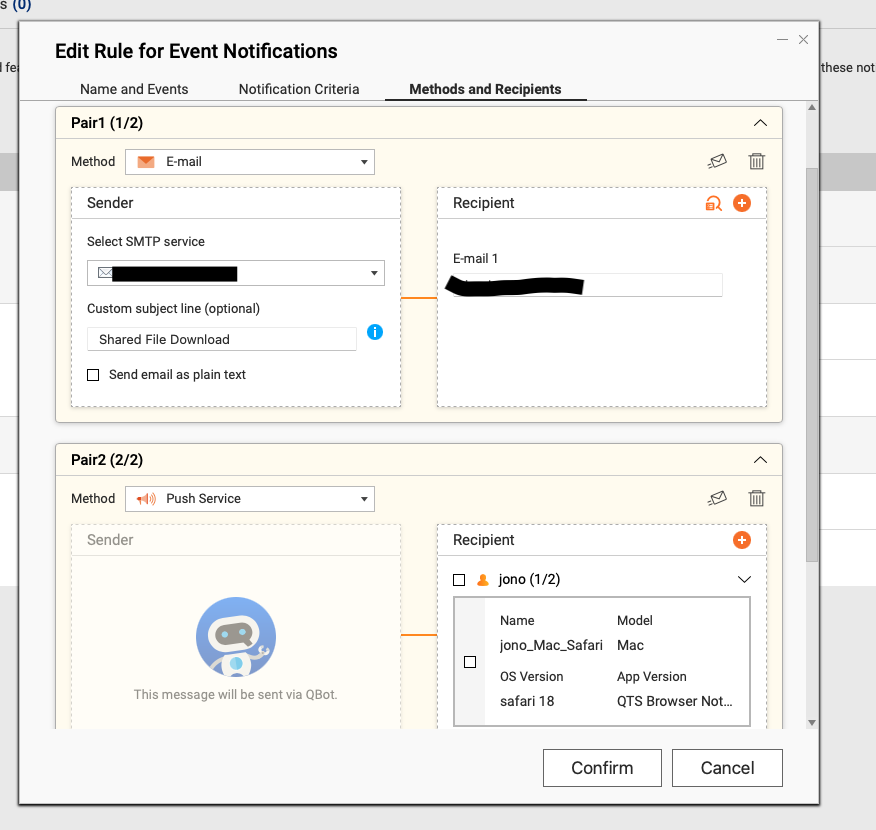
Then select how you want to be notified:
I’ve got email and push service to my phone set up now.
So you get an email with text like this:
Shared File Download
NAS Name: NA9D-NAS
Severity: Info
Date/Time: 2025/12/23 10:27:21App Name: File Station
Category: File Sharing
Message: [File Station] Downloaded the shared file: “/Multimedia/Samples/Sample Music 1.mp3”. IP address: 2600:1008:b33a:xxxxxxx. File ID: “08c4c4c56fff47b7a96baa9c476801d5”.
So it won’t tell you how many times it’s been downloaded (maybe you can set up a filter in QuLog Center? I’ll try that next). But you can get notified when downloaded.
OK. I’m figuring out a bunch of stuff that I’ve never explored before.
There are two things in QuLog Center (maybe it’s QLog Center for QTS).
1.) Styles
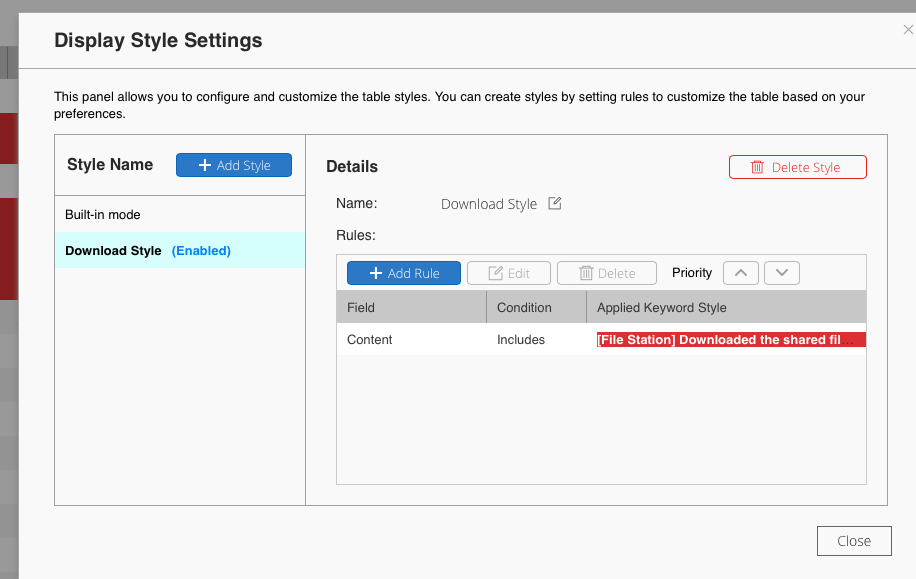
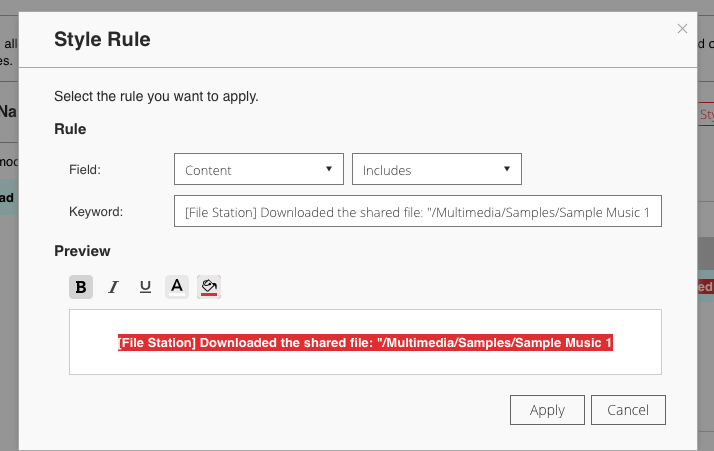
You can create a style for how you want certain entries to look. I just created a Style I called “Download Style.” You access style from the title paint pallet icon in QuLog Center.
In this one, I created a style specifically for the file I just shared as a test:
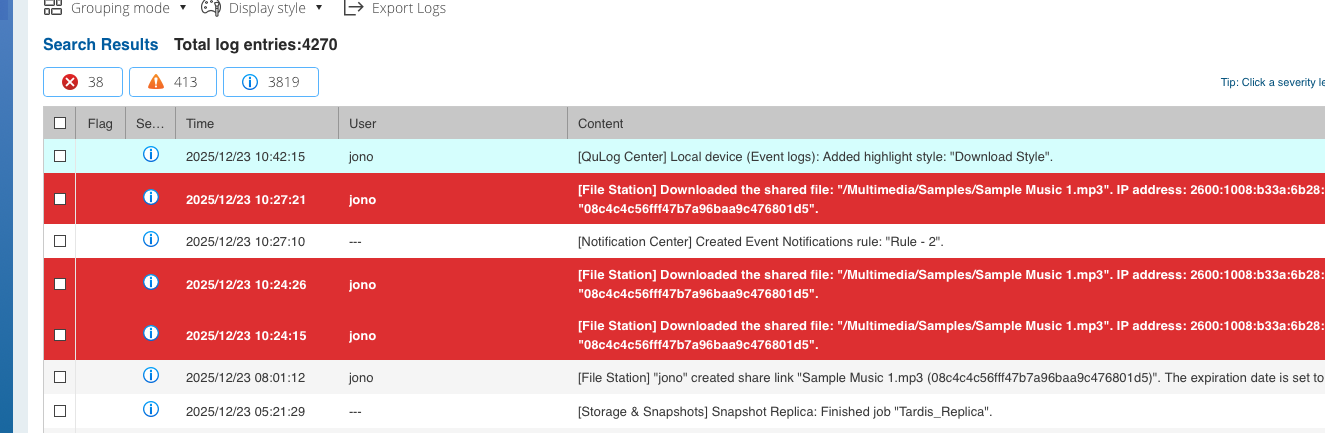
The log “Content” text includes “[File Station] Downloaded the shared file:” I specifically kept in the /Multimedia/Samples/Sample Music 1 for this case. I set the text to bold with red background and white lettering. Now my logs look like:
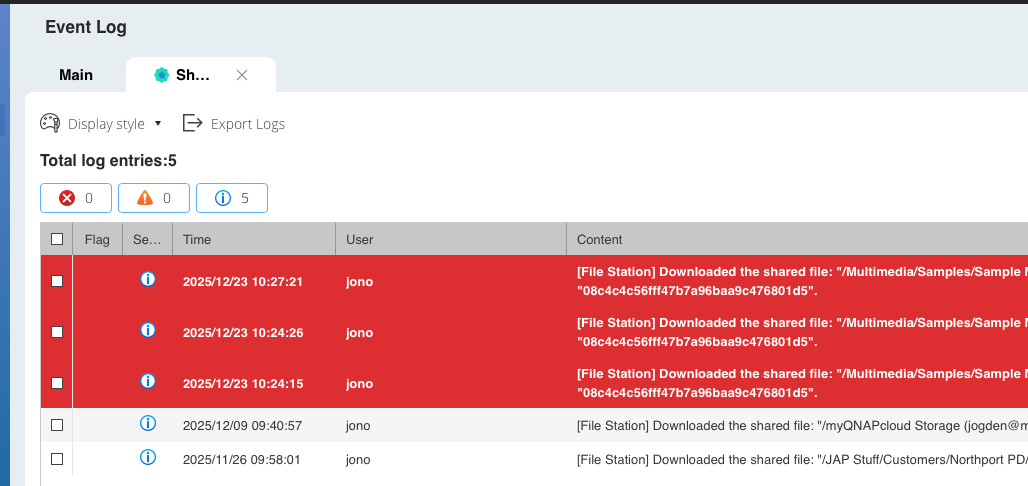
Second, in Advanced search you can create a customized search tab on the log window:
So in this case, it captures ANY file downloaded.
So there’s some hopefully useful ways of looking at file access from share links.
Also, you can share an entire folder with a remote user and give them upload rights. So people can upload files to you as well.
Thank you for your suggestion! Regarding the statistics for download counts, I will forward this to our internal team to evaluate the possibility of adding this feature. Thank you!
I’m curious to know if the entire file is pulled to the QNAP’s servers, every time it is downloaded by someone, as this seems very inefficient and potentially bandwidth hungary
The alternative would be the cache the file at the QNAP server, and then for them to make a validation request, confirming share access and file checksum, before serving the download.
Your local NAS could still recording this as a download, without requiring the bandwidth and disc activity.
Perhaps this is the way it works already, under the covers…
I would assume it just works as a proxy and forwards the request to the NAS.
Be sure you understand the security risk, privacy risk, bandwidth limits and availability issues.
It is a proxy. It would not be efficient to cache that sort of thing.
@dosborne - You have likely never shared file this way. There’s nothing else exposed on the NAS except what you choose to share on that link.
Your credentials on the QNAP server are exposed. You are reliant on QNAP services being up and running and accessible. You are at risk if QNAP is compromised as they have access to whatever your NAS exposes. You are limited (potentially) by any bandwidth limits and usage limits that are in place.
Again, I’m not saying this is really bad, I am saying you need to understand the risk and what has been exposed and compromised in the past.
Of course.
I am relying on QNAP’s servers to be secure. Just like I rely on my bank to be secure. I rely on my cell phone company to be secure, my health insurance company, etc.