How to configure newly created Storage Pool LUN so it can be used for HBS3 backup repository ?

How to configure the newly created Storage Pool LUN so it can be used for HBS3 backup repository ?

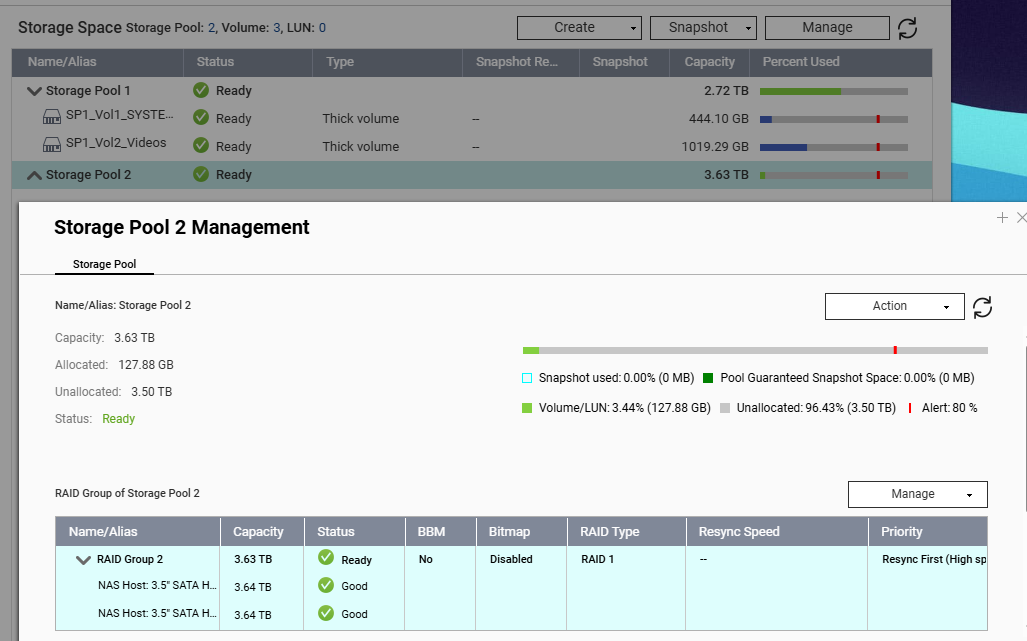
Because I have created a Thin Volume Storage Pool with RAID-1, as shown below,:slight_smile:

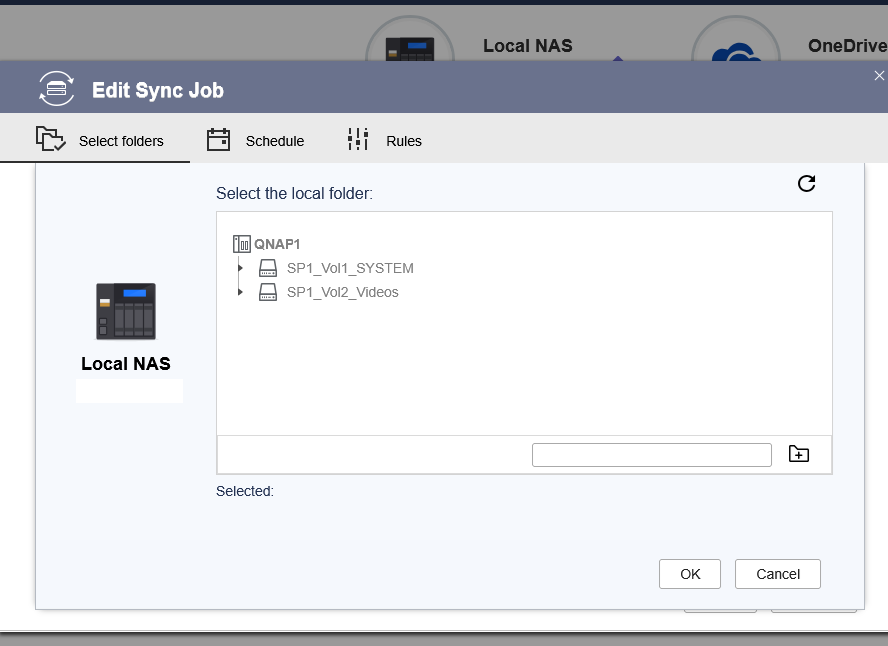
But somehow, it cannot be selected or even displayed ?

Any help would be greatly appreciated.

You should be able to select the volume for the back up and then create a folder by filling in the name of the folder in the blank and clicking the little folder icon with the + in it.

Hi @NA9D ,
Yes, that’s what I’d have thought so before, but somehow I cannot select it as it doesn’t appears in the above window.

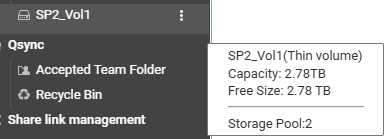
The target location is the SP2_Vol1.

@InfoSecOps I think it is normal for the Volume to be grayed out and unselectable.

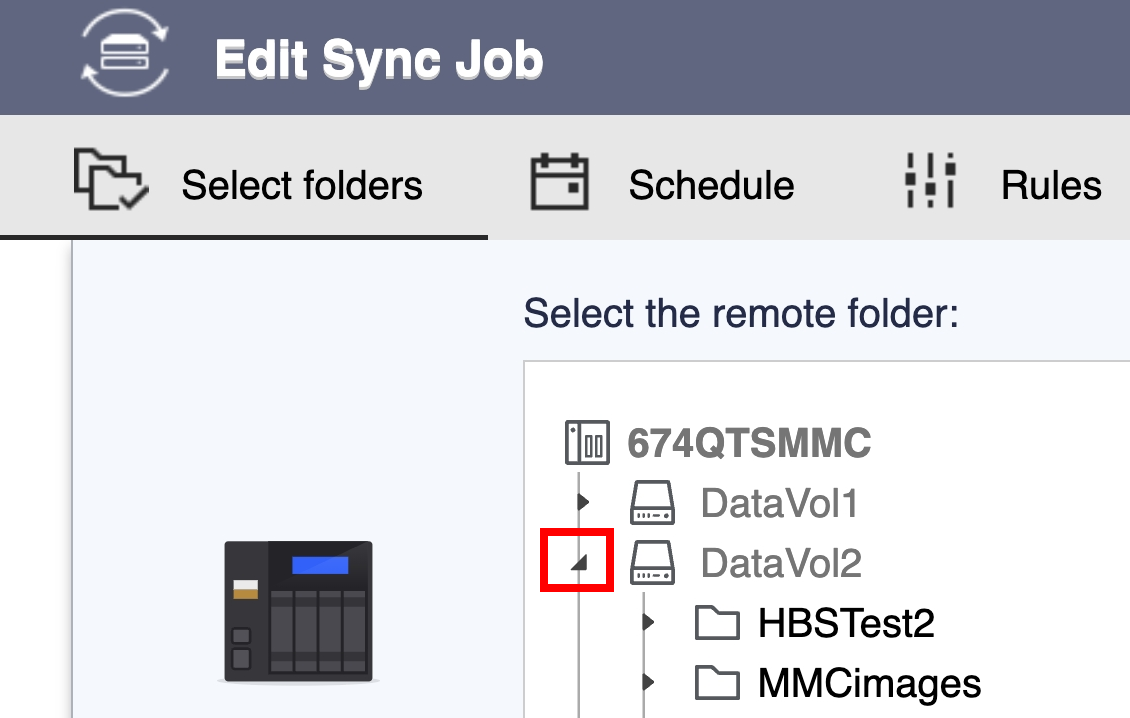
Could you help to try click the arrow next the Volume option? It should expand and list the Folders under Volume, which should then be selectable.

I think his point (What I didn’t realize before) was that SP2_Vol1 is not showing up in HBS..

Could you please provide screenshots of your Storage Manager and File Station folder? This will help us better assess and assist you. If you have any questions regarding the configuration, feel free to open a support ticket and our Support Team will be happy to help. Thanks!

@SteveKo ,
Like this one:

I am using QTS v5.2.9

Again, why did you set it up as a LUN and not a normal volume?

@NA9D ,
Yes, I got it confused myself as I inherited this setup.

Now it’s all getting clear slowly as I ask around in this forum.

Thank you,